

Blog
How to Choose an Access Control Card Dispenser?

Introduction
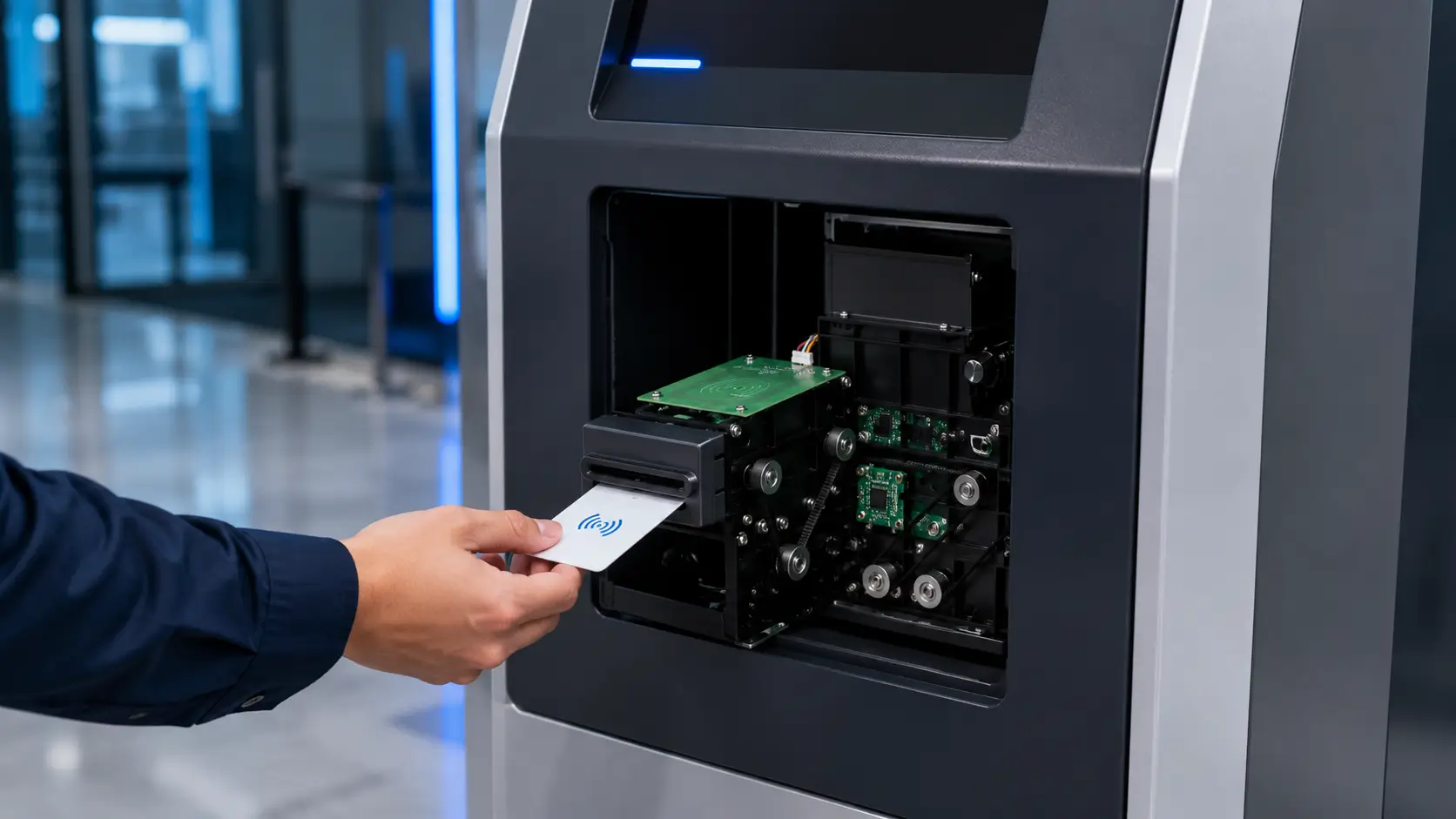
An access control card dispenser is not simply a box that releases cards. In a visitor kiosk, contractor terminal, industrial gate station, or government credential system, it is one part of a controlled issuance workflow.
The complete system may need to:
- Identify and authorize the user
- Select, read, or encode a credential
- Deliver the correct card
- Record the transaction
- Recover or deactivate the credential later
This makes card dispenser selection a system architecture decision rather than a capacity-only purchasing decision.
A dispenser can work in a demonstration and still fail in deployment. Common causes include incompatible card surfaces, weak host communication, incomplete recovery logic, and poor maintenance access.
In access control, a failed dispense can block a visitor, create an untracked credential, require security staff intervention, or leave an active card without a confirmed recipient.
This buyer guide explains how access control integrators, security system integrators, building management system providers, and project contractors should evaluate an access control card dispenser for long-term unattended operation.
Typical Access Control Card Issuance Workflow
Most access control projects follow a similar credential lifecycle.
Identity Verification
↓
Authorization Approval
↓
Card Selection
↓
RFID Read / Encode
↓
Credential Activation
↓
Card Delivery
↓
Access Granted
The exact sequence may vary depending on security policy, credential technology and system architecture. However, defining the workflow before selecting hardware is one of the most important steps in a successful deployment.
Quick Answer
Choose an access control card dispenser by validating these seven points:
- Credential type: Confirm the physical card dimensions, thickness, material, surface finish, and whether the credential uses RFID, magnetic stripe, contact chip, barcode, or multiple technologies.
- Issuance workflow: Decide whether the kiosk only dispenses a pre-enrolled card or must read, encode, verify, print, retract, or later collect it.
- Card routing: Define where a card goes after it leaves the stack and what the system does after a timeout, failed encoding operation, or user abandonment.
- Host integration: Verify the electrical interface, command set, status feedback, SDK support, error codes, and operating-system compatibility.
- Unattended reliability: Evaluate card separation, empty and near-empty detection, jam detection, power-loss behavior, and recovery logic.
- Service access: Check how operators load cards, remove rejected cards, clean rollers, clear jams, and replace wear components after installation inside the kiosk.
- Security controls: Protect blank and encoded card stock, log each issue event, reconcile inventory, and prevent unauthorized physical or software access.
For most projects, the correct solution is not the dispenser with the longest feature list. It is the unit that matches the credential workflow and can report enough operational state for the kiosk and security platform to manage exceptions safely.
Fast selection guide
| If the project requires | Start with this architecture | Main qualification gate |
|---|---|---|
| One physical card type with permissions assigned in software | Single-hopper dispenser | Reliable separation, card-present feedback, and stock status |
| Confirmation of every card UID before issue | Dispenser plus RFID reader | Stable read position and UID-to-transaction reconciliation |
| Card personalization at the kiosk | Dispenser plus RFID encoder | Supported credential technology, secure key handling, and read-after-write verification |
| Several physically different credentials | Multi-hopper dispenser | Positive hopper selection, separate stock monitoring, and loading controls |
| Recovery of unclaimed cards | Dispenser with retract or reject route | Confirmed pickup sensing, secure storage, and automatic revocation |
| Reusable visitor cards | Issue-and-return or circulating system | Card return identification, deactivation, inspection, and inventory reconciliation |
For a typical visitor access card system, a sensible default is a single-hopper motorized dispenser with positive card-position feedback. Add an RFID read or encode station and a secure recovery path where required.
Use multiple hoppers only when the physical credentials genuinely differ.
With that initial direction established, the next step is to separate the functions that are often grouped under “card issuance.”
Basic Concepts
Card dispensing, issuance, encoding, and collection are different functions
These terms are often used together, but they describe separate hardware and software operations:
- Card dispensing separates one card from a stack and transports it to an output position.
- Card issuance is the complete business process that assigns and delivers a credential to an authorized person.
- Card reading retrieves an existing card identifier or stored data.
- Card encoding writes data to a supported RFID, magnetic, or contact-chip credential.
- Card printing adds visible information such as a visitor name, photograph, expiry time, or barcode.
- Card collection accepts returned cards and stores them for controlled reuse or disposal.
- Card recycling or circulation combines issuing and returning cards in a managed loop.
An RFID access card dispenser does not automatically encode RFID cards. The reader or encoder may be a separate module along the card path.
The dispenser, RFID module, access control platform, and kiosk application must therefore be specified as one workflow.
Pre-enrolled cards versus cards personalized at issuance
There are two common approaches to access control card issuance.
Pre-enrolled card dispensing
Each card is already registered in the access control database. The kiosk selects or reads the next card identifier, assigns access permissions to it, and dispenses it to the approved user.
This approach can simplify kiosk hardware, but inventory control is critical. The software must know which physical credential was delivered.
If card order can change during loading, servicing, or jam recovery, relying only on stack sequence may be unsafe.
Personalization at the kiosk
The kiosk dispenses a blank or reusable credential to a controlled read/write position. It then reads or encodes the card, verifies the result, activates the credential in the access control system, and presents it to the user.
This approach provides stronger transaction control and more flexible credential assignment. It also adds hardware, processing time, integration work, and exception states.
The card path must hold the credential at the distance and orientation required by the reader or encoder.
 Issue-only versus return-and-reuse systems
 Issue-only versus return-and-reuse systems
An issue-only kiosk provides a credential but does not recover it. This may suit employee replacement cards, temporary permits, or visitor credentials that are deactivated remotely.
A return-and-reuse system also accepts cards at an exit kiosk, reception station, or security gate. The returned credential is identified, deactivated, inspected, and stored for reuse.
Projects that require this process should evaluate a card collector for access control systems or a circulating card dispenser buyer guide alongside the issuing unit.
Once these functions are separated, the main architecture options become easier to compare.
Comparison Layer
Common access control card issuance architectures
| Architecture | Best suited to | Main advantages | Main integration concerns |
|---|---|---|---|
| Pre-enrolled card dispenser | Visitor kiosks using known card inventory | Simpler mechanical path and shorter issue cycle | Credential-to-card matching, inventory sequence, jam recovery |
| Dispenser plus RFID reader | Systems that must identify each card before issue | Confirms card UID and supports stronger transaction records | Reader position, RF interference, card orientation, host coordination |
| Dispenser plus RFID encoder | Projects that write credential data locally | Flexible personalization and controlled activation | Encoding protocol, key management, verification, failed-card handling |
| Dispenser plus card printer | Badges requiring visible identity or expiry data | Combines physical identification with electronic access | Print quality, consumables, processing time, rejected-card path |
| Multi-hopper dispenser | Sites issuing several credential classes | Separates card types, colors, technologies, or authorization levels | Hopper selection logic, stock monitoring, replenishment errors |
| Circulating issue-and-return system | Reusable visitor or contractor card programs | Reduces disposable credential use and supports inventory recovery | Card inspection, data clearing, collection security, lifecycle tracking |
Single-hopper versus multi-hopper dispensing
A single-hopper dispenser is often the most maintainable choice when all users receive the same card body and access permissions are assigned in software. It reduces loading mistakes and keeps the card path straightforward.
A multi-hopper configuration becomes useful when the physical cards differ. Examples include:
- Different RFID technologies for separate buildings or tenants
- Color-coded visitor, contractor, and staff credentials
- Cards with different printed designs or security markings
- Standard and high-security credential stocks
- Cards assigned to different access control platforms in a shared facility
Do not use multiple hoppers merely to reproduce permission groups that the access control software can manage. Additional hoppers add sensors, stock positions, operator procedures, and possible selection errors. Use them when the physical credential must differ.
Motorized dispensing versus simpler mechanisms
Motorized card transport generally gives the host system more control over presentation, positioning, and retraction. It is especially relevant when a card must stop at an RFID read/write position or remain available for a defined pickup period.
The selection should still be based on the complete mechanism. Integrators should ask whether the dispenser can:
- Separate one card consistently
- Detect double feeds or abnormal transport
- Confirm that a card reached the intended position
- Hold a card for reading or encoding
- Retract an uncollected card
- Route failed or unwanted cards to a secure location
- Report actionable status to the host
These mechanical choices only become useful when they are mapped to a controlled software workflow.
Architecture / Workflow Layer
 Architecture / Workflow Layer
Recommended access control card issuance workflow
A robust self-service issuance sequence usually follows these steps:
- Identify the user. The kiosk captures an approved identity source such as a preregistration code, government ID, employee record, mobile credential, or operator authorization.
- Request approval. The kiosk or middleware sends the transaction to the visitor management, access control, building management, or security platform.
- Reserve a credential. The system selects an eligible card record or prepares a new credential assignment.
- Check dispenser readiness. The host verifies stock status, mechanism state, door or service condition where applicable, and availability of downstream modules.
- Feed one card. The dispenser separates a card and transports it to the required processing position.
- Read or encode the card. The RFID or other credential module reads the UID, writes required data, or confirms the expected pre-enrolled credential.
- Verify the credential. The host confirms that the physical card, database record, permissions, and transaction ID agree.
- Activate access. The access control platform applies the approved doors, zones, schedules, and expiry time.
- Present the card. The dispenser moves the card to the user collection position and starts a pickup timer.
- Confirm or recover. The system records successful removal or retracts the uncollected card to a secure bin.
- Log the result. The kiosk stores the issuance outcome, card identifier, user or visit reference, timestamp, terminal ID, and any exception code.
The order varies by security policy. Some projects activate a credential only after pickup. Others activate it before presentation, then revoke it if the card is retracted.
The access control integrator should define this sequence before choosing hardware.
System interfaces that must be coordinated
An access card management kiosk can involve several independent interfaces:
- Card dispenser to kiosk controller
- RFID reader or encoder to kiosk controller
- Kiosk application to visitor management platform
- Visitor management platform to access control server
- Access control server to door controllers
- Kiosk application to identity verification service
- Kiosk monitoring agent to remote operations platform
The dispenser interface may be simple, but the transaction is not. The host application should use a state machine rather than one opaque issue command.
Each stage needs:
- A timeout
- A defined retry policy
- An audit event
- A safe failure state
For implementation details, the software and electrical teams should review the card dispenser kiosk integration guide before the enclosure and operating-system image are frozen.
Assign ownership for every transaction state
Many field problems are ownership problems rather than mechanical failures. The project specification should identify which component owns each decision.
| Transaction state | Primary owner | Evidence required before proceeding |
|---|---|---|
| User approved | Visitor management or security platform | Valid authorization reference and permitted credential class |
| Card reserved | Credential management service | Unique card record or controlled inventory reference |
| Mechanism ready | Kiosk application and dispenser | Online state, available stock, clear card path |
| Card identified or encoded | RFID service | Confirmed UID or successful write-and-verify result |
| Access activated | Access control platform | Credential status, permissions, start time, and expiry |
| Card presented | Dispenser and kiosk application | Card at pickup position and pickup timer started |
| Card taken | Dispenser sensor or controlled user confirmation | Positive removal event |
| Card recovered | Dispenser and credential service | Retraction confirmed and credential revoked or quarantined |
| Transaction closed | Kiosk middleware | Physical inventory and software audit record reconciled |
Exception handling should be designed before deployment
Experienced project teams define the response to at least these conditions:
- No cards available
- Card near-empty warning
- Card fails to separate
- Two cards feed together
- Card jams before the read/write position
- RFID card cannot be read
- Encoding or verification fails
- Access control server is unavailable
- User does not take the card
- Kiosk loses power during issuance
- Service door opens during a transaction
- Host application restarts with a card still in the transport path
The correct response is not always “try again.” Repeated feed attempts can create duplicate issuance, consume stock, or make a jam worse. A failed credential may need to be revoked and routed to a reject bin before the next transaction starts.
Define the safe state for common failures
| Failure | Unsafe response | Preferred controlled response |
|---|---|---|
| RFID verification fails | Present the card because it has already moved | Keep or reject the card, cancel its assignment, and log the failed UID |
| Access control server times out | Dispense first and synchronize later | Hold the card and stop the transaction unless an approved offline policy exists |
| User does not collect the card | Leave an active credential at the slot | Retract where supported, revoke access, and record recovered inventory |
| Power fails during transport | Start a new dispense immediately after reboot | Inspect mechanism state, identify any card in path, and reconcile the open transaction |
| Device reconnects after communication loss | Assume the previous command failed | Query device and card position before deciding whether to retry |
| Hopper is reloaded | Trust the previous software count | Record loaded quantity and reconcile physical stock before reopening service |
After the workflow is defined, the integrator can evaluate whether the proposed hardware exposes enough control and feedback to support it.
What Experienced Integrators Usually Evaluate
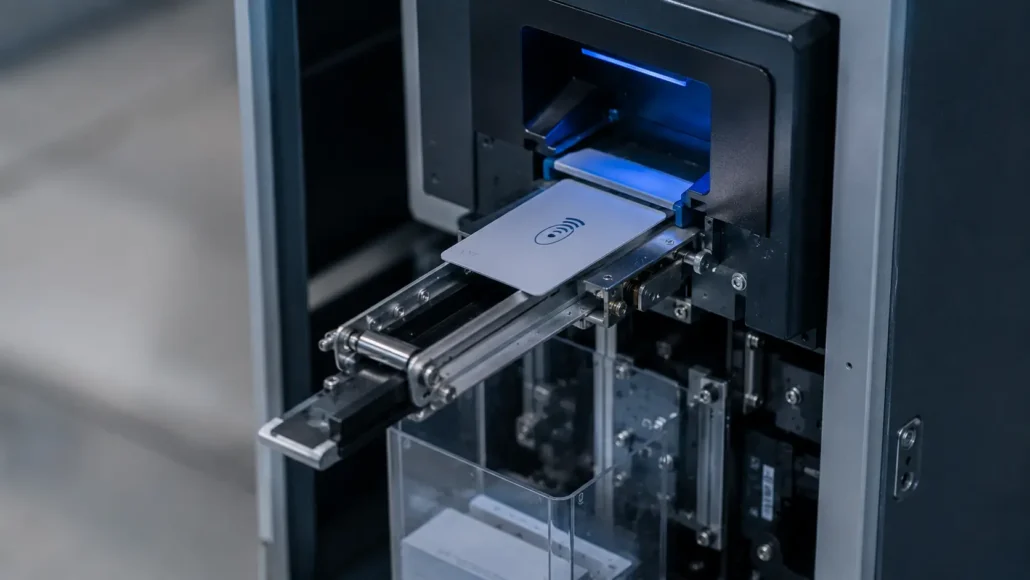
1. Card media compatibility
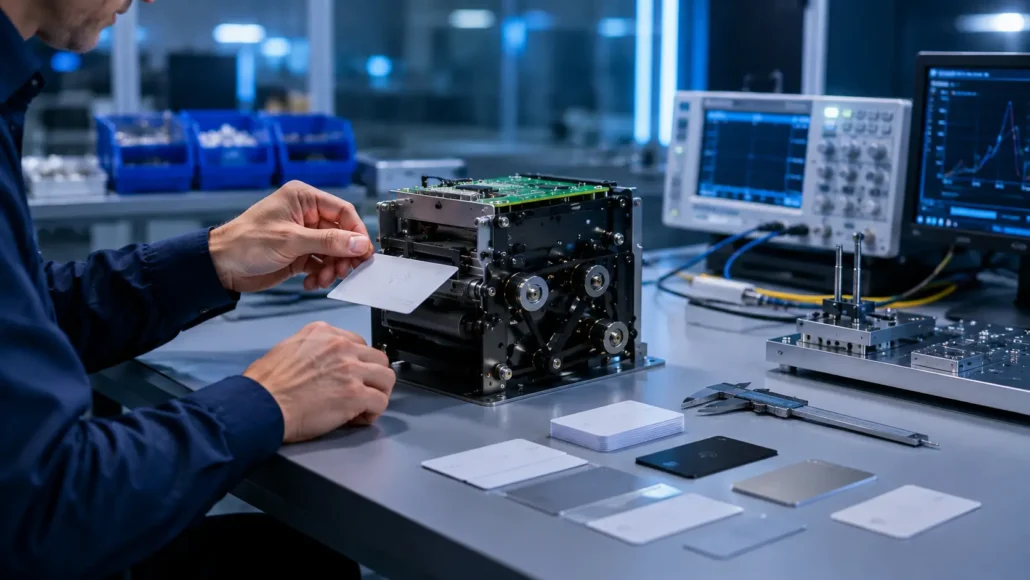
Provide physical samples from production card stock, not only nominal dimensions from a data sheet. Test:
- Card width and length tolerances
- Minimum, maximum, and mixed card thickness
- PVC, PET, PET-G, polycarbonate, or composite construction
- Glossy, matte, laminated, embossed, or printed surfaces
- Static behavior and cards that cling together
- Warped cards after storage or repeated use
- RFID inlay position and any raised features
Standard ID-1 dimensions do not guarantee reliable dispensing. Surface friction, edge quality, flatness, and storage conditions can materially change card separation.
2. Capacity and replenishment interval
Capacity should be calculated from expected transactions and service planning:
Required usable capacity = peak issues between service visits + contingency stock
Do not use the nominal hopper count without checking the actual card thickness. Thick composite credentials reduce capacity. Operators also need a practical low-stock threshold that leaves enough time for replenishment before the kiosk becomes unavailable.
For multi-site government or industrial deployments, a slightly larger capacity may reduce site visits. For a staffed lobby, easier loading and smaller dimensions may matter more than maximum stock.
3. Communication and software support
Confirm:
- Supported physical interfaces
- Command protocol and command documentation
- Driver or SDK availability
- Supported operating systems and processor architectures
- Sample code and diagnostic utilities
- Status polling or event reporting
- Unique error codes
- Firmware update process
- Recovery after communication interruption
“USB supported” is not a complete integration specification. The project team must know whether the unit appears as a serial device, uses a dedicated driver, or requires a vendor library.
That behavior must fit the deployed operating-system image.
4. Status feedback
The kiosk should distinguish between conditions such as empty stock, low stock, transport jam, card waiting, card removed, card retracted, cover open, and device offline whenever the selected hardware supports them.
Actionable status improves both the user interface and remote support. A generic failure message forces technicians to inspect the terminal physically and makes fleet-level maintenance inefficient.
5. Mechanical card path
Review the card path in the installed orientation. A bench test with open access does not represent the final kiosk.
Check:
- Output direction and mounting orientation
- Alignment between dispenser and RFID module
- Card guide geometry between modules
- Bezel or slot design
- Pinch points and abrupt transitions
- Clearance for rejected or retracted cards
- Accessibility after the kiosk enclosure is assembled
The kiosk fabricator should freeze the card path only after testing with the real mechanism, card stock, reader or encoder, and front-panel geometry.
6. Security of blank and active credentials
Blank RFID cards may already contain protected applications or keys. Pre-enrolled cards may provide access as soon as they are activated. The enclosure and workflow should therefore control:
- Physical access to card stock
- Service-door permissions
- Hopper loading records
- Issued, rejected, retracted, and remaining card counts
- Credential activation and revocation
- RFID key storage and encoder access
- Technician roles and diagnostic commands
- Disposal or quarantine of failed cards
Security credential issuance should leave an auditable relationship between the user, credential, terminal, authorization source, and result.
7. Lifecycle and supplier support
Access control projects often remain deployed for years. Ask about:
- Product lifecycle and change-notification policy
- Availability of replacement mechanisms
- Wear components and cleaning materials
- Firmware compatibility
- SDK maintenance
- Engineering support during integration
- Batch consistency
- Documentation for production and field service teams
The initial purchase price is only one part of cost. A mechanism that is difficult to diagnose or replace can create greater expense through site visits and terminal downtime.
Lessons experienced integrators learn in the field
A successful dispense command is not proof of successful issuance. The transaction is complete only when the system knows which credential moved, whether it was activated, and whether the user took it.
Nominal card dimensions are not enough. Two ID-1 card batches can behave differently because of surface coating, edge finish, static, flatness, or embedded components. Production samples should be part of hardware approval.
Recovery behavior matters more than an optimistic cycle-time figure. A mechanism that can report its position and recover cleanly from an interruption often produces better fleet availability than a faster unit with weak diagnostics.
Bench accessibility can hide a poor enclosure design. Integrators should require a timed service exercise in the assembled kiosk: refill cards, remove a failed card, clean the transport, empty the reject area, and replace the module.
Inventory discrepancies become security incidents. Issued, remaining, rejected, retracted, and manually removed cards should reconcile. A count mismatch should generate an operational exception, not disappear into a general device log.
The reader position must be qualified as a mechanical dimension. RFID performance can change when the encoder moves, metalwork changes, cables are rerouted, or another RF device is installed.
Validate the final enclosure, not only an open-bench arrangement.
These evaluation points should then be tested against the conditions technicians and operators will face after installation.
Deployment Reality
Card loading is a security and reliability procedure
Operators should not simply pour cards into a hopper. A controlled replenishment procedure should verify card type, orientation, quantity, stock batch, and any required association with inventory records.
For pre-enrolled cards, the loading procedure must preserve whatever method the software uses to identify each credential. If the system assumes a fixed sequence but an operator reverses or mixes the stack, the wrong credential may be assigned.
Dust, static, temperature, and humidity affect feeding
Reception lobbies are usually forgiving. Industrial gates, transport facilities, warehouses, and semi-outdoor security stations are not.
Dust can build up on rollers and sensors. Dry conditions can increase static between cards. Heat can warp stored media, while humidity can change surface behavior.
The kiosk enclosure may need:
- Filtered airflow
- Thermal management
- Protection from sunlight or condensation
Environmental qualification must cover the full kiosk, not only the dispenser specification.
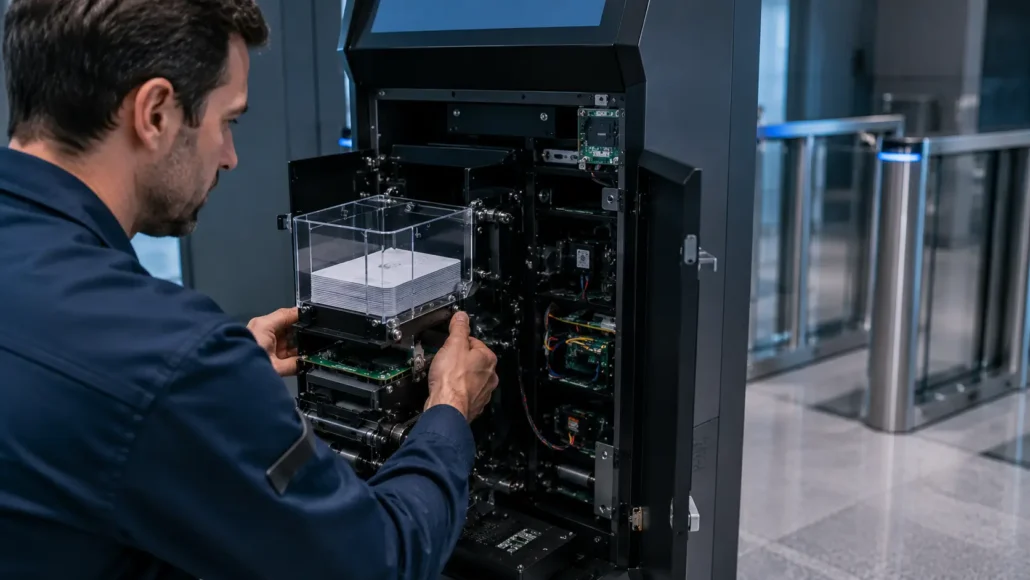
Maintenance access must be built into the enclosure
Technicians need direct access to the hopper, transport path, sensors, and reject or retract area. Avoid an enclosure that requires removing unrelated modules or disconnecting fragile cables to clear one card.
The design should also prevent loose cards, screws, or cable bundles from falling into the mechanism during service. Label connectors and define a safe way to isolate power before maintenance.
Unattended operation requires remote visibility
Fleet operators should receive meaningful information before a terminal stops issuing cards. Useful events include:
- Low stock
- Empty stock
- Repeated feed retries
- Rising failure rate
- Jam condition
- Reject or retract bin nearing capacity
- Device communication loss
- Service door opened
- Firmware or configuration mismatch
Remote status cannot eliminate field service, but it can turn an emergency visit into a planned replenishment task.
Remote monitoring should connect specific dispenser events to the kiosk support platform. Review the card dispenser SDK and driver downloads with the project command protocol.
The objective is to prevent useful device states from being collapsed into one generic alarm.
Test with realistic transaction volume
A short acceptance test may miss failures caused by dust, component temperature, stack pressure, or repeated transport cycles.
Endurance testing should use production cards and include:
- Power cycling
- Host restarts
- Communication loss
- Empty-to-refill transitions
- User pickup timeouts
Track more than the overall success rate. Record failure type, card position, recovery result, and whether the transaction log remained consistent with physical card inventory.
Set measurable acceptance criteria
There is no universal cycle count or acceptable failure rate for every security project. The integrator should set project-specific criteria before testing and apply them to the complete kiosk.
At minimum, record:
- Successful issue rate by card batch and environmental condition
- Double-feed, no-feed, jam, read, encode, and pickup-timeout events separately
- Recovery rate without opening the kiosk
- Mean time required for card refill, jam clearance, cleaning, and module replacement
- Difference between software inventory and physical inventory
- Transaction time at normal load and peak back-end response time
- Remote alarm delivery time and diagnostic detail
- Behavior after power interruption, application restart, and network restoration
The acceptance report should define the test quantity, card batches, enclosure configuration, firmware, SDK version, host software build, and failure disposition. Otherwise, a headline success percentage is difficult to reproduce or use for future change control.
Use the card dispenser preventive maintenance guide to convert pilot findings into cleaning intervals, inspection points, spare-parts planning, and service instructions.
With the operating conditions defined, the same selection logic can be applied to individual deployment scenarios.
Application Scenarios
Corporate visitor access kiosks
Corporate lobbies commonly need preregistration lookup, identity confirmation, host approval, card assignment, badge printing, and time-limited access. A compact dispenser with reliable status reporting may be more valuable than very high capacity because reception staff can replenish stock.
If the visible visitor badge and RFID credential are separate items, the workflow must make that clear. If they are combined on one card, evaluate a dispenser and printing architecture together.
See the visitor management card dispenser solution for the wider identity, approval, credential, and checkout workflow.
Government buildings
Government security projects often require stronger audit trails, controlled card stock, role-based administration, and integration with identity verification and central access control platforms. The dispenser should support a workflow that safely retracts or quarantines unclaimed and failed credentials.
Project documentation, configuration control, component lifecycle, and local service procedures may carry as much weight as nominal device performance.
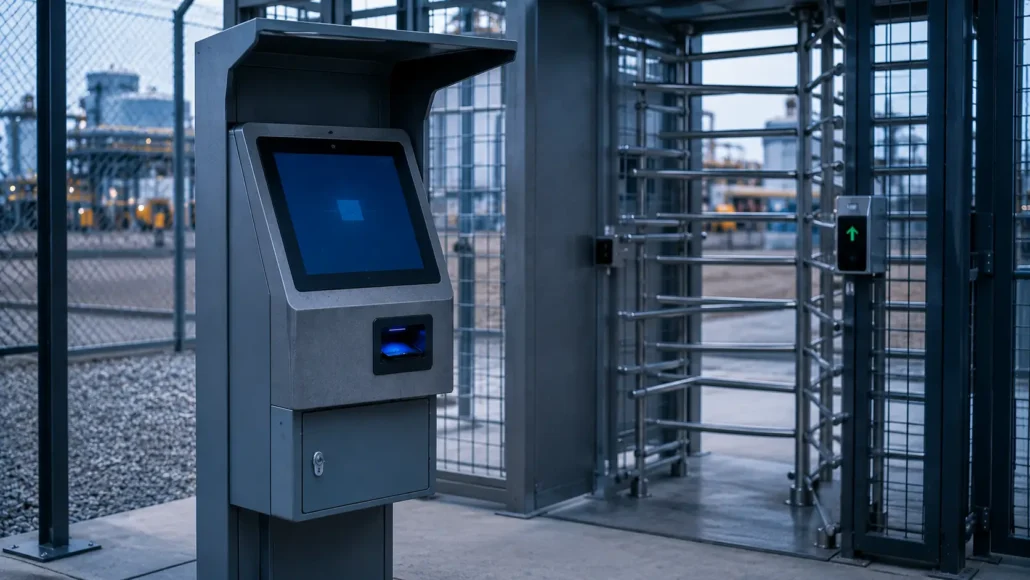
Industrial facilities
Industrial plants may issue credentials to contractors, drivers, maintenance teams, and temporary workers at perimeter gates. The kiosk can face dust, vibration, temperature variation, gloves, and limited on-site support.
Prioritize robust card handling, enclosure protection, remote diagnostics, and a straightforward field replacement process. Card capacity should reflect shift changes and contractor peaks, not only daily averages.
The kiosk host should also be selected for long-term driver and interface support; review the industrial PC for access control kiosks when defining the controller platform.
Multi-tenant buildings
Multi-tenant properties may use different card designs, access systems, or security levels. A multi-hopper card dispenser can separate physical credential classes, but software must verify that the selected hopper matches the approved tenant and credential technology.
Where one common RFID card can serve all tenants, software-defined permissions may be simpler than maintaining multiple stocks.
Data centers and high-security sites
These projects may require dual authorization, escorted visitor workflows, anti-passback coordination, short validity periods, and immediate card recovery. Credential issuance should not be treated as complete until both the physical delivery state and access control activation state are reconciled.
Consider whether a return station or circulating card workflow is required to ensure credentials are recovered at checkout.
Temporary workforce and contractor management
Factories, construction projects, logistics centers, and energy sites may issue large numbers of time-limited RFID access control cards during shift peaks. Throughput depends on the whole process: identity lookup, safety training confirmation, approval, encoding, card transport, and user interaction.
A faster dispenser alone will not solve a slow back-end approval or encoding step. Measure transaction time by stage before changing hardware.
The scenarios differ, but they lead to one common procurement method: define the workflow first, then qualify the mechanism.
How to Choose
Step 1: Write the issuance state diagram
Document every normal and abnormal state from user identification to card pickup or recovery. Include which system owns each decision and which event advances the transaction.
This exposes whether the project needs only a dispenser or also requires a reader, encoder, printer, retraction path, reject storage, or card collector.
If the project includes credential return, evaluate the card collector for access control systems before finalizing the issue workflow.
Step 2: Freeze the credential specification
Define:
- Card dimensions and tolerances
- Thickness range
- Material and surface finish
- RFID technology and operating frequency
- Memory or application requirements
- Magnetic stripe or contact-chip requirements
- Printed or embossed features
- Card supplier and production variation
Do not approve the dispenser based only on a generic “RFID card” description.
Step 3: Determine card classes and capacity
Estimate peak issue volume between replenishment visits. Decide whether all users can receive the same physical card or whether separate hoppers are justified.
Include contingency for rejected cards, damaged stock, unusually busy periods, and delayed maintenance.
Use the single-hopper vs multi-hopper card dispenser guide to separate genuine physical-card requirements from permission groups that software can manage.
Step 4: Define reading and encoding responsibilities
Confirm whether the access control system uses the RFID UID, data written to the card, a pre-enrolled database record, or a combination. Identify where cryptographic keys are stored and which component performs encoding.
Require a read-after-write or equivalent verification process when the credential technology and security policy call for it.
Step 5: Match the interface to the kiosk platform
Review the dispenser protocol with the actual kiosk operating system and application architecture. Build a small integration test that exercises status queries, dispense commands, timeout handling, retries, device reconnection, and recovery after restart.
Step 6: Review the mechanical installation
Create a physical prototype of the complete path from hopper to user slot. Include the RFID module, guides, bezel, retract or reject area, service door, wiring, and final mounting orientation.
Test user pickup from the actual front panel. A card that protrudes too little may be difficult to grasp; a card that protrudes too far may be pulled before processing is complete.
Step 7: Validate security and audit controls
Agree on the records required for:
- Card stock loading
- Card reservation
- UID or credential identifier
- Encoding result
- Access activation
- Physical presentation
- User pickup
- Retraction or rejection
- Revocation
- Card return and reuse
The inventory count, physical cards, and software audit trail should be reconcilable.
Step 8: Run pilot and endurance tests
Use production card batches and realistic environmental conditions. Test normal traffic and deliberately introduce errors. Confirm that operators and technicians can understand and resolve each fault without compromising credential records.
Step 9: Evaluate total operating cost
Compare not only unit cost but also:
- Engineering integration time
- Additional reader, encoder, or controller hardware
- Kiosk enclosure complexity
- Replenishment frequency
- Cleaning and wear parts
- Field replacement time
- Remote diagnostic capability
- Expected product availability
Access control card dispenser selection checklist
| Requirement | Project decision |
|---|---|
| Credential technology | RFID, magnetic, contact, barcode, or hybrid |
| Card body | Dimensions, thickness, material, finish, flatness |
| Issuance method | Pre-enrolled, read before issue, or encoded at kiosk |
| Number of card types | Single stock or multiple physical credential classes |
| Hopper capacity | Peak demand plus service contingency |
| Card handling | Dispense, hold, present, retract, reject, collect |
| Host connection | Interface, protocol, driver, SDK, operating system |
| Feedback | Stock, card position, removal, jam, door, device status |
| Security | Locked stock, audit log, credential keys, revocation logic |
| Environment | Temperature, humidity, dust, static, vibration |
| Maintenance | Loading, cleaning, jam access, replacement procedure |
| Lifecycle | Supply continuity, firmware, documentation, spare parts |
This checklist provides the requirements baseline. The next step is to use it to qualify specific SNRO models.
Recommended Models
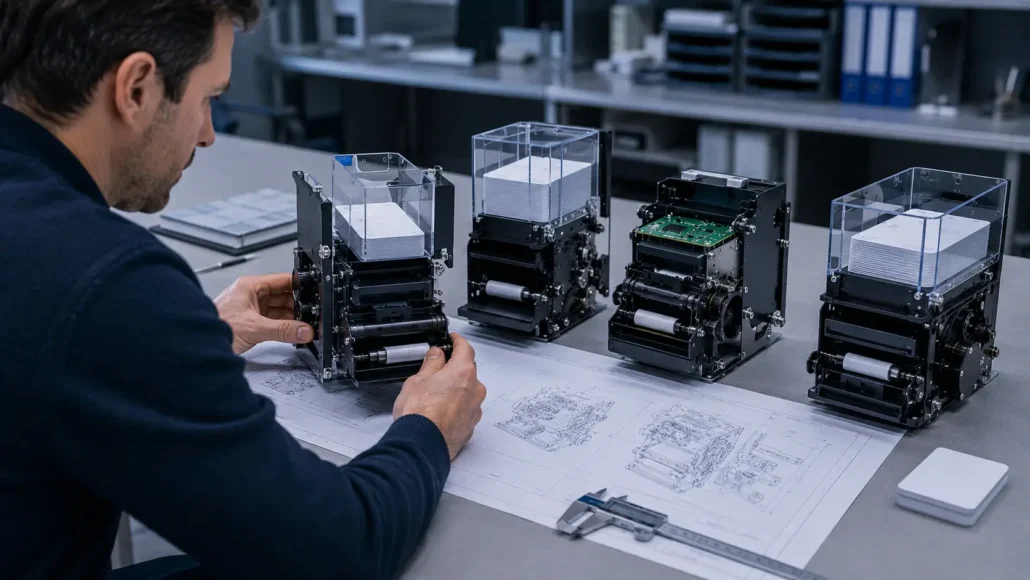
The following SNRO models are commonly evaluated for access control card issuance projects. Final selection should always be verified with production card samples, software requirements and deployment environment.
Project verification note: Final specifications, card compatibility, interfaces, capacities, sensor functions, RFID integration, retract or reject behavior, and SDK support must be confirmed against the current SNRO model datasheet and tested with the project’s production cards. Model names alone should not be used as evidence of a specific feature.
Review the current SNRO card dispenser product range and request the applicable datasheet, interface manual, dimensional drawing, and test sample before design approval.
SNR-K720
Best For:
- Visitor credential issuance kiosks
- Contractor registration terminals
- Employee access card issuance
- Single-card-type deployments
Advantages:
- Compact motorized card dispenser
- Stable card separation mechanism
- Suitable for unattended operation
- Easy integration into custom kiosks
- Practical choice for standard access control workflows
Integration Notes:
Projects that require RFID verification or encoding can combine the dispenser with external RFID modules and access control software.
SNR-CD212-M8
Best For:
- RFID access card issuance
- Visitor management systems
- Access control registration kiosks
- Security credential distribution
Advantages:
- Supports RFID card issuing workflows
- Suitable for modular kiosk integration
- Stable dispensing performance
- Compact installation footprint
Integration Notes:
Often used together with RFID readers, visitor management software and access control platforms.
SNR-K750C
Best For:
- RFID access control projects
- Membership and loyalty card issuance
- Visitor credential systems
- Access management terminals
Advantages:
- Controlled card transport workflow
- Supports advanced card handling processes
- Suitable for unattended self-service deployment
- Integration-friendly design
Integration Notes:
Recommended when projects require tighter coordination between card transport and credential processing.
SNR-K750-L Circulating Card Dispenser
Best For:
- Reusable visitor credential programs
- Contractor access management
- Hotel and access control card circulation
- Projects requiring card issuing and collection
Advantages:
- Supports card issuing and card collection
- Returned cards can be stored and re-issued
- Reduces credential replacement cost
- Supports card lifecycle management
Integration Notes:
Suitable for projects where access credentials must be recovered and reused rather than discarded.
SNR-D3000 Card Collector
Best For:
- Access card recovery stations
- Visitor exit management
- Contractor credential return systems
- Secure facility exits
Advantages:
- Automatic card collection and storage
- Supports credential recovery workflows
- Reduces lost-card incidents
- Suitable for unattended operation
Integration Notes:
Recommended when projects require card collection but not card re-issuance.
SNR-D3000-RF RFID Card Collector
Best For:
- RFID credential recovery
- Government security projects
- Visitor management exits
- High-security access control systems
Advantages:
- Integrated RFID verification
- Credential validation before collection
- Supports audit trail requirements
- Suitable for reusable RFID card programs
Integration Notes:
Recommended when card identity must be confirmed before acceptance and storage.
Practical model qualification matrix
| Project need | Models to evaluate first | Require in the RFQ or sample test | Do not approve until |
|---|---|---|---|
| Straightforward single-card dispensing | SNR-K720, SNR-CD212-M8 | Card sample test, usable capacity, interface manual, sensor list, mounting drawing | Single-feed behavior and host recovery are demonstrated |
| Controlled presentation or more involved transport | SNR-K750C, SNR-K750-L | Exact card path, configuration comparison, pickup detection, retract or reject behavior | The final kiosk geometry and exception sequence are tested |
| Higher-duty or integrated credential workflow | SNR-D3000 | Configuration definition, duty test, maintenance procedure, replaceable parts | Performance is proven in the assembled kiosk under projected load |
| RFID read or encode workflow | SNR-D3000-RF | RFID module identity, standards, frequency, read/write scope, SDK, key method | The production credential passes read, encode, verify, and failure-recovery tests |
This matrix is a starting point for engineering qualification, not a substitute for current datasheets, samples, and integration testing.
Information to include in a model-selection request
Send SNRO engineering the production card specification and samples, expected daily and peak issue volume, target capacity, required issue/retract/reject sequence, RFID technology, host operating system, preferred interface, kiosk mounting orientation, environmental range, and service-access drawing.
Ask for a written response covering:
- Recommended model and exact configuration
- Supported card range and tested sample result
- Interface protocol, SDK, drivers, and diagnostic utility
- Available sensors and reported status codes
- Card-position and recovery functions
- Power requirements and connector details
- Dimensional drawing and installation clearances
- Loading, cleaning, jam recovery, and replacement procedure
- Firmware revision and change-notification process
- Sample approval and endurance-test plan
These qualification steps keep the recommendation tied to evidence rather than model naming. The same discipline appears in successful field deployments.
What Successful Deployments Usually Have in Common
Successful access control card issuance projects usually share the following characteristics:
- The team defines the complete credential lifecycle before selecting the dispenser.
- Production card samples are tested early, including tolerance extremes and aged cards where reuse is planned.
- The kiosk application manages issuance as a sequence of confirmed states.
- The physical card identifier and database credential record are reconciled before the transaction closes.
- Failed, rejected, retracted, and unclaimed cards have a secure destination and a revocation rule.
- Operators receive controlled loading and inventory procedures.
- The enclosure provides direct maintenance access to the complete card path.
- Remote monitoring reports actionable status rather than a generic device fault.
- Pilot testing includes power loss, network loss, access control server failure, and user abandonment.
- The selected supplier can support documentation, lifecycle planning, replacement units, and integration troubleshooting.
The common factor is not a particular dispenser technology. It is disciplined coordination between mechanical handling, credential security, kiosk software, and field operations.
That coordination is the central selection principle for this buyer guide.
Conclusion
Choosing an access control card dispenser requires more than matching a card size and hopper capacity. The correct device must fit the credential technology, issuance method, security policy, host interface, kiosk mechanics, maintenance plan, and expected service life.
Start by deciding whether cards are pre-enrolled, read at issuance, encoded locally, printed, retracted, collected, or reused. Then define every transaction state and exception. Only after that should the project compare dispenser models.
SNRO models SNR-K720, SNR-CD212-M8, SNR-K750C, SNR-K750-L, SNR-D3000, and SNR-D3000-RF provide a shortlist for different access control card-handling architectures.
Final selection should use current technical documentation and sample testing with the exact cards, reader or encoder, host software, and enclosure.
For an access control integrator, the best card dispenser is the one that makes every credential issue traceable, every failure recoverable, and every maintenance action practical across years of unattended operation.
Related Resources
Buyer Guides
- How to Choose a Motorized Card Dispenser for Self-Service Kiosks
- How to Choose a Card Dispenser for Visitor Management Systems
- How to Choose a Card Dispenser for Membership Card Issuance Kiosks
- Card Dispenser vs Card Collector: Understanding the Difference
- Single Hopper vs Multi-Hopper Card Dispenser: Which Is Better?
- RFID Card Dispenser vs Magnetic Card Dispenser
Reliability & Deployment Blogs
- Common RFID Card Dispensing Challenges in Self-Service Kiosks
- Why Card Dispensers Fail in Real Self-Service Systems
- Why Card Quality Causes More Dispenser Problems Than Many Teams Expect
- Why Card Dispensers Become Less Reliable Over Time Even Without Mechanical Failure
- How Dust and Humidity Slowly Affect Card Dispenser Reliability in Self-Service Kiosks
Solution Pages
- Visitor Management System Hardware Guide
- Hotel Self Check-In Hardware Guide
- Access Control Kiosk Hardware Guide
- Smart Locker Hardware Guide
Technical Resources
- Card Dispenser SDK and Integration Guide
- Card Dispenser Preventive Maintenance Guide
- Industrial PC for Access Control Kiosks
- RFID Card Issuance in Self-Service Kiosks
Learn more about system architecture: Card Dispenser Hub
FAQ
What is an access control card dispenser?
An access control card dispenser is a hardware module that stores, separates, transports, and presents physical access credentials under control of a kiosk or security application. It may work with separate RFID readers, encoders, card printers, collectors, and access control software.
Can a card dispenser encode RFID access cards?
Only if the system includes a compatible RFID reader/encoder and the required software. A mechanical dispenser can handle RFID cards without being able to read or write them. Confirm the RFID standard, frequency, card application, key-management method, and read/write capability.
What is the difference between an RFID access card dispenser and an access card issuing machine?
An RFID access card dispenser mainly handles card storage and transport, sometimes with an RFID module. An access card issuing machine describes the broader terminal that may identify users, approve requests, encode credentials, print badges, dispense cards, and log issuance.
Should access control cards be pre-enrolled or encoded at the kiosk?
Pre-enrolled cards can simplify the kiosk but require strict inventory and card-identity control. Encoding at the kiosk provides flexible personalization but adds reader or encoder hardware, key management, verification, and failed-card handling. The security platform and operating procedure should determine the choice.
How much capacity should an access control card dispenser have?
Capacity should cover the maximum expected issues between replenishment visits plus contingency stock. Calculate it using the actual card thickness and include rejected cards, traffic peaks, and maintenance delays. Nominal capacity may change with card construction.
When is a multi-hopper card dispenser necessary?
Use multiple hoppers when the kiosk must issue physically different cards, such as separate RFID technologies, tenant designs, security markings, or credential classes. If only access permissions differ, one card type managed by software is usually simpler.
What happens if a visitor does not take the card?
The preferred workflow is to detect the pickup timeout, retract the card to secure storage where supported, revoke or suspend the credential, update inventory, and log the event. The exact sequence should be defined jointly by the kiosk and access control software teams.
How should a kiosk handle RFID encoding failure?
The system should stop issuance, mark the credential transaction as failed, revoke any partial assignment, route or retain the card securely, and record a specific error. It should not present an unverified card or repeatedly encode without a controlled retry policy.
Which interfaces are best for a card dispenser for access control?
There is no universally best interface. Choose one supported reliably by the kiosk controller, operating system, and application framework. Evaluate the protocol, SDK, status feedback, reconnect behavior, cable length, electrical environment, and long-term driver support, not only the connector type.
How do I prevent two access cards from dispensing together?
Use card stock within the validated thickness and surface range, maintain the separation mechanism, control dust and static, load cards correctly, and use double-feed or position feedback where available. Qualification testing should include production card batches and environmental extremes.
Can returned visitor cards be reused?
Yes, if the system can identify, deactivate, inspect, clean, and securely store them before reissue. Reuse may require a card collector or circulating card system and a software process that confirms the previous permissions have been removed.
What should be tested before approving a dispenser?
Test production cards, full and low hopper conditions, repeated cycles, card reading or encoding, user pickup, timeout and retraction, jams, power loss, host restart, network loss, stock replenishment, environmental conditions, remote alarms, and physical service access.
Which SNRO model is suitable for an RFID access control card workflow?
The SNR-D3000-RF is the first model to evaluate when RFID processing is specifically required. Its exact reader or encoder capability and compatibility must be confirmed.
The other listed models can be evaluated according to the required card handling and external RFID architecture.
Should an access control card kiosk fail open or fail closed?
Credential issuance should normally fail closed. If identity approval, card verification, access activation, or transaction reconciliation cannot be confirmed, the kiosk should not release the credential.
Any offline issuance mode must be approved, limited, auditable, and supported by a defined synchronization and revocation policy.
How often should an access control card dispenser be maintained?
Set the interval from card volume, card material, dust, static, environment, and pilot-test results rather than using one universal calendar period. Monitor feed retries and failure trends, then schedule cleaning and inspection before those indicators approach the project’s service threshold.