


Queue Management Hardware Solutions
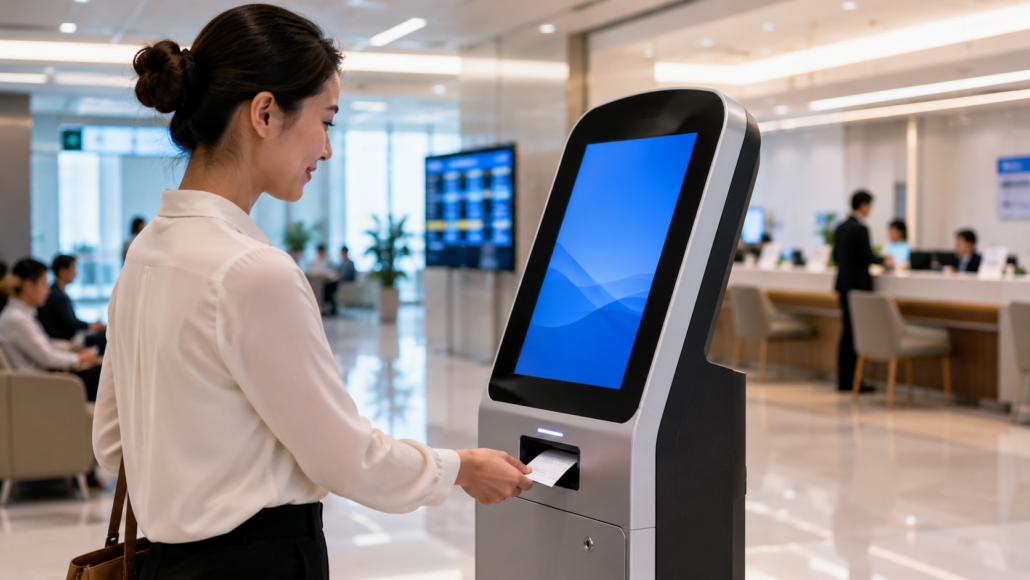
Reliable Hardware for Queue Management Systems
Queue management systems are often evaluated by how efficiently they organize customer flow. Experienced operators often evaluate them differently. They focus on availability. Because visitors rarely notice a ticketing system that works as expected. They immediately notice one that doesn’t. A queue ticket that fails to print. A kiosk that requires staff assistance. Or a service interruption during peak operating hours. Successful queue management deployments depend on more than software logic. They depend on hardware that continues operating reliably through thousands of customer interactions.
SNRO provides hardware solutions for queue management systems, including kiosk printers, ticket dispensers, barcode scanners, touch displays and other self-service terminal components designed for long-term unattended operation.
Whether deployed in hospitals, government service centers, banks, telecom stores or customer service facilities, reliable hardware plays a critical role in maintaining service efficiency and user satisfaction.
Quick Answer
A queue management hardware system usually includes a queue ticket printer, touchscreen terminal, barcode or QR scanner, industrial controller, counter calling display, and connection to the queue management software platform.
For system integrators, the main challenge is not only printing queue tickets. The real challenge is making the complete workflow reliable during peak service periods: ticket issuing, service selection, queue routing, counter synchronization, ticket verification, user guidance, and long-term maintenance.
Reliable queue management hardware should therefore be selected according to daily customer traffic volume, ticket format, paper roll capacity, printer reliability, scanner requirements, operating system, SDK support, communication interfaces, maintenance access, and multi-location scalability.
Who This Queue Management Solution Is Commonly Designed For
This type of deployment is often evaluated by:
✓ System integrators building self-service terminals
✓ Queue management software providers
✓ Healthcare kiosk developers
✓ Banking automation integrators
✓ Government service solution providers
✓ OEM kiosk manufacturers
✓ Smart service center developers
Project priorities may vary, but workflow reliability and queue consistency frequently become common requirements.
What Is a Queue Management Hardware System?
A queue management hardware system typically combines multiple connected devices that support customer flow control and ticket-based waiting workflows.
Common hardware components include:
• queue ticket printer
• touchscreen kiosk
• QR or barcode scanner
• industrial controller
• counter calling display
• cloud queue management platform
While individual devices may appear straightforward, deployment reliability often depends on how these components communicate during real operating conditions.
Not Every Queue Management Project Requires the Same Hardware Architecture
Two queue management deployments may appear similar while requiring very different hardware combinations.
For example:
A hospital queue system may prioritize patient flow efficiency and unattended ticket printing.
A banking deployment may focus more on customer identification and service routing.
A government service kiosk may prioritize multilingual workflows and high daily traffic volume.
Hardware selection frequently depends more on workflow behavior than kiosk appearance.
What System Integrators Usually Ask Before Starting a Queue Management Project
Before hardware selection begins, many deployment teams ask similar questions:
“Can ticket printing remain stable during peak periods?”
“Can queue workflows remain clear for users?”
“What happens if users repeatedly request tickets?”
“Can multiple counters coordinate efficiently?”
“Can the system operate continuously with minimal supervision?”
These questions frequently influence deployment decisions more than hardware specifications.
Over time, many teams discover workflow consistency and operational reliability become more important than raw device performance.
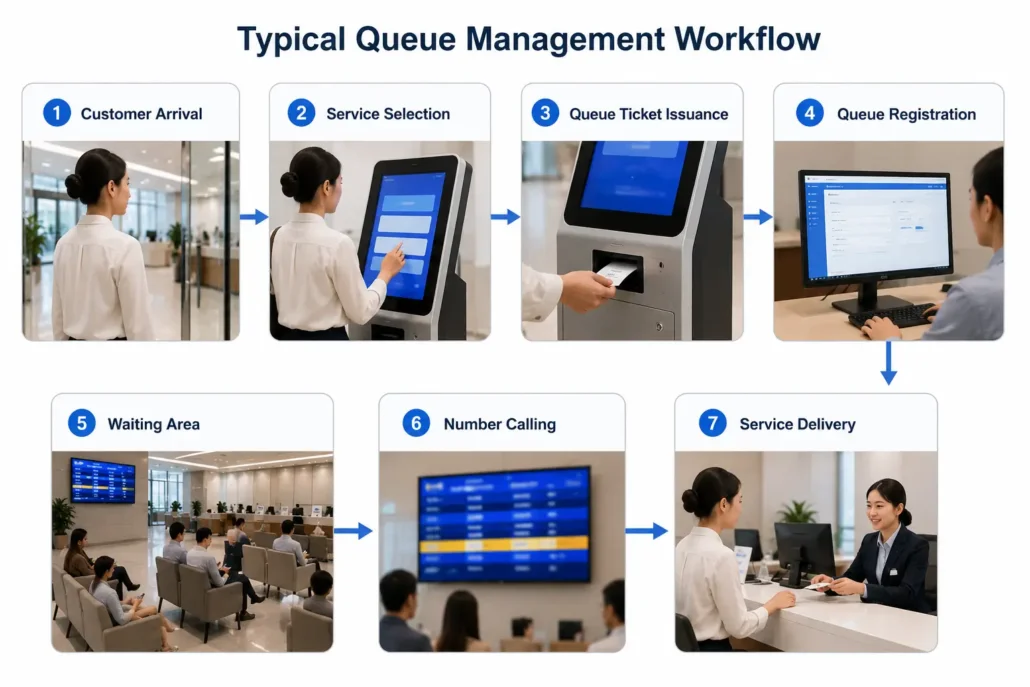
Understanding a Typical Queue Management Deployment
Many teams later discover queue management systems rarely become difficult because of one device.
Most operational challenges happen between devices and customer workflows.
Typical architecture:
Touchscreen Queue Terminal → Queue Ticket Printer → QR / Barcode Verification → Industrial Mini PC → Counter Calling Display → Queue Management Platform
Planning workflow architecture early often simplifies deployment later.
A queue management kiosk is part of a broader self-service kiosk hardware system architecture. Queue ticket printers, barcode scanners, industrial controllers, calling displays and queue management platforms must work together reliably during continuous public service operation.
For a complete overview of how different kiosk hardware modules are planned, connected and maintained in unattended terminal systems, visit our Self-Service Kiosk Hardware System Hub.
Recommended Hardware Architecture for Queue Management Systems
| Hardware Module | Typical Function | Integration Concern |
| Touchscreen terminal | Service selection, queue ticket request, user interaction | Durability, UI workflow, public-use reliability, multilingual support |
| Queue ticket printer | Ticket issuing, queue number printing, service routing information | Paper width, paper roll capacity, anti-jam design, maintenance access |
| QR / barcode scanner | Appointment code scanning, ticket verification, customer check-in | Scan distance, lighting condition, barcode format, interface support |
| Industrial controller | Main control for printer, scanner, calling display and queue software | COM ports, USB expansion, Linux or Windows support, 24/7 operation |
| Counter calling display | Service number display, counter assignment, user guidance | Display interface, synchronization, visibility, installation environment |
| Queue management platform | Queue routing, counter control, ticket records, reporting | API stability, workflow customization, multi-location management |
| Remote monitoring module | Device status, error alerts, maintenance reporting | Printer status, paper level, scanner status, network status |
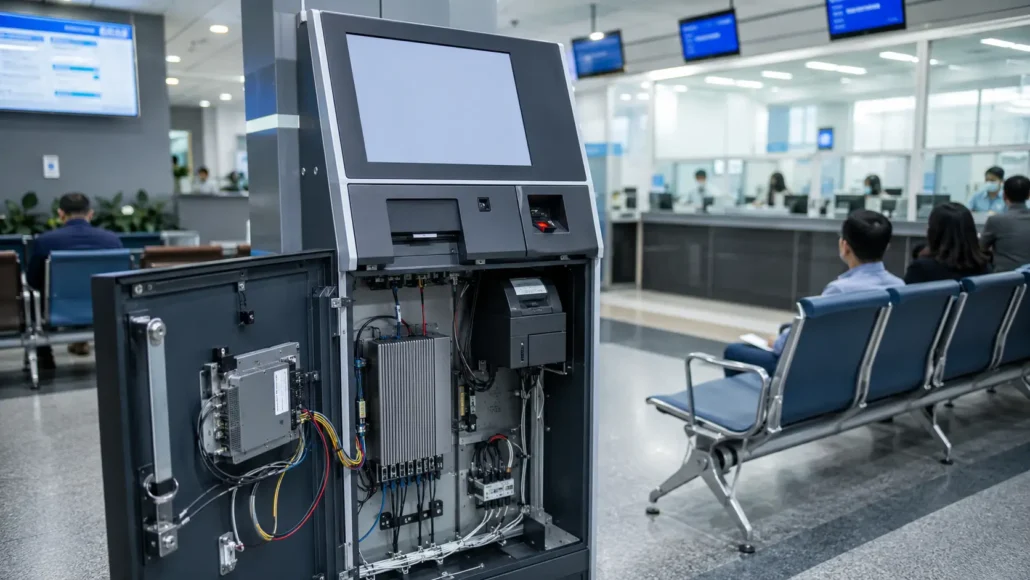
A Small Delay Can Feel Much Longer During Queue Workflows
One detail many teams underestimate during planning is customer perception.
Customers may:
request multiple tickets
hesitate during selection steps
misunderstand queue workflows
leave before being called
return repeatedly to kiosks
Individually these actions appear minor.
During busy periods they frequently influence customer experience and perceived waiting time.
This is one reason queue management deployments increasingly prioritize workflow simplicity and ticket consistency.
An Industry Pattern We Continue Seeing
Across queue management deployments, many teams initially evaluate:
screen size
ticket printing speed
kiosk appearance
software functions
Later priorities often shift toward:
queue clarity
customer flow efficiency
maintenance requirements
workflow consistency
support workload
This pattern repeatedly appears across unattended queue deployments.
Things Teams Often Realize After Deployment
During early planning many teams focus on:
Can tickets print correctly?
Can customers join queues successfully?
Can counters call correctly?
After deployment, priorities often shift:
Can queue flow remain clear during busy periods?
How often is staff intervention required?
Can customer confusion be reduced?
Can operations remain manageable across multiple locations?
Many operational questions only become visible after systems begin running at scale.
Signals Teams Often Monitor After Deployment Goes Live
After deployment, teams frequently begin monitoring operational signals that were not obvious during testing.
Examples:
✓ repeated ticket requests
✓ customer queue confusion
✓ counter waiting imbalance
✓ ticket abandonment
✓ maintenance cycles
These operational signals often become more important as deployments expand.
Deployment Notes
Hospital deployments often prioritize:
✓ patient flow efficiency
✓ unattended operation
✓ simplified user workflows
Bank queue systems frequently prioritize:
✓ customer routing accuracy
✓ multi-counter coordination
✓ transaction flow consistency
Government service deployments often focus on:
✓ multilingual interfaces
✓ high daily traffic volume
✓ workflow clarity
Different operating environments frequently influence hardware architecture decisions.
Queue management hardware is often deployed together with banking service terminals, visitor registration kiosks and public service counters. In these environments, ticket printing reliability, customer routing accuracy and multi-counter synchronization directly affect service flow.
For related application planning, see our Banking Self-Service Terminal Hardware Solutions and Visitor Management Hardware Solutions.
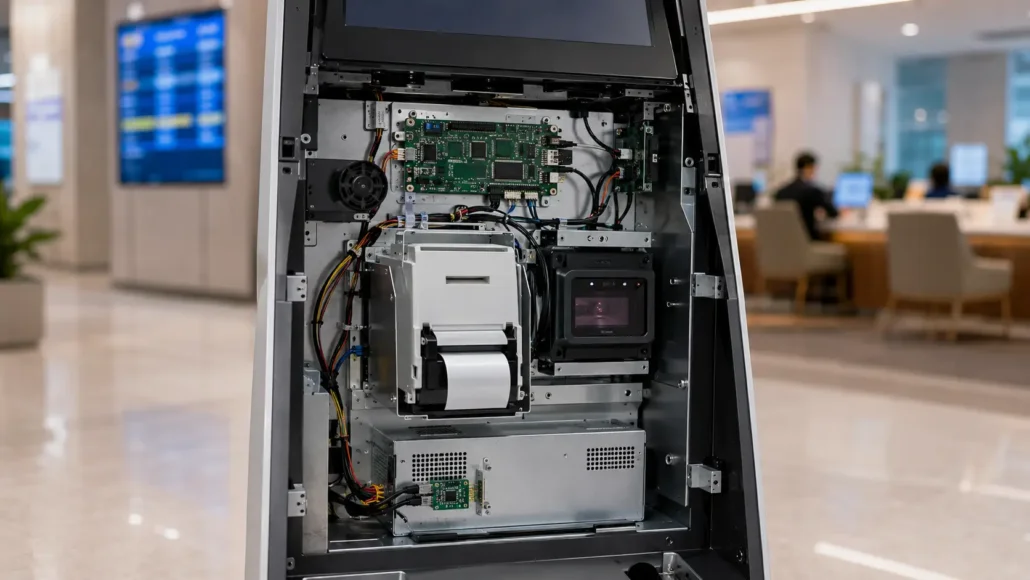
Queue Management Hardware Selection Usually Depends on Four Factors
Across many deployments, hardware decisions frequently depend on:
- Daily customer traffic volume
- Queue workflow complexity
- Operating environment
- Long-term maintenance requirements
Projects with similar kiosk structures may still require very different hardware combinations.
Hardware Components Frequently Used in Queue Management Systems
Queue Ticket Printer
Many queue management deployments use thermal ticket printing for:
queue ticket issuance
service routing
counter identification
customer notifications
Teams frequently evaluate:
✓ anti-jam structure
✓ high-speed ticket printing
✓ compact embedded installation
✓ unattended reliability
Queue ticket printing is usually the first physical interaction between the user and the queue management system. Printer reliability, paper roll capacity, cutter performance, anti-jam structure and maintenance access should be reviewed before kiosk testing.
For more information about embedded printer modules, SDK support, Linux driver compatibility and printer selection for self-service terminals, visit our Kiosk Printer Hub.

Touchscreen Queue Kiosk
Many queue systems increasingly support self-service queue selection and QR-based workflows.
Common requirements include:
✓ intuitive user interaction
✓ fast response time
✓ multilingual interface support
✓ continuous operation
Fanless Industrial Mini PC
Controllers frequently become one of the least visible—but most important—components inside queue management systems.
During early evaluation teams often compare CPU specifications.
Later they frequently discover:
communication compatibility
continuous runtime
peripheral coordination
maintenance simplicity
often become more important.
Recommended Hardware for Queue Management Systems
SNR-KP805 Kiosk Printer for Queue Ticket Printing Systems
Ideal for bank queue systems, hospital registration kiosks, government service terminals and public service queue ticket printing.
SNR-KP602-V Compact Kiosk Printer for Queue Management Terminals
Suitable for compact queue ticket machines, telecom service terminals and space-constrained self-service kiosks requiring stable ticket output.
SNR-EP602-TM High-Speed Printer for Queue Ticket Issuing Kiosks
Designed for high-volume queue ticket issuance applications requiring fast printing, large paper roll support, anti-jam structure and long-life cutter performance.
SNR-KP800-VX 80mm Kiosk Printer for High-Volume Queue Management Systems
Recommended for high-traffic queue management kiosks that require reliable 80mm ticket printing, large roll capacity and long-term unattended operation.
SNR-EP8200 Fixed Mount Barcode Scanner for Queue Appointment Verification
Suitable for QR-based appointment verification, ticket validation, visitor check-in and queue registration workflows.
SNR-IBC-N8P Fanless Industrial Mini PC for Queue Management Kiosk Control
Provides stable system control and communication management for queue ticket printers, barcode scanners, calling displays and queue management software platforms.
Common Hardware Challenges in Queue Management Deployments
Queue management systems often operate continuously throughout the day and frequently experience periods of concentrated customer demand.
Over time, hardware reliability becomes a key factor in maintaining service continuity.
Ticket Printing Reliability
Queue tickets are often the first physical interaction users have with the system.
Printer-related issues can immediately affect service flow.
Common concerns include:
- Ticket jams
- Paper replacement delays
- Print quality issues
- Maintenance accessibility

Peak Customer Traffic
Many queue management systems experience predictable periods of high demand.
Examples include:
- Morning hospital registration
- Government service counters
- Banking peak hours
During these periods, hardware reliability becomes more important than theoretical performance specifications.
Continuous Public Use
Queue kiosks are used by a wide range of users every day.
Frequent interaction increases wear on:
- Printers
- Touch displays
- Scanners
- User interface components
Long-term reliability is often influenced by both hardware design and maintenance practices.
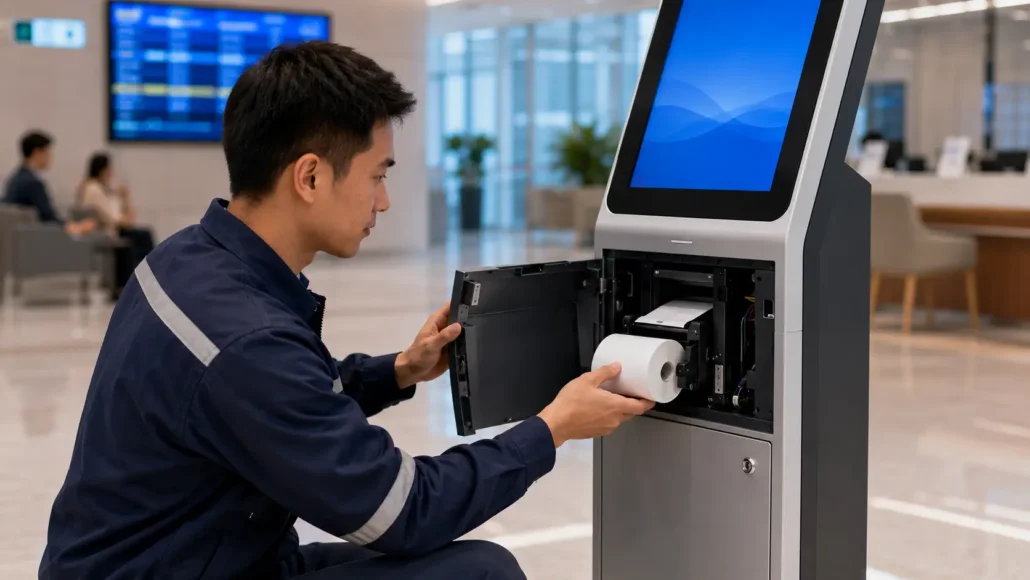
Maintenance Accessibility
Accessible hardware can significantly reduce service interruptions and maintenance costs.
Experienced deployment teams often evaluate maintenance requirements before system deployment begins.
Questions We Frequently Receive During Integration
“Can your printer communicate with our queue software?”
“Do SDKs support our software environment?”
“Can multiple counters synchronize correctly?”
“Can queue workflows be customized?”
“Can the system scale across multiple locations?”
Integration Support Often Becomes Important Later
During early evaluation stages teams often focus on hardware functions.
Later priorities frequently shift toward:
✓ SDK availability
✓ protocol compatibility
✓ driver support
✓ workflow customization
✓ maintenance simplicity
These considerations frequently become more important during larger deployments.
Integration Timelines Sometimes Change During Projects
Early project estimates frequently focus on installation.
Later phases may include:
• workflow adjustments
• queue routing optimization
• software adaptation
• peripheral timing coordination
Many deployment teams later discover integration timelines are influenced by workflow coordination as much as hardware compatibility.
Deployment Environment Matters More Than Many Teams Expect
Factors frequently influencing deployments include:
✓ customer traffic peaks
✓ operating schedules
✓ kiosk installation space
✓ environmental conditions
✓ multilingual workflow requirements
Why This Matters for Your Deployment
If your deployment eventually expands from one service center to multiple locations, hardware decisions made early may influence maintenance and support requirements for years.
Small workflow decisions during planning often become larger operational costs later.
Typical Hardware Selection Matrix for Queue Management Projects
| Deployment Type | Typical Hardware Configuration | Main Evaluation Point |
| Hospital registration kiosk | Touchscreen + queue ticket printer + barcode scanner + industrial PC | Patient flow efficiency and peak-hour reliability |
| Bank queue management terminal | Touchscreen + ticket printer + calling display + queue platform | Customer routing accuracy and counter synchronization |
| Government service center kiosk | Queue ticket printer + touchscreen + industrial controller + multilingual software | High daily traffic and workflow clarity |
| Telecom service queue terminal | Compact printer + touchscreen + queue management platform | Fast ticket issuing and compact installation |
| Pharmacy queue system | Queue ticket printer + barcode scanner + calling display | Ticket accuracy and simple user guidance |
| Multi-branch queue management network | Standardized kiosk hardware + remote monitoring + centralized platform | Maintenance consistency and scalable deployment support |
What Experienced Queue Management Integrators Usually Evaluate
When selecting hardware for queue management systems, experienced system integrators often evaluate more than ticket printing speed or kiosk appearance.
Typical evaluation factors include:
- Daily customer traffic volume
- Paper roll capacity
- Maintenance accessibility
- Linux compatibility
- SDK availability
- Communication interfaces
- Queue workflow complexity
- Expected deployment scale
- Long-term operational reliability
- Multi-location management requirements
For hospitals, banks, government service centers and public service environments, these operational considerations frequently have a greater impact on deployment success than hardware specifications alone.
Short Industry Takeaways
Queue management reliability frequently depends less on one device and more on how multiple workflows operate together.
Hardware specifications matter.
Customer flow consistency often matters more.
Why Reliability Matters in Queue Management Systems
Many queue management projects focus on software functionality.
Ticket routing.
Priority handling.
Customer flow optimization.
These features are important.
However, long-term operational performance often depends on hardware reliability.
Reliable hardware helps support:
- Continuous ticket issuance
- Service continuity
- Customer satisfaction
- Reduced staff intervention
- Lower maintenance costs
For organizations serving large numbers of visitors each day, reliability frequently becomes one of the most important performance indicators.
Frequently Asked Questions
What hardware is commonly used in queue management systems?
Most systems commonly include:
- queue ticket printer
- touchscreen kiosk
- barcode scanner
- industrial controller
- calling display
What hardware is typically used in a queue management kiosk?
A typical queue management kiosk may include a ticket printer, touchscreen display, barcode scanner, industrial controller and queue management software platform.
Can queue management systems operate continuously?
Many unattended queue systems operate continuously using industrial platforms.
Can queue ticket printers support high daily traffic?
Many embedded kiosk printers are designed for continuous ticket printing and unattended operation.
What is the best printer for queue management systems?
The appropriate printer depends on ticket volume, kiosk size and deployment environment. KP805, KP602-V and EP602-TM are commonly selected for queue management applications.
Why are industrial PCs commonly used?
Industrial platforms frequently support long-term operation and simultaneous communication among multiple connected devices.
Why is paper roll capacity important in queue management systems?
Larger paper roll capacity reduces refill frequency and helps maintain uninterrupted operation during peak customer traffic periods.
Why do queue ticket printers experience paper jams?
Common causes include paper handling issues, maintenance delays, environmental factors and incorrect media loading procedures.
Do queue management systems require Linux-compatible hardware?
Many modern queue management platforms operate on Linux-based environments, making Linux driver support and SDK availability important evaluation factors.
Can queue management systems be deployed across multiple locations?
Yes. Many organizations deploy queue management systems across multiple branches, service centers or public facilities while managing workflows through centralized software platforms.
What should integrators evaluate before deploying queue management hardware?
System integrators should evaluate daily customer traffic volume, queue workflow complexity, ticket format, paper roll capacity, printer reliability, scanner requirements, operating system compatibility, SDK support, maintenance access, and multi-location management requirements.
What hardware components are most important in a queue management system?
Kiosk printers, ticket dispensers, touch displays and barcode scanners are typically among the most frequently used hardware modules.
What usually causes operational issues?
Common causes include:
- Repeated customer behavior
- Queue confusion
- Ticket workflow interruptions
- Workflow complexity
If Your Project Prioritizes This → Teams Often Consider This
| Priority | Teams Frequently Evaluate |
|---|---|
| Faster customer flow | Simplified ticket workflows |
| Lower maintenance | Anti-jam printer design |
| Compact installation | Embedded hardware structure |
| Multi-location deployment | Standardized hardware |
| Continuous operation | Industrial platforms |
Common Planning Mistakes We Frequently See
✓ selecting hardware before workflows are finalized
✓ underestimating peak traffic periods
✓ ignoring customer interaction behavior
✓ planning only around current deployment size
Early planning decisions often influence long-term flexibility.
Queue Management Project Planning Checklist
□ expected daily traffic volume
□ queue workflow requirements
□ communication interfaces
□ deployment environment
□ operating schedules
□ peripheral quantity
□ maintenance expectations
A Common Deployment Scenario
A deployment team initially focused on kiosk appearance and ticket printing speed.
Early testing appeared successful.
Later during peak service periods:
Customers repeatedly requested tickets.
Queue confusion increased.
Counter synchronization slowed.
Staff intervention increased.
The issue was not hardware performance.
The issue was workflow behavior under real operating conditions.
Early Planning Often Reduces Future Changes
Some teams begin discussing hardware during early project planning.
Others reach out after operational issues begin appearing.
There is no single correct stage.
Early discussions sometimes identify workflow considerations that become difficult to change later.
Typical Queue Management Projects We Support
- Hospital Registration Kiosks
- Bank Queue Management Systems
- Government Service Centers
- Telecom Service Centers
- Insurance Service Terminals
- Public Service Halls
- Pharmacy Queue Systems
- Visitor Registration Kiosks
- Customer Service Centers
- Multi-Branch Queue Management Networks
Different deployments may require different combinations of kiosk printers, scanners, industrial controllers, calling displays and software platforms.
Related Products
- Kiosk thermal printers for queue ticket printing
- Fixed mount barcode scanners for queue appointment verification
- Industrial mini PCs for queue management kiosk control
- POS thermal receipt printers for service counter printing
Related Resources
- Kiosk printer integration knowledge hub
- Queue ticket printer jam issues in unattended service kiosks
- Paper roll capacity for high-traffic queue ticket printers
- Linux kiosk printer integration guide for queue management systems
- Kiosk printer SDK and protocol integration guide for queue systems
- Maintenance accessibility for queue management kiosk hardware
- 58mm vs 80mm queue ticket printer selection
- Bank queue ticket printer selection guide
Related Solutions
- Banking self-service terminal hardware for queue ticket issuing
- Visitor management hardware for high-traffic reception workflows
- Ticket vending machine hardware for unattended ticket issuing systems
- Self-checkout hardware systems for retail customer flow
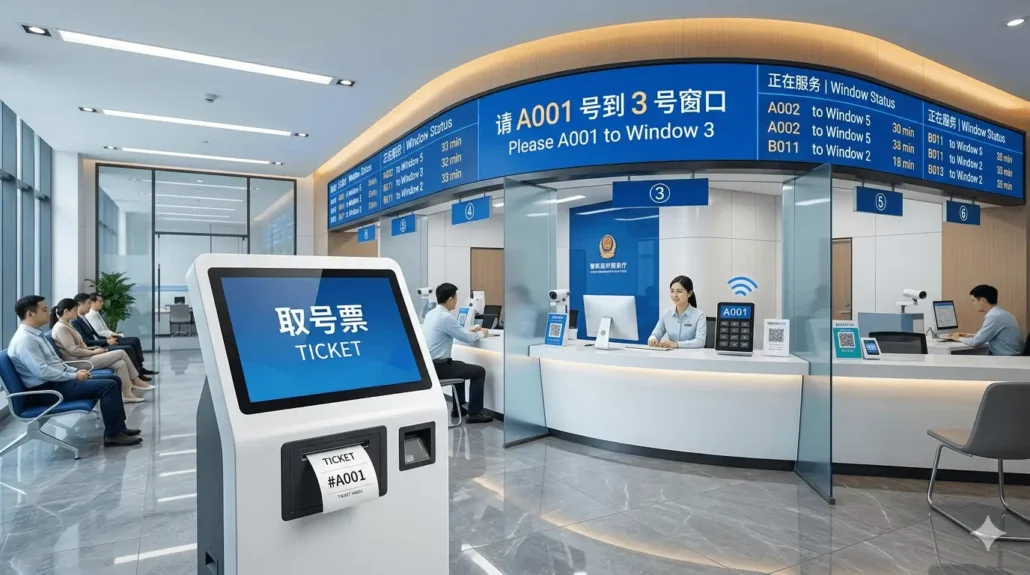
Need Help Planning Your Queue Management Kiosk Hardware?
If you are planning a hospital registration kiosk, bank queue terminal, government service center kiosk, telecom service terminal, pharmacy queue system, or multi-branch queue management network, SNRO can help review your hardware configuration before sample testing.
Share your expected daily traffic volume, queue workflow, ticket size, paper width, operating system, scanner requirement, counter calling display requirement and deployment environment. Our team will recommend a suitable kiosk printer, scanner, industrial controller and integration hardware configuration for your queue management deployment.


