


Access Control Kiosk Hardware Solutions
 Introduction
 Introduction
Access control systems have evolved far beyond traditional card readers mounted beside doors.
Today, many organizations are deploying self-service access control kiosks to automate credential issuance, visitor registration, contractor onboarding and temporary access management.
These systems can reduce administrative workload, improve security compliance and provide a more efficient user experience.
However, the success of an access control kiosk project often depends on selecting the right hardware architecture from the beginning.
Many deployment challenges are not caused by software. They are caused by hardware limitations, integration difficulties or workflow mismatches that only become visible after installation.
This guide explains the key hardware components commonly used in modern access control kiosks and what experienced system integrators typically evaluate before deployment.
Why Access Control Kiosk Projects Often Become More Complex Than Expected
Many organizations initially assume that an access control kiosk only needs to issue a card and grant access.
A typical early-stage workflow may appear simple:
Register User
↓
Issue Card
↓
Grant Access
However, as projects move from pilot deployment to daily operation, additional requirements often emerge.
Examples include:
- Visitor credential recovery
- Contractor access expiration
- Temporary badge management
- RFID credential verification
- Lost card handling
- Audit trail requirements
- Card replacement cost control
As a result, the hardware architecture that works during initial testing may not always support long-term operational requirements.
Experienced system integrators therefore evaluate the complete credential lifecycle before selecting kiosk hardware.

Why Access Control Kiosks Are Becoming More Common
Organizations increasingly need to manage:
- Employee credentials
- Contractor access permissions
- Visitor registration
- Temporary access cards
- Identity verification
- Credential recovery and auditing
Manual processes can quickly become inefficient as facilities grow.
As a result, self-service access control kiosks are being deployed in:
- Corporate headquarters
- Manufacturing facilities
- Government buildings
- Hospitals
- Universities
- Data centers
- Logistics centers
- Research laboratories
Typical Challenges in Access Control Projects
Before selecting hardware, experienced integrators usually identify the most common operational challenges.
Credential Issuance
Users may need to receive RFID cards, visitor badges or temporary credentials.
Identity Verification
The system must verify who is requesting access.
Credential Lifecycle Management
Cards may need to be:
Issued
↓
Activated
↓
Used
↓
Collected
↓
Re-Issued
Integration Complexity
Hardware must communicate reliably with:
- Access control software
- Visitor management systems
- Building management platforms
- Security databases
Long-Term Maintenance
Unattended systems require reliable hardware and simple service procedures.
Why Card Lifecycle Management Matters
In many access control projects, the focus is initially placed on card issuance.
However, the card lifecycle often extends far beyond the moment a credential is issued.
A typical lifecycle may include:
Card Storage
↓
Card Issuance
↓
Credential Activation
↓
User Access
↓
Credential Expiration
↓
Card Collection
↓
Card Reuse
Organizations that issue large numbers of temporary credentials often discover that card replacement costs increase rapidly when credential recovery is not considered during system design.
For this reason, many modern deployments evaluate not only card dispensers, but also card collectors and circulating card dispensers.
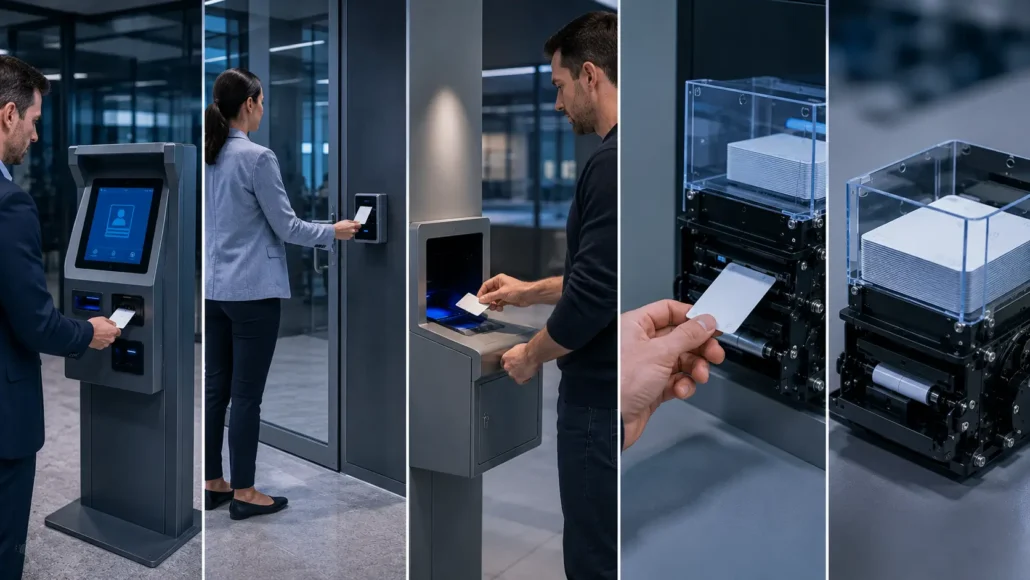
What Experienced Integrators Usually Consider
Before selecting hardware, experienced integrators typically evaluate:
Expected Daily Credential Volume
A lobby kiosk issuing 20 cards per day has very different requirements than a facility issuing hundreds of credentials daily.
Credential Type
Projects may use:
- RFID cards
- MIFARE cards
- Employee badges
- Visitor passes
- Temporary access cards
Card Reuse Requirements
Some projects discard credentials.
Others recover and reuse them.
Operating Environment
Installations may occur in:
- Indoor offices
- Industrial facilities
- Public buildings
- High-security environments
Maintenance Resources
The availability of onsite support often affects hardware selection.
Typical Access Control Kiosk Architecture
Although deployment requirements vary, many projects follow a similar hardware architecture.
Identity Verification
↓
Authorization Check
↓
RFID Card Selection
↓
Credential Encoding
↓
Card Issuance
↓
Access Control Platform
↓
Optional Card RecoveryUnderstanding this architecture early helps reduce integration risk and simplifies future system expansion.
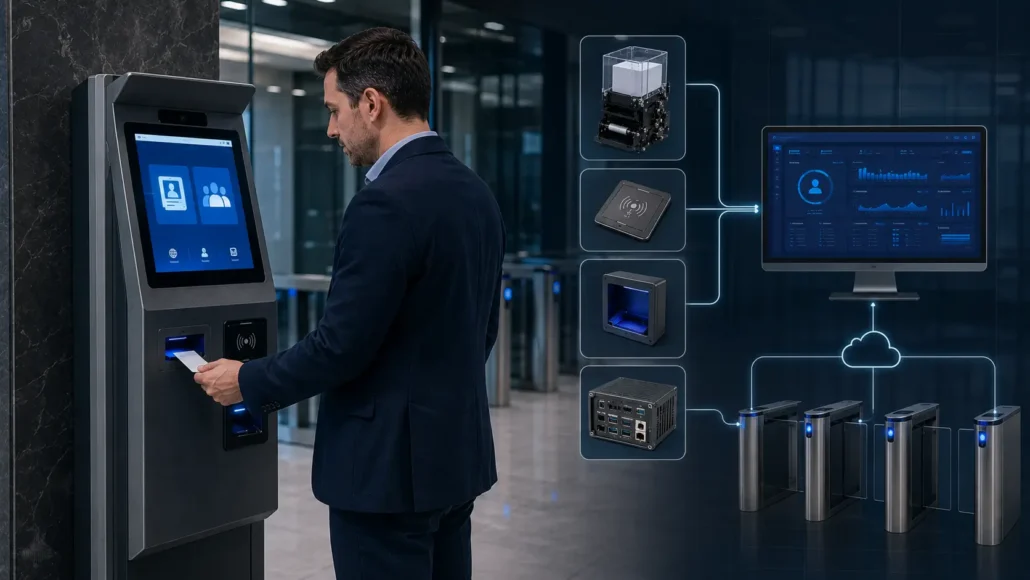
Recommended Access Control Kiosk Hardware Architecture
Most modern deployments follow a similar workflow:
User Identification
↓
Credential Authorization
↓
Card Issuance
↓
Credential Verification
↓
Access Granted
↓
Optional Card Recovery
The hardware components supporting this workflow are discussed below.
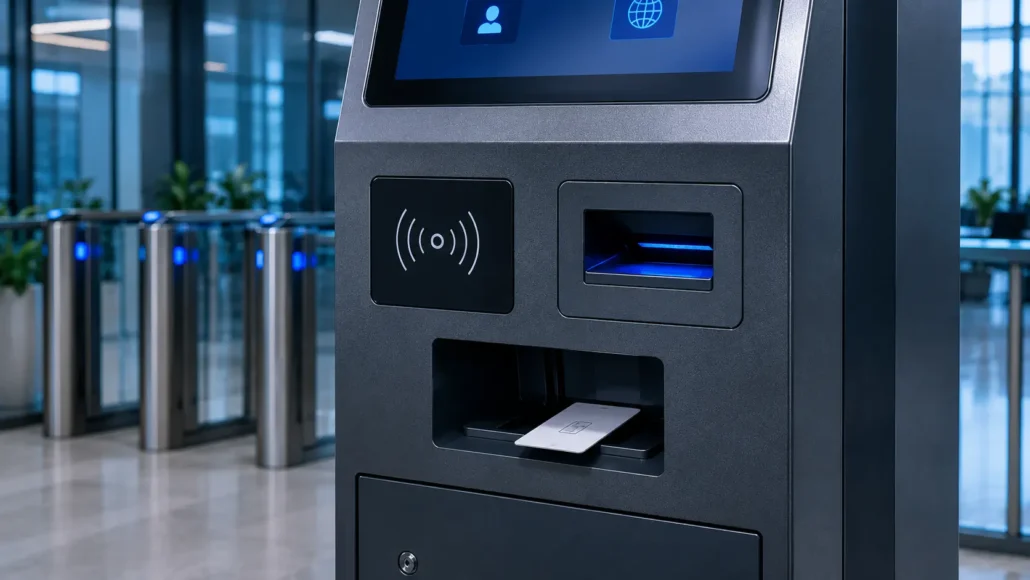
Card Dispenser
A card dispenser is often the most visible component in an access control kiosk.
Its purpose is to issue credentials automatically after authorization.
Typical applications include:
- Visitor access cards
- Employee registration cards
- Contractor badges
- Temporary credentials
Recommended Models
SNR-K720
Best For:
- Visitor credential issuance kiosks
- Contractor registration terminals
- Employee access card issuance
- Single-card-type deployments
Advantages:
- Compact motorized card dispenser
- Stable card separation mechanism
- Suitable for unattended operation
- Easy integration into custom kiosks
- Practical choice for standard access control workflows
SNR-CD212-M8
Best For:
- RFID access card issuance
- Visitor management systems
- Access control registration kiosks
- Security credential distribution
Advantages:
- Supports RFID card issuing workflows
- Suitable for modular kiosk integration
- Stable dispensing performance
- Compact installation footprint
SNR-K750C
Best For:
- RFID access control projects
- Membership and credential issuance
- Visitor credential systems
- Access management terminals
Advantages:
- Controlled card transport workflow
- Supports advanced card handling processes
- Suitable for unattended self-service deployment
- Integration-friendly design
Circulating Card Dispenser
Some projects need more than card issuance.
They also need card collection and card reuse.
SNR-K750-L
Suitable for:
Issue Card
↓
Collect Card
↓
Store Card
↓
Re-Issue Card
Typical applications:
- Visitor credential circulation
- Contractor card management
- Temporary access programs
- Facility access management systems
Advantages:
- Supports card issuing and collection
- Enables credential reuse
- Reduces card replacement costs
- Supports complete card lifecycle management
Card Collector
Certain facilities require credential recovery when users leave.
SNR-D3000
Suitable for:
- Visitor exits
- Employee card return stations
- Contractor credential recovery
Advantages:
- Automatic card collection and storage
- Supports credential recovery workflows
- Reduces lost-card incidents
- Suitable for unattended operation
SNR-D3000-RF
Suitable for:
- RFID credential recovery
- Government security projects
- Visitor management exits
- High-security facilities
Advantages:
- Integrated RFID verification
- Credential validation before collection
- Supports audit trail requirements
- Suitable for reusable RFID card programs
Integrated RFID verification allows credentials to be checked before collection.
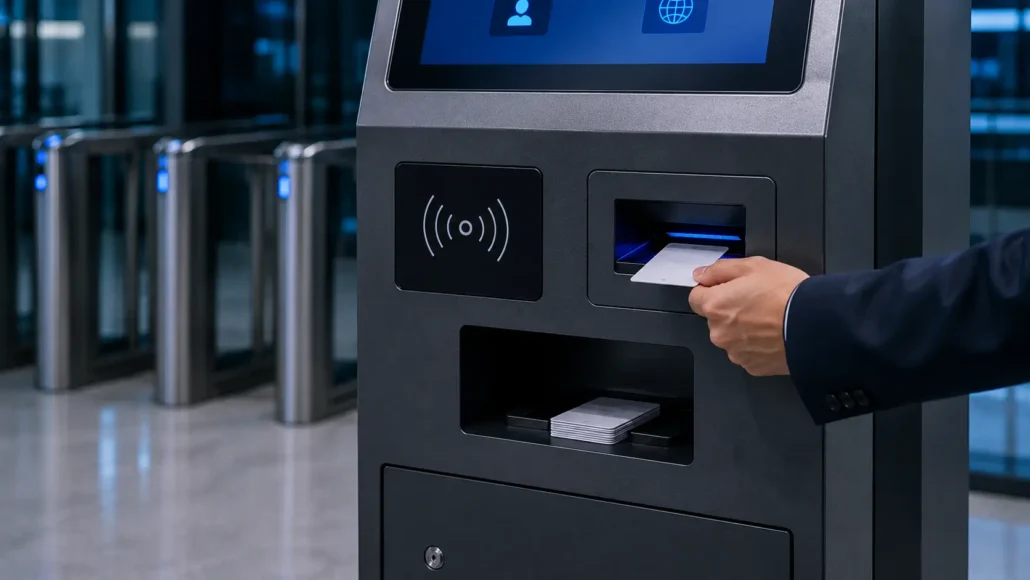
RFID Reader and Encoder
Many access control systems use RFID technology.
RFID modules may perform:
- Credential verification
- Credential encoding
- Access authorization
- Identity matching
System integrators should verify:
- Card technology compatibility
- Reader protocol compatibility
- Security requirements
before hardware selection.
Barcode and QR Code Scanner
Scanners are increasingly used for:
- Visitor check-in
- Mobile credential verification
- Employee identification
- QR code access workflows
Recommended Model
SNR-EP8200
Suitable for:
- Access control kiosks
- Visitor management systems
- Self-service registration terminals
Advantages:
- Fast barcode and QR code reading
- Compact embedded design
- Easy kiosk integration
- Reliable operation in unattended environments
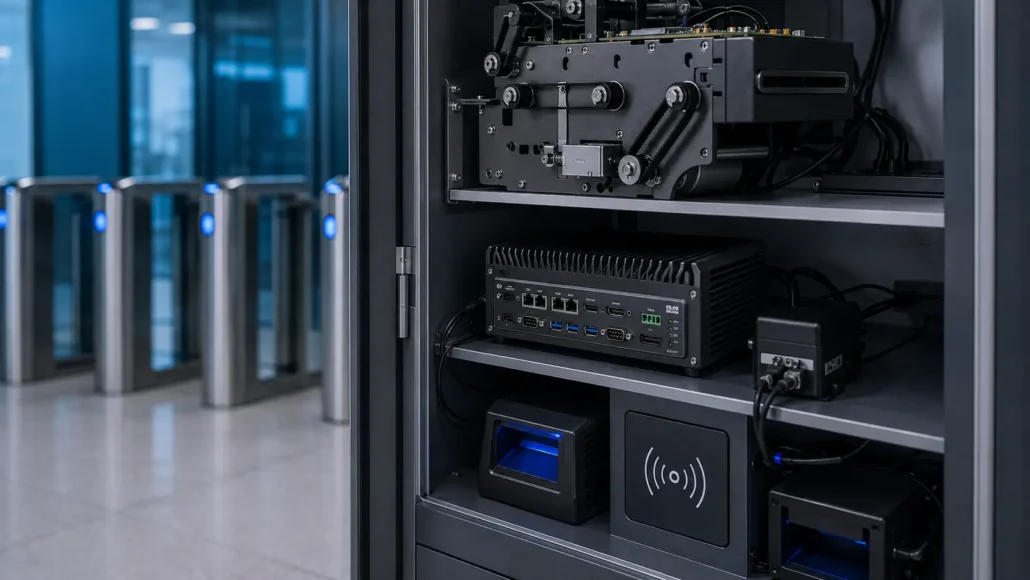
Industrial PC
The industrial PC acts as the control center of the kiosk.
It manages:
- Device communication
- Credential processing
- Access control software
- Database communication
- Network connectivity
Experienced integrators usually prefer:
- Fanless design
- Industrial-grade components
- Long lifecycle availability
- Multiple communication interfaces
Recommended Model
IBC-N8 Industrial Mini PC
Suitable for:
- Windows access control platforms
- Linux-based systems
- Visitor management software
- Self-service kiosks
Advantages:
- Industrial-grade reliability
- Fanless operation
- Multiple I/O interfaces
- Long-term hardware availability
How Most Access Control Systems Evolve
Many projects begin with a simple visitor registration system.
Over time, new requirements typically appear:
Visitor Registration
↓
Temporary Access Cards
↓
Contractor Access Management
↓
Credential Recovery
↓
RFID Verification
↓
Full Access Lifecycle Management
This evolution is common in:
- Government facilities
- Manufacturing plants
- Corporate campuses
- Hospitals
- Research institutions
Projects that anticipate future requirements often achieve lower deployment costs and fewer hardware redesigns.
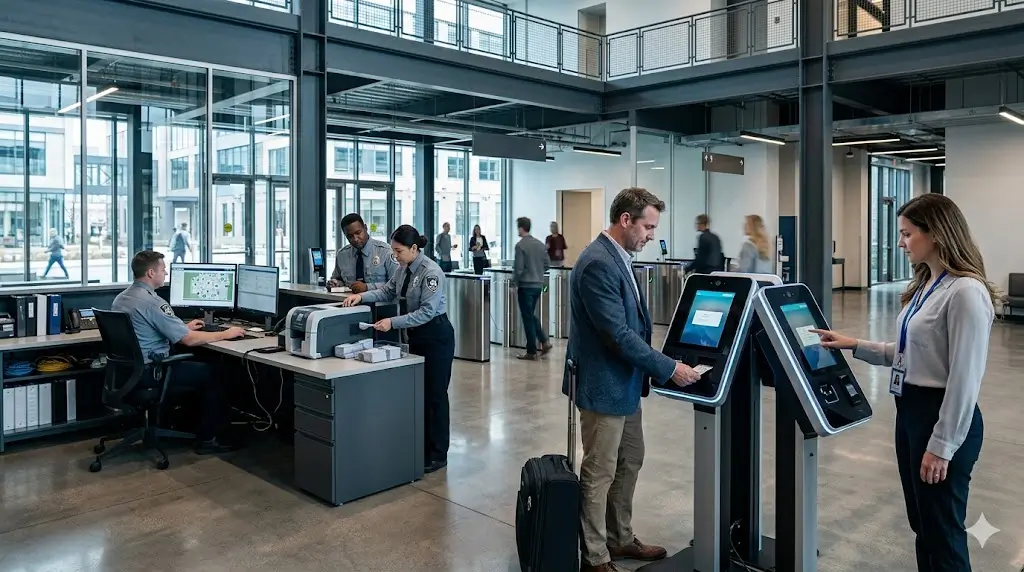
Deployment Reality: What Integrators Usually Discover After Installation
Laboratory testing often focuses on hardware functionality.
Real deployments introduce additional variables.
Cards Are Not Returned
Visitors and contractors may leave facilities without returning credentials.
Credential Costs Increase
Large facilities can issue thousands of temporary cards each year.
Without recovery procedures, replacement costs become visible very quickly.
RFID Verification Becomes Necessary
Some organizations initially issue credentials without verification requirements.
Later, security teams may require returned cards to be validated before collection.
Maintenance Resources Are Limited
Hardware that appears easy to manage during testing may become difficult to maintain when deployed across multiple sites.
Security Policies Change
Access control requirements often evolve over time, especially in government, healthcare and industrial environments.
Successful projects are usually designed with these realities in mind from the beginning.
What Successful Access Control Deployments Usually Have in Common
Although every project is different, successful deployments often share several characteristics.
They usually:
- Define credential ownership clearly
- Plan card recovery workflows early
- Consider credential reuse requirements
- Verify RFID compatibility before deployment
- Select hardware with long-term maintenance in mind
- Leave room for future system expansion
These considerations often have a greater impact on long-term project success than hardware specifications alone.
Recommended SNRO Hardware Ecosystem
| Function | Recommended Model |
|---|---|
| Card Issuing | SNR-K720 |
| RFID Card Issuing | SNR-K750C |
| Advanced Card Issuing | SNR-CD212-M8 |
| Card Issuing + Collection | SNR-K750-L |
| Card Collection | SNR-D3000 |
| RFID Card Collection | SNR-D3000-RF |
| Barcode Scanner | SNR-EP8200 |
| Industrial PC | IBC-N8 |
Why SNRO Supports Access Control Projects
SNRO provides hardware commonly used in self-service credential management systems.
Advantages include:
- Card issuance hardware
- Card collection hardware
- RFID credential workflows
- Scanner integration
- Industrial PC support
- SDK and technical support
- Long-term product availability
This allows system integrators to source multiple hardware components from a single supplier.
Conclusion
Access control kiosks are no longer simple card issuance terminals.
Modern deployments often involve identity verification, credential management, RFID processing, access authorization and card lifecycle management.
Selecting the right hardware requires more than comparing specifications.
Experienced integrators evaluate how credentials will be issued, managed, recovered and potentially reused throughout the entire lifecycle.
Whether your project requires a card dispenser, card collector, circulating card dispenser, RFID reader, scanner or industrial PC, understanding the complete workflow before deployment is one of the most effective ways to reduce risk and improve long-term system performance.
Related Resources
Buyer Guides
- How to Choose a Card Dispenser for Access Control Systems
- How to Choose a Motorized Card Dispenser for Self-Service Kiosks
- Card Dispenser vs Card Collector: Understanding the Difference
- Single Hopper vs Multi-Hopper Card Dispenser: Which Is Better?
- RFID Card Dispenser vs Magnetic Card Dispenser
Solution Guides
- Visitor Management System Hardware Guide
- Hotel Self Check-In Hardware Guide
- Smart Locker Hardware Guide
Technical Resources
Reliability Blogs
- Why Card Dispensers Fail in Real Self-Service Systems
- Common RFID Card Dispensing Challenges in Self-Service Kiosks
- Why Card Quality Causes More Dispenser Problems Than Many Teams Expect
- Why Card Dispensers Become Less Reliable Over Time Even Without Mechanical Failure
- How Dust and Humidity Slowly Affect Card Dispenser Reliability in Self-Service Kiosks
FAQ
What hardware is required for an access control kiosk?
Most systems use a card dispenser, RFID reader, industrial PC, scanner and access control software platform.
What is the purpose of a card dispenser in access control?
It automatically issues access credentials after authorization.
When should a card collector be used?
When credentials need to be returned, recovered or reused.
Can access control kiosks use RFID cards?
Yes. RFID cards are widely used for employee, visitor and contractor access management.
Why is an industrial PC important?
The industrial PC controls device communication, credential processing and software integration.
Can access control kiosks support visitor management?
Yes. Many visitor management systems use a similar hardware architecture.
Which SNRO model supports issuing and collecting cards?
SNR-K750-L supports card issuing, collection and re-issuing workflows.
Which scanner is recommended for access control kiosks?
SNR-EP8200 is suitable for QR code, barcode and visitor credential verification applications.
Why is card lifecycle management important?
It helps reduce credential replacement costs, improves security and supports credential reuse workflows.
What should be evaluated before selecting access control hardware?
Credential type, issuance volume, RFID compatibility, card recovery requirements, maintenance resources and future expansion plans should all be considered.