


Hotel Self Check-in Hardware Solutions
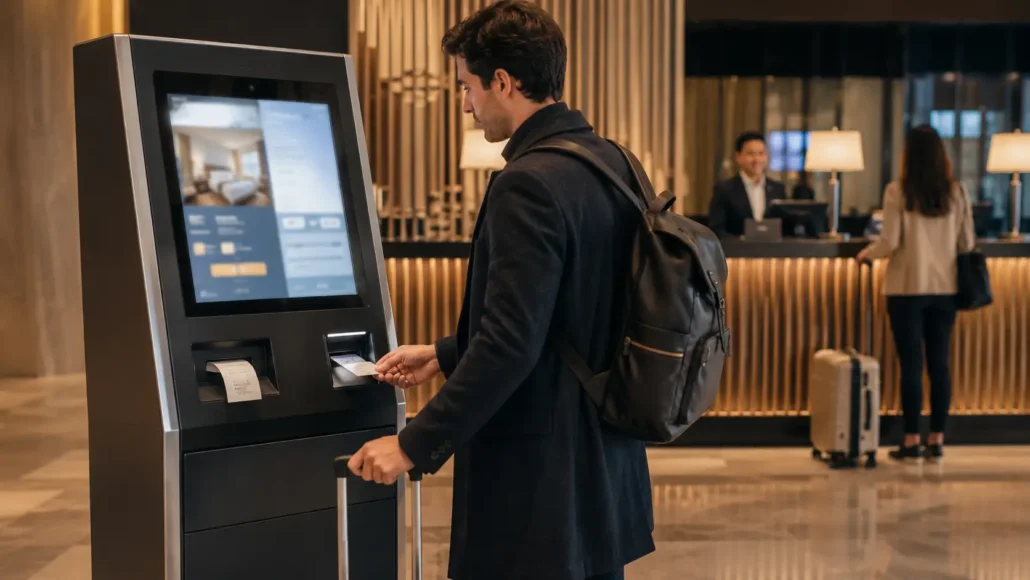
Most hotel self check-in projects are evaluated by guest experience. Experienced operators evaluate them differently: they focus on reliability.
Guests rarely remember a successful check-in. They remember the room card that failed to dispense, the receipt that failed to print, or the kiosk that required staff intervention during peak hours. Operators understand that successful hotel automation depends on hardware that continues operating reliably after thousands of guest interactions.
SNRO provides hardware solutions for hotel self check-in kiosks, including kiosk printers, RFID card dispensers, barcode scanners, passport readers, payment devices and other self-service terminal components — all designed for long-term unattended operation in hotel lobbies, self-service stations, apartment access terminals and hospitality automation platforms.
Quick Answers
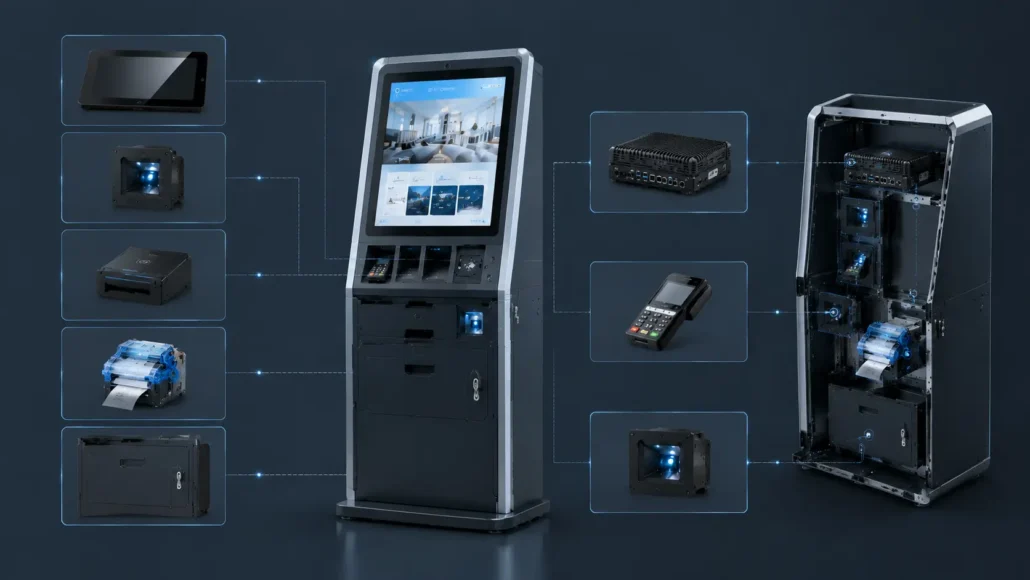
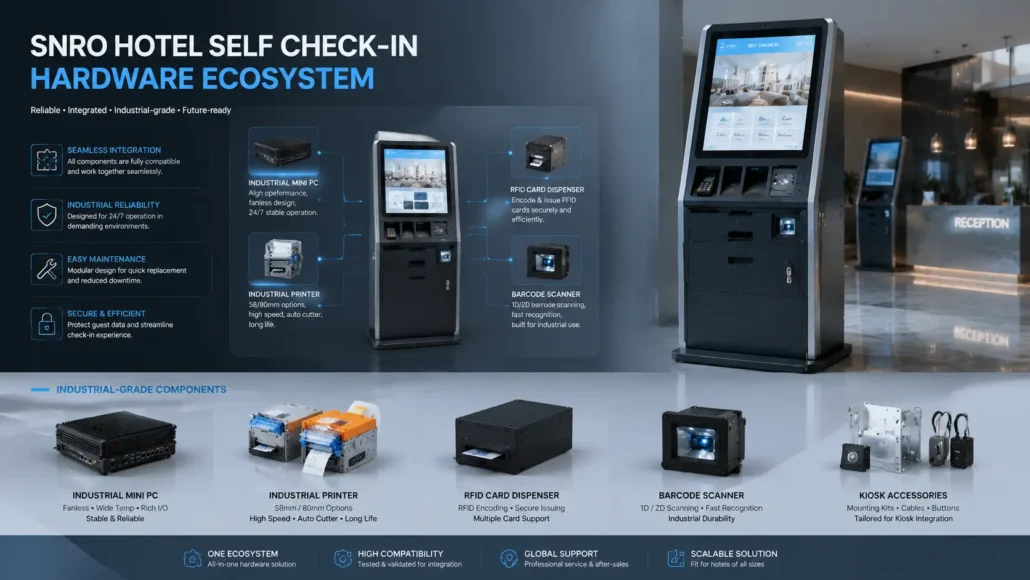
A hotel self check-in kiosk typically requires several hardware modules working together: a touchscreen, passport or ID scanner, RFID key card dispenser, kiosk thermal printer, industrial mini PC, payment device, and connection to the hotel PMS or cloud platform.
For hotel technology providers and system integrators, the primary challenge is not selecting individual devices, but ensuring reliable end-to-end workflow execution: guest identification, booking verification, payment, room card issuance, receipt printing, exception handling, and maintenance access.
Reliable hotel kiosk hardware should therefore be selected according to deployment volume, operating system, PMS integration, card type, printer structure, communication interfaces, and long-term maintenance requirements.
What Does a Typical Hotel Kiosk Deployment include?
One key insight from real-world deployments is that hotel kiosk integration challenges rarely originate from a single device. Issues typically surface during device interaction — when the printer, card dispenser, and PMS platform must communicate simultaneously within a compact unattended environment.
A typical hotel deployment often includes:
- Guest Touch Display
- Passport / ID Scanner
- RFID Hotel Key Card Dispenser
- 80mm Thermal Kiosk Printer
- Industrial Mini PC
- Hotel PMS / Cloud Platform
Architecture planning conducted early in the project significantly simplifies later integration.
What We Frequently See in Real Hotel Kiosk Projects?
Over time, we’ve observed that hotel self-service projects become complex primarily during device interaction rather than from individual component selection.
A typical deployment may require:
- RFID room card issuing
- Passport verification
- Receipt printing
- Payment integration
- PMS communication
Each device functions reliably in isolation. Integration complexity emerges when all devices must operate simultaneously inside a compact unattended kiosk — which is why many teams prioritize hardware architecture evaluation during early planning stages.
Recommended Hardware Architecture for Hotel Self Check-In Kiosks
A practical hotel self check-in kiosk usually connects guest-facing devices, card issuance hardware, printing modules, payment devices, and backend hotel systems through an industrial controller.
| Hardware Module | Typical Function | Integration Concern |
| Touchscreen | Guest check-in interaction | UI workflow, durability, installation angle |
| Passport / ID scanner | Guest identity verification | OCR accuracy, document type support, software integration |
| RFID hotel key card dispenser | Room card dispensing or encoding | Card type, hopper capacity, RFID compatibility, card jam recovery |
| Kiosk printer | Receipt, registration slip, or payment record printing | Paper width, presenter design, paper capacity, driver support |
| Industrial mini PC | Main control and device communication | COM ports, USB expansion, Linux/Windows support, 24/7 operation |
| Payment module | Guest payment or deposit authorization | Certification, software integration, installation security |
| PMS / cloud platform connection | Booking, room assignment, and guest record synchronization | API reliability, network interruption handling, data security |
Hotel self check-in kiosks are part of a broader self-service kiosk hardware architecture. For a complete overview of kiosk hardware modules, system integration logic and unattended terminal design, visit our Self-Service Kiosk Hardware System Hub.
 What Are the Hardware Components Frequently Used in Hotel Self-Service Projects?
 What Are the Hardware Components Frequently Used in Hotel Self-Service Projects?
RFID Hotel Key Card Dispenser
Consistent and immediate room card issuance is a guest expectation that becomes increasingly critical as deployment volume grows.
Typical requirements:
- RFID room card issuing
- Supports circular card issuance
- Card hopper capacity: 50/100/150 pcs (optional)
- Card detection
- SDK support
Applications:
- Hotel room cards
- Membership cards
- Visitor systems
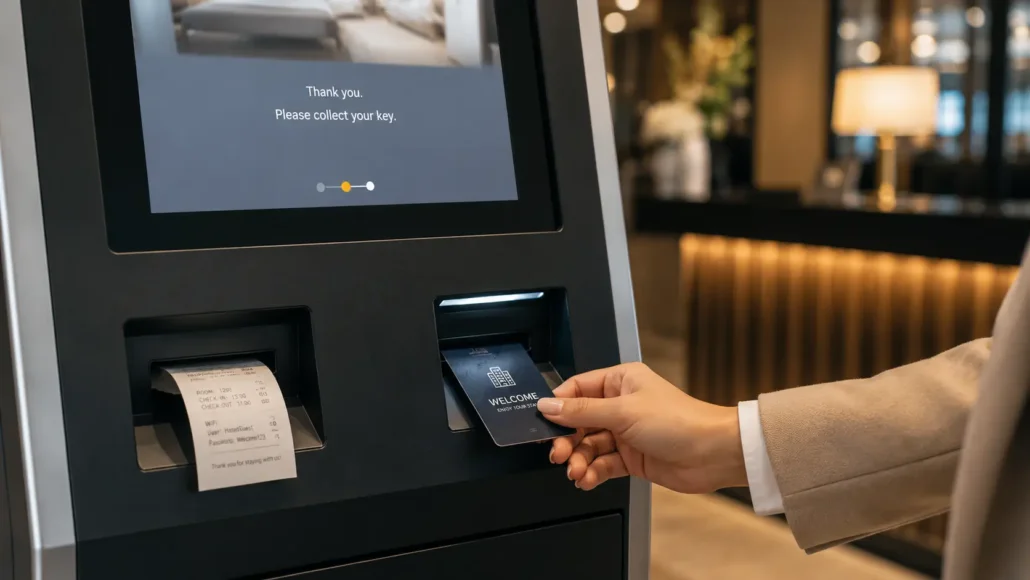
80mm Thermal Kiosk Printer
In unattended environments, receipt printing reliability directly impacts maintenance frequency. Guest behavior — such as uncollected receipts — combined with limited kiosk space can generate ongoing service requests.
Preferred features include:
- Anti-jam structure
- Presenter function
- Ticket retract capability
- QR and barcode printing
For deployments with frequent unattended transactions, Presenter Printers and Ticket Retract Systems significantly reduce maintenance requirements.
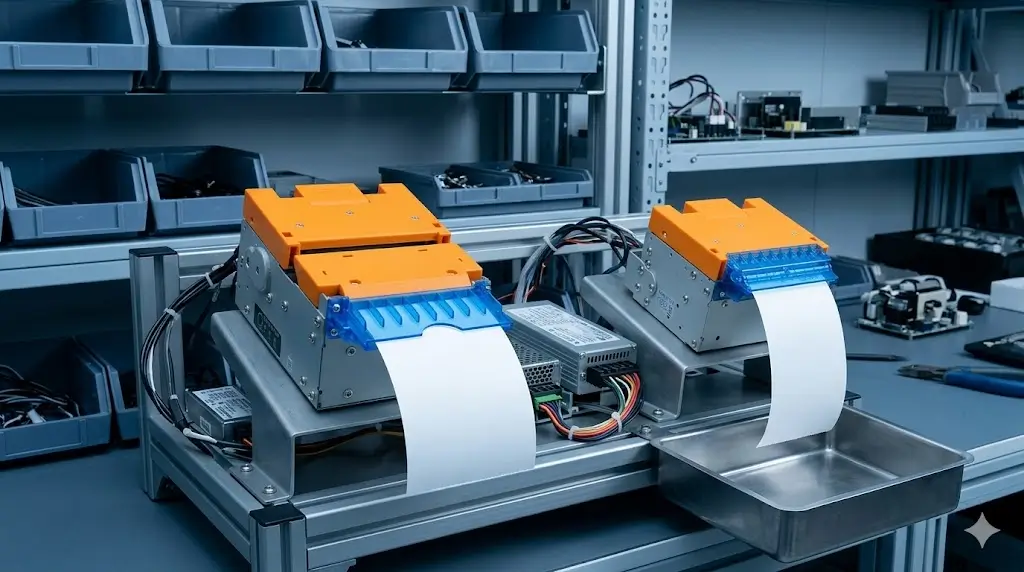
Fanless Industrial Mini PC
The controller is the least visible kiosk component — and often the most critical. While teams initially focus on CPU specifications, interface compatibility and long-term operation typically become higher priorities.
Typical requirements:
- Multiple COM interfaces
- USB expansion
- Fanless operation
- Continuous runtime
Typical connected peripherals:
- Barcode Scanners
- POS Systems
- Card Dispenser Hardware
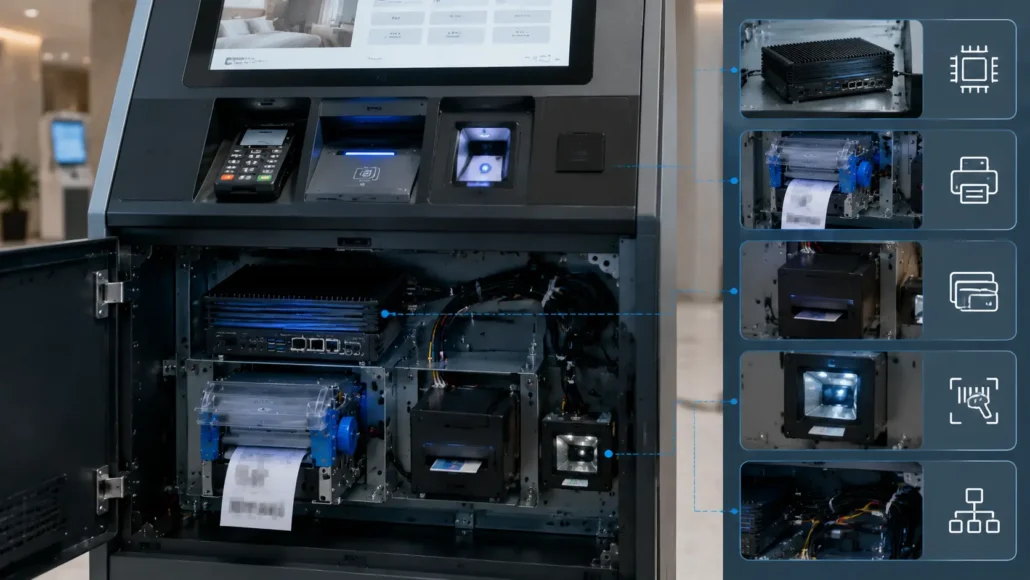
Recommended Hardware for Hotel Self Check-In Systems
| Model | Description | Application |
|---|---|---|
| SNR-K750-L | RFID Hotel Card Dispenser for Self Check-in Kiosks | Designed for hotel room card issuance, guest credential management and unattended self check-in workflows |
| SNR-CD760 | Desktop Hotel Card Dispenser | Suitable for front desks, self-service check-in assistance, testing, and small-scale deployment |
| SNR-KP802-VX | Presenter Kiosk Printer for Self-Service Terminals | Recommended for hotel kiosks requiring controlled receipt delivery and optional ticket retract functionality |
| SNR-KP800-VX | 80mm Kiosk Printer for Hotel Check-in Receipts | Suitable for guest receipts, registration confirmations and hotel self-service terminals |
| SNR-IBC-N8 | Fanless Industrial Mini PC for Hotel Kiosk Control Systems | Provides reliable communication management between PMS software, printers, scanners and card issuance devices |
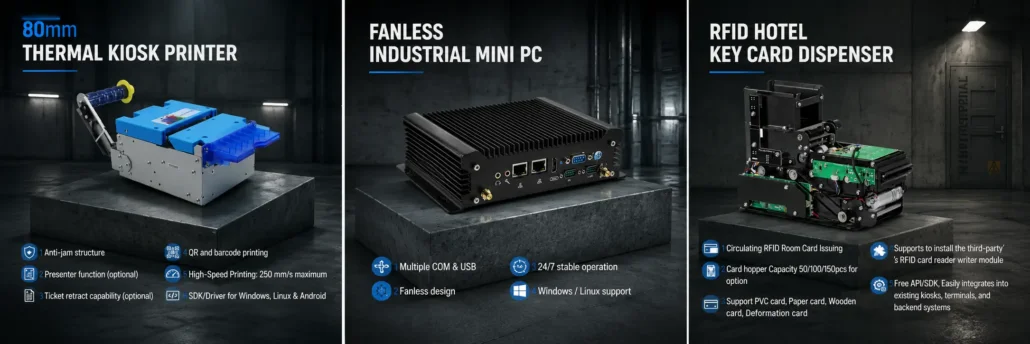
Typical Hardware Selection Matrix
Different deployments usually require different hardware combinations.
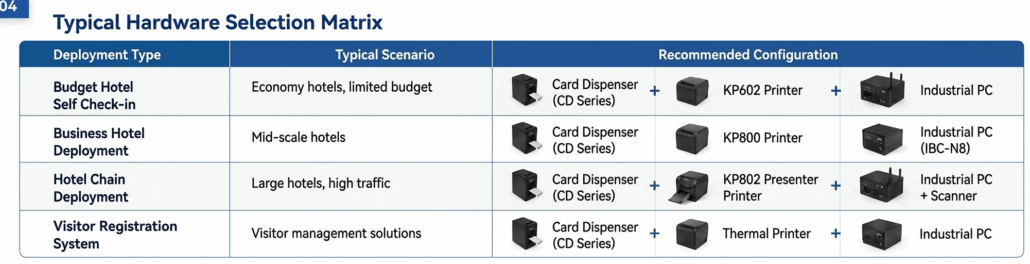
Recommended Hotel Card Issuing and Recovery Resources
- SNR-K750-L Hotel Key Card Dispenser
- Hotel Key Card Management System Guide
- Visitor Card Recovery System Guide
What Experienced Hotel Technology Providers Usually Evaluate
When selecting hardware for hotel self check-in kiosks, experienced hospitality technology providers typically evaluate more than guest-facing functionality.
Common evaluation factors include:
- Guest check-in volume
- Room card issuance reliability
- Receipt printing performance
- Linux compatibility
- SDK availability
- PMS integration requirements
- Maintenance accessibility
- Communication interfaces
- Multi-property deployment scalability
- Long-term operational uptime
For hotel automation projects, workflow consistency and unattended operation often become more important than individual hardware specifications.
Common Hardware Challenges in Hotel Self Check-In Deployments
Hotel self check-in kiosks are designed to reduce front desk workload and improve guest convenience. However, long-term reliability depends on much more than software integration. Many operational issues originate from hardware-related factors that become visible only after thousands of transactions.
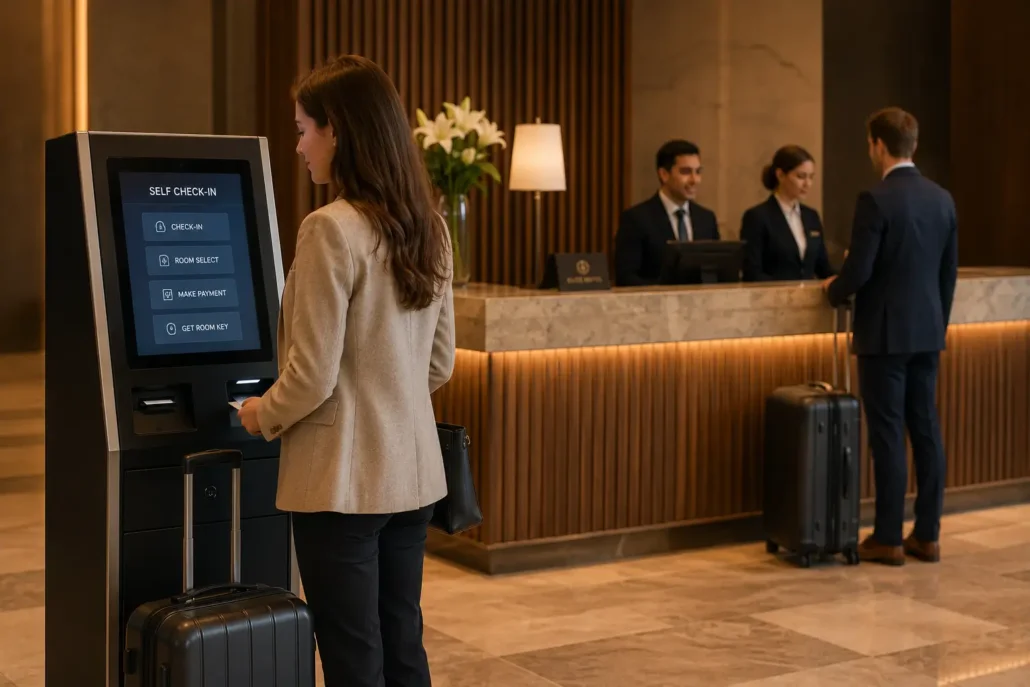
Room Card Issuance Reliability
Room card dispensing is one of the most critical functions in hotel self check-in systems. A kiosk may complete the entire registration process successfully, but a failed room card delivery still requires staff intervention.
Common contributing factors include:
- RFID card variations
- Card storage conditions
- Double-card feeding
- Hopper performance
- Preventive maintenance practices
Reliable card issuance becomes increasingly important in high-volume hotel environments where consistent unattended operation is expected.
Receipt Printing Reliability
Guests rarely notice a printer that works correctly — they notice immediately when it doesn’t. Receipt printers in hotel kiosks often operate continuously, making paper handling, maintenance access and printer design important considerations.
Long-term uptime frequently depends on factors such as:
- Paper loading convenience
- Jam prevention
- Presenter design
- Service accessibility
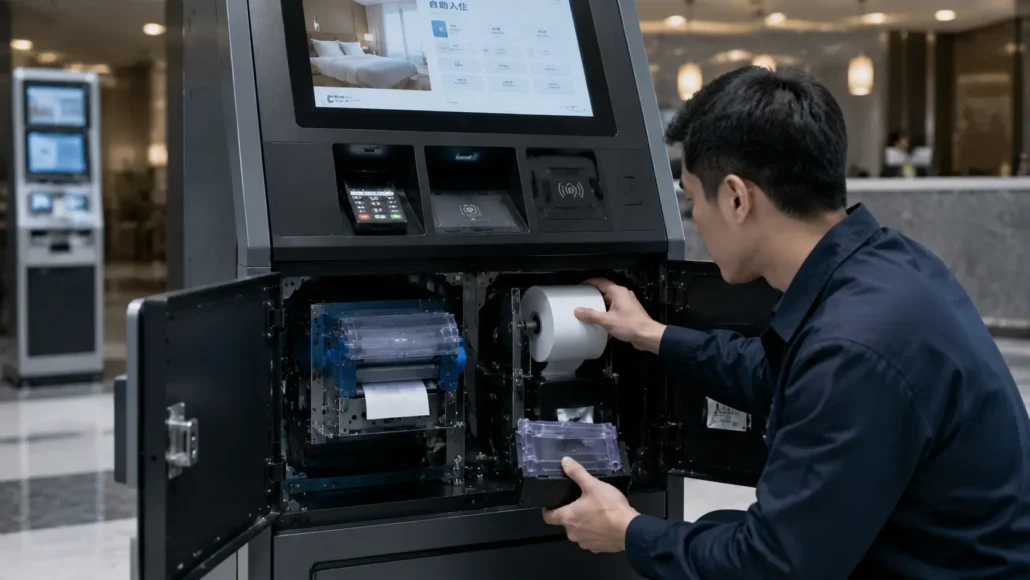
Maintenance Accessibility
One of the most overlooked aspects of kiosk design is maintenance accessibility. Components that are difficult to inspect, clean or replace increase service time and operational costs.
Accessibility directly affects:
- Downtime
- Service efficiency
- Operational continuity
- Long-term ownership cost
Why Hardware Selection Matters
Many hotel self check-in kiosks offer similar guest-facing features: registration, identity verification, room assignment, and payment processing. While systems may appear comparable at first glance, long-term operating performance is significantly influenced by hardware selection decisions made during the design phase.
Hardware affects:
- Room card dispensing reliability
- Receipt printing performance
- Maintenance frequency
- Spare parts management
- Serviceability
- System uptime
Two kiosks may deliver identical guest-facing functionality while producing very different long-term operating experiences — which is why experienced hotel technology providers evaluate hardware performance after months or years of continuous operation, not just initial specifications.
Before You Select Hardware for Your Project
Before choosing hardware, ask:
- Will guests frequently leave receipts uncollected?
- Does your deployment require room card issuing?
- How many peripherals communicate simultaneously?
- Is installation space limited?
- Will your system operate 24/7?
Identifying these requirements early helps avoid deployment issues.
A Common Scenario We See
Deployment teams often focus initially on software workflows and user interfaces. Later they discover that while individual components (printer, card dispenser, scanner) physically fit, cable routing, interface compatibility, and installation space become unexpected challenges — which is why many teams now evaluate hardware combinations earlier during project planning.
Typical Hotel Self Check-In Projects We Support
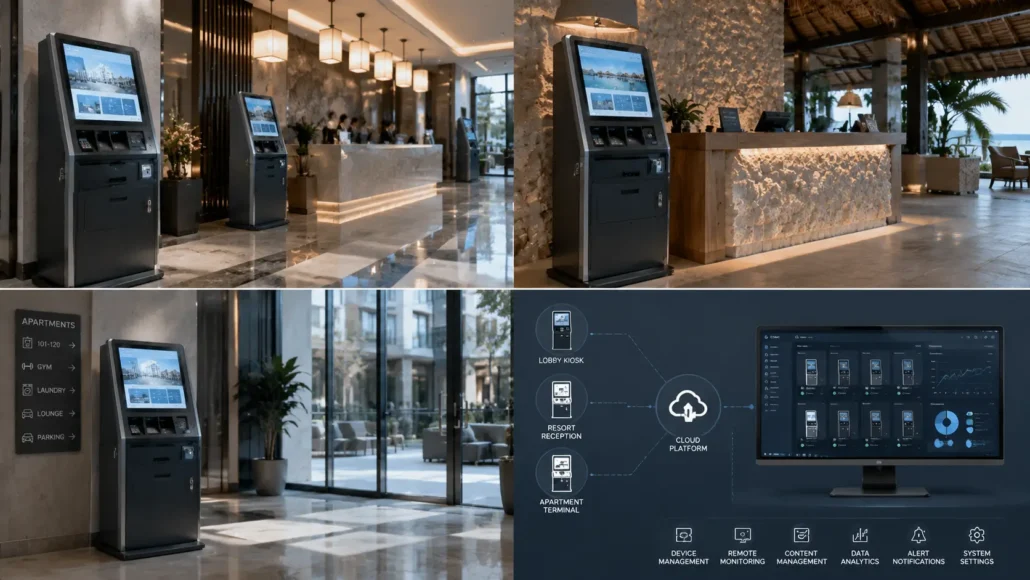
- Hotel Self Check-In Kiosks
- Apartment Self Check-In Systems
- Resort Guest Registration Terminals
- Hospitality Automation Platforms
- Hotel Lobby Service Kiosks
- Smart Hotel Deployments
- Vacation Rental Check-In Stations
- Campus Accommodation Kiosks
- Multi-Property Hotel Networks
- Hospitality Access Management Systems
Different projects may require different combinations of card dispensers, kiosk printers, scanners and industrial controllers depending on operational requirements.
Frequently Asked Questions
| Question | Answer |
|---|---|
| What hardware does a hotel self check-in kiosk require? | Most systems include touchscreen, ID scanner, card dispenser, thermal printer, and industrial PC. Actual configurations depend on workflow and integration requirements. |
| Can hotel self check-in kiosks automatically issue room cards? | Yes. RFID card dispensers can be integrated with PMS platforms to automate room card issuance during guest check-in. |
| How to integrate an RFID card dispenser with PMS systems? | SNRO provides SDK, API documentation, and sample code for serial/Ethernet communication. Integration support is available for major PMS platforms including Opera, Oracle, and custom cloud-based systems. |
| How to choose between a presenter printer and an auto-cutter printer for a hotel kiosk? | Presenter printers are recommended for unattended environments where guests may leave receipts uncollected — they control delivery and offer retract functionality. Auto-cutter printers suit supervised counters or attended stations where receipt retrieval is immediate. |
| How to install a panel printer in a compact hotel kiosk cabinet? | Front-mount design with #6/32 screw fixation. Panel cutout dimensions and paper outlet alignment must be confirmed during mechanical design phase. SNRO provides installation drawings and cutout templates for each model. |
| How to troubleshoot common card dispenser jams? | Check card quality and storage conditions first. Clean hopper and sensor regularly. For double-card feeding, verify card thickness and hopper pressure settings. SNRO’s preventive maintenance guide covers scheduled inspection intervals. |
| Can your hardware integrate with PMS systems? | Yes. We provide SDK and communication resources designed to simplify integration with major PMS platforms. |
| Can multiple peripherals operate simultaneously? | Yes. Industrial mini PCs are commonly used because they support communication among multiple connected devices. |
| Why are thermal kiosk printers used in hotel systems? | Thermal printers require minimal maintenance, support compact installation, and can be equipped with presenter/retract functions for improved unattended operation reliability. |
| Why do hotel kiosks use industrial PCs? | Industrial PCs support long-term operation and reliable communication among multiple connected peripherals. Reliability becomes more important than raw specifications. |
| Do hotel kiosks require Linux-compatible hardware? | Many hospitality automation platforms operate on Linux-based systems, making Linux driver support and SDK availability important selection criteria. |
| Why do hotel self check-in kiosks use kiosk printers instead of POS printers? | Kiosk printers are specifically designed for embedded installation, unattended operation and easier integration into self-service terminal enclosures. |
| How reliable are RFID room card dispensers in hotel self check-in kiosks? | Modern RFID card dispensers provide highly reliable operation when matched with compatible card specifications and supported by proper maintenance practices. |
| What are the most common hardware issues in hotel self check-in deployments? | Room card dispensing reliability, receipt handling, maintenance accessibility and multi-device communication are among the most common operational considerations. |
| How often should hotel self check-in kiosk hardware be maintained? | Maintenance schedules vary by deployment volume and operating environment. High-traffic hotels benefit from periodic inspections of card dispensers, printers and other critical hardware modules. |
Related Resources
Related Hardware
- Hotel Card Dispenser
- Card Dispenser category
- 80mm Kiosk Printer
- Kiosk Printer category
- Fanless Industrial Mini PC
- Fixed Mount Barcode Scanner
Recommended Buying Guides
- Hotel self check-in card dispenser selection guide
- Presenter printer vs auto cutter printer for unattended kiosks
- Kiosk printer buying guide for self-service systems
Main Knowledge Hubs
Technical Guide
The following technical resources may assist during hotel kiosk hardware evaluation and integration:
- Hotel Key Card Management System Guide
- Card Dispenser SDK and Integration Guide
- Card Dispenser Preventive Maintenance Guide
- Linux Kiosk Printer Integration Guide
Related Solutions
- Visitor management hardware for guest and access credential systems
- Access control kiosk hardware for RFID credential issuing
- Smart locker hardware solution for hospitality self-service systems
Need Help Evaluating Hardware for Your Hotel Kiosk?
If you are planning a hotel self check-in kiosk, apartment check-in terminal, resort guest registration station, or hospitality automation platform, SNRO can help review your hardware configuration before sample testing.
Share your kiosk layout, operating system, PMS integration requirement, room card type, receipt printing requirement and expected daily check-in volume. Our team will recommend suitable card dispenser, kiosk printer, scanner and industrial controller hardware for your deployment.


