


Blog
Card Dispenser SDK and Integration Guide

Introduction
For many self-service kiosk projects, selecting the right card dispenser is only the first step.
The real challenge often begins during system integration.
A reliable card dispenser may offer excellent mechanical performance, but without proper SDK resources, communication protocols and engineering support, integration can quickly become a major bottleneck.
Whether the project involves hotel self check-in kiosks, visitor management systems, smart lockers, membership card issuance terminals or access control platforms, software integration directly impacts deployment speed, system reliability and long-term maintainability.
This guide explains how card dispenser SDKs work, what system integrators should evaluate before hardware selection and how successful integration projects are typically implemented.
Quick Answer
A card dispenser SDK should help the kiosk application control card dispensing, card reading or encoding, card position detection, hopper status monitoring, error handling, and communication recovery.
For system integrators, the SDK is not only a software tool. It directly affects development time, testing workload, failure recovery, and long-term maintenance in unattended kiosk deployments.
Before selecting a card dispenser, integrators should confirm operating system support, communication protocol, API documentation, sample code, RFID encoding support, status feedback, error codes, and engineering support.
Why SDK Resources Matter More Than Many Teams Expect
During procurement discussions, project teams often compare:
- Hopper capacity
- Card thickness support
- Dispensing speed
- Mechanical dimensions
However, experienced integrators usually evaluate software resources before making a final hardware decision.
A strong SDK can significantly reduce:
- Development time
- Testing cycles
- Debugging effort
- Deployment risk
- Maintenance costs
In many projects, SDK quality has a greater impact on implementation success than hardware specifications.
What Experienced Integrators Usually Evaluate First
When reviewing a card dispenser SDK package, experienced teams typically evaluate:
Communication Protocol Availability
Can the host system communicate reliably with the dispenser?
Operating System Support
Does the SDK support:
- Windows
- Linux
- Android
- ARM-based embedded systems
API Documentation
Are command structures clearly documented?
Sample Source Code
Are working examples provided?
Error Handling
Can the system properly detect and recover from failures?
Technical Support
Is engineering assistance available during integration?
These factors often determine how quickly a project reaches deployment readiness.
Card Dispenser SDK Evaluation Checklist
| Selection Point | What to Check | Why It Matters |
| Operating system support | Windows, Linux, Android, ARM-based embedded systems | The SDK must match the kiosk controller and software environment. |
| Communication protocol | Working examples for dispense, read, write, status query, and error handling | Good sample code reduces proof-of-concept and development time |
| Status feedback | Hopper empty, card issued, card taken, jam, double-card warning, communication error | Unattended kiosks need clear device feedback for safe operation |
| RFID support | Card reading, writing, verification, and credential activation workflow | RFID issuance projects require coordination between hardware and backend systems |
| Error handling | Error codes, recovery process, timeout response, reconnect behavior | Real deployments need predictable recovery after failure |
| Documentation quality | API reference, installation guide, command examples, troubleshooting notes | Poor documentation increases development and maintenance workload |
| Technical support | Engineering support, firmware updates, driver resources, lifecycle support | Kiosk projects often operate for years and need long-term supplier support. |
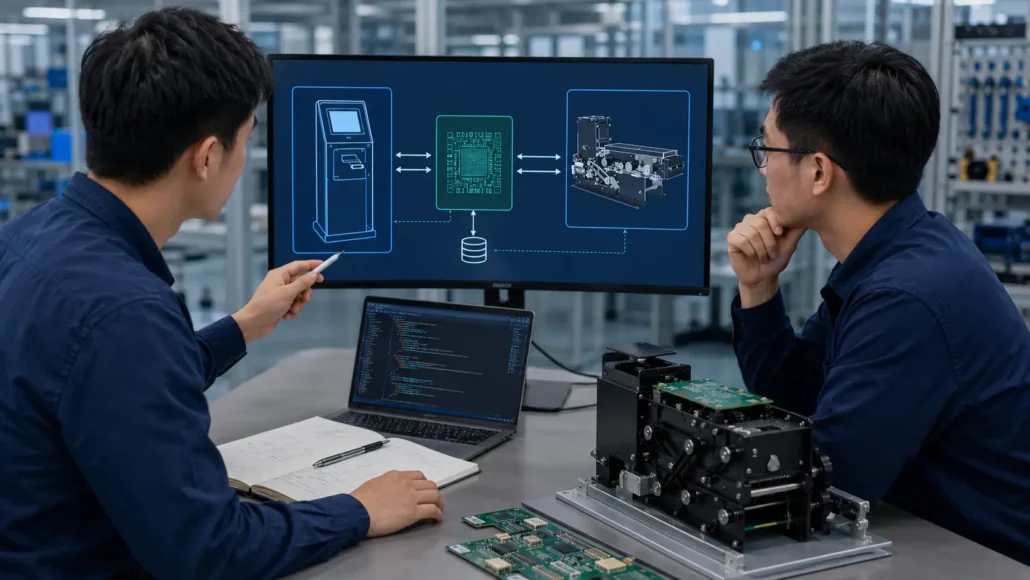
Typical Card Dispenser Communication Architecture
Most card dispensers operate using a host-controlled architecture.
A typical workflow includes:
Step 1
Host software sends a command.
Step 2
The dispenser controller processes the command.
Step 3
Mechanical actions are executed.
Examples:
- Card dispense
- Card read
- Card write
- Card retract
- Card collect
Step 4
Status information is returned.
Step 5
The host application updates workflow status.
This architecture allows card dispensers to be integrated into larger kiosk platforms.
Common Communication Interfaces
Most modern card dispensers support one or more communication interfaces.
RS232
Most widely used in industrial kiosk deployments.
Advantages:
- Stable communication
- Long deployment history
- Simple implementation
USB
Common in modern self-service terminals.
Advantages:
- Easy integration
- Broad operating system support
TCP/IP
Used in network-connected systems.
Advantages:
- Remote management
- Flexible deployment
Virtual COM Port
Frequently used when USB communication is presented as serial communication.
The appropriate interface depends on system architecture and software requirements.
Common SDK Functions
Most card dispenser SDKs provide commands for:
Card Dispensing
Issue a card to the user.
Card Reading
Read card information.
Card Writing
Encode RFID or IC card credentials.
Card Position Detection
Monitor card movement.
Hopper Status Monitoring
Check remaining card quantity.
Error Detection
Monitor:
- Card jams
- Empty hopper
- Double-card conditions
- Sensor faults
Device Status Monitoring
Monitor overall hardware condition.
These functions form the foundation of most kiosk card issuance workflows.
Linux Integration Considerations
Many modern self-service platforms operate on Linux.
Examples include:
- Hotel kiosks
- Smart lockers
- Visitor management terminals
- Industrial access systems
Before selecting hardware, integrators should verify:
Linux Driver Availability
Can the device communicate directly under Linux?
SDK Compatibility
Are Linux libraries available?
Sample Code Support
Are Linux examples provided?
Kernel Compatibility
Has the device been tested with the target environment?
Linux compatibility often becomes a critical factor in large deployments.

Windows and Android Integration
Windows remains widely used in:
- Banking kiosks
- Government service terminals
- Ticket vending machines
Android platforms are increasingly used in:
- Smart lockers
- Visitor management systems
- Compact self-service terminals
When evaluating SDK resources, project teams should verify:
- Driver availability
- API documentation
- Demo software
- Development examples
Cross-platform support can significantly simplify future product development.
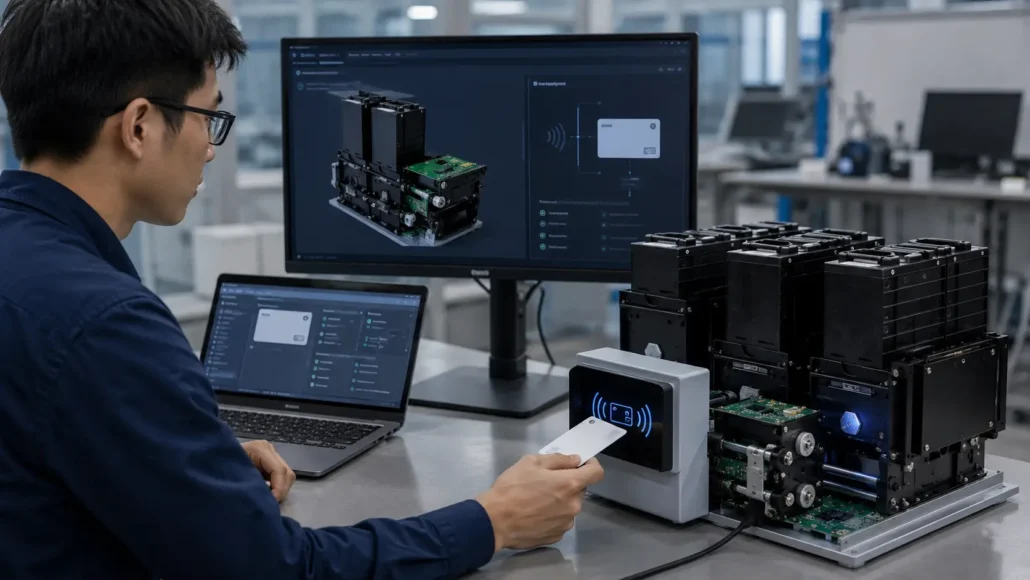
RFID Card Issuance Integration
Many modern deployments require RFID credential issuance.
A complete workflow typically includes:
Card Dispensing
The blank card is issued from the hopper.
RFID Encoding
Credential data is written.
Verification
The encoded data is verified.
Credential Activation
Backend systems authorize the credential.
Card Delivery
The card is presented to the user.
Successful RFID issuance requires both reliable hardware and reliable SDK support.
Error Handling and Status Monitoring
Reliable deployments depend on proper error management.
Typical status information includes:
- Card available
- Card issued
- Card taken
- Hopper empty
- Card jam
- Double-card warning
- Communication error
Experienced integrators design software workflows that respond appropriately to these events.
Effective error handling improves:
- User experience
- System uptime
- Service efficiency
Deployment Reality: What Changes After Installation
Laboratory testing rarely reflects actual deployment conditions.
After installation, systems may encounter:
Communication Interruptions
Unexpected serial communication failures.
Card Quality Variations
Different suppliers may affect dispensing performance.
Environmental Factors
Dust and humidity may affect sensors.
Maintenance Delays
Field maintenance schedules may differ from planning assumptions.
Software Updates
Operating system upgrades may introduce compatibility changes.
Projects that consider these realities during integration typically experience smoother deployments.
 Integration Testing Before Deployment
 Integration Testing Before Deployment
Before approving a card dispenser for a kiosk project, system integrators should test the complete card issuance workflow under realistic conditions.
Important test items include:
– Repeated card dispensing under normal and peak transaction volume
– Card reading or RFID encoding workflow
– Hopper empty and low-card status detection
– Card taken and card waiting detection
– Card jam and double-card exception handling
– Communication interruption and reconnect behavior
– Power loss during card movement
– Host application restart during an unfinished transaction
– Linux, Windows, or Android driver compatibility
– Remote monitoring and error reporting
– Maintenance access inside the final kiosk enclosure
These tests help confirm whether the SDK, controller, dispenser mechanism, and kiosk application can work together reliably after deployment.
Common Questions System Integrators Ask
Does every card dispenser require an SDK?
Most integration projects benefit from SDK resources, although some devices can be controlled directly through communication protocols.
Is Linux support important?
Many self-service platforms use Linux, making Linux compatibility a common requirement.
What communication interface is most common?
RS232 remains one of the most widely used interfaces in kiosk deployments.
Can RFID encoding be controlled through the SDK?
Yes. Many RFID-enabled systems support encoding through SDK functions.
How important is sample code?
Sample code often reduces development time significantly.
Recommended Card Dispenser Solutions
SNR-K750-L
Recommended for:
- Hotel self check-in kiosks
- RFID card issuance
- Hospitality automation
Advantages:
- Stable SDK support
- RFID integration capability
- Proven deployment history
SNR-CD212-M8
Recommended for:
- Visitor management systems
- Smart locker projects
- Access control systems
Advantages:
- Reliable card separation
- Easy integration
- Stable unattended operation
SNR-K720
Recommended for:
- Membership card issuance
- General kiosk applications
- Cost-sensitive deployments
Advantages:
- Flexible communication support
- Practical integration cost
- Reliable operation
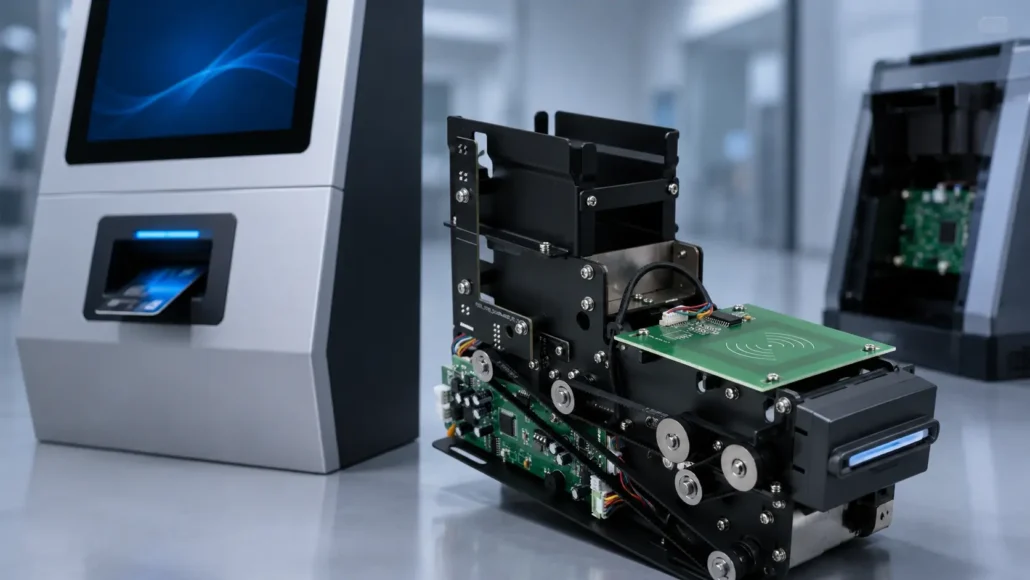
SNR-K750C
Recommended for:
- Membership card issuance kiosks
- RFID loyalty card systems
- VIP card issuance terminals
- Campus card registration kiosks
- Customer self-service card issuing projects
Advantages:
- Suitable for RFID membership card issuance
- Stable motorized card dispensing
- Supports unattended self-service deployment
- Practical for loyalty, VIP and campus card programs
- Integration-friendly design for kiosk projects
SNR-K750C is a practical choice for projects that require automated RFID membership card issuance with stable dispensing performance and flexible kiosk integration.
What Successful Integration Projects Usually Have in Common
Successful projects typically share several characteristics:
- Well-documented communication protocols
- Reliable SDK resources
- Strong technical support
- Thorough error handling
- Linux and Windows compatibility
- Clear integration workflows
- Hardware selected for actual deployment requirements
Projects that prioritize these factors often achieve faster deployment and lower maintenance costs.

Conclusion
Card dispenser integration involves far more than connecting hardware to a kiosk.
Successful deployments require reliable SDK resources, communication protocols, operating system compatibility and long-term technical support.
Experienced system integrators therefore evaluate software integration capabilities as carefully as hardware specifications.
The most effective card dispenser solution is not simply the one with the best mechanical design, but the one that can be integrated, deployed and maintained successfully throughout the lifecycle of the project.
Planning a Card Dispenser Integration Project?
If you are evaluating a card dispenser for a hotel self check-in kiosk, visitor management terminal, smart locker, membership card issuance system, or access control platform, SNRO can help review the integration requirements before sample testing.
Send us your operating system, communication interface, card type, RFID requirement, dispensing workflow, kiosk layout, and expected transaction volume. Our team can recommend a suitable card dispenser model and provide available integration resources for your project.
Related Resources
- How to Choose a Motorized Card Dispenser for Self-Service Kiosks
- RFID Card Issuance in Self-Service Kiosks: What Integrators Should Know
- RFID Card Dispenser vs Magnetic Card Dispenser
- Single Hopper vs Multi-Hopper Card Dispenser: Which Is Better?
- How to Choose a Card Dispenser for Hotel Self Check-In Kiosks
- How to Choose a Card Dispenser for Visitor Management Systems
- How to Choose a Card Dispenser for Smart Locker Systems
- SDK & Drivers Download Center
- Common RFID Card Dispensing Challenges in Self-Service Kiosks
- SIM card dispensing system for telecom kiosks
- Hotel Self Check-In Hardware Solutions
- Visitor Management Hardware Solutions
- Smart Locker Hardware Solutions
- Access Control Kiosk Hardware Solutions
Learn more about system architecture: Card Dispenser Hub
FAQ
What is a card dispenser SDK?
A card dispenser SDK is a software development package that allows applications to communicate with and control a card dispenser.
What operating systems are commonly supported?
Windows, Linux and Android are the most common platforms.
Is Linux support important?
Yes. Many self-service kiosk platforms operate on Linux-based systems.
Can RFID encoding be controlled through an SDK?
Yes. Many RFID card issuance systems support encoding functions through SDK APIs.
What communication interfaces are commonly used?
RS232, USB, TCP/IP and Virtual COM Port interfaces are commonly supported.
Why is sample code important?
Sample code helps developers shorten integration and testing cycles.
Can SDK resources reduce deployment time?
Yes. Well-documented SDKs often reduce development effort significantly.
Which SNRO models support integration projects?
SNR-K750-L, SNR-CD212-M8 and SNR-K720 are commonly used in card issuance and RFID credential management applications.
What should system integrators test before deploying a card dispenser?
System integrators should test repeated dispensing, RFID reading or encoding, hopper status, card taken detection, jam handling, double-card detection, communication recovery, power loss behavior, and operating system compatibility inside the final kiosk enclosure.
Why is status feedback important in card dispenser integration?
Status feedback allows the kiosk software to know whether a card is available, issued, taken, jammed, missing, or affected by communication errors. Without clear status feedback, the system cannot safely manage unattended card issuance.
Is a card dispenser SDK more important than hardware specifications?
Both are important. Hardware specifications define mechanical capability, but SDK quality determines how easily the dispenser can be integrated, monitored, tested, and maintained in a real kiosk project.