


Blog
How Android POS Terminals Improve Restaurant Ordering and Payment Efficiency
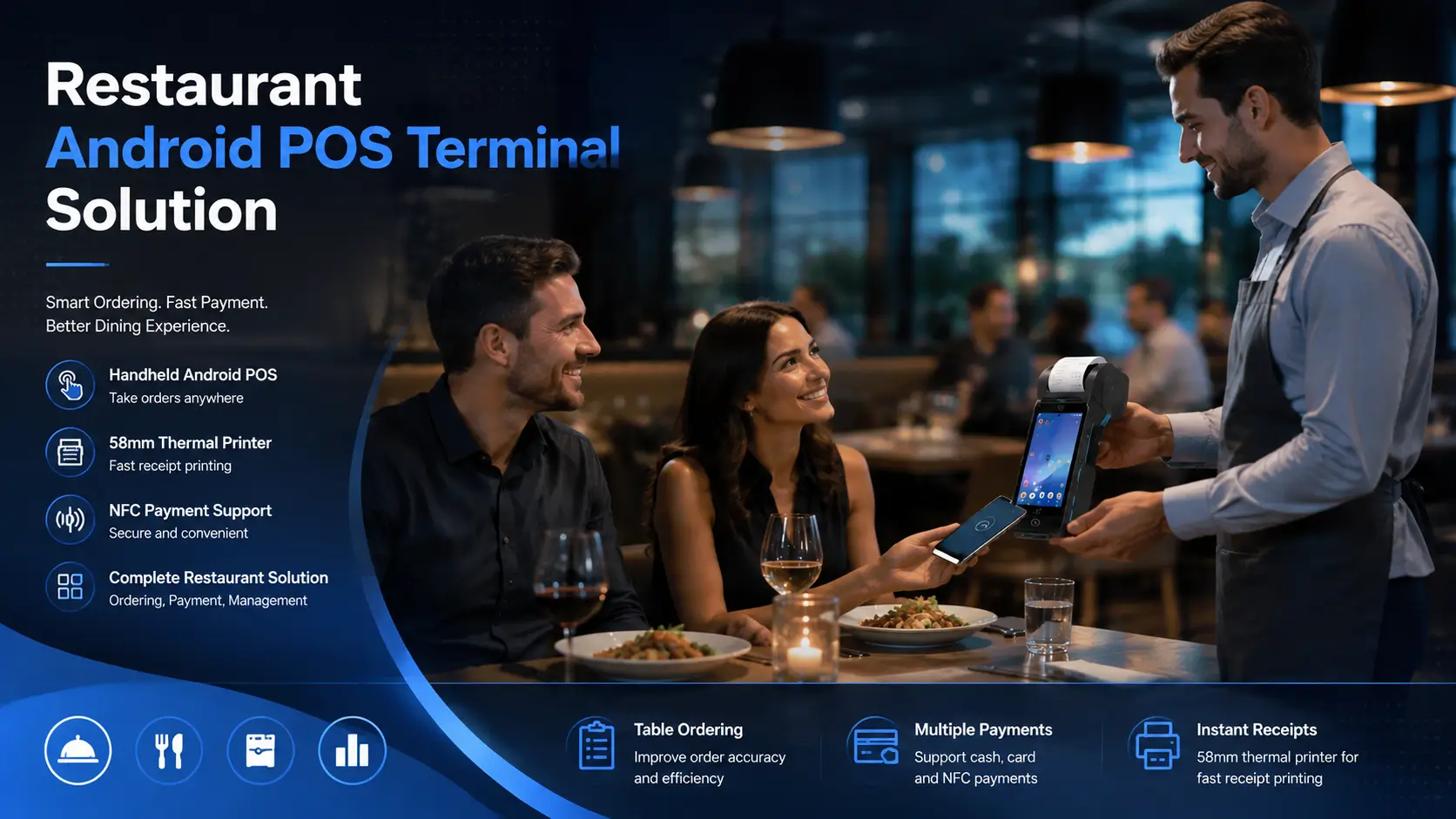
Many restaurants do not upgrade their POS systems because the existing equipment completely fails.
In most real-world deployments, the decision usually comes from operational limitations.
During busy service periods, restaurant operators often experience similar challenges:
- Staff spend too much time moving between tables and fixed checkout stations.
- Customers wait longer during ordering and payment.
- Manual order communication creates unnecessary mistakes.
- Existing POS hardware cannot easily support new service models.
Traditional fixed POS systems can still handle daily transactions reliably.
However, as restaurants move toward faster service models, table-side ordering, mobile payment and integrated hardware solutions have become increasingly important.
This is where Android POS terminals provide practical value.
The advantage of an Android POS terminal is not simply replacing a traditional cash register.
The improvement comes from connecting ordering, payment and receipt printing into a more flexible workflow.
For restaurant operators and system integrators, the key question is not only:
“Does the POS terminal have enough features?”
The more important question is:
“Can the hardware support stable operation under real restaurant conditions?”
In commercial POS projects, many hardware decisions are not determined during the initial product selection stage.
Problems often appear later, when terminals are used continuously across different shifts, software environments and operating conditions.
SNRO provides Android POS solutions designed for restaurant applications, including handheld POS terminals with integrated thermal printers, wireless connectivity and payment options for different deployment requirements.
Why Traditional Restaurant POS Systems Create Operational Challenges
Traditional POS systems are still widely used in restaurants, especially for fixed cashier environments.
They provide reliable transaction processing and remain suitable for many businesses.
However, limitations usually appear when restaurants require more flexible service workflows.
In practical deployments, the challenge is often not whether the POS system can complete a transaction.
The challenge is how efficiently employees can complete tasks during high-volume periods.
Fixed Checkout Points Slow Down Customer Service
A fixed POS terminal creates a centralized workflow.
For many restaurants, the traditional process looks like this:
This workflow may work well during normal business hours.
However, during lunch or dinner peaks, repeated movement between tables and checkout areas can reduce service efficiency.
For example, a waiter serving multiple tables may need to walk back to a fixed terminal several times during one service period.
These small delays are difficult to notice during initial testing, but they become obvious after months of daily operation.
A handheld Android POS terminal changes this workflow by bringing ordering and payment functions closer to customers.
Manual Ordering Creates More Opportunities for Mistakes
Many restaurants still rely on manual communication between front-of-house staff and the POS system.
This may include:
- Handwritten orders
- Verbal confirmation
- Manual re-entry at the cashier
The problem is not the process itself.
The problem appears when order volume increases.
During busy periods, manual steps can create:
- Incorrect menu selections
- Missed customization requests
- Delayed kitchen communication
By entering orders directly into a handheld Android POS terminal, restaurants can reduce unnecessary manual steps and create a more consistent workflow.
Busy Hours Reveal the Real Limitations of Restaurant POS Systems
A POS terminal may perform perfectly during installation and initial testing.
The real evaluation usually happens later.
After months of operation, restaurants begin to understand whether the hardware can handle:
- Continuous daily usage
- Frequent thermal printing
- Repeated employee handling
- Changing network conditions
This is why experienced system integrators usually evaluate POS hardware based on deployment conditions rather than specifications alone.
A terminal that looks suitable on a product page may not always be the best choice for a real restaurant environment.
How Handheld Android POS Terminals Improve Restaurant Operations
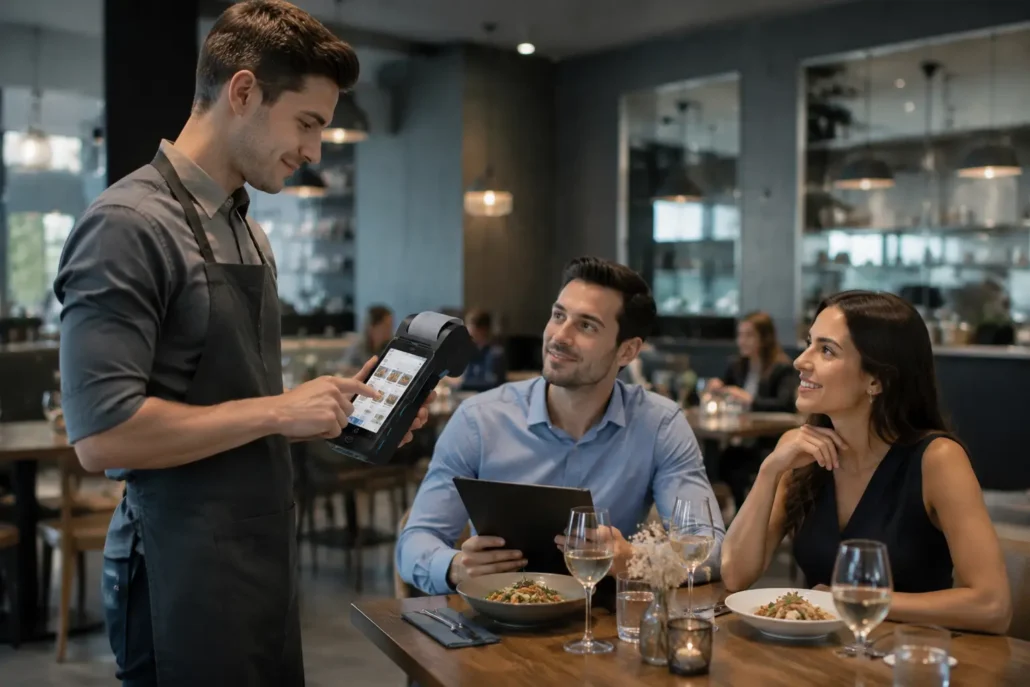
The biggest difference between handheld Android POS terminals and traditional fixed POS systems is not only the Android platform or hardware configuration.
The key difference is where the transaction happens.
A fixed POS terminal keeps ordering and payment activities around a specific location.
A handheld POS terminal allows these activities to move closer to customers.
Learn more about selecting the right handheld Android POS terminal for different commercial applications.
This change can simplify restaurant workflows, especially in environments where service speed and flexibility are important.
Common applications include:
- Full-service restaurants
- Cafes
- Bars
- Food courts
- Hotel restaurants
- Outdoor dining areas
For system integrators, handheld Android POS terminals provide a flexible hardware platform that can support different restaurant software solutions and payment workflows.
Faster Table-Side Ordering Reduces Unnecessary Steps
In many restaurants, ordering speed is affected not by the POS software itself, but by the number of manual steps involved.
A typical table service workflow may require:
Each additional step creates more opportunities for delay or misunderstanding.
With a handheld Android POS terminal, employees can enter orders directly while serving customers.
The order information can then be transferred to the restaurant system immediately.
The practical value comes from creating a more connected workflow:
This approach is especially useful during busy periods when service speed becomes an important operational factor.
For restaurants, the benefit is not simply faster input.
It is reducing unnecessary movement between customers, employees and fixed equipment.
Mobile Payment Creates More Flexible Service Models
Payment methods continue to change across different markets.
Many restaurants now support:
- Contactless payment
- Mobile wallets
- Card transactions
- Integrated payment platforms
However, payment flexibility is not only about supporting more payment methods.
The hardware deployment model also matters.
A fixed payment terminal requires customers to move to a specific location.
A handheld Android POS terminal allows employees to complete transactions closer to the customer.
Typical applications include:
- Table-side payment
- Outdoor restaurant service
- Hotel dining areas
- Temporary event catering
For system integrators, the important consideration is ensuring the POS hardware can work reliably with the selected payment ecosystem.
This includes evaluating:
- Payment module compatibility
- NFC capability
- Software integration requirements
- Communication stability
Integrated Receipt Printing Simplifies Restaurant Hardware Deployment
Although digital receipts are becoming increasingly common, thermal printing remains an important requirement in restaurant environments.
Printed receipts are still widely used for:
- Customer transaction records
- Order confirmation
- Payment documentation
A handheld Android POS terminal with integrated thermal printing combines multiple functions into one device.
For restaurants, this can reduce:
- Additional peripheral devices
- Installation complexity
- Employee operation steps
For system integrators, integrated printing also simplifies hardware planning because fewer external components are required.
This is one reason handheld Android POS terminals with built-in printers remain popular in restaurant applications.
Choosing Between 58mm and 80mm Printer Options
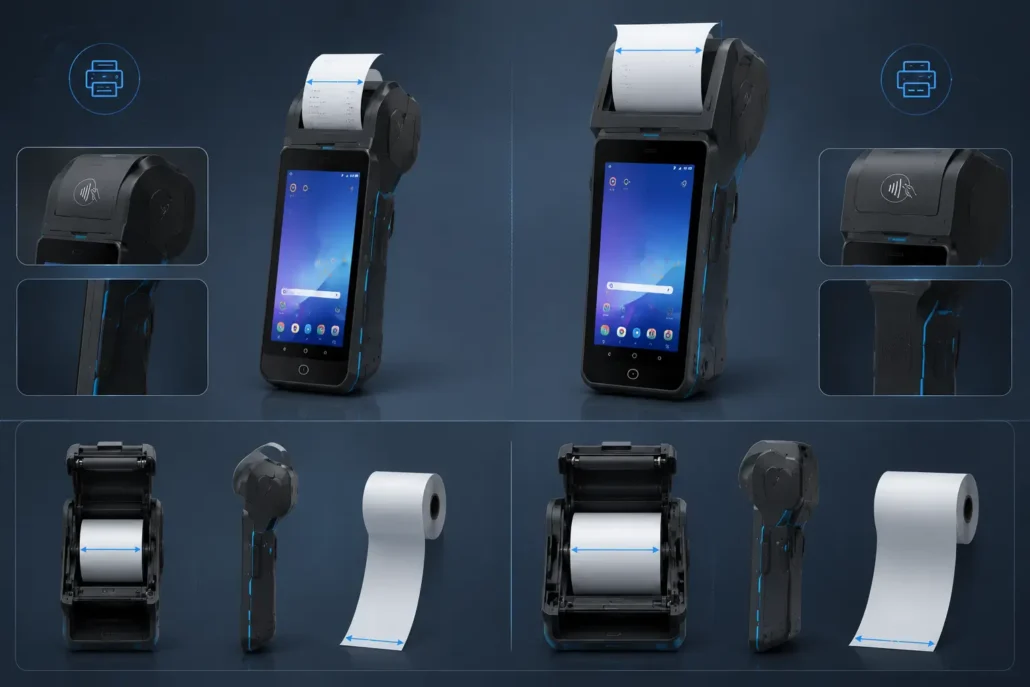
Printer width is one of the practical decisions when selecting Android POS hardware.
The correct choice depends on:
- Device portability requirements
- Receipt information volume
- Printing frequency
- Application environment
Different restaurant workflows require different printing solutions.
58mm Thermal Printer
58mm printers are commonly selected for handheld restaurant POS terminals because the compact size fits mobile operation requirements.
Typical advantages include:
- Smaller device footprint
- Lower power requirements
- Easier handheld operation
- Faster paper replacement
They are commonly used for:
- Waiter ordering
- Table-side payment
- Small restaurants
- Cafes
Models such as SNR-Z90 and SNR-Z92 are designed around this type of handheld restaurant workflow.
SNR-Z92 Application Positioning
SNR-Z92 is suitable for restaurant applications requiring:
- Compact handheld design
- Built-in 58mm thermal printing
- NFC payment support
- Wireless communication
- Optional barcode scanning
With Android 13/14 options and a 5.5-inch touchscreen, it provides a balanced solution for waiter ordering and mobile payment scenarios.
80mm Thermal Printer
80mm printers are more suitable when wider receipt output is required.
Typical requirements include:
- Longer receipts
- More transaction details
- Commercial food service applications
Compared with 58mm printers, 80mm printing provides more space for:
- Detailed transaction information
- Additional receipt content
- Larger format output
The trade-off is usually a larger device structure.
For example, SNR-Z93 Android POS Terminal integrates an 80mm thermal printer for applications requiring wider receipt output.
Wireless Connectivity Supports Different Restaurant Environments
Restaurant POS deployments are not always limited to a single indoor counter.
Depending on the business model, terminals may operate in:
- Dining areas
- Outdoor spaces
- Delivery environments
- Multiple service locations
Therefore, connectivity configuration becomes an important selection factor.
Common options include:
- WiFi
- 4G
- Bluetooth
For example:
Indoor Restaurant Applications
Usually rely on:
- WiFi connection
- Bluetooth peripherals
for daily operation.
Outdoor Dining or Mobile Service
May require:
- 4G connectivity
- Longer battery operation
- More flexible network access
Multi-location Restaurant Systems
May focus more on:
- Network reliability
- Remote management capability
- Software compatibility
System integrators usually select communication options based on deployment conditions rather than simply choosing the highest specification.
Battery Design Affects Daily Restaurant Usability
Battery performance is often overlooked during the initial POS selection process.
However, handheld POS terminals are used throughout restaurant operating hours.
Important factors include:
- Operating time
- Charging method
- Battery replacement options
- Usage frequency
For restaurants with long service periods or multiple shifts, battery design can directly affect daily operation reliability.
Models with removable battery options can provide additional flexibility for businesses requiring extended usage time.
Key Features to Consider When Choosing Android POS for Restaurants
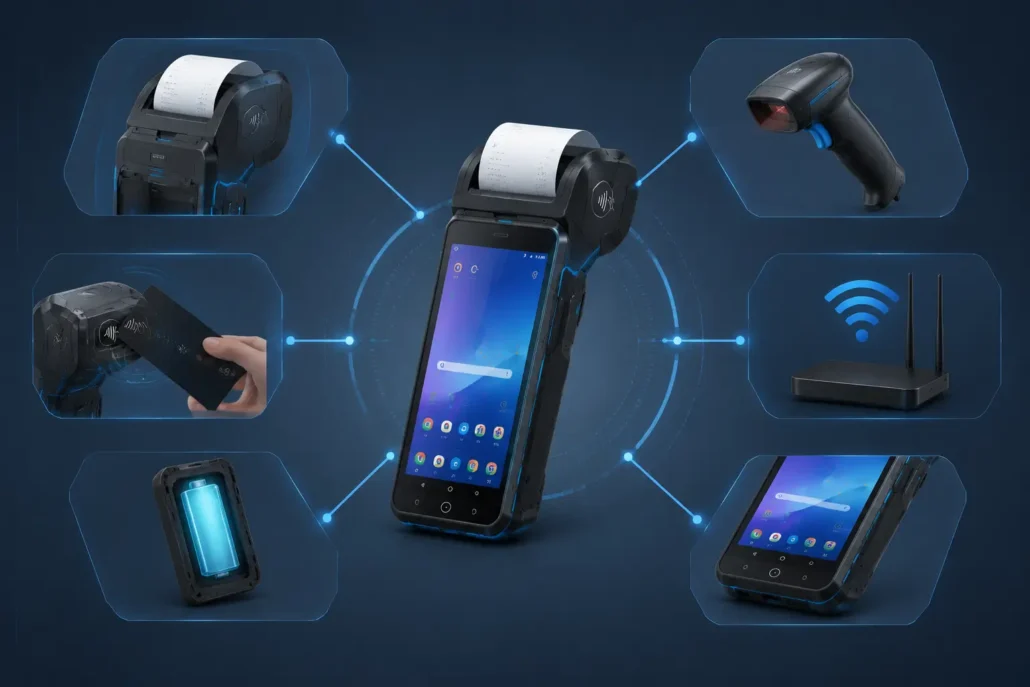
Selecting an Android POS terminal for restaurant applications requires more than comparing product specifications.
In real projects, the highest configuration is not always the best choice.
A suitable POS terminal should match:
- Application requirements
- Software workload
- Peripheral needs
- Operating environment
- Deployment scale
For example, a small restaurant requiring basic ordering and receipt printing may have different requirements from a restaurant chain integrating payment, inventory and cloud management systems.
For system integrators, successful deployment usually starts with understanding the application scenario before selecting hardware.
Screen Size and Portability Should Match the Working Environment
Screen size is one of the first factors considered when selecting handheld Android POS terminals.
However, a larger screen does not always mean a better user experience.
Restaurant applications require a balance between:
- Display visibility
- Touch operation
- Device weight
- Employee mobility
For waiter ordering applications, employees usually carry the terminal throughout the service period.
Therefore, portability becomes an important consideration.
A compact handheld POS terminal allows employees to:
- Move between tables easily
- Enter orders quickly
- Complete payments closer to customers
A 5.5-inch touchscreen is commonly used in handheld restaurant POS terminals because it provides enough operating space while maintaining portability.
Models such as SNR-Z90 and SNR-Z92 are designed for this type of mobile restaurant workflow.
For fixed checkout environments, larger Android POS terminals may provide better usability.
The selection should always follow the actual deployment scenario.
Android Performance Should Match Software Requirements
Processor performance and memory configuration are important factors, but they should be evaluated based on software requirements.
A common mistake in POS projects is selecting hardware only by maximum specifications.
In practice, the required configuration depends on:
- POS application complexity
- Number of integrated functions
- Peripheral usage
- Expected service life
For example:
A basic restaurant ordering application may only require standard Android performance.
However, a complete restaurant management platform may need additional resources for:
- Payment integration
- Inventory management
- Cloud applications
- Multiple background services
For system integrators, choosing an appropriate configuration helps control project cost while maintaining stable operation.
RAM and Storage Configuration Considerations
Memory configuration affects how smoothly the POS terminal runs during daily operation.
Common configurations include:
- 2GB + 16GB
- 3GB + 16GB
- 4GB + 32GB
- 4GB + 64GB
The correct choice depends on the software environment.
Basic Restaurant Applications
Suitable for:
- Order entry
- Receipt printing
- Simple payment workflows
Usually require moderate memory configuration.
Advanced Restaurant Systems
For applications involving:
- Multiple applications
- Cloud platforms
- Customer management
- Additional peripherals
Higher memory configurations provide more flexibility for long-term deployment.
For example:
SNR-Z92 supports configurations including 3GB RAM + 16GB ROM and 4GB RAM + 32GB ROM, allowing system integrators to select based on software requirements.
Printer Configuration Is a Key Selection Factor
For restaurant applications, the integrated printer is often one of the most important hardware considerations.
The printer affects:
- Device structure
- Battery consumption
- Receipt format
- Daily maintenance
Different restaurant workflows require different printing solutions.
Handheld POS with 58mm Printer
58mm thermal printers are widely used in handheld Android POS terminals.
Typical advantages include:
- Compact design
- Lower power consumption
- Easy paper replacement
- Better portability
Suitable applications:
- Waiter ordering
- Table payment
- Cafes
- Small restaurants
Examples:
SNR-Z90 All-in-One Android POS Terminal
SNR-Z90 is an all-in-one Android POS terminal designed for mobile restaurant applications.
Key features include:
- Android 12
- 5.5-inch touchscreen
- Built-in 58mm thermal printer
- NFC / IC / magnetic stripe options
- 4G / WiFi / Bluetooth connectivity
- Optional barcode scanner
It is suitable for businesses requiring an integrated handheld POS solution.
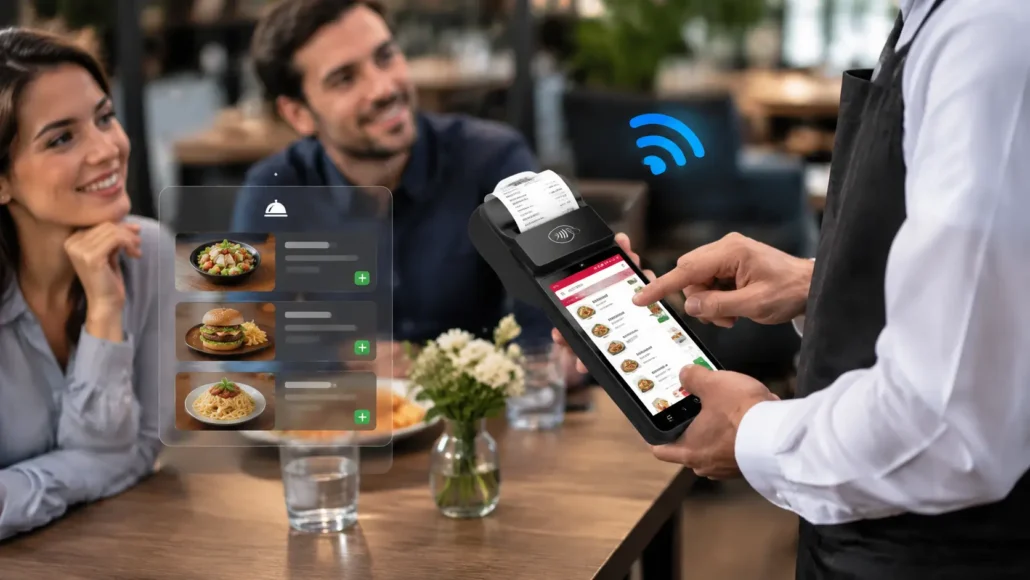
SNR-Z92 Android POS Terminal
SNR-Z92 provides a newer Android platform with handheld POS functionality. You can review the full specifications of the SNR-Z92 Android POS terminal.
Typical configuration includes:
- Android 13 / Android 14 options
- 5.5-inch touchscreen
- Built-in 58mm thermal printer
- NFC support
- Optional barcode scanner
- 4G / WiFi / Bluetooth connectivity
It is suitable for restaurant software providers requiring a compact mobile POS terminal.
Handheld POS with 80mm Printer
80mm printers are suitable for applications requiring wider receipt output.
Typical requirements include:
- Longer receipts
- More transaction details
- Commercial food service
- Delivery applications
The wider printing format provides more space for transaction information.
However, the larger printer structure usually requires a different device design.
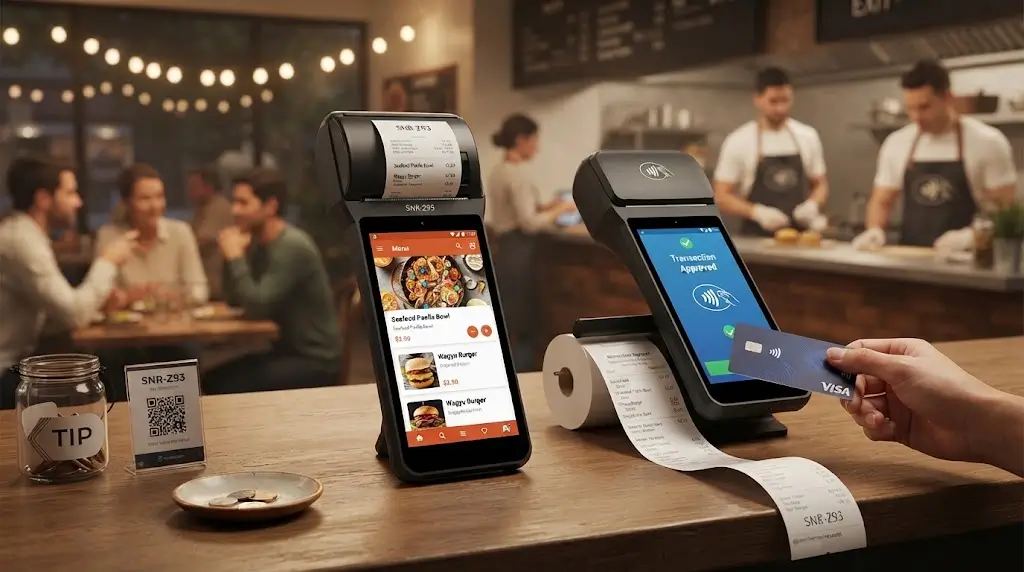
SNR-Z93 Android POS Terminal
SNR-Z93 is designed for applications requiring:
- Larger receipt printing
- Larger touchscreen operation
- Mobile commercial deployment
Key features include:
- 6.26-inch touchscreen
- Android 14
- 4GB RAM + 32GB ROM
- Built-in 80mm thermal printer
- NFC support
- Optional barcode scanner
It is suitable for restaurants and businesses requiring larger printing capability.
Payment and Peripheral Integration Should Be Planned Before Deployment
Modern restaurant POS systems often require additional functions beyond ordering and printing.
Depending on the application, system integrators may need to consider:
NFC Payment
Supports:
- Contactless payment
- Mobile wallet transactions
- Modern payment workflows
Barcode Scanning
Useful for:
- Product management
- Inventory-related applications
- Restaurant retail environments
Card Payment Integration
Some projects may require:
- Magnetic stripe card reading
- IC card support
- Additional payment modules
The important consideration is not adding every possible function.
It is selecting the right combination for the actual application.
Dual-Screen Android POS for Advanced Restaurant Applications
Some restaurant and retail environments require customer-facing displays.
Typical applications include:
- Self-ordering
- Customer confirmation
- Payment interaction
- Digital promotion
A dual-screen Android POS terminal can provide:
- Operator display
- Customer display
- Integrated printing
- Payment functions
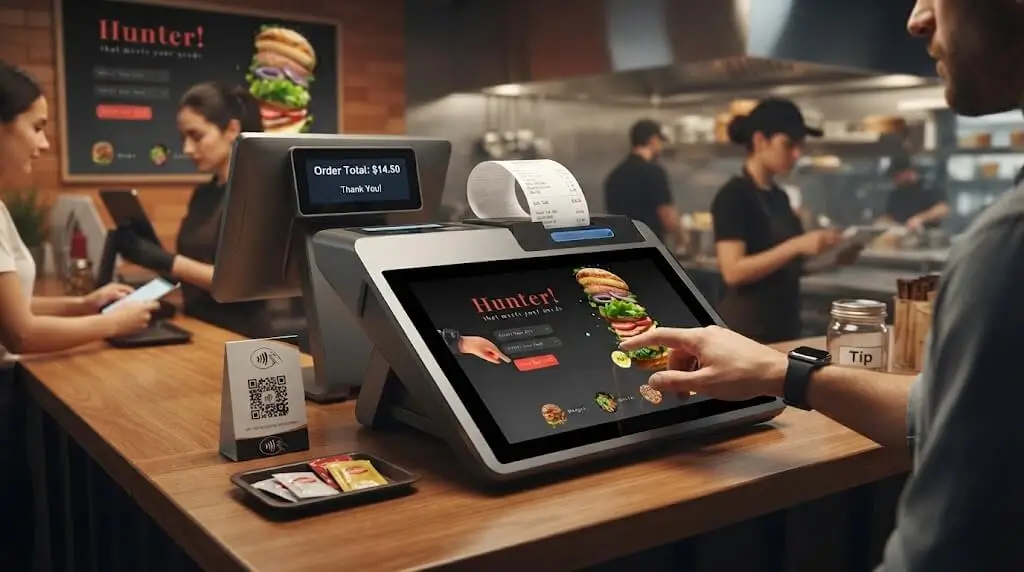
SNR-Z100 Desktop Android POS Terminal
SNR-Z100 is designed for fixed checkout environments requiring larger display and integrated printing.
Available configurations include:
- 10.1-inch touchscreen
- Customer display options
- Android platform
- 58mm / 80mm thermal printer options
- NFC and card reading functions
Suitable applications include:
- Restaurant cashier stations
- Retail checkout
- Counter-based POS systems
Android POS with Dual Screen for Complex Workflows
For applications requiring more interaction between staff and customers, dual-screen designs provide additional flexibility.
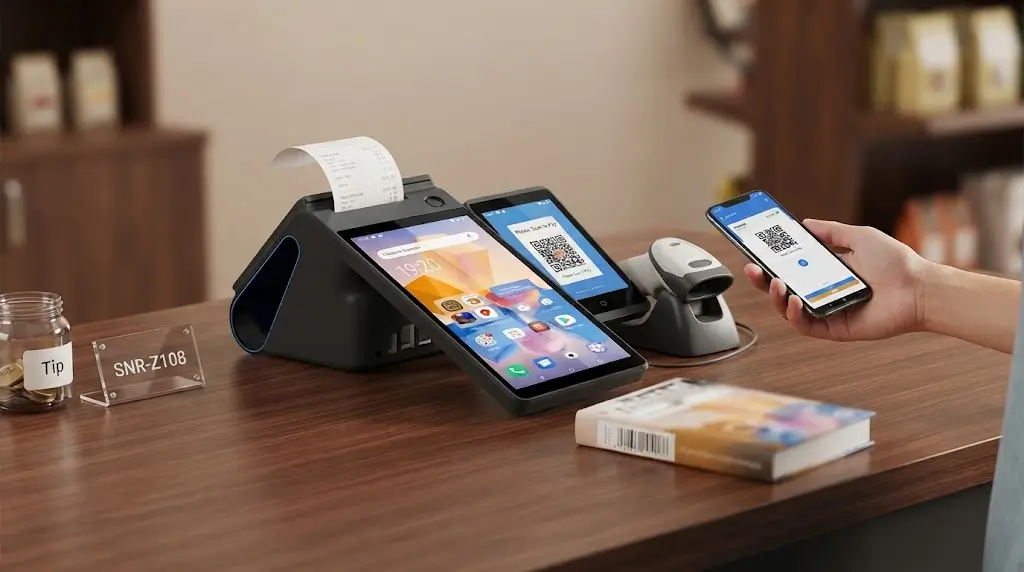
SNR-Z108 Android POS Device
SNR-Z108 is designed for advanced commercial POS applications.
Key features include:
- 8-inch main display
- 3.95-inch customer display
- Android 13/14 options
- 4GB RAM + 64GB ROM
- Built-in 80mm or 58mm thermal printer options
- NFC reader
- Infrared barcode scanner
Suitable applications include:
- Restaurant checkout
- Retail POS
- Payment terminals
- Commercial service counters
Custom Hardware Configuration Helps Reduce Project Risks
For software companies and system integrators, standard hardware configurations may not always meet every project requirement.
Different customers may need:
- Different Android versions
- Specific memory configurations
- Printer options
- Barcode scanner integration
- Payment modules
- Communication options
A flexible hardware partner can help evaluate suitable configurations before deployment.
This approach helps reduce:
- Hardware replacement risks
- Integration problems
- Unexpected project costs
Restaurant Android POS Deployment Considerations for System Integrators
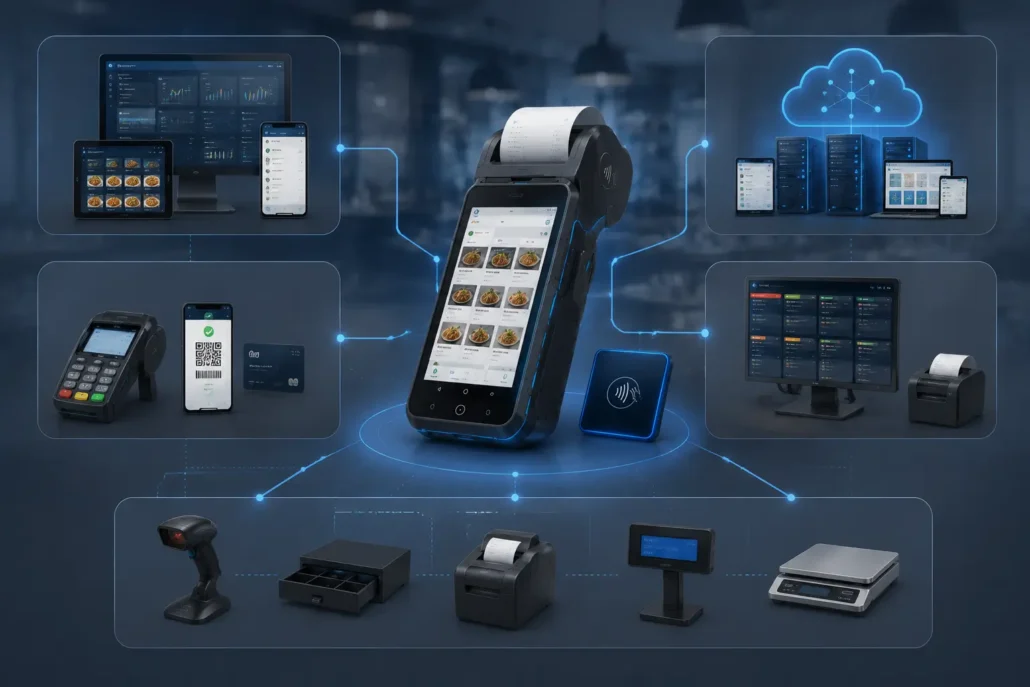
For system integrators, selecting an Android POS terminal is not only a hardware purchasing decision.
The terminal becomes part of a complete restaurant solution that may include:
- POS software
- Payment systems
- Kitchen management platforms
- Cloud services
- Peripheral devices
A device that performs well during a product demonstration may still face challenges after large-scale deployment.
In real projects, successful deployment depends on the compatibility between:
- Hardware
- Software
- Payment environment
- Operating conditions
- Long-term supply capability
This is why experienced system integrators evaluate POS hardware based on the complete deployment environment rather than individual specifications.
Hardware Selection Should Start With Application Requirements
One common mistake in POS projects is selecting hardware based mainly on specifications.
Higher CPU performance, larger memory or more functions do not automatically guarantee a better deployment result.
A suitable Android POS terminal should be selected based on:
- How employees use the device
- Expected transaction volume
- Printing requirements
- Payment methods
- Software complexity
- Deployment environment
For example:
A small restaurant requiring waiter ordering may prioritize:
- Lightweight design
- Battery operation
- Integrated printing
A restaurant chain may focus more on:
- Software compatibility
- Hardware consistency
- Remote management
- Long-term supply
The right hardware configuration should support the business workflow rather than simply maximize specifications.
Software Compatibility Is Critical for Restaurant POS Integration
Android POS terminals are usually integrated with third-party software platforms.
Therefore, hardware selection needs to consider more than physical specifications.
Important factors include:
- Android version compatibility
- Application performance
- Printer command support
- SDK/API availability
- Peripheral communication
For system integrators, software testing before deployment can reduce unexpected issues later.
A practical validation process usually includes:
This process helps confirm that the hardware works reliably with the complete restaurant solution.
Peripheral Integration Affects Future Expansion
Restaurant POS systems often evolve after initial deployment.
A customer may initially require:
- Order management
- Receipt printing
Later, additional functions may be added:
- Barcode scanning
- NFC payment
- Customer display
- Loyalty systems
- Inventory integration
Therefore, system integrators should consider future expansion when selecting Android POS hardware.
A flexible hardware platform can reduce the need for replacement when project requirements change.
Hardware Reliability Matters in Daily Restaurant Environments
Restaurant environments are different from office environments.
POS terminals may experience:
- Continuous daily operation
- Frequent employee handling
- Repeated thermal printing
- Network changes
- Accidental impacts
Therefore, reliability should be evaluated based on actual working conditions.
For handheld Android POS terminals, important factors include:
- Touchscreen durability
- Printer stability
- Battery performance
- Wireless connection reliability
A terminal that performs well during a short demonstration does not always represent long-term deployment performance.
Common Mistakes When Selecting Android POS Hardware for Restaurants
Many POS deployment problems are not caused by hardware failure.
They usually come from selecting a configuration that does not match the application requirement.
Common mistakes include:
Selecting Maximum Specifications Without Considering Actual Needs
Some projects select the highest CPU, memory and storage configuration without evaluating software requirements.
This may increase project cost without providing practical benefits.
The better approach is selecting hardware based on:
- Software workload
- Usage frequency
- Expected service life
Ignoring Printer Requirements
The printer is often one of the most frequently used components in restaurant POS systems.
Common considerations include:
- 58mm vs 80mm paper width
- Printing frequency
- Paper replacement convenience
- Maintenance requirements
Choosing the wrong printer configuration can affect daily operation.
Testing Hardware Only in a Demo Environment
A product demonstration usually happens under controlled conditions.
However, commercial deployment involves:
- Multiple users
- Different network conditions
- Long operating hours
- Continuous printing
Pilot testing helps identify potential issues before large-scale rollout.
Overlooking Long-Term Supply Capability
For software companies and solution providers, hardware availability after initial deployment is important.
Long-term projects may require:
- Additional batches
- Replacement units
- Configuration consistency
- Technical support
A stable hardware partner can reduce risks during project expansion.
Pilot Testing Helps Reduce Deployment Risks
Professional system integrators usually avoid deploying large quantities of hardware without testing.
A common project workflow includes:
During testing, partners can verify:
- Application compatibility
- Printing performance
- Payment functions
- Network connection
- User operation experience
This approach helps identify potential problems before commercial deployment.
Stable Supply Capability Matters for Long-Term POS Projects
For single-unit projects, hardware availability may not be the biggest concern.
However, restaurant chains and software providers often require:
- Multiple deployment batches
- Consistent hardware configuration
- Long-term replacement support
- Stable production capability
For these projects, the hardware supplier becomes part of the solution ecosystem.
A reliable partner should support:
- Configuration confirmation
- Sample testing
- Technical communication
- Production planning
This becomes especially important when a POS solution moves from pilot testing to commercial deployment.
Android POS vs Traditional Restaurant Cash Register
Traditional cash registers remain suitable for many fixed checkout environments.
However, Android POS terminals provide additional flexibility for restaurants requiring:
- Mobile operation
- Software integration
- Payment flexibility
- Peripheral expansion
| Feature | Android POS Terminal | Traditional Cash Register |
|---|---|---|
| Mobility | High | Limited |
| Table-side ordering | Supported | Usually unavailable |
| Wireless payment | Supported | Limited |
| Software flexibility | High | Limited |
| Peripheral integration | Flexible | Restricted |
| Custom configuration | Available | Usually limited |
For modern restaurant applications, the best choice depends on the required workflow rather than simply replacing older equipment.
Frequently Asked Questions
What is the best Android POS terminal for restaurants?
The best choice depends on the restaurant workflow and software requirements.
For table ordering and mobile payment applications, compact handheld models such as SNR-Z90 and SNR-Z92 are suitable.
For applications requiring larger receipt printing, models with 80mm printers may be more appropriate.
Can Android POS terminals print restaurant receipts?
Yes. Many Android POS terminals integrate thermal printers directly into the device.
58mm printers are commonly used in handheld restaurant POS terminals because they provide a good balance between portability and printing capability. 80mm printers are suitable for applications requiring wider receipt output.
You can also compare different thermal printer solutions for kiosks and POS systems.
Do restaurant Android POS terminals support NFC payment?
Yes. Many Android POS terminals support NFC functions for contactless payment applications.
The actual payment capability depends on:
- Hardware configuration
- Payment platform requirements
- Regional payment standards
What is the difference between handheld Android POS and desktop Android POS?
Handheld Android POS terminals are designed for mobile operation, table ordering and flexible payment scenarios.
Desktop Android POS terminals are designed for fixed checkout environments such as:
- Restaurant counters
- Retail stations
- Service desks
The correct choice depends on the operating workflow.
Can Android POS hardware be customized for restaurant projects?
Yes. Depending on project requirements, hardware configurations can be adjusted, including:
- Android version
- Memory configuration
- Printer type
- Barcode scanner integration
- Payment modules
- Communication options
What should system integrators consider before selecting an Android POS supplier?
System integrators should evaluate more than hardware specifications.
Important factors include:
- Software compatibility
- Configuration flexibility
- Sample testing support
- Production capability
- Long-term technical communication
A reliable hardware partner helps reduce integration risks during commercial deployment.
Looking for a Restaurant Android POS Hardware Solution?
Choosing restaurant POS hardware is not only about selecting a device with suitable specifications.
The more important factor is whether the hardware can support reliable operation after deployment.
SNRO provides Android POS hardware solutions for:
- Restaurant software providers
- System integrators
- POS solution companies
- Commercial deployment projects
Available solutions include:
- Handheld Android POS terminals
- Android POS terminals with integrated thermal printers
- Dual-screen POS terminals
- Customized hardware configurations
If you are developing a restaurant POS solution, share your application requirements and deployment plan.
Our team can help evaluate a suitable hardware configuration for your project.
About SNRO Restaurant Android POS Solutions
SNRO focuses on commercial POS hardware and self-service terminal solutions for global system integrators and solution providers.
Our product experience includes:
- Android POS terminals
- Handheld POS devices
- Thermal printing solutions
- Kiosk hardware
- Card dispensing systems
From sample evaluation to mass production support, SNRO works with partners to develop reliable hardware solutions for different commercial applications.


