Blog
80mm Kiosk Printer with Presenter and Retract for Parking Ticket Kiosks

Reliable Ticket Printing for Parking Entry and Exit Kiosks
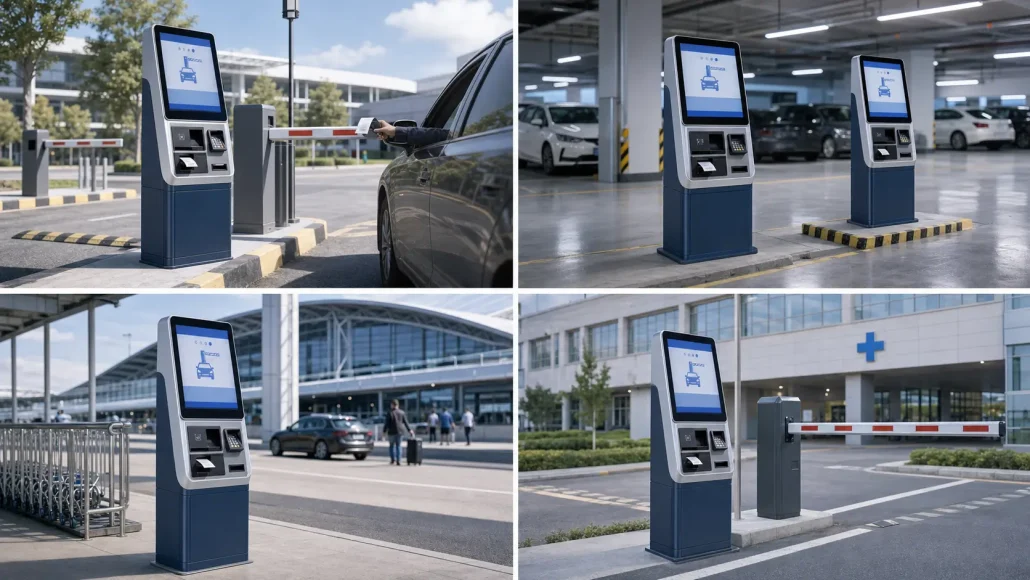
Parking system integrators often need more than a standard receipt printer for entry ticket kiosks.
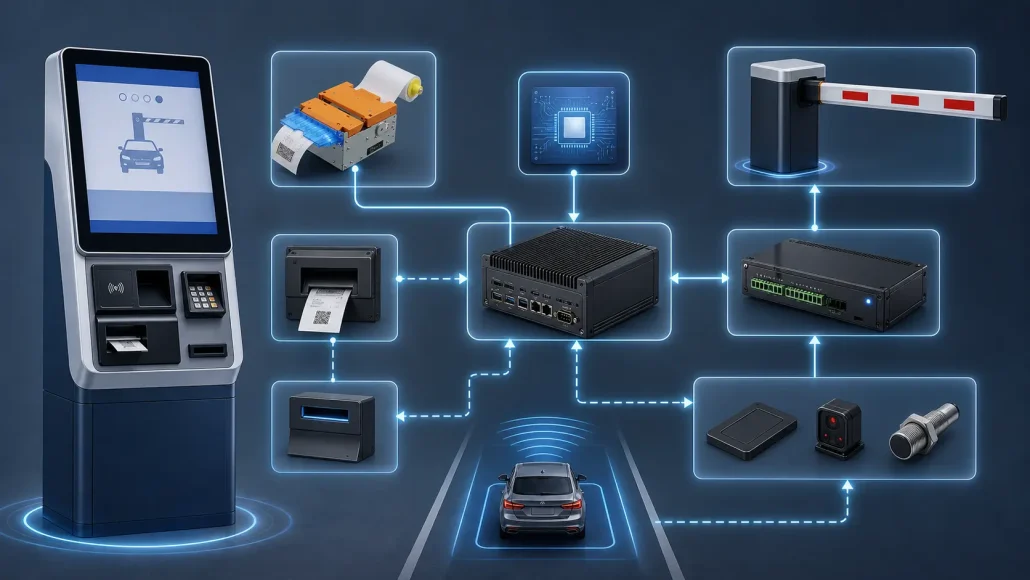
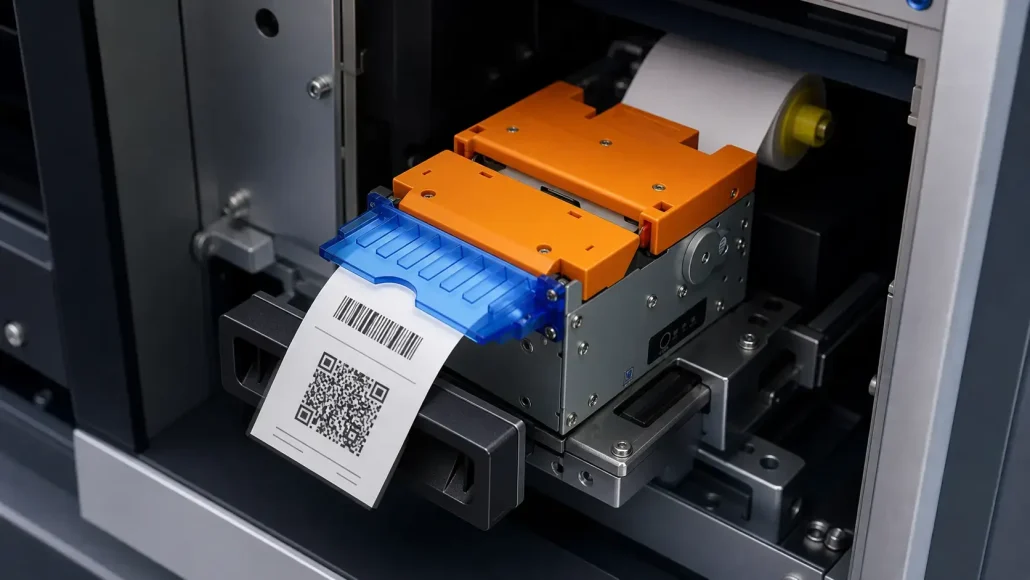
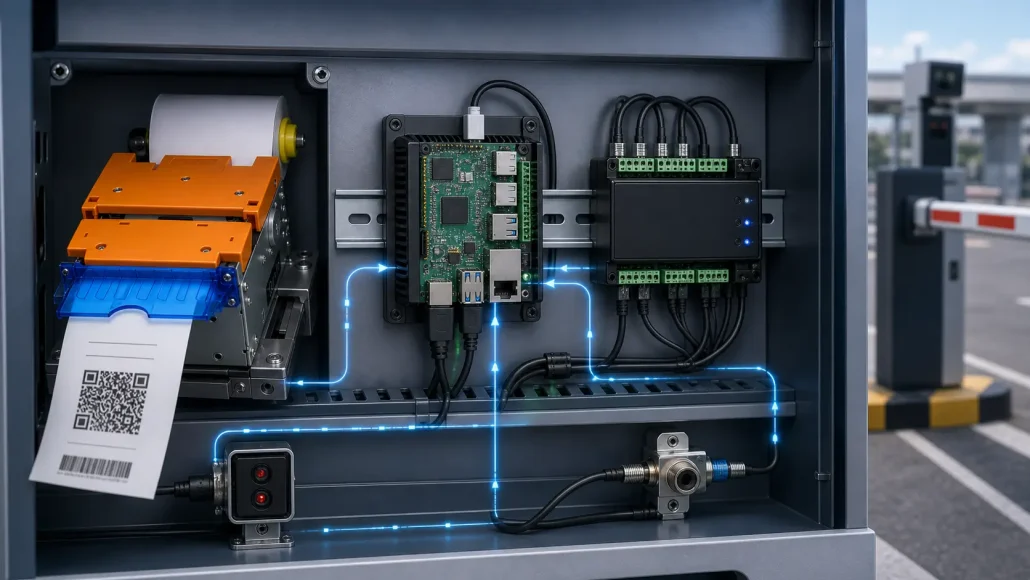
In a parking ticket kiosk, the printer must print a ticket with a barcode or QR code, cut the ticket, hold it at the bezel, detect whether the driver has taken the ticket, and allow the system controller to open the gate only after ticket removal.
For unattended parking entry systems, this workflow requires a reliable 80mm kiosk printer with presenter, auto cutter, ticket-taken detection, status feedback, and optional retract function.
SNRO provides kiosk printer solutions for parking ticket kiosks, payment terminals, ticket validation systems, and self-service parking equipment.
Quick Answer
An 80mm kiosk printer with presenter and retract is used in parking ticket kiosks to print, cut, hold, detect, and optionally retract parking tickets.
For parking entry kiosks, the key functions are 80mm thermal printing, auto cutter, presenter hold mode, ticket-present or ticket-taken sensor, serial status feedback, ESC/POS command support, and Linux or Raspberry Pi compatibility.
This allows the parking controller to confirm that the driver has taken the ticket before opening the barrier gate.
Who This Page Is For
This page is intended for:
– Parking system integrators
– LPR parking solution providers
– Parking ticket kiosk manufacturers
– Embedded Linux and Raspberry Pi developers
– Self-service terminal OEMs
– Parking payment system operators
– Technical teams replacing existing ticket dispenser modules
If your project needs ticket printing, ticket presentation, ticket-taken detection, or gate barrier control, this page can help define the printer requirements before quotation or sample testing.
Key Takeaways
– Parking ticket kiosks often require more than a standard receipt printer.
– Presenter hold mode helps keep the ticket available at the bezel until the driver takes it.
– Ticket-present or ticket-taken status feedback helps the controller decide when to open the barrier gate.
– Retract function can help manage uncollected tickets and reduce ticket blockage.
– Linux or Raspberry Pi integration should be tested with real status query commands before deployment.
– System integrators should request datasheet, command protocol, SDK or driver resources, and mechanical drawings before development.
Typical Parking Ticket Kiosk Workflow
A parking ticket kiosk usually follows this sequence:
- Vehicle arrives at the entry lane.
- The system detects vehicle presence or user action.
- The kiosk prints a parking ticket with barcode, QR code, or entry information.
- The printer cuts the ticket.
- The presenter holds the ticket at the bezel.
- The system monitors ticket-present or ticket-taken status.
- The gate barrier opens only after the ticket is taken.
- If the ticket is not taken, the printer may retract the ticket depending on system design.
- The parking controller records ticket status and transaction data.
This workflow requires the printer to be integrated with the kiosk controller, parking software, and barrier gate logic.
Recommended Printer Functions
| Function | Why It Matters | Integration Notes |
|---|---|---|
| 80mm Thermal Printing | Provides enough width for parking ticket content, QR codes, barcodes, timestamps, and transaction details. | Confirm paper width, print layout, QR code size, and ticket length before deployment. |
| Auto Cutter | Cuts each ticket cleanly after printing. | Test cutter reliability with real ticket length, paper type, and expected daily transaction volume. |
| Presenter Hold Mode | Holds the printed ticket at the bezel until the driver takes it. | Useful for entry lanes where the system must prevent premature ticket drop or loss. |
| Ticket-Taken / Ticket-Present Sensor | Allows the controller to know whether the ticket is still present or has been removed. | Status feedback should be tested through serial command, SDK, or supported communication method. |
| Retract Function | Pulls back uncollected tickets when the user does not take them. | Confirm whether retract is required and whether it is configurable for the project workflow. |
| ESC/POS Command Support | Helps software teams control printing, cutting, status query, and device behavior. | Request command and status protocol documents before development. |
| Linux / Raspberry Pi Compatibility | Supports parking controllers built on Linux, Raspberry Pi, or embedded platforms. | Confirm driver, SDK, command control, serial communication, and permission settings before integration. |
Presenter and Retract: Why They Matter in Parking Kiosks
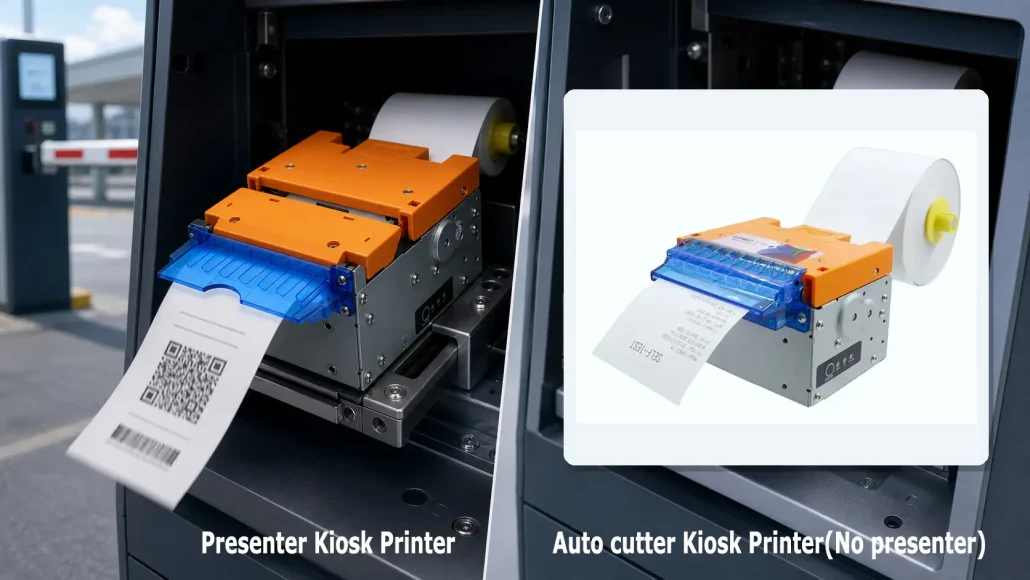
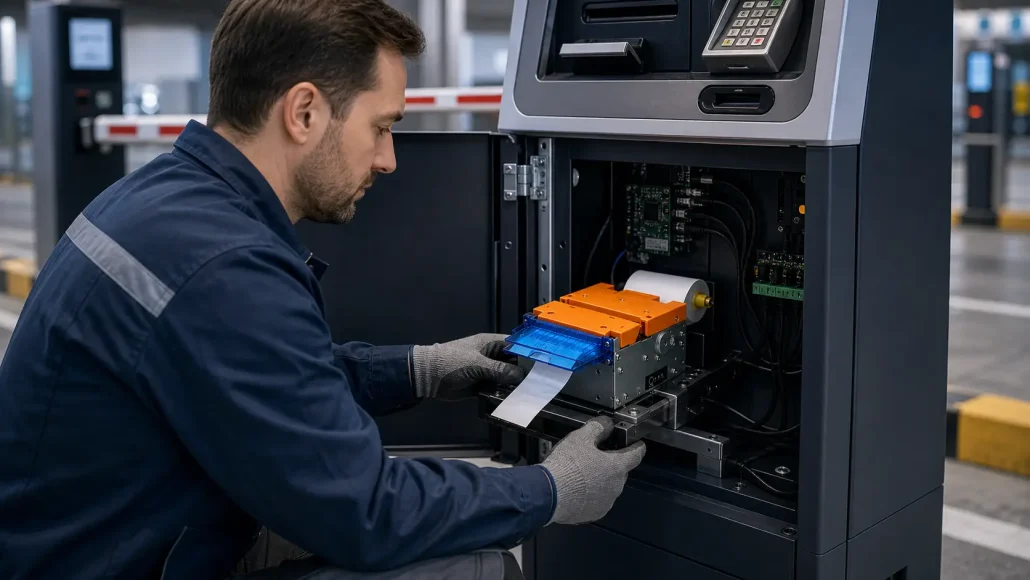
A normal auto-cutter printer can print and cut a ticket, but it may not control how the user receives the ticket.
In parking entry kiosks, this can create problems:
- The ticket may fall before the driver takes it.
- The barrier may open before ticket removal is confirmed.
- A driver may leave without taking the ticket.
- Uncollected tickets may remain at the output slot.
- The next transaction may be blocked by a previous ticket.
- The system may not know whether the ticket was collected.
A presenter helps hold the ticket in a controlled position. A ticket-present or ticket-taken sensor helps the controller monitor the ticket state. A retract function can pull back uncollected tickets when required by the parking system design.
For integrators, these functions should be tested as part of the full parking workflow, not only as printer features.
Ticket-Taken Status Feedback
For parking ticket kiosks, status feedback is often more important than print speed.
The system controller may need to read:
- Printer ready status
- Paper status
- Cutter status
- Ticket present status
- Ticket taken status
- Error status
- Presenter status
- Communication response
If the parking kiosk is controlled by Raspberry Pi, Linux, or another embedded controller, the software team should confirm how status feedback is read.
Possible integration methods may include:
- Serial command query
- SDK function
- ESC/POS command support
- Driver-based status monitoring
- Custom protocol integration depending on model configuration
Before mass deployment, the integrator should test whether the controller can reliably detect ticket removal and trigger the barrier gate only after the ticket is taken.
Raspberry Pi and Linux Integration Considerations
Many parking kiosk projects use Raspberry Pi, Linux PCs, or embedded controllers because they are compact, flexible, and cost-effective.
Before selecting a kiosk printer, confirm:
- USB and RS232 interface support
- Serial port communication
- Linux driver or command compatibility
- Permission settings
- ESC/POS command support
- Status query method
- SDK availability
- Reconnect behavior after power loss
- Error handling logic
- Long-term maintenance method
For Linux-based parking systems, command-level control is often preferred when the application needs direct printer status feedback.
Parking Kiosk Printer Selection Checklist
| Selection Item | What to Confirm |
|---|---|
| Printer Width | Confirm whether 80mm ticket width is required for QR codes, barcodes, entry time, plate number, or transaction details. |
| Cutter Requirement | Check whether each parking ticket must be automatically cut after printing. |
| Presenter Requirement | Confirm whether the ticket must be held at the bezel until the driver takes it. |
| Ticket Sensor | Confirm whether the controller must read ticket-present or ticket-taken status before opening the gate. |
| Retract Requirement | Confirm whether uncollected tickets should be pulled back and how the software should respond. |
| Interface | Confirm USB, RS232, Ethernet, or other communication requirements. |
| Linux Compatibility | Confirm driver, SDK, command protocol, serial communication, and Raspberry Pi integration needs. |
| Mechanical Space | Confirm installation space, paper roll access, ticket outlet position, and maintenance clearance. |
| Paper Roll Capacity | Check expected daily traffic and paper replacement frequency. |
| Technical Documents | Request datasheet, command protocol, mechanical drawing, driver, SDK, and utility resources if required. |
Common RFQ Requirements for Parking Ticket Kiosk Printers
When requesting a quotation for a parking ticket kiosk printer, system integrators usually need to confirm:
– 80mm thermal printing
– Auto cutter
– Presenter hold mode
– Ticket-present or ticket-taken sensor
– Retract function if required
– USB and RS232 interface
– ESC/POS command support
– Linux or Raspberry Pi compatibility
– Datasheet availability
– Command and status protocol document
– Mechanical drawing
– Power supply requirement
– Sample availability
– Tiered pricing for prototype and batch orders
– Lead time, warranty, and shipping terms
Providing these details early helps SNRO recommend the correct kiosk printer configuration and reduce integration delays.
Recommended SNRO Printer Solutions
SNRO can support parking ticket kiosk projects with selected 80mm kiosk printer models such as:
- W80 series kiosk printers
- W80-TMP series printer solutions depending on configuration
- SNR-KP802-VX series presenter kiosk printers
- 80mm thermal kiosk printers with auto cutter
- Kiosk printer solutions with presenter or retract functions depending on model configuration
The suitable model should be confirmed according to:
- Ticket width
- Presenter requirement
- Retract requirement
- Ticket-taken status feedback requirement
- Interface type
- Linux or Raspberry Pi integration requirement
- Mechanical installation space
- Expected transaction volume
For project evaluation, SNRO can provide model recommendation, datasheet, command and status protocol information, mechanical resources, and sample support according to project requirements.
Related Products
- 80mm Kiosk Printers
- Presenter Kiosk Printers
- W80 Series Kiosk Printers
- Kiosk Thermal Printers
- Kiosk Controller PCs
- Fixed Mount Barcode Scanners
Related Resources
- Kiosk Printer Hub
- Kiosk Printer Buying Guide
- Parking & Ticketing Hardware Solutions
- How to Choose a Kiosk Printer for Parking Systems
- Presenter Printer vs Auto Cutter Printer
- 58mm vs 80mm Kiosk Printer
- Kiosk Printer SDK Guide
- Linux Kiosk Printer Integration Guide
- W80 Printer Driver Download
- W80 / SNR-KP800 Series Printer Utility
- W80 / SNR-KP800 Series Kiosk Printer Linux SDK
- Kiosk Printer Windows SDK / Driver Download
- W80 / SNR-KP800 Series Printer Android SDK
- Download Center / Support Download Page
FAQ
What is an 80mm kiosk printer with presenter and retract?
It is a thermal kiosk printer that prints an 80mm ticket or receipt, cuts it, presents it to the user, detects whether it has been taken, and may retract uncollected tickets depending on model configuration.
Why do parking ticket kiosks need a presenter?
A presenter holds the ticket at the output bezel so the driver can take it reliably. It helps prevent tickets from falling, being pushed out too early, or blocking the next transaction.
What is ticket-taken status?
Ticket-taken status tells the kiosk controller whether the ticket has been removed by the user. In parking entry systems, this status can be used before opening the barrier gate.
Can the printer report ticket status through serial communication?
Selected kiosk printer models may support ticket-present or ticket-taken status feedback through serial commands, SDK functions, or supported protocols. This should be confirmed before integration.
Is retract function required for parking kiosks?
Retract is not required for every parking kiosk, but it is useful when the system needs to pull back uncollected tickets, prevent ticket blockage, or manage abandoned transactions.
Can this type of printer work with Raspberry Pi or Linux?
Many parking kiosk projects use Raspberry Pi or Linux-based controllers. Compatibility depends on printer model, interface type, driver or command support, and application software design.
What documents should integrators request before development?
System integrators should request the datasheet, command and status protocol document, SDK or driver resources, mechanical drawing, interface information, and sample availability before development.
Can a parking kiosk printer control when the barrier gate opens?
The printer does not directly control the barrier gate. However, a printer with ticket-present or ticket-taken status feedback can report whether the ticket has been removed, allowing the kiosk controller or parking system software to decide when to open the gate.
What is the difference between presenter and retract in a kiosk printer?
A presenter holds and presents the printed ticket to the user, while retract pulls back an uncollected ticket into the kiosk or internal path depending on printer design. Parking kiosks may use both functions to manage ticket delivery and abandoned transactions.
Do Raspberry Pi parking kiosks need a printer driver or command protocol?
Many Raspberry Pi and Linux parking kiosk projects use command-level control or serial communication instead of only a standard printer driver, especially when ticket-taken status feedback is required.
What to Confirm Before Quotation
Before requesting a quotation, please confirm:
– Is the printer used for entry ticket printing, exit payment receipt printing, or both?
– Does the ticket need to be held at the bezel?
– Should the gate open only after ticket removal?
– Is retract required for uncollected tickets?
– Which controller platform is used, such as Raspberry Pi, Linux PC, Windows PC, or embedded controller?
– Which interface is required: USB, RS232, Ethernet, or another method?
– What ticket width, ticket length, and paper roll size are required?
– Is status feedback required through serial command, SDK, or driver?
– What is the expected monthly or yearly quantity?
Need Help Selecting a Parking Ticket Kiosk Printer?
If you are developing a parking entry kiosk, parking payment terminal, ticket validation system, or LPR-based parking solution, SNRO can help review your printer requirements.
Please share:
- Application scenario
- Ticket width and ticket length
- QR code or barcode printing requirement
- Presenter requirement
- Retract requirement
- Ticket-taken status feedback requirement
- Interface requirement
- Linux or Raspberry Pi platform
- Installation space
- Expected transaction volume
- Prototype or mass production stage
Contact SNRO with your project details, and our team can help recommend a suitable 80mm kiosk printer, presenter printer, or parking ticket printing solution.