Blog
Kiosk Printer Buying Guide: How to Choose the Right Printer for Self-Service Systems
Introduction
In many kiosk projects, the printer looks like a small hardware item during purchasing. It becomes more important later, when the first prototype is assembled and the team starts asking practical questions: the receipt is too crowded, the output slot does not align, the paper roll is hard to replace, or the software cannot detect a paper-out event.
That is why kiosk printer selection should not start with price or print speed alone. It should start with the real ticket or receipt, the kiosk structure, the user flow, the operating system, and the maintenance plan.
This buying guide is written for system integrators, kiosk manufacturers, OEM terminal builders, and project teams that need to choose a printer for self-service systems before prototype testing or rollout.
For system integrators, kiosk printer selection is usually connected with mechanical design, software integration, field maintenance and long-term deployment planning.
A printer that works well during prototype testing may still create operational problems after thousands of transactions in real self-service environments.
It focuses on the practical decisions that usually affect field performance: paper width, output method, cabinet space, paper loading, SDK support, interface matching, printer status feedback, and long-term service access.
Quick Answer
For most self-service kiosk projects, the right kiosk printer is the model that fits the real receipt format, enclosure design, user collection behavior, software platform, and maintenance workflow.
A 58mm or 60mm kiosk printer may be suitable for short queue tickets, pickup slips, visitor passes, access control slips, and compact terminals.
An 80mm kiosk printer is usually safer for full transaction receipts, payment records, QR codes, barcodes, order details, parking receipts, ticketing records, healthcare receipts, and self-checkout applications.
A standard auto cutter printer can work well in supervised or controlled environments. A presenter printer should be evaluated when the kiosk is unattended, users may pull paper early, or uncollected receipts may create service problems.
Before choosing a model, always test the real printout sample, cabinet drawing, paper roll space, operating system, interface requirement, driver or SDK resources, and printer status feedback.
The right kiosk printer is not always the fastest or lowest-cost model. It is the model that fits the complete kiosk workflow.
What Is a Kiosk Printer?
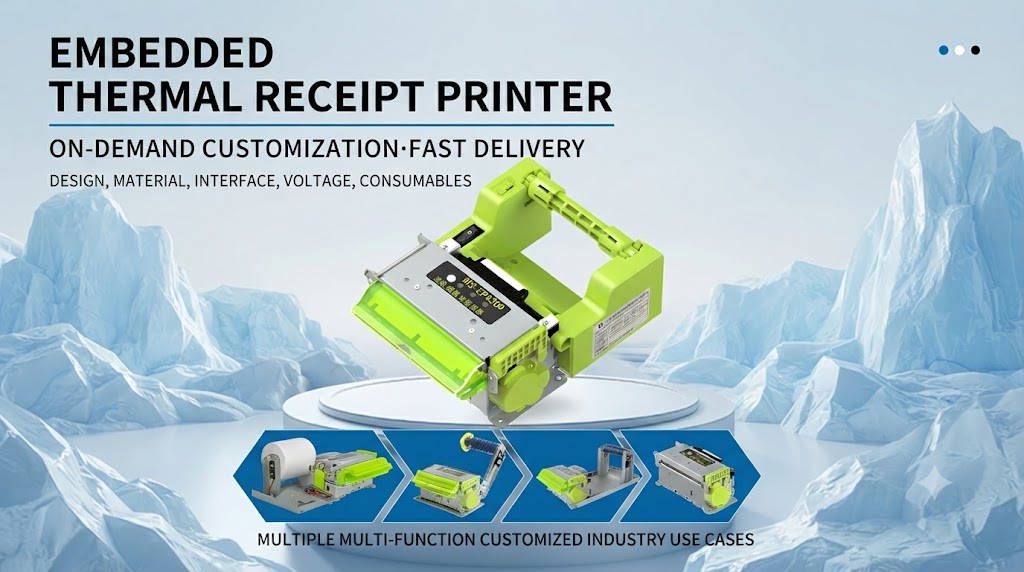
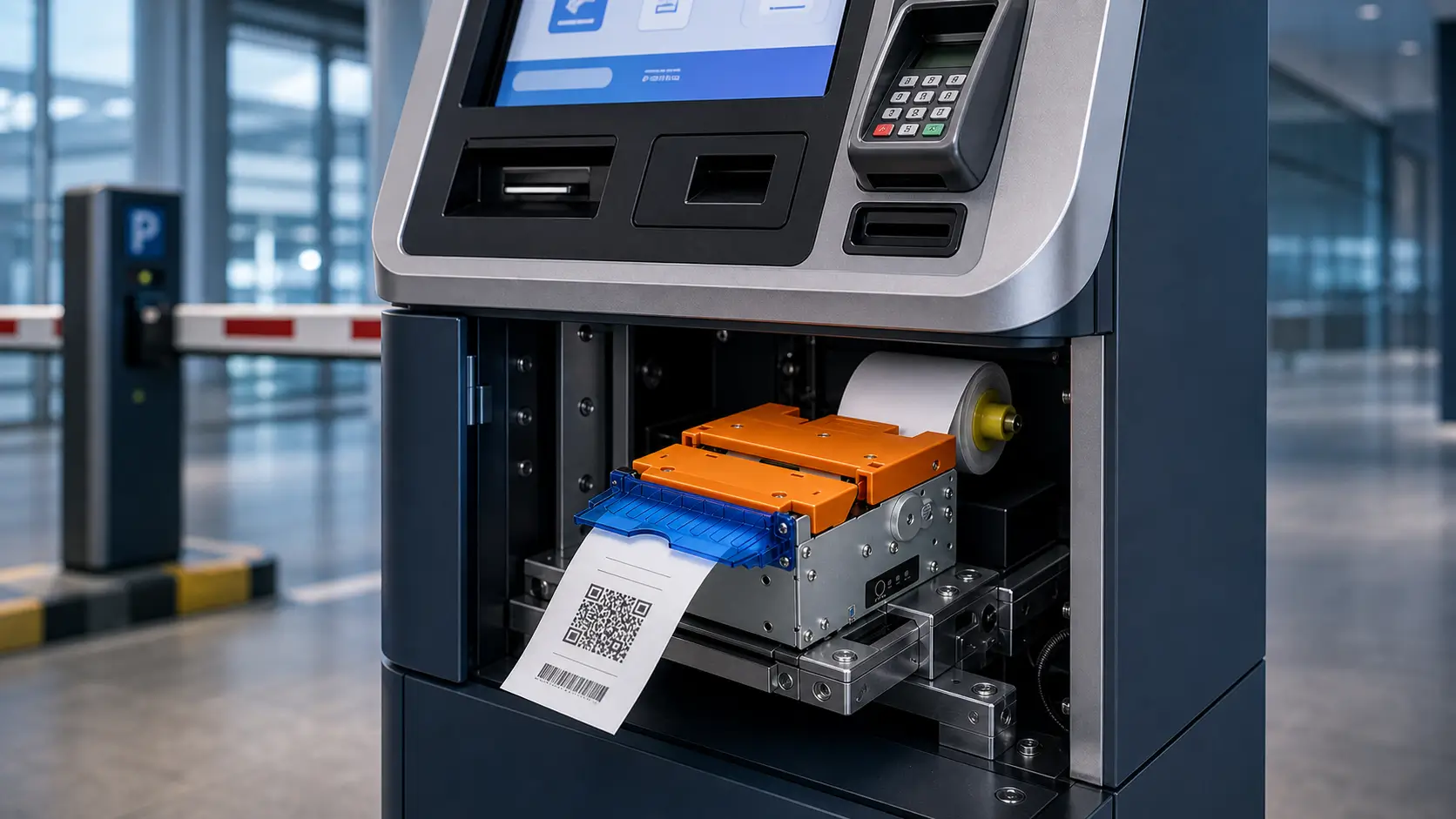
A kiosk printer is an embedded thermal printing module used inside a self-service terminal. It may print receipts, tickets, queue slips, payment confirmations, validation records, parking receipts, order numbers, or service vouchers.
Unlike a desktop POS printer, a kiosk printer is usually installed inside a cabinet. It must work with the output slot, paper path, service door, host controller, operating system, and kiosk software.
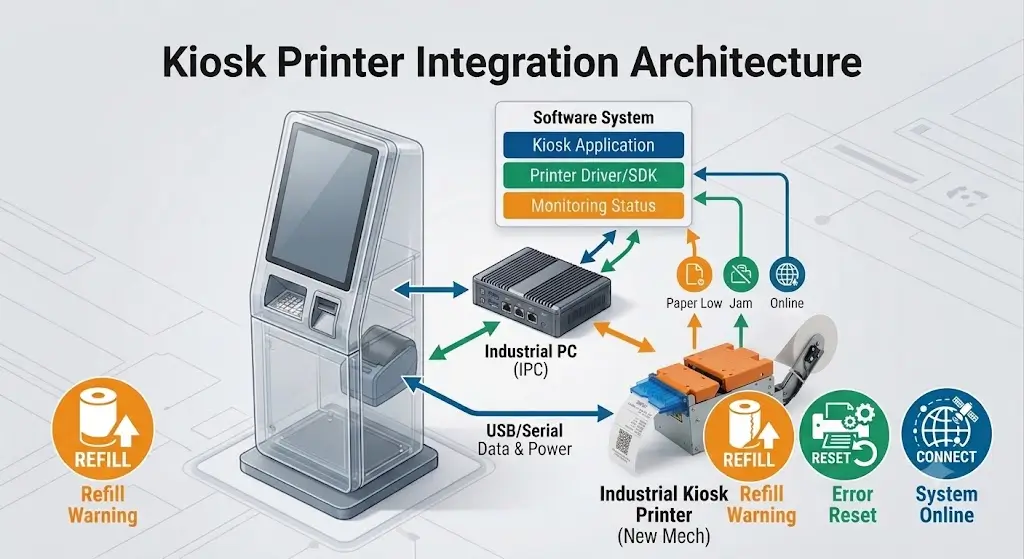
In a real project, the printer is not only a printing component. It is part of the transaction workflow. Kiosk printer integration.
If the printer cannot feed paper smoothly, cut cleanly, report status, or allow easy maintenance, the whole kiosk may be treated as unavailable by users or operators.
Kiosk Printer vs POS Printer
Some teams consider using a desktop receipt printer inside a kiosk cabinet because it is familiar and easy to buy. That can work in simple or supervised terminals, but it is not always suitable for unattended self-service systems.
| Selection Point | Kiosk Printer | Desktop POS Printer Inside Cabinet |
|---|---|---|
| Installation | Designed for embedded kiosk integration | Usually designed for counter use |
| Paper path | Planned around cabinet outlet and user collection | May need extra bracket or custom paper guide |
| Status feedback | Often required for kiosk software handling | Depends on model and driver support |
| Maintenance | Can be planned with service door and paper loading access | May be harder to service inside a cabinet |
| User behavior | Can support cutter, presenter, or controlled output | Usually simple receipt output |
| Best fit | Unattended or integrated self-service terminals | Staff-supervised or low-risk installations |
The key question is not whether the printer can print on a desk. The real question is whether it can remain serviceable and predictable after it is installed inside the kiosk.
For OEM and kiosk manufacturers, embedded printers are usually evaluated during the mechanical design stage instead of being added after the cabinet design is completed.
Main Kiosk Printer Types
58mm / 60mm Kiosk Printers
58mm and 60mm kiosk printers are often used in compact terminals where the printout is short and the cabinet space is limited.
Typical applications include queue number terminals, visitor management kiosks, access control terminals, compact service machines, and small payment confirmation devices.
They can reduce space pressure and paper consumption, but they should not be selected only because the cabinet is small. If the receipt needs QR codes, long item names, payment references, tax details, or multi-language content, the output may become crowded.
80mm Kiosk Printers
80mm kiosk printers are common in commercial self-service systems because they provide more room for receipt layout and machine-readable codes.
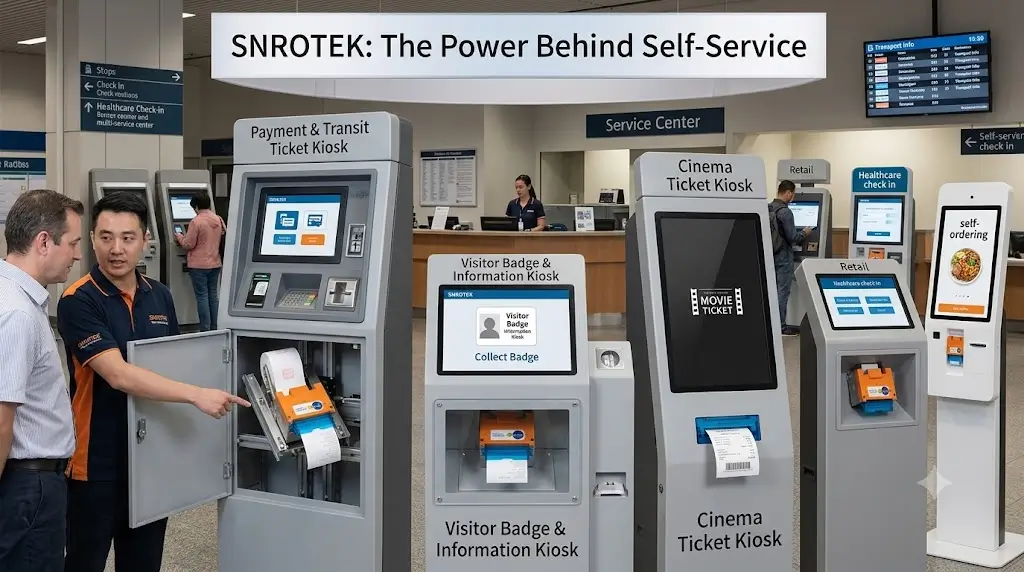
They are often used in parking payment kiosks, ticket vending machines, banking terminals, hotel self check-in kiosks, self-checkout systems, food ordering kiosks, self-payment terminals, healthcare kiosks, and gaming or lottery terminals.
The wider format gives more flexibility for QR codes, barcodes, transaction details, order information, support references, and future content changes. The tradeoff is that the cabinet needs more internal and front-panel space.
Auto Cutter Kiosk Printers
An auto cutter printer prints and cuts the receipt or ticket at the outlet. It is a practical choice when the user collection behavior is simple and the kiosk is supervised or operated in a controlled environment.
Auto cutter printers are often used in queue systems, information terminals, compact service kiosks, and cost-sensitive projects.
The project team should still confirm cutter position, output angle, paper path, and user access. A simple cutter design can become unreliable if the user pulls paper too early or the outlet is poorly aligned.
Presenter Kiosk Printers
A presenter printer holds the paper during printing and presents it to the user after the output is ready. This helps control early pulling and reduces paper handling issues in unattended environments.
Presenter printers are often evaluated for parking payment kiosks, banking terminals, ticket vending machines, payment kiosks, and high-volume unattended systems.
Presenter design needs more planning around output slot position, cabinet depth, software timing, and service access. It is not only a printer choice. It becomes part of the kiosk workflow.
Panel Mount Printers
Panel mount printers are designed for front-panel or embedded integration. They are useful when the printer face, paper outlet, and service access need to be planned directly around the kiosk front panel.
They are often considered for compact ordering kiosks, service terminals, wall-mounted kiosks, counter devices, and OEM terminals with limited cabinet depth.
Panel mount selection should be based on panel opening, embedded depth, paper loading direction, output position, and receipt width.
58mm / 60mm vs 80mm: Choose by Content First
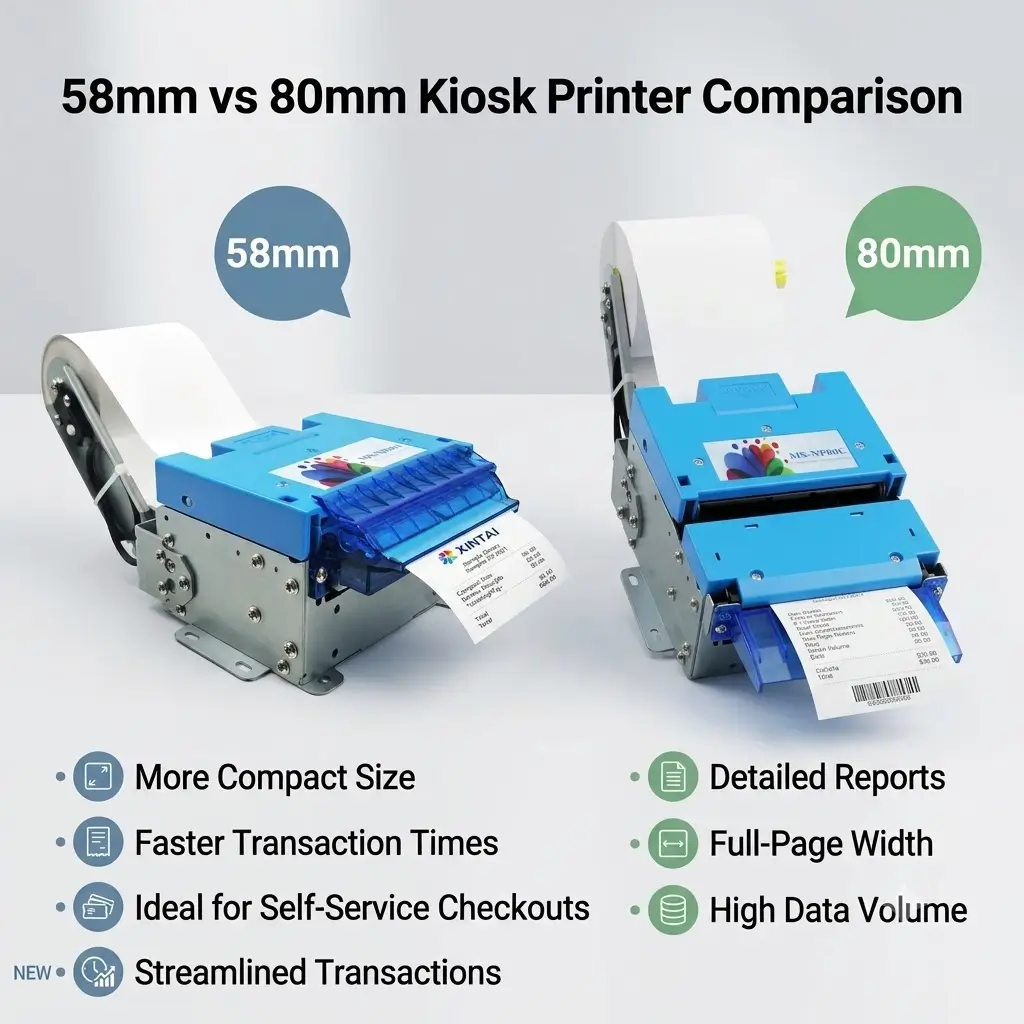
Paper width should be decided by the real printout, not only by available cabinet space.
| Selection Point | 58mm / 60mm Kiosk Printer | 80mm Kiosk Printer |
|---|---|---|
| Best fit | Short tickets, queue slips, pickup numbers, compact kiosks | Full receipts, payment records, order details, QR codes |
| Printout length | Short confirmation or simple service slip | Longer receipt or detailed transaction document |
| Text layout | Limited line width, more line wrapping | More room for item names and structured receipt layout |
| QR code room | Limited, must be tested carefully | More layout room for QR codes and barcode content |
| Cabinet space | Easier for narrow or compact cabinets | Requires more front-panel and internal space |
| Paper roll planning | Often smaller in compact designs | Better for busy sites if larger rolls are supported |
| Typical kiosk use | Queue, pickup, visitor, access control, simple payment | Parking, ticketing, self-checkout, food ordering, payment, healthcare |
| Project risk | Content may become crowded if requirements grow | Needs more enclosure and service-access planning |
If the customer may later add QR codes, barcodes, coupons, tax lines, support references, or multi-language text, test the 80mm format before freezing the cabinet design.
Presenter vs Auto Cutter: Choose by User Behavior
The output mechanism should match how users interact with the kiosk.
| Selection Point | Standard Auto Cutter Printer | Presenter Kiosk Printer |
|---|---|---|
| Best fit | Supervised or standard receipt output | Unattended or high-volume kiosk |
| User behavior | Works when users collect normally | Better when early pulling is a concern |
| Output control | Prints and cuts at the outlet | Holds and presents paper in a controlled way |
| Mechanical design | Usually simpler | Requires more output-slot planning |
| Project direction | Cost-sensitive or standard workflow | Higher-reliability receipt handling |
For attended service counters, queue systems, or simple terminals, an auto cutter printer may be enough. For unattended parking, banking, ticketing, payment, or high-traffic systems, a presenter printer is often worth evaluating during prototype testing. In unattended deployments, output control becomes part of the user experience design, not only a mechanical feature.
How to Choose a Kiosk Printer by Project Condition
| Project Condition | Better Printer Direction |
|---|---|
| Short queue number or pickup ticket | 58mm / 60mm kiosk printer |
| Compact kiosk with limited internal space | 58mm / 60mm compact printer or panel mount printer |
| Full transaction receipt | 80mm kiosk printer |
| Receipt with QR code or barcode | Usually 80mm kiosk printer |
| Food ordering receipt with modifiers | Usually 80mm kiosk printer |
| Simple parking receipt | 58mm / 60mm or 80mm, depending on content |
| High-volume unattended kiosk | 80mm kiosk printer or presenter printer |
| Users may pull paper early | Presenter kiosk printer |
| Front-panel embedded installation | Panel mount printer direction |
This table is only a starting point. The final decision should always be checked against the real receipt sample, mechanical layout, and software requirements.
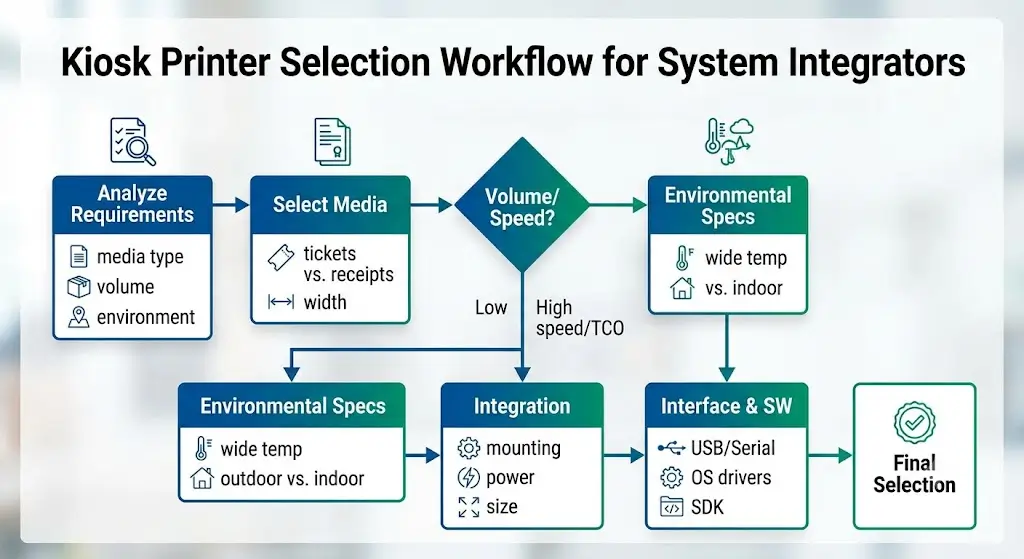
How System Integrators Evaluate a Kiosk Printer Before Prototype Development
Experienced system integrators usually evaluate kiosk printers before the enclosure design is finalized.
The selection process normally includes mechanical, electrical and software considerations.
A reliable evaluation usually follows several steps:
1. Application Requirement Review
The first step is understanding the real print requirement:
– Receipt or ticket format
– QR code and barcode requirements
– Transaction information
– Multi-language content
– Expected daily volume
2. Mechanical Integration Review
The printer must match:
– Cabinet space
– Mounting method
– Output position
– Paper roll space
– Maintenance access
3. Software Integration Review
System teams should confirm:
– Operating system compatibility
– Communication interface
– SDK availability
– Driver support
– Status feedback
4. Deployment Review
Before rollout, teams should evaluate:
– Maintenance frequency
– User behavior
– Environmental conditions
– Long-term reliability
What Experienced Integrators Usually Evaluate After Printer Selection
Experienced project teams usually do not approve a kiosk printer only from a datasheet. They review how the printer behaves inside the complete terminal.
Real Printout Sample
The real receipt or ticket confirms the paper width, text density, barcode size, QR code quiet zone, footer content, and line wrapping. A short demo receipt is not enough.
Cabinet Space and Output Slot
The printer must fit the internal layout without conflicting with the payment device, scanner, controller, cables, fan, or service door. The output slot must also match the paper path and user collection angle.
Paper Roll Space
Paper capacity affects maintenance frequency. A compact printer may fit the cabinet but require frequent paper replacement. For busy sites, roll size and service access can matter more than the printer body size.
Paper Loading Method
Operators should be able to replace paper quickly and repeatably. If staff must remove brackets, open a difficult panel, or disturb other modules, the maintenance cost will show up after deployment.
Operating System and Interface
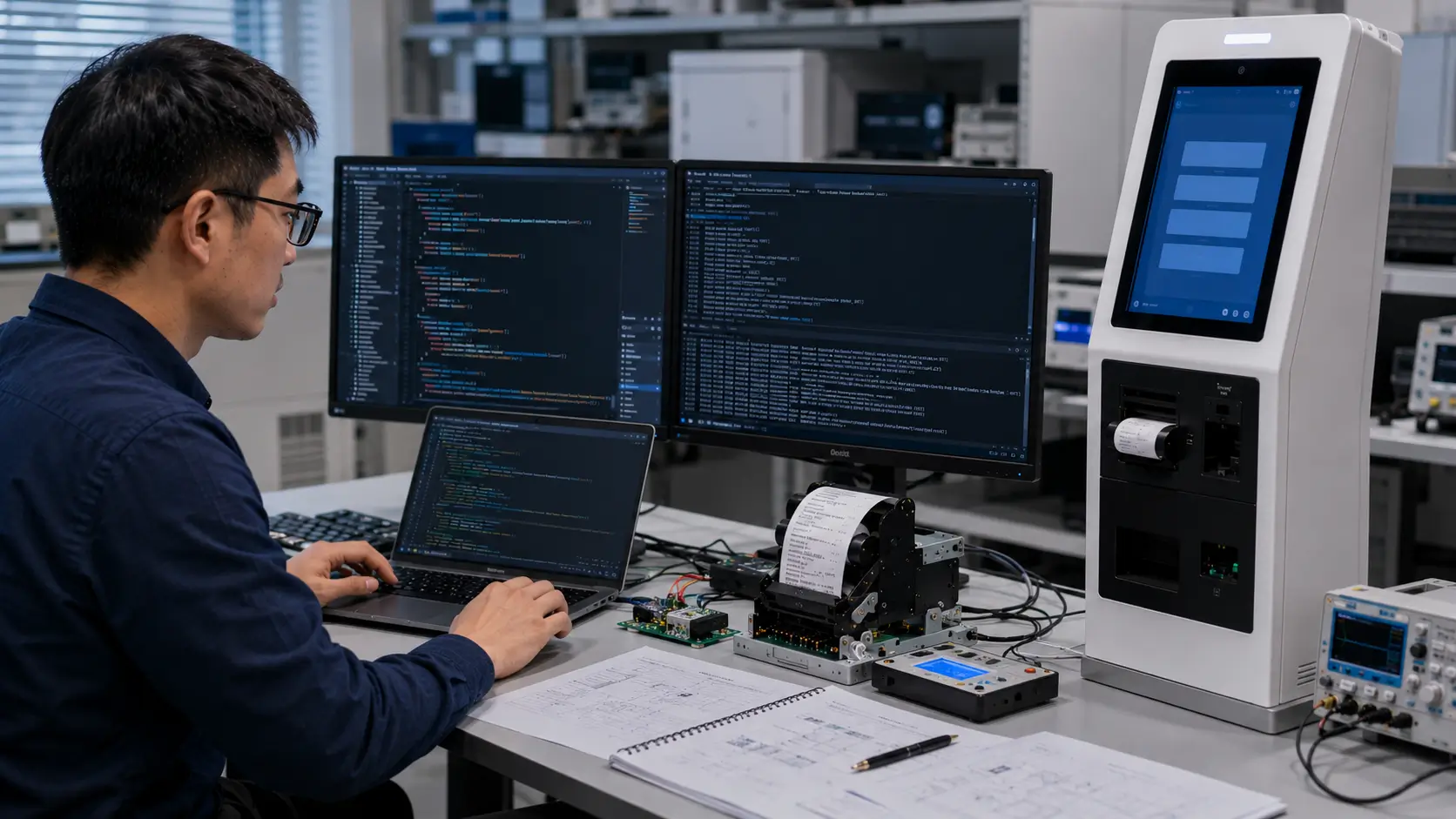
The printer must match the host controller and software plan. Windows, Linux, Android, USB, RS232, Ethernet, and command-level integration should be confirmed before prototype hardware is locked.
Driver, SDK, and Command Resources
Driver and SDK support reduce integration risk. The software team should confirm available documents, sample code, command support, and printer status handling early.
Printer Status Feedback
For unattended terminals, the host software may need to detect paper-out, cover-open, cutter error, paper jam, presenter status, and other exceptions. Without status feedback, the kiosk may fail silently.
Pilot Test Result
Prototype testing should include repeated printing, real ticket content, user collection behavior, paper replacement, power stability, and error recovery. A printer that passes a single bench test may still need adjustment before rollout.
Application Scenarios
Parking Payment Kiosks
Parking systems often need reliable receipt output, barcode or QR code printing, payment confirmation, and unattended operation. Presenter printers may be evaluated when early pulling or uncollected receipts are concerns.
Ticket Vending Machines
Ticket kiosks need clear layout, machine-readable codes, and stable output during peak periods. 80mm kiosk printers are often used when the ticket includes route, event, seat, time, or validation data.
Self-Checkout Systems
Retail self-checkout receipts may include item lists, discounts, tax lines, return references, and QR codes. 80mm printers are usually safer when the basket size varies.
Food Ordering Kiosks
Food ordering receipts may include menu names, modifiers, pickup numbers, payment details, and QR codes. Compact formats can work for pickup tickets, but full receipts usually need more layout space.
Hotel Self Check-In Kiosks
Hotel kiosks may print confirmation slips, room information, receipt references, or service vouchers. The printer should fit the kiosk enclosure without making daily paper replacement difficult.
Healthcare and Hospital Kiosks
Healthcare kiosks may print appointment slips, department information, room numbers, patient references, and instructions. Clarity and service access are usually more important than maximum speed.
Gaming and Lottery Terminals
Gaming and lottery terminals may print tickets, validation records, payout references, or transaction confirmations. Barcode and QR code readability should be tested with the actual validation workflow.
Recommended SNRO Kiosk Printer Solutions by Application
The following model families can be used as practical starting points. The final selection should be confirmed against your receipt sample, cabinet drawing, interface requirement, operating system, paper loading plan, and expected deployment volume.
Compact Self-Service Terminals: SNR-KP602 Series
Recommended for compact kiosks and short ticket output where space is limited and the printout is simple.
Typical evaluation areas include queue terminals, visitor systems, access control terminals, and compact self-service devices.
Commercial 80mm Receipt Kiosks: SNR-KP800 Series & SNR-KP805
Recommended for 80mm embedded kiosk printer projects that need a standard receipt format for commercial self-service systems.
Typical evaluation areas include hotel kiosks, retail terminals, payment machines, and general self-service receipt output.
High Volume Unattended Systems: SNR-KP802-VX
Recommended for projects that need presenter-style output control, especially unattended terminals where early pulling, ticket collection, or paper handling behavior must be managed more carefully.
Typical evaluation areas include parking payment kiosks, banking terminals, payment kiosks, and ticket vending systems.
OEM Embedded Kiosk Projects
Recommend:SNR-KP803 Series
Applications:
- Self ordering
- Food kiosk
- Embedded terminals
Final Selection Checklist
| Check Item | Why It Matters |
|---|---|
| Real ticket or receipt sample | Confirms paper width, layout, QR code, and barcode requirements |
| Longest printout content | Tests line wrapping, footer content, and multi-language text |
| Kiosk enclosure drawing | Confirms printer depth, output slot, paper roll space, and service access |
| Paper loading method | Determines whether staff can replace paper quickly |
| Output method | Clarifies auto cutter or presenter requirements |
| Operating system | Confirms driver or SDK support direction |
| Interface requirement | Helps match USB, serial, Ethernet, or other communication needs |
| Printer status feedback | Helps software handle paper-out, cover, cutter, or jam events |
| Expected transaction volume | Helps evaluate paper capacity and maintenance frequency |
| Pilot test result | Confirms performance before rollout |
What Successful Deployments Usually Have in Common
Successful kiosk printer deployments usually have three things in common.
First, the printer is selected from real project data, not only from a catalog comparison.
Second, the mechanical, electrical, and software teams review the printer together before the enclosure is finalized.
Third, the project includes pilot testing with real receipts, real user behavior, and realistic maintenance routines.
When these steps are skipped, printer problems often appear late: crowded receipts, poor QR code scanning, difficult paper replacement, unstable status reporting, or field service pressure after rollout.
Why System Integrators Choose SNRO
SNRO supports kiosk manufacturers and system integrators with:
– Printer selection based on application requirements
– SDK and integration support
– Mechanical integration guidance
– Prototype testing assistance
– OEM customization options
Conclusion
Choosing a kiosk printer is not only a paper width or price decision. It is a system decision that affects transaction completion, user collection, software recovery, maintenance frequency, and long-term terminal availability.
For a new self-service project, start with the real printout sample. Then confirm the cabinet structure, output method, operating system, interface, status feedback, paper loading method, and pilot test result.
If your team is still comparing 58mm, 80mm, auto cutter, presenter, or panel mount printer options, SNRO can help you shortlist practical models for prototype testing.
Need Help Choosing a Kiosk Printer for Your Project?
Share your receipt sample, cabinet drawing, operating system, interface requirement, output method, and expected deployment quantity. SNRO can help you evaluate a practical kiosk printer shortlist for prototype testing and rollout planning.
Request a Kiosk Printer Shortlist
Related Resources
Hub and General Guides
- SNRO Kiosk Printer Hub
- 58mm vs 80mm Kiosk Printer Guide
- Presenter Printer vs Auto Cutter Printer Guide
- Panel Mount Printer Guide for Compact Ordering Kiosks
Application Guides
- Parking Kiosk Printer Guide
- Ticket Vending Machine Printer Guide
- Self-Checkout Kiosk Printer Guide
- Food Ordering Kiosk Printer Guide
- Self-Payment Kiosk Printer Guide
- Gaming and Lottery Printer Solution
Technical Resources
Product References
FAQ
What is a kiosk printer?
A kiosk printer is an embedded thermal printer used inside a self-service terminal to print receipts, tickets, queue slips, payment confirmations, or validation records.
How do I choose the right kiosk printer?
Start with the real receipt or ticket sample, then confirm paper width, cabinet space, output method, operating system, interface, driver or SDK support, status feedback, and maintenance access.
Is 58mm or 80mm better for a kiosk printer?
58mm or 60mm can work for short tickets and compact kiosks. 80mm is usually better for full receipts, QR codes, barcodes, item lists, payment records, and applications where content may expand.
When should I use a presenter printer?
Use or evaluate a presenter printer when the kiosk is unattended, users may pull paper early, uncollected receipts are a concern, or receipt handling reliability is more important than a simple output structure.
Can I use a POS printer inside a kiosk?
A POS printer may work in some supervised or low-risk terminals, but embedded kiosk printers are usually better for unattended systems because they are planned around cabinet integration, status feedback, paper path, and service access.
What information should I send to SNRO for printer selection?
Send the receipt or ticket sample, cabinet drawing, operating system, interface requirement, output method, expected transaction volume, and pilot or rollout quantity.
What interface is recommended for kiosk printer integration?
USB, RS232, Ethernet inteface for option
Can kiosk printers work with Linux or Android systems?
Yes, SNRO kiosk printers can work with Linux and Andorid, We provide SDK/Driver etc.
How should OEM manufacturers select a kiosk printer?
OEM manufacturers should select a kiosk printer based on paper dimensions, print speed, anti-jam mechanisms (such as presenter modules), interface compatibility, and component lifespan (printhead and cutter durability).