

Blog
Hospital Check-In Kiosk Printer – Complete Hardware Guide for Patient Self-Service
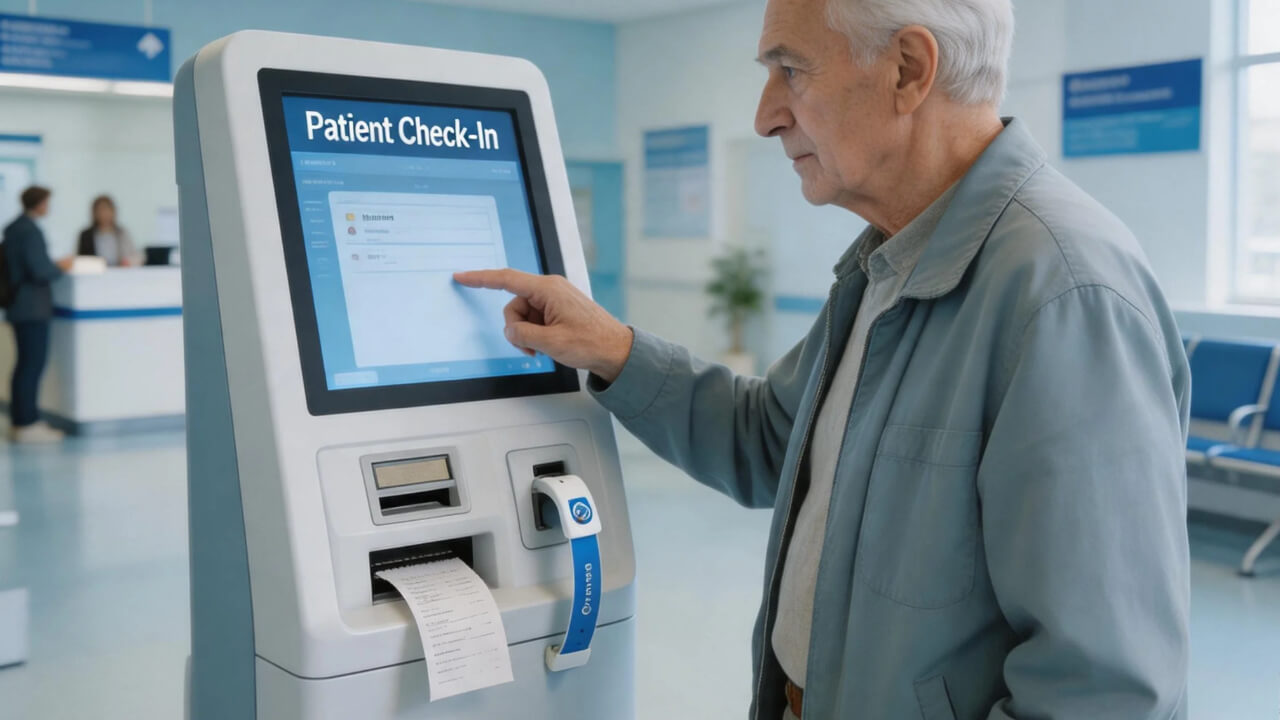
Table of Contents
- Why Hospitals Are Switching to Self-Service Check-In Kiosks
- The Healthcare Challenge – And How Kiosks Solve It
- Complete Healthcare Kiosk Hardware Solution
- How Patient Check-In Kiosk Workflow Works
- Real-World Results: Hospital Case Study
- Printer Selection for Healthcare – Key Considerations
- Why SNRO for Healthcare Kiosk Printers?
- Frequently Asked Questions – Healthcare Kiosk Printers
Why Hospitals Are Switching to Self-Service Check-In Kiosks
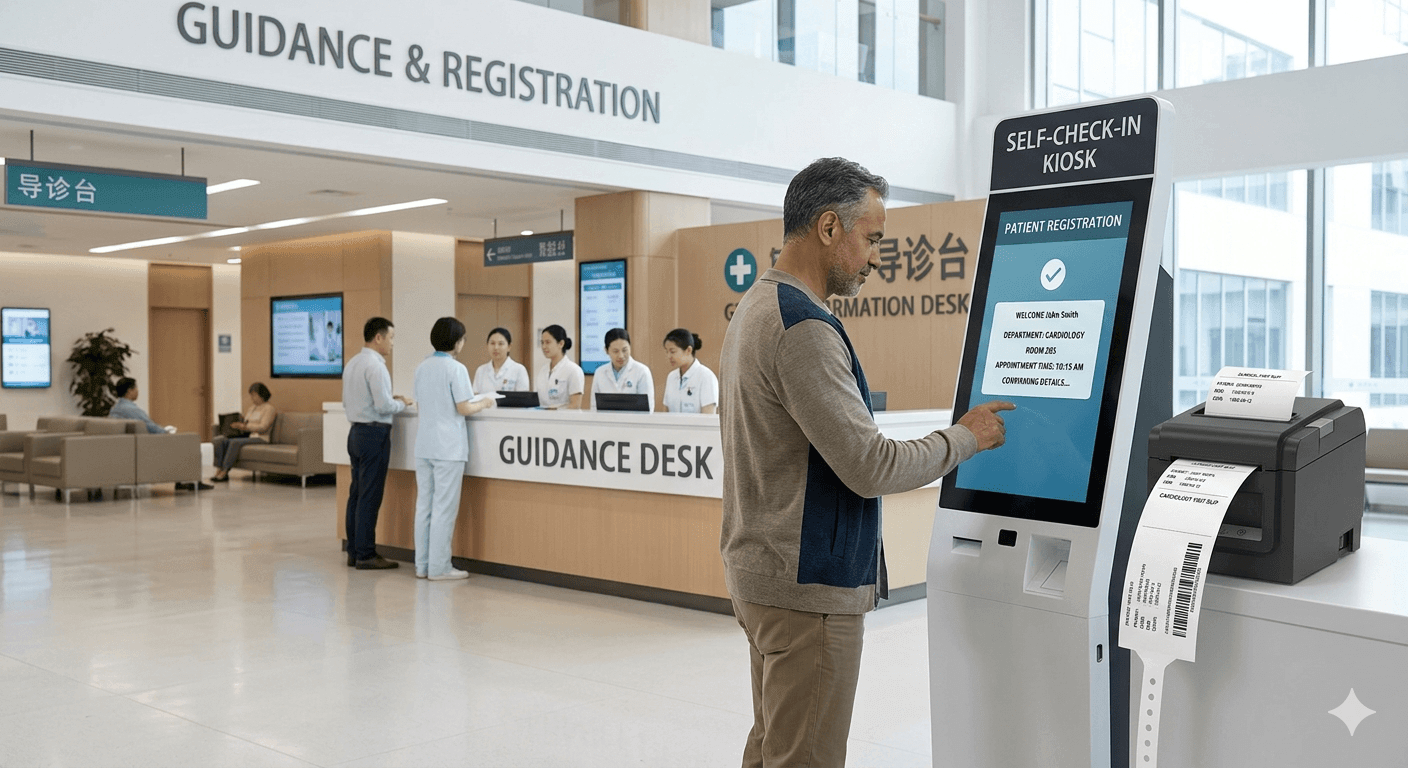
Hospital front desks are overwhelmed. Patients wait in long lines just to check in. Staff spend hours printing labels, wristbands, and receipts instead of focusing on patient care.
We worked with a multi-specialty clinic network last year. They had 15 locations and front desk wait times averaging 12 minutes. Staff were spending 45% of their time on registration paperwork — time that should have been spent with patients. The clinic network calculated that they were losing approximately 2,200 staff hours per month to manual check-in tasks.
Self-service patient check-in kiosks solve this problem.
But a kiosk is only as good as its printer. When the printer jams or runs out of paper during peak hours, patients get frustrated and staff get pulled away from clinical duties.
SNRO provides reliable 80mm kiosk thermal receipt printers specifically designed for healthcare kiosk applications. Built for high-volume, unattended operation, our printers help hospitals reduce wait times and streamline patient registration. In the clinic network case study, switching to SNR printers and automated check-in kiosks reduced registration wait time from 12 minutes to under 3 minutes.
“Less waiting. Less paperwork. More time for patient care.”
By the Numbers
| Metric | Impact |
|---|---|
| Registration time reduction | 60-70% faster |
| Front desk workload | 30-40% decrease |
| Patient satisfaction | 25-35% improvement |
| Data entry accuracy | 98% vs 85% manual |
The Healthcare Challenge – And How Kiosks Solve It
| Challenge | Kiosk Solution |
|---|---|
| Long registration lines | Multiple self-check-in kiosks |
| Staff shortages | Automated patient intake |
| Data entry errors | Patient-entered information |
| Patient ID card printing | Integrated card dispenser |
| Wristband printing | Medical-grade wristband printer |
| After-hours registration | 24/7 kiosk availability |
In Real Deployments: A 300-bed hospital network deployed 45 check-in kiosks across multiple facilities. Within 3 months, front desk overtime decreased by 40% and patient complaints about wait times dropped by 55%.
Related Solution: Healthcare Self-Service Kiosk Hardware Solutions
Complete Healthcare Kiosk Hardware Solution
Core Components for Patient Check-In
| Component | SNR Solution | Key Features |
|---|---|---|
| Receipt Printer | 80mm Kiosk Printer | Appointment receipt, patient instructions |
| Wristband Printer | Medical-grade option | Patient ID wristbands, allergy alerts |
| Card Dispenser | SNR-K750C RFID Card Dispenser | Patient ID card issuance |
| ID Reader | Partner integration | Insurance card scanner |
| Mini PC | SNR-IBC-N8 Fanless PC | Quiet, cleanroom-ready |
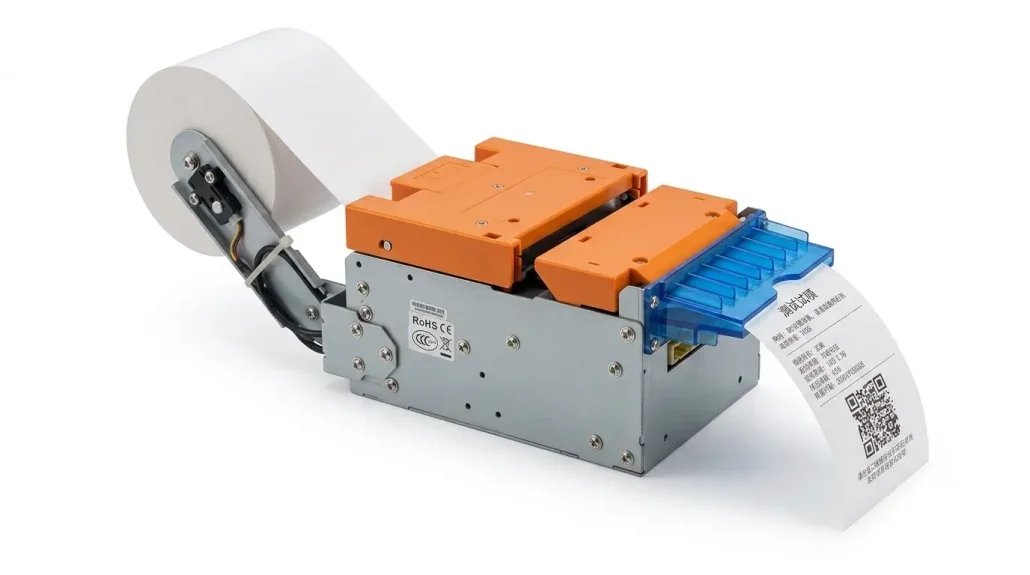
1. Patient Check-In Receipt Printer – 80mm Thermal Kiosk Printer
Print appointment receipts, location directions, and patient instructions clearly and quickly.
| Specification | Detail |
|---|---|
| Print width | 80mm (standard) |
| Print speed | Up to 250mm/second |
| Cutter | Auto cutter – clean receipts |
| Presenter | Holds receipt until patient takes it |
| Paper loading | Front drop-in – easy refill |
| Noise level | Quiet operation for clinical settings |
| Interfaces | RS232, USB, Ethernet |
Why It Matters for Healthcare:
-
Clear appointment details reduce “where do I go?” questions from patients
-
Presenter function prevents receipts from falling on the floor in waiting areas
-
Quiet operation doesn’t disturb patients in waiting areas
-
Paper low sensor alerts staff before paper runs out — no mid-transaction failures
In a 10-location clinic deployment, the paper low sensor alone reduced patient-facing paper-out incidents by 85% during the first 6 months.
2. Patient Wristband Printer
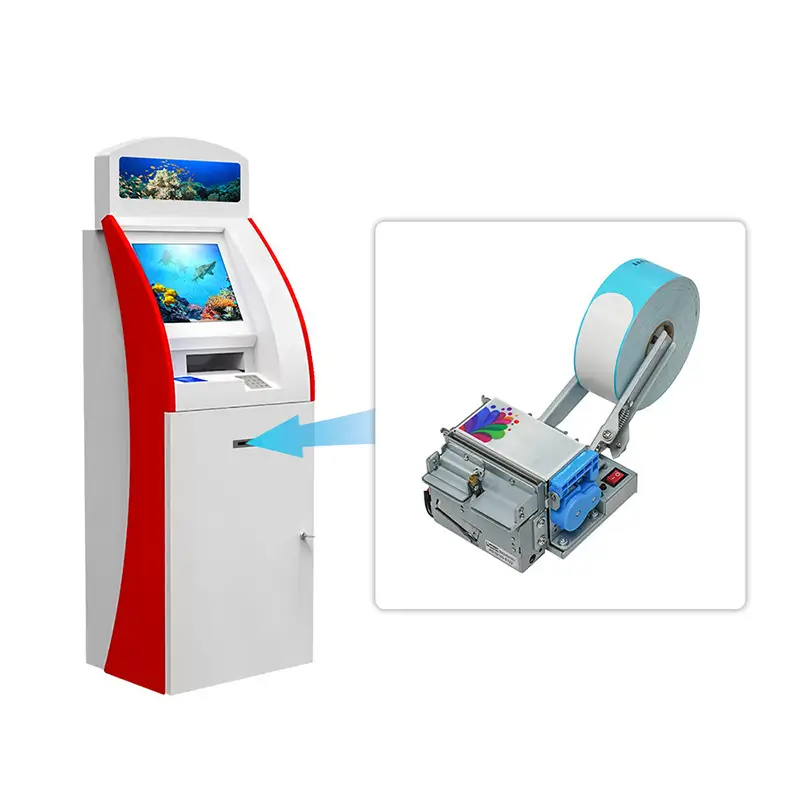
Many patient check-in kiosks now print wristbands directly — no staff intervention required.
| Specification | Detail |
|---|---|
| Print technology | Direct thermal |
| Wristband material | Medical-grade, latex-free |
| Adhesive | Secure, comfortable for extended wear |
| Print width | Supports standard wristband sizes |
| Barcode quality | 203 DPI – scannable by medical devices |
Why It Matters for Healthcare:
-
Reduces manual wristband writing errors — handwriting mistakes are eliminated
-
Consistent barcode quality ensures patient ID scans correctly every time
-
Frees nursing staff for clinical duties instead of administrative tasks
-
Eliminates the bottleneck of staff printing wristbands for every arriving patient
In one emergency department deployment, wristband printing at kiosks reduced nurse intervention for wristband-related issues by 90%.
3. RFID Patient ID Card Dispenser (Optional)
For first-time patients, the kiosk can issue a permanent RFID patient ID card.
| Specification | Detail |
|---|---|
| Card type | RFID (ISO14443A, Mifare compatible) |
| Hopper capacity | 100-150 cards |
| Encoding | Patient data written directly to card |
| Retract function | Recovers unclaimed cards automatically |
Why It Matters: Patients visiting for the first time receive a permanent card, eliminating paper-based identification on subsequent visits.

How Patient Check-In Kiosk Workflow Works
Patient arrives at hospital
↓
Approaches self-service check-in kiosk
↓
Scans insurance card or enters patient ID
↓
Confirms demographic information on screen
↓
Kiosk prints patient ID card (if first visit – optional)
↓
Kiosk prints appointment receipt with room/location
↓
Optional: Kiosk prints patient ID wristband
↓
Patient proceeds to waiting area
↓
Staff notified of completed check-in via network
Total time: Under 2 minutes (vs 5-10 minutes at front desk).
In Real Deployments: The step that creates the most integration friction is insurance card scanning. Not all cards scan reliably, and some patients struggle to position the card correctly. We recommend a scanner with a wide reading angle and clear visual guidance on the screen.
Real-World Results: Hospital Case Study
Client: Multi-specialty clinic with 15 locations
Challenge: Front desk wait times averaged 12 minutes. Staff spent 45% of time on registration paperwork. The clinic was losing an estimated 2,200 staff hours per month to manual check-in tasks.
Solution: Deployed patient check-in kiosks with SNR 80mm receipt printers + wristband printers at 5 pilot locations, expanding to all 15 locations after successful pilot.
Results (6 months after full deployment)
| Metric | Before | After | Change |
|---|---|---|---|
| Registration wait time | 12 minutes | 3 minutes | -75% |
| Front desk registration time | 45% | 15% | -67% |
| Patient satisfaction (check-in) | 3.2/5 | 4.5/5 | +41% |
| Data entry errors | 9% | 2% | -78% |
ROI: Hardware investment recovered in 8 months.
Key Insight: The clinic found that the printer reliability — particularly the wristband printer — was the single most important factor in maintaining the reduced wait times. When printers failed, the entire workflow broke down. After 12 months, printer-related downtime across all 15 locations averaged less than 2 hours per month.
Already planning a healthcare kiosk deployment? → Request Hardware Review
Printer Selection for Healthcare – Key Considerations
| Feature | Why It Matters for Healthcare |
|---|---|
| Auto cutter | Clean, professional receipts every time |
| Presenter | Prevents lost receipts in waiting areas |
| Quiet operation | Doesn’t disturb patients or clinical environments |
| High reliability | 24/7 operation, no downtime during peak hours |
| Front paper loading | Any staff member can refill in seconds |
| Paper low sensor | Alerts before paper runs out — no mid-transaction failure |
| Medical-grade wristband support | Direct printing of patient ID wristbands |
| Anti-jam design | Reduces service calls in unattended healthcare environments |
What We See in Healthcare Deployments: The most common printer issue in healthcare kiosks is not hardware failure — it’s paper running out without staff noticing. The paper low sensor is not a luxury feature in healthcare settings. It is a necessity. In a 300-bed hospital deployment, the paper low sensor prevented an estimated 80 patient-facing paper-out incidents per month.
Unsure which printer configuration fits your healthcare environment? → Compare Deployment Options
Why SNRO for Healthcare Kiosk Printers?
| Advantage | How It Helps Healthcare Integrators |
|---|---|
| Medical-grade options | Wristband printing ready |
| Quiet operation | Suitable for clinical environments |
| Easy integration | SDK for Windows/Linux/Android OS compatibility |
| Industrial reliability | Designed for unattended operation |
| OEM available | Custom branding for hospital chains |
| Global certifications | CE, FCC, RoHS |
In Real Deployments: A hospital network deploying 45 kiosks across multiple facilities found that the SDK compatibility with their existing EMR system (Epic) reduced integration time from an estimated 8 weeks to under 3 weeks. The engineering team had full documentation and sample code available during the integration phase.
Need help with EMR integration? → Talk to Our Engineering Team
Frequently Asked Questions – Healthcare Kiosk Printers
| Question | Answer |
|---|---|
| What printer do I need for patient wristbands? | Medical-grade direct thermal printers with latex-free wristband media support. Contact us for wristband compatibility. |
| Can your printer integrate with my EMR system? | Yes. We provide SDK and API documentation for Windows, Linux, and Android. Most EMR systems send print jobs via standard interfaces. |
| How fast does the printer need to be for hospital kiosks? | 250mm/s is sufficient for standard receipt printing. Wristband printing takes slightly longer due to media size. |
| What happens if paper runs out during the day? | Paper low sensor alerts facilities staff before paper runs out. Front loading makes refill easy for any staff member. |
| Do you offer custom receipt branding? | Yes. Pre-print hospital logos, department information, and instructions on thermal paper. |
| What is the warranty? | 1-year warranty on all healthcare printers. Lifetime technical support. |
| How do I get started? | Contact us with your patient volume and deployment timeline. We’ll recommend the right configuration. |
| Can the wristband printer handle high-volume emergency department use? | Yes. The wristband printer is designed for continuous operation and uses medical-grade, latex-free media. High-volume EDs typically require more frequent media refills but the printer mechanism is rated for 24/7 operation. |
| How to integrate the receipt printer with hospital networks? | RS232, USB, and Ethernet interfaces are supported. For network deployments with remote monitoring, Ethernet is recommended. |
| Are the printers HIPAA-compliant? | Our printers facilitate secure workflows but do not store patient data. HIPAA compliance is achieved through integration with your EMR system’s secure print management. |
Ready to Deploy Patient Check-In Kiosks at Your Hospital?
Whether you’re piloting at one location or rolling out across a hospital network, SNRO can help you select the right printer configuration for your patient volume, clinical environment, and EMR integration requirements.