

Blog
How to Choose a Card Dispenser for Membership Card Issuance Kiosks?

Introduction
Membership programs continue to play an important role in customer acquisition, retention and loyalty management.
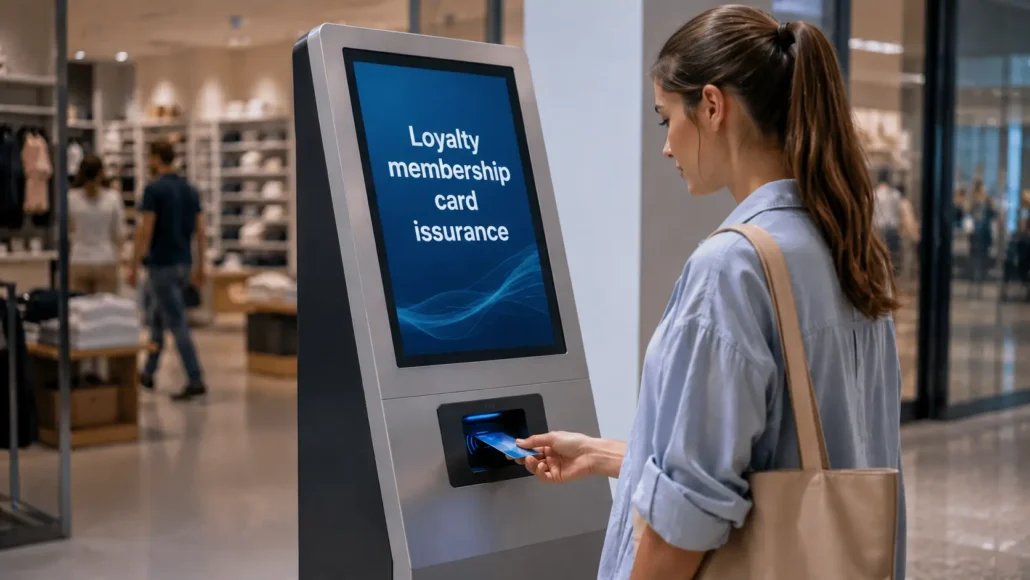
Retail chains, fitness clubs, shopping malls, libraries, educational institutions and service providers increasingly use self-service kiosks to automate membership registration and card issuance.
In these systems, the card dispenser becomes a critical component of the customer onboarding process.
A customer may successfully complete registration, submit personal information and qualify for membership, but if the kiosk cannot issue the membership card reliably, the user experience is immediately affected.
For this reason, experienced system integrators evaluate card dispenser architecture, RFID compatibility, CRM integration capabilities and long-term operational reliability before selecting hardware.
Why Membership Programs Use Card Issuance Kiosks
Organizations deploy membership card issuance kiosks for several reasons.
Faster Customer Registration
Customers can register without waiting for staff assistance.
Reduced Operational Costs
Automated card issuance reduces manual processing requirements.
Improved Customer Experience
Cards are issued immediately after registration.
Consistent Credential Management
Membership records can be synchronized directly with backend systems.
Scalability
Large organizations can issue thousands of cards efficiently across multiple locations.
Common deployment environments include:
- Retail chains
- Shopping malls
- Fitness clubs
- Libraries
- Universities
- Membership organizations
- Loyalty programs
- Entertainment venues
What Experienced Integrators Usually Evaluate First
When selecting a card dispenser for membership programs, experienced teams often focus on:
Card Technology
RFID, magnetic stripe or barcode-based membership cards.
CRM Integration
Compatibility with membership management systems.
SDK Availability
Availability of APIs, drivers and development resources.
Hopper Capacity
Ability to support expected issuance volume.
Maintenance Accessibility
Ease of refilling cards and servicing the system.
Reliability
Stable card dispensing in public-facing environments.
Long-Term Support
Availability of engineering and technical support resources.
These factors typically have a greater impact on deployment success than hardware specifications alone.
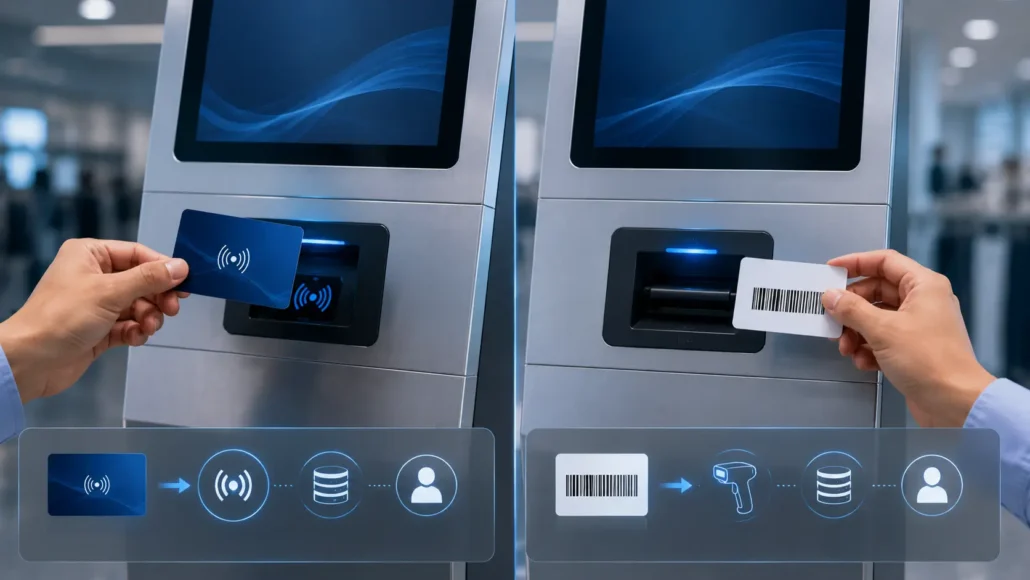
RFID vs Barcode Membership Cards
Membership programs commonly use two credential approaches.
RFID Membership Cards
Advantages:
- Contactless operation
- Higher security
- Faster identification
- Better integration with access control systems
Common Applications:
- Fitness clubs
- Corporate membership programs
- Campus systems
- Premium loyalty programs
Barcode Membership Cards
Advantages:
- Lower card cost
- Simple implementation
- Easy scanning
Common Applications:
- Retail loyalty programs
- Libraries
- Discount membership programs
The choice depends on business requirements, budget and integration objectives.
Understanding the Membership Card Issuance Workflow
A typical membership card issuance process includes:
Step 1
Customer registration.
Step 2
Identity or information verification.
Step 3
Membership account creation.
Step 4
Card personalization.
Step 5
Card encoding or assignment.
Step 6
Card dispensing.
Step 7
Account activation.
Successful deployments require every step to operate reliably.
Failures during card issuance can negatively affect customer satisfaction and registration completion rates.
Single Hopper vs Multi-Hopper Considerations
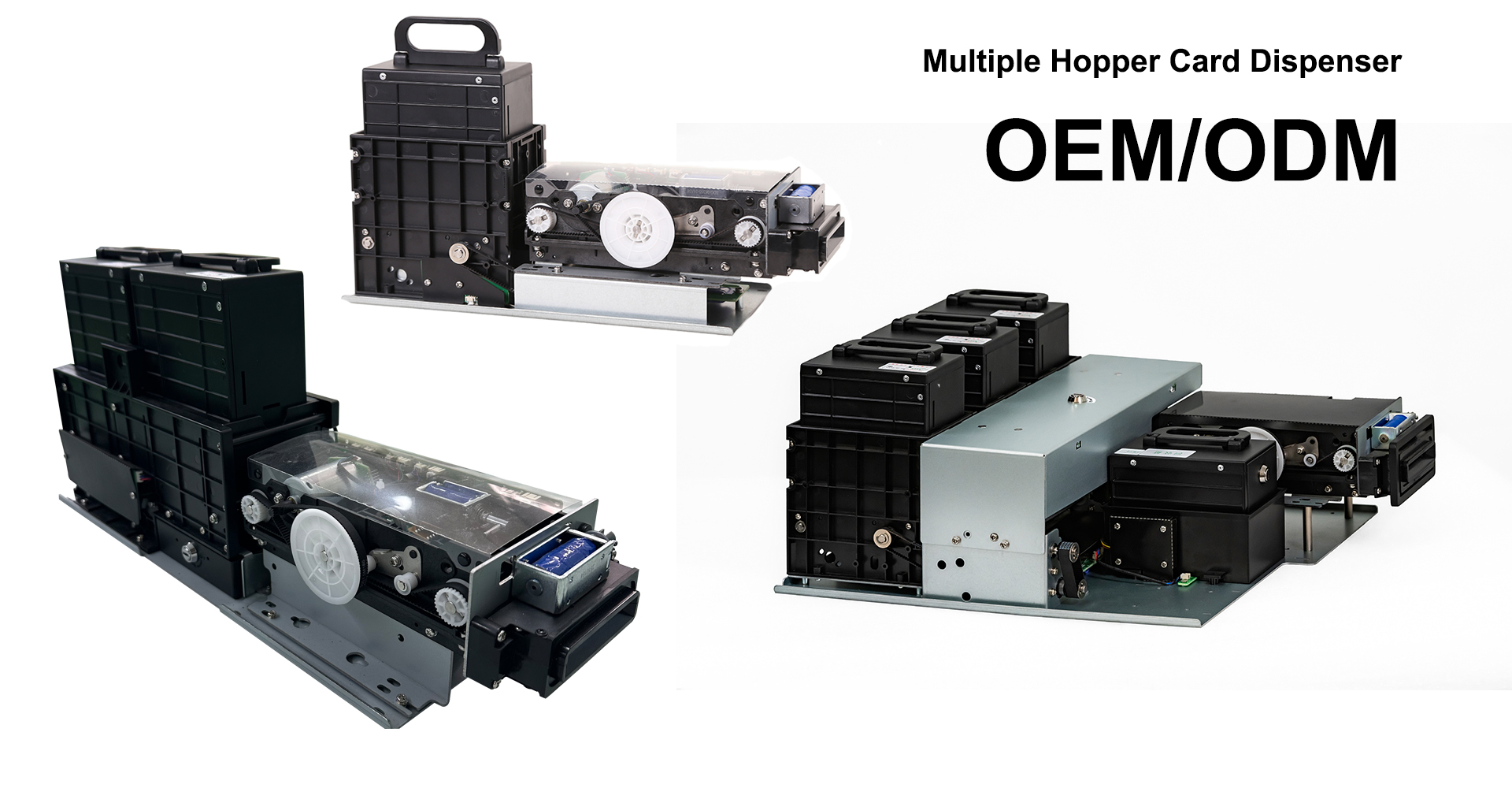
Most membership card issuance kiosks use a single hopper architecture.
Advantages include:
- Simpler maintenance
- Lower cost
- Compact footprint
- Easier integration
However, multi-hopper systems may be useful when issuing:
- Standard membership cards
- VIP membership cards
- Employee cards
- Promotional cards
Organizations with multiple credential categories may benefit from multi-hopper architectures.
CRM and Membership Platform Integration
Membership card issuance systems rarely operate independently.
Most deployments communicate with:
- CRM platforms
- Membership management software
- Loyalty management systems
- Customer databases
- Marketing automation platforms
Typical integration requirements include:
Account Creation
Automatically creating membership records.
Card Association
Linking cards to customer accounts.
Membership Updates
Synchronizing customer information.
Loyalty Tracking
Recording points and transactions.
Analytics
Monitoring membership growth and usage.
The ability to integrate seamlessly with these systems often determines project success.

SDK and Software Integration Requirements
Most membership card issuance kiosks operate on:
- Windows
- Linux
- Android
Before selecting hardware, integrators should evaluate:
SDK Availability
Availability of software development resources.
Communication Protocols
RS232, USB or TCP/IP support.
Documentation
Protocol references and API descriptions.
Demo Software
Testing and development utilities.
Technical Support
Engineering support during deployment.
Strong SDK resources can significantly reduce implementation time.
Why Reliability Matters in Public Deployments
Membership kiosks often operate in:
- Shopping malls
- Retail stores
- Club entrances
- Public venues
- University campuses
These environments can experience:
High Usage Volumes
Large numbers of daily registrations.
Environmental Variations
Dust, temperature and humidity changes.
User Interaction Challenges
Unexpected customer behavior.
Maintenance Delays
Less frequent servicing than planned.
Reliable card dispensing becomes critical under these conditions.
 Deployment Reality: What Changes After Installation
 Deployment Reality: What Changes After Installation
Laboratory testing rarely reflects actual operating conditions.
After deployment, organizations often encounter:
Membership Growth
Higher issuance volume than originally expected.
Card Supplier Changes
Variations in card dimensions and quality.
Marketing Program Updates
New membership tiers or card types.
Software Upgrades
CRM and loyalty platform changes.
Operational Expansion
Deployment across multiple locations.
Experienced integrators consider these realities before finalizing hardware selection.
Common Questions System Integrators Ask
Should membership cards use RFID?
RFID is increasingly common because of its flexibility and user convenience.
Is a multi-hopper dispenser necessary?
Most projects use a single hopper unless multiple card types are required.
Can membership cards be personalized?
Yes. Many systems support card encoding and account association during issuance.
Is CRM integration important?
CRM integration is typically a core requirement for membership programs.
How important is SDK support?
SDK resources often determine development effort and deployment speed.
Recommended Membership Card Dispenser Solutions
 Recommended Membership Card Dispenser Solutions
SNR-K720
Recommended for:
- Retail loyalty programs
- Membership registration kiosks
- Customer rewards programs
Advantages:
- Flexible integration
- Reliable operation
- Cost-effective deployment
SNR-CD212-M8
Recommended for:
- Enterprise membership programs
- Access-enabled membership systems
- Multi-site deployments
Advantages:
- Stable card handling
- RFID support
- Reliable unattended operation
SNR-K750-L
Recommended for:
- Premium membership programs
- RFID membership systems
- High-volume issuance projects
Advantages:
- Reliable motorized dispensing
- RFID integration support
- Long-term operational stability
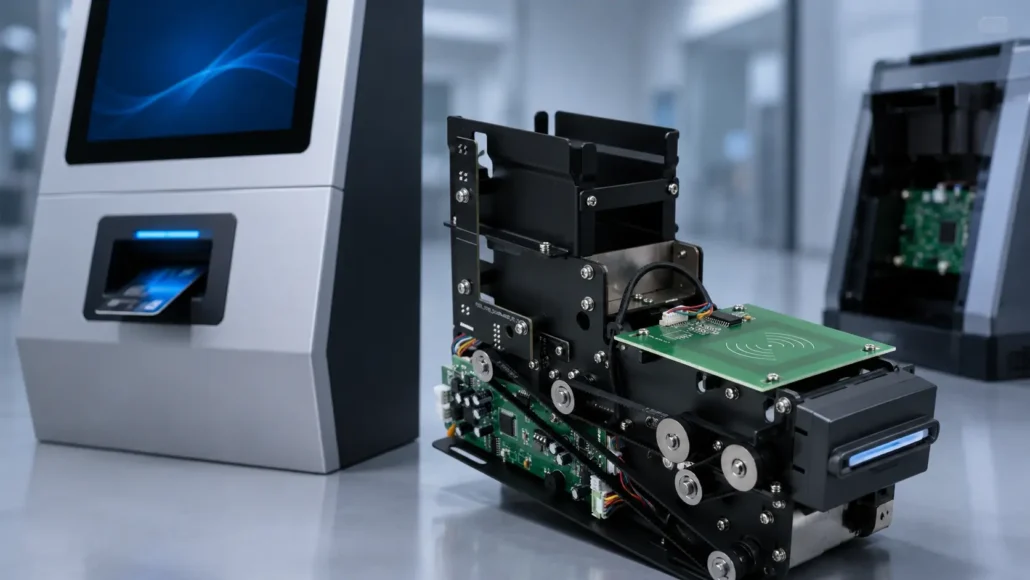
SNR-K750C
Recommended for:
- Membership card issuance kiosks
- RFID loyalty card systems
- VIP card issuance terminals
- Campus card registration kiosks
- Customer self-service card issuing projects
Advantages:
- Suitable for RFID membership card issuance
- Stable motorized card dispensing
- Supports unattended self-service deployment
- Practical for loyalty, VIP and campus card programs
- Integration-friendly design for kiosk projects
SNR-K750C is a practical choice for projects that require automated RFID membership card issuance with stable dispensing performance and flexible kiosk integration.
What Successful Membership Card Issuance Projects Have in Common
Successful deployments typically share several characteristics:
- Reliable card dispensing
- Strong CRM integration
- Stable SDK resources
- Appropriate hopper architecture
- Easy maintenance access
- Scalable deployment strategy
- Hardware selected for real-world operating conditions
Projects that prioritize these factors often achieve higher registration efficiency and lower maintenance costs.
Conclusion
Choosing a card dispenser for a membership card issuance kiosk involves much more than selecting a device that can dispense cards.
Successful deployments require reliable card handling, CRM integration, SDK support, appropriate credential technology and long-term operational stability.
Experienced system integrators therefore evaluate both technical requirements and deployment realities before selecting hardware.
The most effective membership card issuance solution is the one that continues delivering a seamless registration experience after years of unattended operation.
Related Resources
- How to Choose a Motorized Card Dispenser for Self-Service Kiosks
- RFID Card Issuance in Self-Service Kiosks: What Integrators Should Know
- RFID Card Dispenser vs Magnetic Card Dispenser
- Single Hopper vs Multi-Hopper Card Dispenser: Which Is Better?
- Card Dispenser SDK and Integration Guide
- How to Choose a Card Dispenser for Visitor Management Systems
- How to Choose a Card Dispenser for Smart Locker Systems
- Common RFID Card Dispensing Challenges in Self-Service Kiosks
- Visitor Management System Hardware Solutions
Learn more about system architecture: Card Dispenser Hub
FAQ
What is a membership card issuance kiosk?
A membership card issuance kiosk automatically registers users and issues membership credentials.
Are RFID membership cards better than barcode cards?
The answer depends on the application. RFID offers greater flexibility and security, while barcode cards are often more economical.
Can membership kiosks integrate with CRM systems?
Yes. CRM integration is one of the most common requirements.
Do membership programs require RFID cards?
Not always. Many loyalty programs still use barcode-based membership cards.
Which card dispenser is suitable for membership programs?
K720, CD212-M8 and K750-L are commonly used depending on project requirements.
Is SDK support important?
Yes. SDK resources can significantly reduce integration effort and deployment time.
Can one kiosk issue multiple membership card types?
Yes. Multi-hopper architectures can support multiple card categories when required.
What causes membership card issuance failures?
Common causes include card quality variation, hopper issues, insufficient maintenance and integration problems.