

Blog
How to Choose an Industrial PC for Self-Service Kiosks?
Introduction
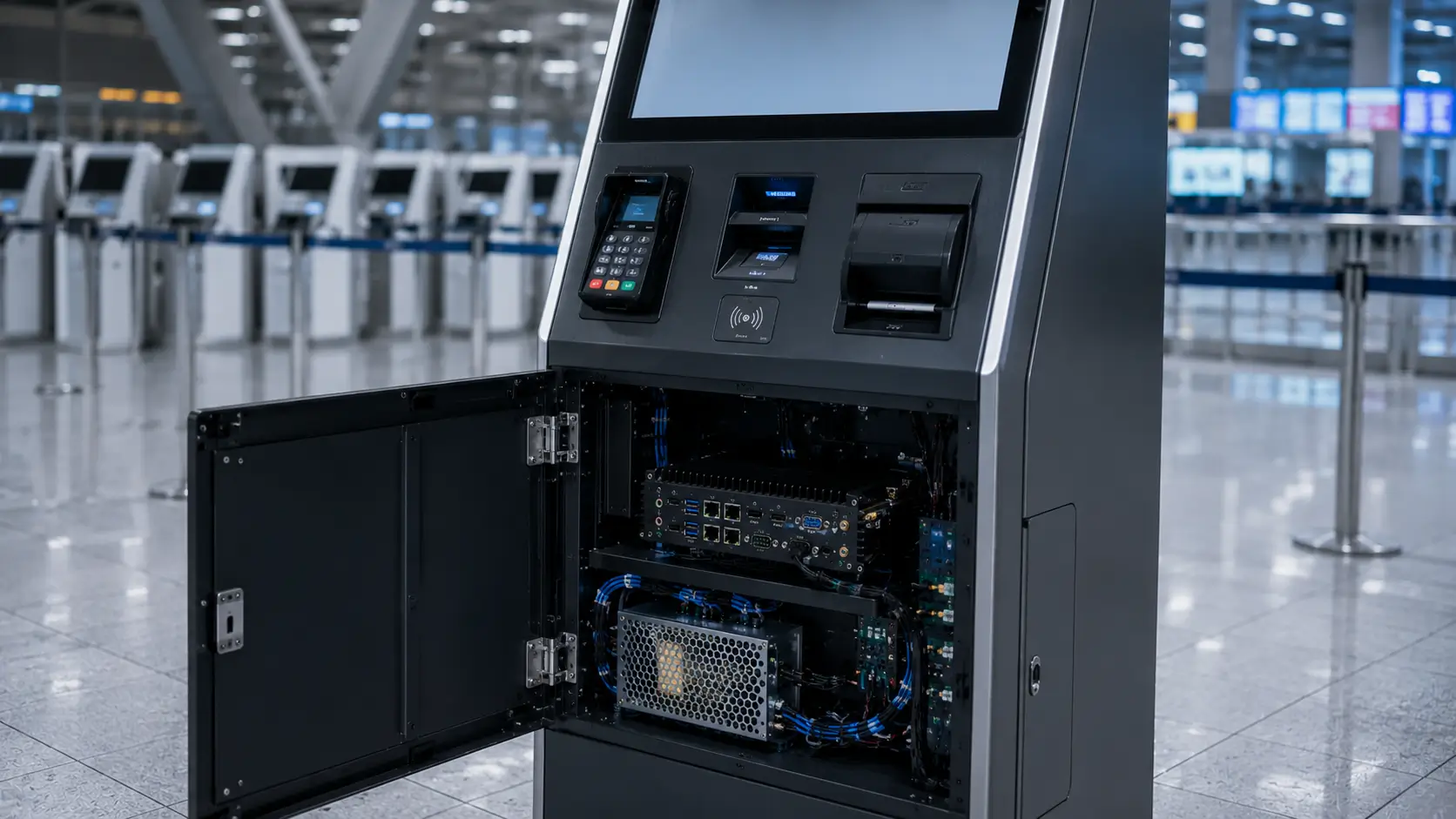
When planning a self-service kiosk project, many system integrators focus on visible components such as touchscreens, printers, scanners and payment devices.
However, the industrial PC is often the most important component inside the kiosk.
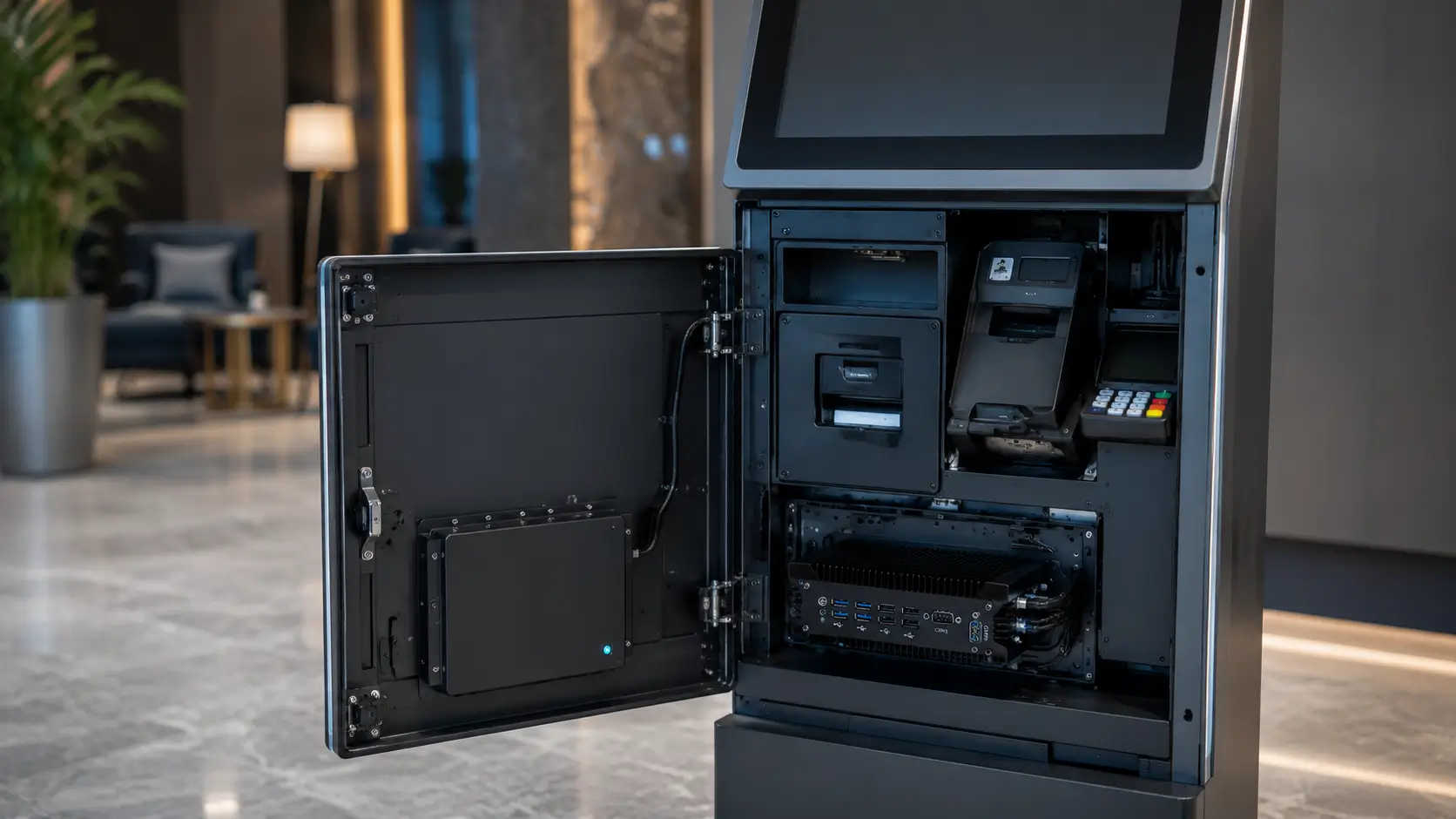
It acts as the central controller that manages:
- User interface software
- Peripheral communication
- Payment processing
- Printer operation
- Barcode scanning
- Card dispensing
- Access control
- Network communication
Selecting the right industrial PC for self-service kiosks is one of the most important decisions during kiosk hardware planning because the controller computer directly affects system stability, peripheral communication, maintenance requirements and long-term deployment success.
Choosing the wrong industrial PC can lead to reliability issues, integration challenges, unexpected maintenance costs and system downtime after deployment.
This guide explains what experienced kiosk manufacturers and system integrators evaluate when selecting an industrial PC for self-service kiosks.
Quick Answer
An industrial PC for self-service kiosks should not only meet performance requirements but also provide reliable communication interfaces, industrial power design and long-term product availability.
A suitable industrial PC should provide:
Reliable Processing
↓
Stable Peripheral Communication
↓
Long-Term Availability
↓
Industrial Power Design
↓
Easy Maintenance
The right choice depends on:
- Number of connected devices
- Required COM ports
- Network requirements
- Display configuration
- Operating environment
- Software platform
- Future expansion requirements
 Why Industrial PCs Matter in Kiosk Projects
 Why Industrial PCs Matter in Kiosk Projects
Many kiosk projects initially use commercial mini PCs because they appear cost-effective and readily available.
However, after deployment, several challenges often appear.
Limited COM Ports
Self-service kiosks commonly connect:
- Thermal receipt printers
- Card dispensers
- RFID readers
- Barcode scanners
- Access controllers
- Payment terminals
- Ticket printers
Commercial PCs often require multiple USB-to-serial adapters, increasing complexity and creating additional points of failure.
Unstable Power Conditions
Many kiosks operate in environments where power quality is less predictable.
For example:
- Outdoor installations
- Transportation terminals
- Parking facilities
- Public service environments
Industrial PCs are designed to handle power fluctuations and unattended restarts more reliably.
Continuous Operation Requirements
Many self-service systems operate:
24 Hours
7 Days
365 Days
Unlike office computers, industrial PCs are typically designed for long-term continuous operation.
Long-Term Product Availability
Commercial computer platforms frequently change.
However, kiosk projects often require:
- Long deployment cycles
- Spare part availability
- Consistent hardware configurations
Industrial PC platforms generally provide better lifecycle management and longer availability.
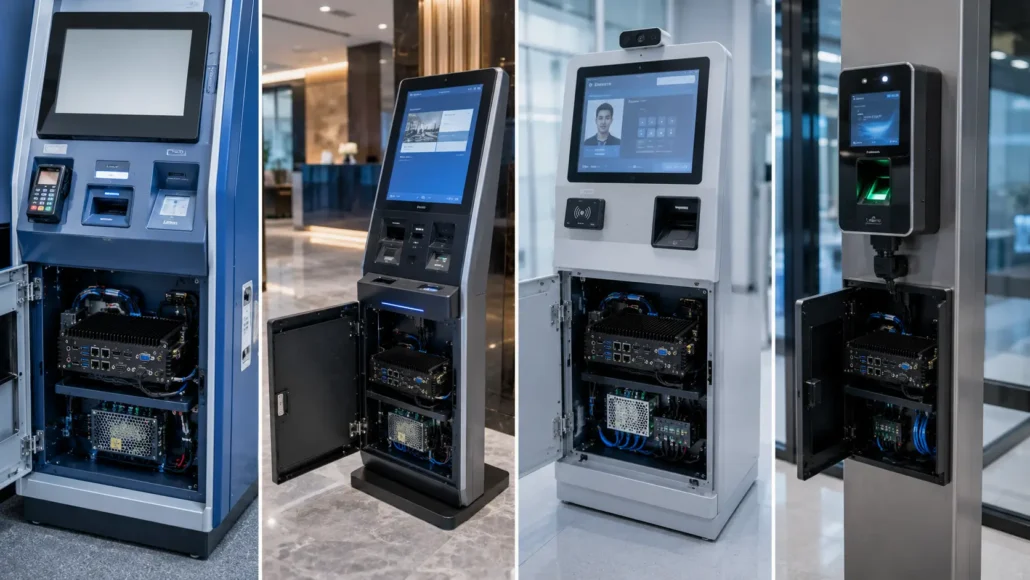
Common Self-Service Kiosk Applications
Industrial PCs are widely used in a variety of self-service systems.
Self-Service Payment Kiosks
Processing transactions and controlling payment devices, printers and communication modules.
Ticket Vending Machines
Managing ticket printers, scanners and customer interfaces.
Visitor Management Systems
Supporting visitor registration, credential issuance and access control integration.
Hotel Self Check-In Kiosks
Controlling room card dispensers, passport scanners, payment modules and hotel management software.
Parking Payment Terminals
Managing ticket printers, payment devices, barcode scanners and parking control equipment.
Access Control Systems
Integrating RFID readers, card dispensers, biometric devices and security controllers.
Industrial PC Terminology
Depending on the industry, an industrial PC may also be referred to as:
- Fanless industrial PC
- Industrial mini PC
- Embedded computer
- Embedded industrial computer
- Kiosk controller PC
- Industrial automation computer
Although terminology varies, the purpose remains the same: providing reliable computing, peripheral control and long-term operation in unattended environments.
Common Industrial PC Terms You May Encounter
When researching industrial PCs for self-service kiosks, system integrators often encounter different terminology from suppliers and manufacturers.
Common terms include:
- Fanless industrial PC
- Embedded industrial computer
- Industrial mini PC
- Kiosk controller computer
- Automation controller PC
- Embedded computing platform
While the names may differ, these products generally perform similar functions within kiosk, automation and control systems.
Understanding this terminology can help simplify supplier evaluation and product comparison.
Understanding Your Kiosk Requirements First
However, not every industrial PC is suitable for every kiosk project.
Requirements can vary significantly depending on the number of connected devices, software architecture and operating environment.
Therefore, understanding the application before selecting hardware is often the most effective approach.
Before evaluating processors, memory or storage options, system integrators should answer several practical questions.
Key Questions Before Choosing an Industrial PC
 Key Questions Before Choosing an Industrial PC
How Many Serial Devices Need to Be Connected?
Many kiosk projects still rely heavily on serial communication.
Typical serial devices include:
- Thermal printers
- Card dispensers
- RFID readers
- Access controllers
- Relay controllers
- Industrial sensors
- Scales
Projects with multiple serial devices often benefit from industrial PCs with built-in COM ports.
This approach reduces dependence on USB converters and simplifies maintenance.
Is Fanless Operation Required?
Fanless industrial PCs offer several advantages.
Benefits include:
- Reduced maintenance
- Silent operation
- Improved dust resistance
- Higher reliability
- Better suitability for unattended systems
As a result, fanless industrial PCs are widely used in:
- Self-service kiosks
- Hotel check-in terminals
- Parking systems
- Ticket vending machines
- Access control terminals
What Display Configuration Is Required?
Some kiosk applications only require a single display.
Meanwhile, others may require:
- Customer-facing display
- Operator display
- Advertising display
- Information display
Multi-display support should be evaluated early during hardware selection.
What Operating System Will Be Used?
Most industrial PCs support:
- Windows
- Linux
- Embedded operating systems
However, operating system compatibility should always be verified before deployment.
This is particularly important when integrating third-party software or proprietary hardware devices.
What Environmental Conditions Exist?
Environmental conditions can significantly affect long-term reliability.
Consider:
- Temperature range
- Dust exposure
- Humidity
- Vibration
- Power quality
Industrial PCs designed for harsh environments generally provide better long-term performance.
Why Fanless Industrial PCs Are Popular in Kiosk Projects
 Why Fanless Industrial PCs Are Popular in Kiosk Projects
Many self-service kiosks operate in environments where dust, temperature fluctuations and continuous operation create challenges for traditional computers.
A fanless industrial PC reduces maintenance requirements because there are no internal cooling fans that can accumulate dust or fail over time.
Furthermore, fanless designs typically improve system reliability by reducing the number of moving parts.
As a result, fanless industrial computers are widely used in:
- Ticket vending machines
- Parking kiosks
- Hotel self check-in kiosks
- Access control terminals
- Visitor management systems
For unattended deployments, fanless industrial PCs are often the preferred option.
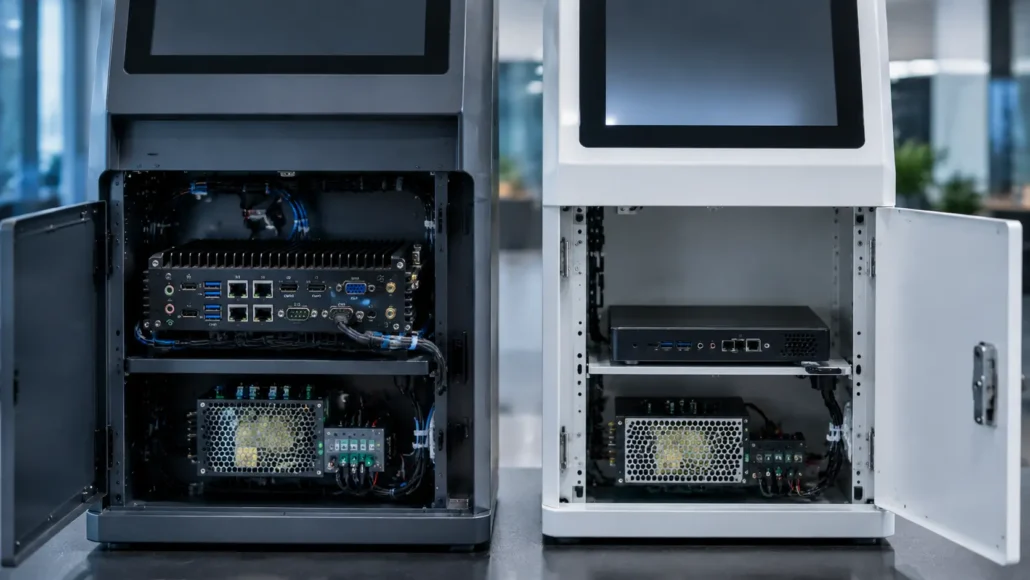
Fanless Industrial PC vs Commercial Mini PC
| Feature | Commercial Mini PC | Industrial PC |
|---|---|---|
| Continuous Operation | Limited | Designed for 24/7 operation |
| COM Ports | Limited | Multiple COM ports available |
| Industrial Power Input | Rare | Common |
| GPIO Support | Limited | Available |
| Fanless Design | Some models | Common |
| Long-Term Availability | Variable | Better |
| Kiosk Integration | Moderate | Excellent |
| Peripheral Connectivity | Limited | Extensive |
| Industrial Applications | Limited | Designed for industrial use |
As a result, industrial PCs are generally preferred for unattended kiosk deployments.
Recommended Industrial PC Solutions
Different kiosk projects have different hardware requirements.
The following industrial PC platforms are commonly selected for self-service applications.
Recommended Industrial PC Solutions
Different kiosk projects have different hardware requirements.
The following industrial PC platforms are commonly selected for self-service applications.
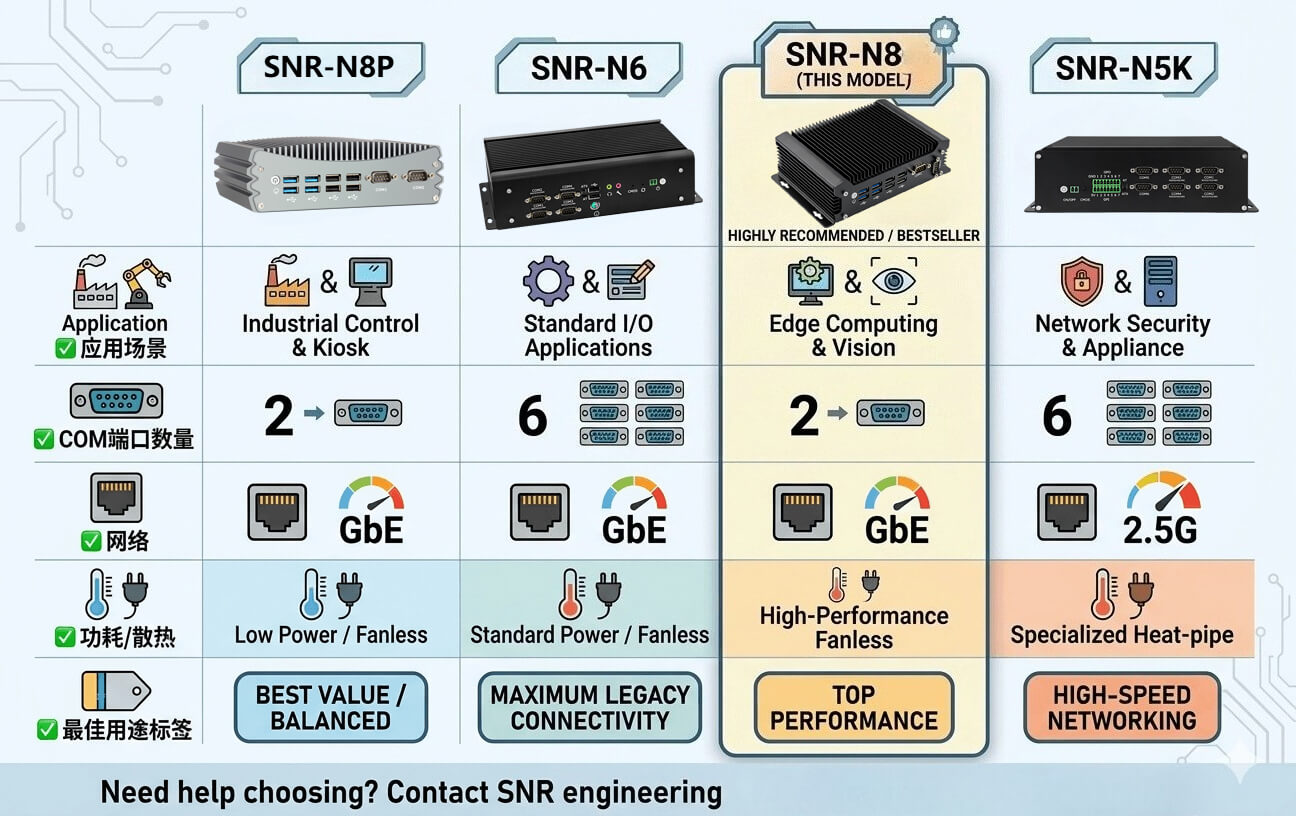
SNR-N6 Fanless Industrial PC
Suitable for:
- Self-service kiosks
- Industrial automation
- Access control systems
- Multi-device serial communication
Key Advantages:
- Fanless aluminium enclosure
- 6 COM ports
- RS485 / RS422 support
- Dual Intel Gigabit LAN
- 14 GPIO
- Wide-voltage 9–36V DC input
Best for:
Projects requiring extensive serial device connectivitySNR-N5K High-Performance Industrial PC
Suitable for:
- Multi-display kiosks
- Digital signage
- Machine vision
- Graphics-intensive applications
Key Advantages:
- AMD Vega graphics
- 4 × HDMI outputs
- 2.5GbE networking
- 6 COM ports
- Industrial I/O support
Best for:
Projects requiring advanced graphics and multiple displaysSNR-IBC-N8 Fanless Industrial PC
Suitable for:
- Self-service kiosks
- Hotel self check-in kiosks
- Visitor management terminals
- Smart locker systems
- Access control systems
- Retail automation equipment
Key Advantages:
- Fanless industrial design
- Compact embedded architecture
- Stable 24/7 operation
- Multiple I/O interfaces
- Easy kiosk integration
- Long-term industrial deployment support
Best for:
General-purpose kiosk controller and self-service terminal applicationsMPC-N1 Fanless Industrial Mini PC
Suitable for:
- Compact kiosk deployments
- Entry-level automation systems
- Space-constrained installations
Best for:
Compact and cost-sensitive projectsMPC-N2 Industrial Mini PC
Suitable for:
- Kiosk controllers
- Industrial networking
- Peripheral integration
Best for:
Network-centric industrial applicationsMPC-N3 Embedded Industrial Computer
Suitable for:
- Smart terminals
- Embedded control systems
- Self-service applications
Best for:
Embedded computing and terminal control projects Deployment Reality: What Integrators Usually Learn Later
 Deployment Reality: What Integrators Usually Learn Later
Many projects initially focus almost entirely on processor performance.
However, real-world deployments often reveal that peripheral connectivity is equally important.
Common issues include:
- Insufficient COM ports
- USB adapter failures
- Lack of GPIO interfaces
- Network limitations
- Power instability
- Future expansion challenges
Therefore, successful kiosk projects typically evaluate the complete hardware ecosystem rather than CPU specifications alone.
What Successful Kiosk Deployments Usually Have in Common
Successful kiosk projects generally follow several common principles.
They typically:
- Choose industrial-grade hardware
- Plan peripheral connectivity early
- Verify software compatibility
- Consider future expansion
- Standardize hardware platforms
- Prioritize long-term reliability
- Reduce unnecessary adapters and converters
These practices help reduce maintenance costs while improving overall system availability.
Conclusion
The industrial PC is the foundation of most self-service kiosks.
Whether the application involves ticketing, hospitality, visitor management, access control or payment processing, the controller computer directly affects system reliability and operational efficiency.
Choosing the right industrial PC for self-service kiosks helps improve peripheral communication, simplify integration and support long-term unattended operation.
Rather than focusing only on processor performance, system integrators should evaluate communication interfaces, power design, environmental requirements and future expansion needs.
Investing in the right industrial PC for self-service kiosks helps improve deployment reliability, reduce maintenance costs and increase long-term project success.
Related Resources
Solution Guides
- Visitor Management System Hardware Guide
- Access Control Kiosk Hardware Guide
- Hotel Self Check-In Hardware Guide
Technical Resources
- Industrial PC for Access Control Kiosks
- Card Dispenser Preventive Maintenance Guide
Recommended Products
- SNR-N6 Fanless Industrial PC
- SNR-IBC-N8 Fanless Industrial PC
- SNR-N5K Industrial Computer
- MPC-N1 Industrial Mini PC
- MPC-N2 Industrial Mini PC
- MPC-N3 Embedded Industrial Computer
FAQ
What is an industrial PC?
An industrial PC is a computer designed for reliable operation in industrial, commercial and unattended environments.
Why use an industrial PC instead of a commercial mini PC?
Industrial PCs generally provide better reliability, more communication interfaces, industrial power support and longer product availability.
What is a fanless industrial PC?
A fanless industrial PC uses passive cooling instead of internal fans, reducing maintenance and improving dust resistance.
Why are fanless industrial PCs popular in self-service kiosks?
Fanless industrial PCs offer higher reliability, lower maintenance requirements and better suitability for unattended operation.
How many COM ports are needed for a kiosk?
The number depends on connected peripherals. Many self-service kiosks require multiple serial devices such as printers, scanners, RFID readers and card dispensers.
What operating systems do industrial PCs support?
Most industrial PCs support Windows, Linux and embedded operating systems.
What is the difference between an industrial mini PC and an embedded computer?
In many applications the terms are used interchangeably. Both are designed for industrial control and long-term operation.
Which industrial PC is recommended for kiosk projects?
The SNR-N6 is suitable for most kiosk control applications, while the SNR-N5K is recommended for projects requiring advanced graphics performance and multi-display support.
Are industrial PCs suitable for outdoor kiosks?
Yes. Many industrial PCs are designed for harsh environments and support wider operating temperatures and industrial power inputs.
Can industrial PCs be used for access control and visitor management systems?
Yes. Industrial PCs are widely used in access control, visitor management, ticketing, hospitality and payment kiosk applications.
Which industrial PC is recommended for most self-service kiosk projects?
For general self-service kiosk applications, the SNR-IBC-N8 is a practical choice due to its fanless design, stable operation and integration-friendly architecture.
Projects requiring extensive serial communication may prefer the SNR-N6, while multi-display and graphics-intensive applications are better suited to the SNR-N5K.