


Blog
How to Choose a Kiosk Printer for Food Service Kiosks?
Introduction
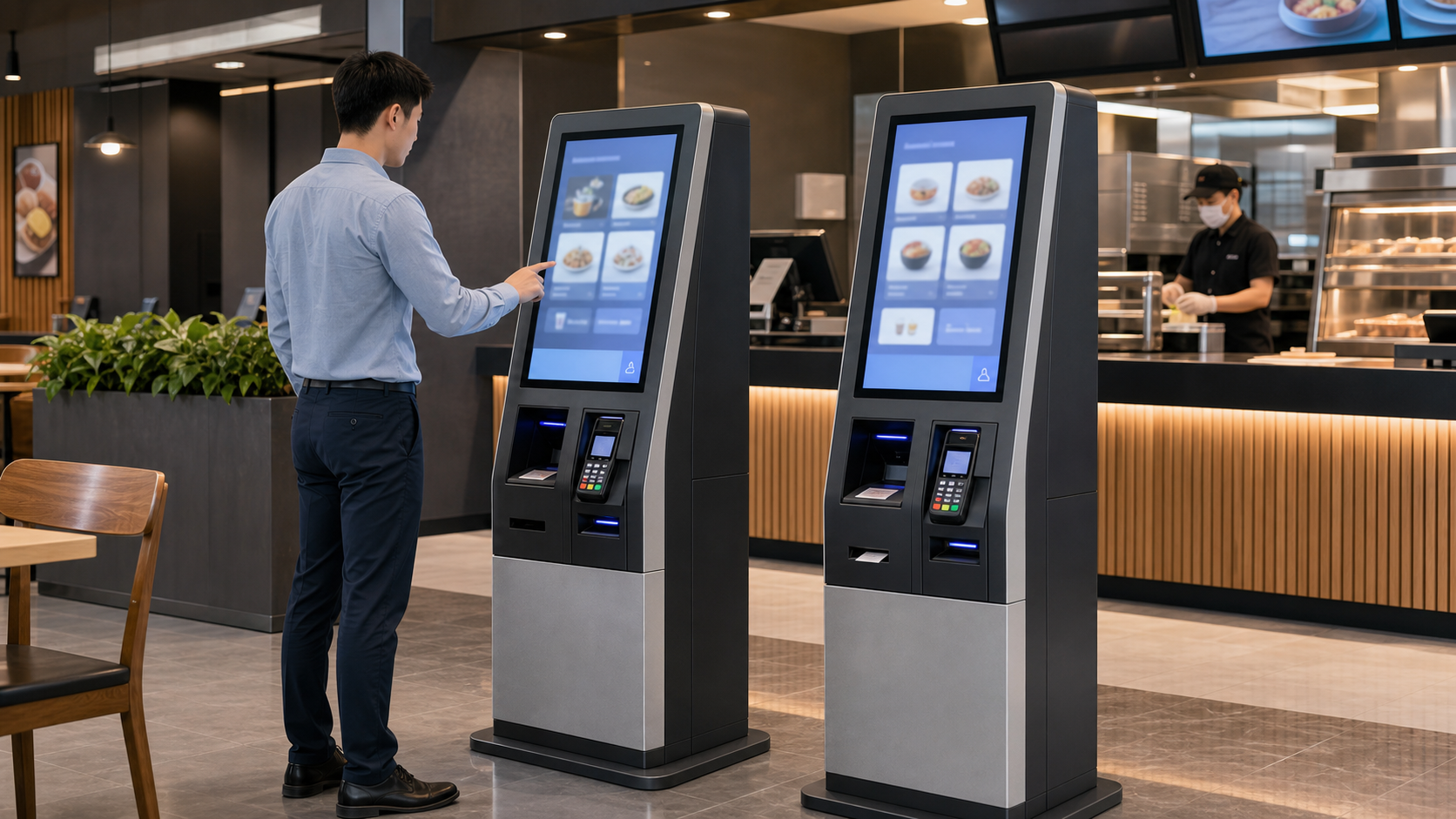
Food service kiosks are not all the same. Some are used for self-ordering. Others handle payment confirmation, pickup ticket printing, queue number output, coupon redemption, loyalty records, campus dining, food court collection, or kitchen reference slips.
That is why a food service kiosk printer should not be selected only by paper width or print speed. The first question is simpler: what job does the printed paper need to do in the service workflow?
In a restaurant or QSR kiosk, the printer may support the customer, the cashier, the kitchen, or the pickup counter. If the printout jams, cuts poorly, becomes hard to collect, or runs out of paper during lunch rush, staff may need to step in. At that point, the kiosk is no longer reducing workload.
For system integrators, kiosk manufacturers, restaurant technology providers, and OEM teams, printer selection should be part of the kiosk hardware architecture. The right choice depends on the printout type, paper width, output method, user behavior, cabinet space, service access, software integration, and rollout plan.
This guide explains how to choose a kiosk printer for food service kiosks using the same logic an experienced project team would use: start from the service workflow, define the printout, choose the paper width, decide whether output control is needed, then shortlist the right SNRO printer direction.
Quick Answer
For many food service kiosks, an 80mm embedded thermal kiosk printer is a practical starting point because it gives enough space for order details, payment information, pickup numbers, QR codes, tax lines, and store content.
However, not every food service kiosk needs an 80mm printer.
Use a 58mm or 60mm compact printer direction when the kiosk prints short queue numbers, pickup tickets, or simple service confirmations.
Use an 80mm kiosk printer direction when the kiosk prints full food service receipts, payment records, QR codes, coupons, or kitchen references.
Use a presenter kiosk printer direction when the kiosk is unattended, high-volume, or affected by users pulling paper too early.
In short, start from the real printout and the service workflow. Then check cabinet space, paper loading, output slot design, interface, driver or SDK resources, and maintenance access.
Food service printer selection is one part of a broader kiosk printer integration decision. Paper width, output method, cutter behavior, SDK support, driver compatibility and maintenance access should be reviewed together before the kiosk structure is finalized.
For a broader overview of embedded printer modules, presenter printers, compact printer options and application-based printer selection, visit our Kiosk Printer Hub.
Food Service Kiosks Create Different Printer Requirements
A food service kiosk is broader than a food ordering kiosk. Ordering is only one workflow.
Food service kiosks may support:
– Self-ordering
– Self-payment
– Pickup ticket printing
– Queue number output
– Meal voucher or coupon printing
– Loyalty or membership records
– Campus dining account references
– Kitchen reference slips
– Collection or delivery confirmation
Each workflow creates a different printer requirement. A pickup kiosk may only need a short ticket. A QSR ordering kiosk may need a full receipt. A food court terminal may need clear pickup numbers and QR codes. A high-volume unattended kiosk may need controlled paper presentation.
This is why the printer should be selected after the service workflow is defined, not before.
For self-ordering kiosk projects, printer selection should be reviewed together with the complete transaction workflow, including ordering, payment, receipt output, scanner verification, POS platform communication and staff service access.
For broader system-level planning, see our Self-Ordering Kiosk Hardware Solution.
Receipt, Ticket, Coupon, or Kitchen Reference: Start With the Printout Type
The safest way to start is to create the real print template.
| Printout Type | Typical Content | Printer Direction |
|---|---|---|
| Full receipt | Order details, payment record, tax, QR code | Usually 80mm |
| Pickup ticket | Order number, pickup code, time | 58mm, 60mm, or 80mm |
| Queue slip | Queue number and service area | Compact printer may fit |
| Coupon slip | Promotion, QR code, loyalty reference | Depends on layout |
| Kitchen reference | Order summary and modifiers | Usually 80mm |
| Service confirmation | Short transaction or account reference | Depends on content |
Do not choose the printer from a product list first. Print a realistic sample with real menu names, modifiers, QR codes, tax lines, and store information. Then check whether the layout is readable on 58mm, 60mm, or 80mm paper.
Food service kiosks and retail self-checkout systems often share similar receipt output requirements, especially when the printer must handle payment records, QR codes, coupons, customer receipts and high-frequency transaction output.
For related retail transaction hardware planning, see our Self-Checkout Hardware Solutions.
58mm vs 80mm Kiosk Printer for Food Service Kiosks
Paper width is one of the most important early decisions.
| Selection Point | 58mm / 60mm Printer | 80mm Printer |
|---|---|---|
| Best fit | Short pickup tickets or queue slips | Full food service receipts |
| Printout length | Short service confirmation | Longer order and payment records |
| QR code room | Limited, must be tested carefully | More layout room for QR codes |
| Cabinet space | Easier for compact kiosks | Requires more internal space |
| Paper replacement | Usually smaller paper capacity | Often better for busy sites |
| Food service use | Queue, pickup, simple service tickets | Ordering, payment, tax, and service receipts |
Use 58mm or 60mm when the printout is short and the kiosk cabinet is compact.
Use 80mm when the printout includes order details, modifiers, payment information, QR codes, taxes, coupons, or kitchen references. For many restaurant and food court projects, 80mm gives the software team more layout room and gives the operator more flexibility after pilot testing.
When the team is unsure whether the kiosk should use 58mm, 60mm or 80mm paper, test the real receipt layout before finalizing the printer direction.
For a broader comparison, see our 58mm vs 80mm kiosk printer selection guide.
When the food service kiosk mainly prints pickup tickets, queue numbers or short service slips, the printer selection logic may be closer to queue management systems than full receipt terminals.
For queue-focused ticket printing applications, see our Queue Management System Hardware.
Standard Output vs Presenter Printer
The next decision is how the user collects the paper.
A standard embedded kiosk printer prints and cuts the paper directly at the output slot. This can work well in supervised food service areas where staff are nearby and users collect receipts normally.
A presenter printer controls the paper before presenting it to the user. This is useful when the kiosk is unattended, when users may pull the paper early, or when uncollected receipts can create service problems.
| Selection Point | Standard Kiosk Printer | Presenter Kiosk Printer |
|---|---|---|
| Best fit | Simple receipt or ticket output | Controlled paper presentation |
| User behavior | Works when users collect normally | Better when early pulling is a concern |
| Mechanical design | Usually simpler | Requires more output-slot planning |
| Cost direction | Often more cost-sensitive | Often used for higher-reliability workflows |
| Food service fit | Staff-supervised service area | Unattended or high-volume kiosk |
For busy QSR, food court, or unattended pickup kiosks, output behavior should be tested early. A printer that works on the bench can still create problems if users pull the paper before cutting is complete.
If the kiosk is unattended or users often pull the paper before cutting is complete, the difference between standard output and presenter-controlled output should be evaluated carefully.
For a deeper comparison, see our presenter printer vs auto cutter printer for unattended kiosks.
Key Selection Points for Food Service Kiosk Printer Projects
Once the printout type, paper width, and output method are clear, review the engineering details.
1. Printout Layout
Start with real food service data, not placeholder text.
Review:
– Long menu names
– Modifiers and options
– Payment details
– Tax lines
– QR codes or barcodes
– Pickup numbers
– Coupon or loyalty content
– Multilingual text if required
If the receipt becomes crowded during layout testing, move to a wider printer before the enclosure is fixed.
2. Cabinet Space and Paper Roll Position
The printer must fit the cabinet with enough space for the paper roll, output path, cable routing, and service access.
Check:
– Printer body size
– Paper roll diameter
– Output slot alignment
– Cable direction
– Mounting bracket or fixing method
– Space around payment and scanner modules
Late printer changes can affect sheet metal, plastic parts, wiring, and service doors.
3. Paper Loading and Maintenance Access
Paper replacement is a field operation, not only a mechanical detail.
Staff should be able to:
– Open the service area quickly
– Replace paper without removing nearby modules
– Clear simple paper path issues
– See printer status when required
– Return the kiosk to service without engineering support
During lunch rush or event traffic, a difficult paper replacement process can turn a small printer issue into kiosk downtime.
4. Cutter, Presenter, and Output Slot
The output slot should match the printer structure and user behavior.
Review:
– Cutter position
– Presenter path if used
– Outlet angle
– Receipt curl behavior
– User hand access
– Risk of early pulling
– Paper jam recovery
The printer, cutter, presenter, and kiosk panel should be tested together.
5. Interface, Driver, and SDK
Food service kiosks may use Windows, Linux, Android, or embedded controller platforms.
Before selecting the printer, review:
– USB, serial, or other interface requirement
– Driver availability
– SDK availability
– Command support
– Paper-out, cover-open, cutter, or jam status
– POS, cloud platform, or food service software integration
Do not test only one print command. Test the full ordering, payment, and print workflow.
6. Pilot and Rollout Planning
The printer chosen for prototype testing should be realistic for future deployment.
For multi-location projects, use pilot testing to confirm:
– Paper consumption
– Paper replacement frequency
– Real receipt length
– QR code scanning quality
– User collection behavior
– Printer status monitoring
– Staff maintenance process
If the printer changes after pilot testing, the enclosure, software, wiring, and service workflow may all need to be checked again.
Recommended SNRO Kiosk Printer Models
Once the printout type, paper width, output method, and service access are clear, the model shortlist becomes much easier.
Use the models below as practical starting points. Final approval should still be based on the real printout, cabinet design, operating system, interface, paper loading method, and deployment quantity.
SNR-KP800-VX 80mm Kiosk Printer for Food Service Kiosks
Choose SNR-KP800 Series when the food service kiosk needs standard 80mm receipt or ticket output, such as QSR self-service kiosks, food court ordering terminals, restaurant service kiosks, campus dining terminals and full receipt workflows.
The 80mm paper width gives more room for order details, QR codes, payment information and store content, making it a practical direction when receipt clarity and layout flexibility matter.
SNR-KP802-VX Presenter Kiosk Printer for High-Volume Food Service Kiosks
Choose SNR-KP802-VX when controlled paper output is important, especially for unattended service terminals, high-volume QSR kiosks, food court kiosks and projects where users may pull receipts before cutting is complete.
Presenter-style output can help when user behavior affects paper handling and receipt collection reliability.
SNR-KP805 Kiosk Thermal Printer for Food Service Receipt Output
Choose SNR-KP805 when the project needs a cost-sensitive 80mm printer direction for restaurant service kiosks, payment confirmation terminals, food court terminals and multi-location rollout planning.
This direction is suitable when the project needs 80mm output but still needs to manage hardware cost, service access and deployment scale.
SNR-KP602 Series Compact Kiosk Printer for Pickup Tickets and Queue Numbers
Choose SNR-KP602 Series when the kiosk is compact and the printout is short, such as pickup ticket kiosks, queue number terminals, compact food service terminals and small-format confirmation slip applications.
This direction should still be tested with real ticket content, QR codes and service information before enclosure approval.
Final Selection Checklist
Before approving a food service kiosk printer, review the choice with the mechanical, electrical, and software teams.
| Check Item | Why It Matters |
|---|---|
| Real printout sample | Confirms whether 58mm, 60mm, or 80mm is suitable |
| Printout type | Receipt, pickup ticket, queue slip, coupon, or kitchen reference may need different layouts |
| QR code or barcode content | Needs enough width and print clarity |
| Cabinet space | Prevents conflict with payment device, scanner, controller, and wiring |
| Paper roll space | Affects refill frequency and service access |
| Paper loading method | Determines whether staff can reload paper quickly |
| Output method | Standard output or presenter affects user collection behavior |
| Cutter or presenter position | Must match the outlet and user collection angle |
| Interface | Must match the host controller and software plan |
| Driver or SDK availability | Reduces integration risk during prototype testing |
| Printer status feedback | Helps software handle paper-out, cutter, or jam events |
| Pilot test result | Confirms performance before rollout |
If several items are still uncertain, do not lock the enclosure yet. Test the printer, printout, and kiosk structure together first.
What Successful Deployments Usually Have in Common
Successful food service kiosk printer deployments usually share the same pattern: the printer is selected early and tested as part of the complete service workflow.
In successful projects:
– Print layouts are tested with real menu and service data.
– Paper width is chosen from the real printout, not from assumption.
– Paper replacement is simple for staff.
– The output slot matches user collection behavior.
– Driver and SDK resources are confirmed early.
– QR codes and barcodes are tested with real scanners.
– Printer status handling is defined where required.
– Pilot testing reflects peak-hour service.
These details reduce the gap between a demo printer and a kiosk that stays available during busy service periods.
Conclusion
Choosing a kiosk printer for a food service kiosk is not only about print speed or price. The printer must match the printout format, kiosk enclosure, user behavior, software platform, maintenance workflow, and rollout plan.
For full food service receipts, an 80mm embedded thermal printer such as the **SNR-KP800 Series** is a practical starting point. For controlled output, the **SNR-KP802-VX presenter direction** may be worth evaluating. For cost-sensitive 80mm workflows, **SNR-KP805** can be considered. For compact ticket-only terminals, **SNR-KP602 Series** may fit if the real printout remains readable.
The safest approach is simple: define the printout, test it with real food service data, confirm cabinet and service access, then approve the printer before mass production.
Related Products
- Kiosk thermal printers for food service kiosks
- SNR-KP800-VX 80mm kiosk printer for restaurant self-service terminals
- SNR-KP802-VX presenter kiosk printer for unattended food service kiosks
- SNR-KP805 kiosk thermal printer for food court and restaurant terminals
- SNR-KP602 compact kiosk printer for pickup tickets and queue slips
- Panel mount printers for compact ordering kiosks
Related Resources
- Kiosk printer integration knowledge hub
- Self-ordering kiosk hardware system solution
- Self-service kiosk hardware system architecture
- Food ordering kiosk printer selection guide
- Panel mount printer guide for compact ordering kiosks
Technical Resources
- Drivers, SDKs and technical downloads for kiosk printer integration
- Linux kiosk printer integration guide for food service kiosks
- Kiosk printer SDK and status feedback guide for food service systems
- Maintenance accessibility for food service kiosk hardware
Related Solutions
- Self-ordering kiosk hardware system solution
- Self-checkout hardware systems for retail receipt printing workflows
- Queue management hardware for pickup ticket and queue number printing
- Ticket vending machine hardware for unattended ticket and receipt output
FAQ
What printer is best for a food service kiosk?
For many food service kiosks, an 80mm embedded thermal kiosk printer is a practical starting point. It provides enough width for order details, payment information, pickup numbers, QR codes, and service records.
Is a 58mm printer enough for a food service kiosk?
A 58mm or 60mm printer may be enough for queue tickets, pickup slips, or short confirmations. For full receipts, detailed orders, payment records, coupons, or QR codes, 80mm is usually more flexible.
Should a food service kiosk use a presenter printer?
A presenter printer may be useful when the kiosk is unattended, high-volume, or affected by users pulling paper early. For simpler supervised kiosks, a standard embedded printer may be enough.
What should be tested before choosing a food service kiosk printer?
Test real receipt and ticket layouts, QR code readability, barcode readability, paper replacement, output slot alignment, driver support, SDK integration, and long-duration operation during realistic peak periods.
What operating systems should a food service kiosk printer support?
Food service kiosks may use Windows, Linux, Android, or embedded platforms. Driver, SDK, and command support should be confirmed before selecting the printer.
Why is paper replacement important in food service kiosks?
Paper replacement often happens during service hours. If staff cannot replace paper quickly, the kiosk may become unavailable during peak demand.
Which SNRO printer models can be considered for food service kiosk projects?
For standard 80mm receipt output, consider the SNR-KP800 Series. For controlled paper presentation, evaluate SNR-KP802-VX. For cost-sensitive 80mm output, consider SNR-KP805. For compact short-ticket workflows, evaluate SNR-KP602 Series.
Can SNRO recommend a printer for a food service kiosk project?
Yes. SNRO can help evaluate a suitable printer direction based on printout type, paper width, operating system, interface, enclosure space, output method, and expected deployment quantity.
Need Help Choosing a Printer for Your Food Service Kiosk?
If you are designing a QSR self-service kiosk, food court ordering terminal, restaurant payment kiosk, pickup ticket machine, campus dining terminal or unattended food service system, SNRO can help review your printer direction before prototype testing.
Share your printout type, receipt sample, paper width requirement, output method, cabinet space, operating system, interface, paper loading method and expected deployment quantity. Our team will recommend a suitable kiosk printer direction for your food service application.



