Blog
How to Choose an Android POS Terminal for Retail, Restaurant and Mobile Business

Choosing an Android POS terminal can look straightforward when you are comparing products online.
There is a screen size.
A processor.
RAM and storage.
Maybe a built-in printer.
Then there is Android version, Wi-Fi, Bluetooth and a list of interfaces.
On paper, the comparison seems simple.
The problem is that most POS projects do not fail because somebody selected the wrong processor.
They run into trouble because the hardware does not fit the way the business actually operates.
A restaurant may install a perfectly good POS terminal at the counter, then realize that staff still need to walk back and forth from the dining area just to enter orders.
A retailer may choose a compact handheld device, only to find that the POS software is uncomfortable to use once the product catalog becomes larger.
Another project may choose a POS terminal with a built-in printer even though receipts are always printed at a fixed counter.
The hardware works.
It is just not the right setup.
That is an important difference.
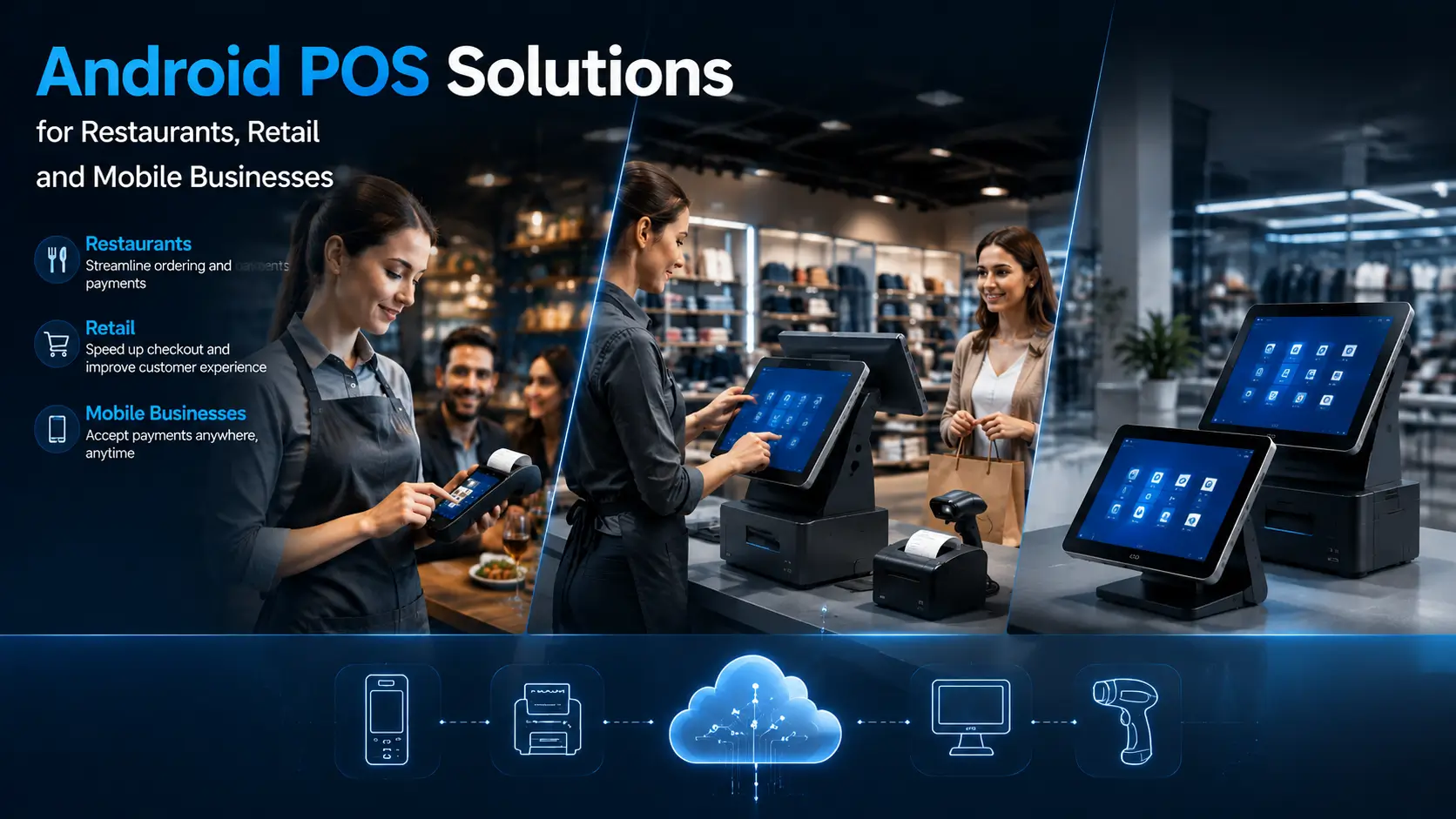
An Android POS terminal is not one fixed type of product. It can be a compact cash register, a 15-inch countertop terminal, a dual-screen retail system or a handheld device carried by restaurant staff.
They may all run Android.
They are designed for very different workflows.
This guide looks at Android POS hardware from a practical selection perspective.
We will cover:
- Countertop POS vs handheld POS
- When a built-in thermal printer is useful
- How screen size affects daily operation
- Android POS hardware for retail
- Android POS hardware for restaurants
- Android POS vs Windows POS
- Peripheral and software integration
- Common hardware selection mistakes
- Recommended POS hardware configurations for different projects
The objective is not to find the Android POS terminal with the longest specification sheet.
It is to choose hardware that makes sense once the system is actually deployed.
What Is an Android POS Terminal?
An Android POS terminal is a point-of-sale device built around the Android operating system.
Depending on the hardware design, it may combine several functions in one unit, including:
- Touchscreen operation
- POS application processing
- Barcode scanning
- Wireless communication
- NFC or contactless functions
- Receipt printing
- Customer-facing display
- Connection to external peripherals
But this definition alone does not tell you very much about which hardware to choose.
The physical format matters just as much as the operating system.
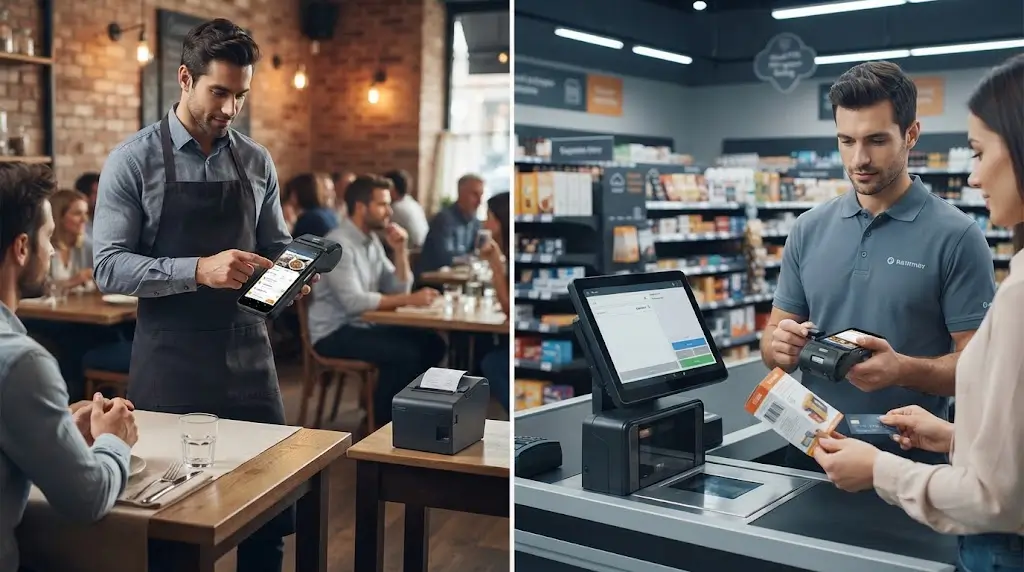
A fixed retail counter may use a 15-inch touchscreen POS terminal with a separate receipt printer and barcode scanner.
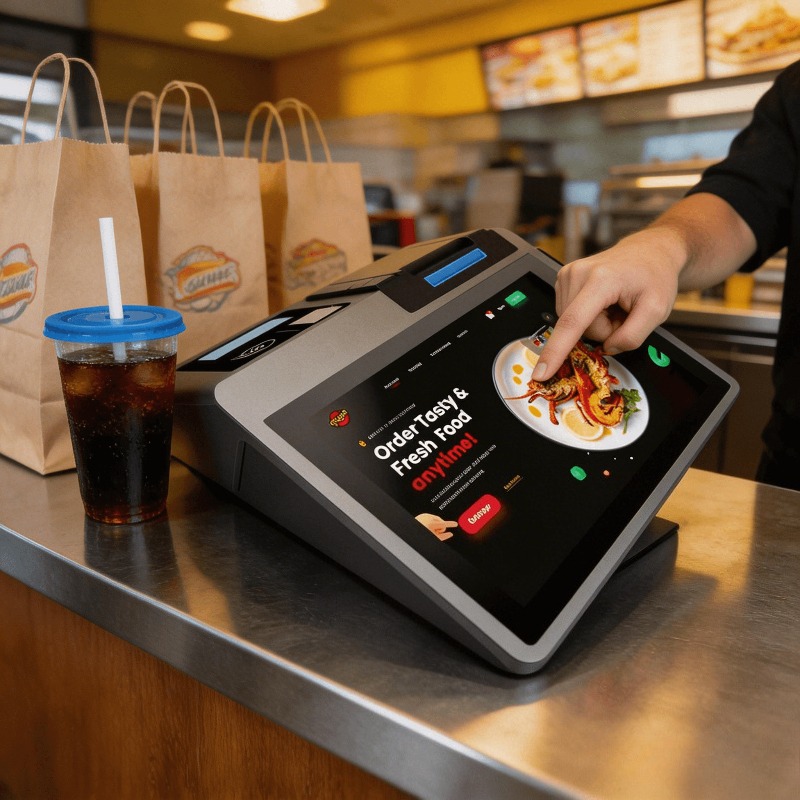
A small coffee shop may prefer a compact Android cash register to save counter space.
A restaurant with table service may need handheld Android devices so staff can take orders away from the main cashier station.
A delivery or field service project may require a portable terminal with battery operation and an integrated printer.
All of these can be described as Android POS systems.
They should not be selected in the same way.
For most projects, the better starting point is not:
Which Android POS terminal has the best specifications?
It is:
Where will the device be used, and what does the operator actually need to do with it?
That question usually leads to a much more practical hardware decision.
The First Decision: Countertop POS or Handheld POS?
Before comparing processors or screen sizes, decide whether the POS terminal will stay in one place.
This is usually the decision that shapes the rest of the hardware configuration.
A fixed device and a mobile device may run the same application but have completely different requirements for:
- Screen size
- Power supply
- Battery operation
- Connectivity
- Receipt printing
- Peripheral integration
- Physical installation
Countertop Android POS Terminals
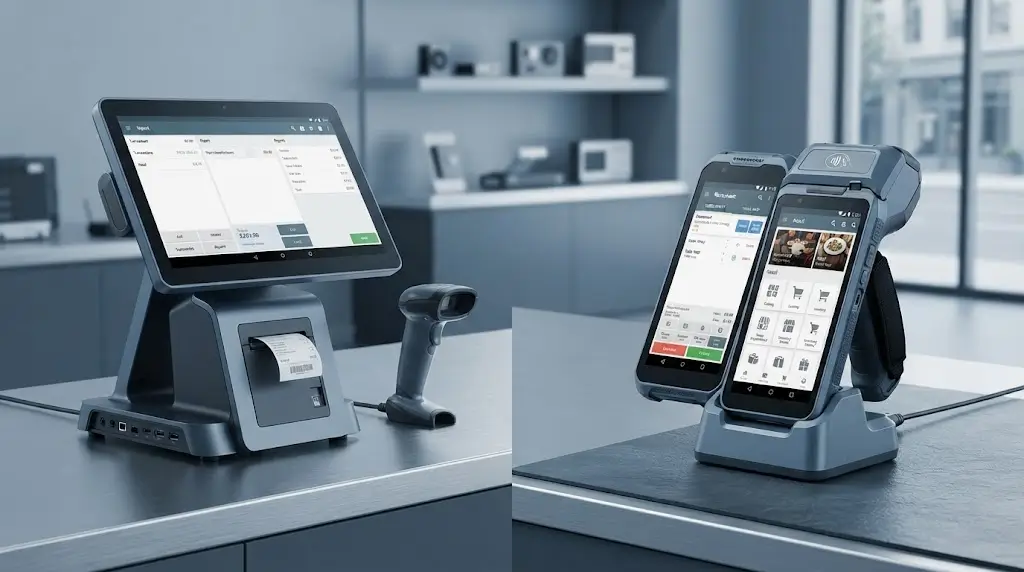
A countertop POS terminal is designed around a fixed transaction point.
Typical applications include:
- Retail stores
- Convenience stores
- Coffee shops
- Supermarkets
- Restaurant cashier stations
- Reception counters
The main advantage is that the hardware does not need to move.
That allows the system to use a larger display and connect more peripherals when necessary.
A typical fixed POS workstation may include:
- Touchscreen POS terminal
- Barcode scanner
- Thermal receipt printer
- Cash drawer
- Customer-facing display
- Ethernet connection
This type of setup works well when the customer comes to the checkout point.
For example, a small retail counter may only need a compact Android POS terminal and a scanner.
A larger store may need a 15-inch terminal with a separate receipt printer and additional peripherals.
The hardware can be selected around the counter layout rather than around portability.
For fixed POS applications, models such as the SNR-DP200, SNR-DP300, SNR-DP81 and SNR-DPC200 represent the type of larger touchscreen hardware commonly used in countertop environments.
The final configuration should still depend on the POS software, required interfaces and peripheral setup.
A larger screen alone does not make the system more suitable.
Handheld Android POS Terminals
A handheld POS terminal is designed around a different idea.
The transaction point moves.
Instead of asking the customer to come to the POS counter, the operator can take the device to where the order or transaction happens.
This is useful in:
- Restaurant table service
- Mobile retail
- Delivery
- Queue busting
- Field service
- Events
- Temporary sales locations
This changes the hardware priorities.
Screen size becomes a balance between usability and portability.
Battery operation becomes important.
Wireless connectivity matters more.
And if a receipt needs to be issued immediately, an integrated thermal printer may become part of the hardware requirement.
A general handheld Android POS device such as the SNR-Z108 may be suitable where the main requirement is mobile operation without turning the device into a complete mobile printer.
Other projects may need a more integrated configuration.
The important thing is not to assume that every mobile POS application needs the same type of handheld device.
A restaurant taking orders, a delivery driver printing receipts and a retail employee checking stock may all carry Android hardware.
Their workflows are still different.
Do You Need a Built-In Thermal Printer?
This is another decision that is often treated as a product feature comparison.
In practice, it should be a workflow decision.
A built-in thermal printer is useful when the receipt needs to be printed at the same location where the transaction happens.
If printing always happens somewhere else, integrating a printer into the POS terminal may simply add cost, size and maintenance requirements.
When a Built-In Printer Makes Sense
An integrated thermal printer is particularly useful when the device needs to operate independently.
Common examples include:
- Table-side restaurant payment
- Delivery
- Mobile retail
- Field service
- Outdoor events
- Temporary sales locations
In these situations, carrying a separate printer is not always practical.
The operator may need to complete the entire transaction using one device.
That is where a mobile POS terminal with a built-in printer makes sense.
The SNR-Z90 and SNR-Z92, for example, are positioned toward this type of mobile workflow, where the POS terminal and receipt printing function are combined into one portable device.
The advantage is not simply that there is one less device to carry.
It also simplifies the working process.
The operator does not need to complete the transaction on one device and then find another printer.
For some mobile deployments, that difference is significant.
When an External Receipt Printer Makes More Sense
A built-in printer is not automatically the better option.
For a fixed cashier station, a separate receipt printer can be more practical.
This is especially true when:
- Receipt volume is relatively high
- Larger paper capacity is required
- The printer needs to be serviced or replaced independently
- Multiple POS terminals may share a printing setup
- The printer and display need to be positioned separately
A typical fixed retail workstation may therefore use a POS terminal together with a dedicated thermal receipt printer.
This approach also provides more flexibility when the printer requirements change later.
For example, the POS terminal can remain in service while the receipt printer is upgraded or replaced.
The key question is simple:
Does the receipt need to be printed where the POS terminal is being used?
If the answer is yes, an integrated printer may be useful.
If the answer is no, a separate printer may provide a cleaner system design.
Screen Size Matters More Than Many POS Projects Expect
Screen size is usually presented as a specification.
In daily operation, it affects how quickly and comfortably staff can use the POS software.
A small screen can be practical when portability is important.
A larger screen gives the operator more workspace.
Neither is automatically better.
It depends on what the application needs to display.
Compact Handheld Screens
Handheld POS devices need to remain practical to carry.
That usually means a smaller display.
For restaurant staff, delivery personnel or mobile sales teams, this is often a reasonable trade-off.
The device can be moved easily between customers.
But there is less screen space available for complex POS software.
If the application contains:
- Large product catalogs
- Multiple order windows
- Detailed customer information
- Inventory management
- Complex reporting
a very small display may become inconvenient.
This should be checked using the actual POS application whenever possible.
A product can look suitable based on specifications and still be uncomfortable to operate once the real software is installed.
For mobile workflows where portability is the priority, compact handheld POS hardware such as the SNR-Z81 or SNR-Z108 may be appropriate depending on the required configuration.
Medium-Sized Screens for Counter Service
Not every business needs a full-size desktop POS terminal.
Smaller counters, coffee shops and compact retail environments may benefit from a smaller Android POS or cash register design.
The SNR-Z100 fits this type of direction.
A compact POS terminal can make more sense when:
- Counter space is limited
- The POS software is relatively simple
- The transaction happens at one fixed location
- A large display is unnecessary
This is a good example of why bigger hardware is not always better.
If the business only needs a straightforward checkout workflow, installing a large POS workstation may not provide much additional value.
The hardware should fit the available space and the actual software interface.
15-Inch and Larger POS Displays
Larger POS terminals are generally more comfortable for fixed cashier operations.
They provide more space for:
- Product categories
- Order management
- Customer information
- Inventory functions
- Transaction history
- Staff operations
For retail stores and larger restaurant counters, this additional workspace can make daily operation easier.
Models such as the SNR-DP200, SNR-DP300, SNR-DP81 and SNR-DPC200 are examples of larger touchscreen POS terminal formats intended for this type of fixed environment.
However, screen size should still be evaluated alongside the POS software.
A 15-inch display may be appropriate for a complex retail interface.
It may be unnecessary for a simple coffee shop checkout system.
Again, the application comes first.
The screen should support it.
Android POS for Retail Applications
Retail is a broad category.
A small convenience store and a multi-counter specialty retailer may both need POS hardware, but the equipment requirements can be very different.
The starting point should be the checkout workflow.
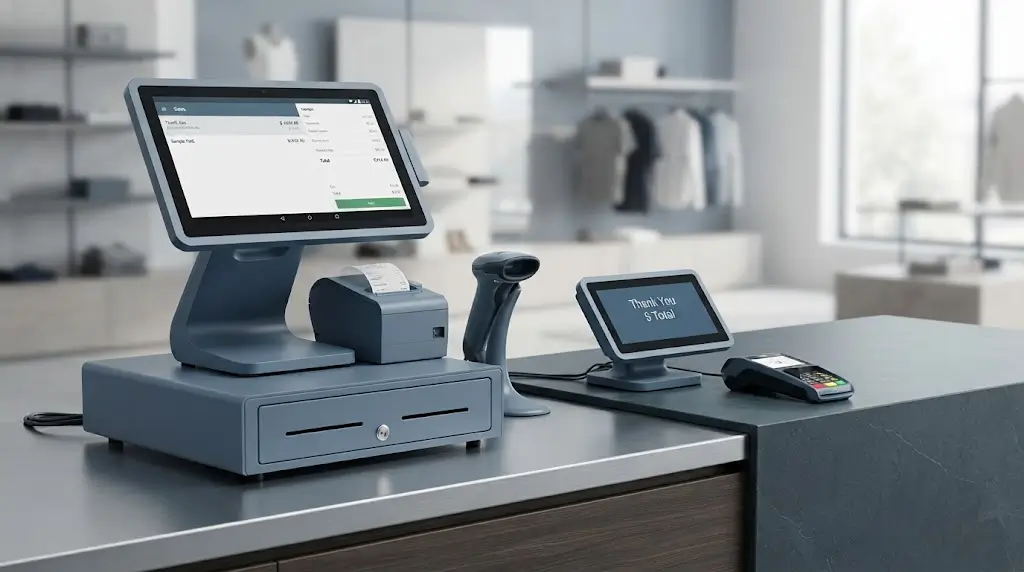
A compact store may need:
- Touchscreen POS
- Barcode scanner
- Receipt printer
A larger retail workstation may also require:
- Customer display
- Cash drawer
- Multiple USB peripherals
- Network connection
- Additional payment hardware
The POS terminal should be part of that overall setup.
Not treated as an isolated product.
Small Retail Counters
For smaller retail environments, counter space is often a real limitation.
A compact Android POS terminal may be sufficient when the system is mainly used for:
- Product selection
- Barcode scanning
- Basic payment workflow
- Receipt printing
The SNR-Z100 can be considered for projects looking for a compact Android cash register or POS configuration.
Whether the system uses a built-in or external printer should still depend on the installation design.
For a small counter, reducing unnecessary hardware can sometimes make the workstation easier to operate.
A complicated setup is not automatically a better setup.
Retail POS with a Larger Touchscreen
As the POS workflow becomes more complex, a larger display can become more useful.
Retail software may need to manage:
- Large product catalogs
- Promotions
- Customer records
- Loyalty programs
- Inventory functions
- Multiple transaction options
Trying to fit too much information onto a compact screen can slow down the operator.
For a fixed retail counter, a larger touchscreen terminal may provide a more comfortable working environment.
The SNR-DP200, SNR-DP300, SNR-DP81 and SNR-DPC200 represent different desktop POS hardware directions for this type of application.
The right model should be selected based on:
- Required operating system
- Screen configuration
- Processor requirements
- Peripheral interfaces
- Installation space
The model number should be the result of the selection process, not the starting point.
Dual-Screen Retail POS Systems
A second display can be useful when the customer needs to see information during the transaction.
This may include:
- Order details
- Prices
- Promotions
- Loyalty information
- Customer confirmation
The operator uses the main display while the second screen provides information to the customer.
The SNR-DPA8 is suited to this type of dual-screen POS configuration.
But there is a simple rule worth following.
Do not add a second screen simply because it looks more advanced.
The POS software should have a clear purpose for it.
If the customer-facing interface is not being used, a standard single-screen terminal may be the more practical and cost-effective choice.
A Simple Retail POS Hardware Selection Process
Before selecting the POS terminal, it is useful to answer a few practical questions.
How Much Counter Space Is Available?
This helps determine whether the project needs:
- Compact POS hardware
- Standard desktop POS
- Dual-screen configuration
Physical installation space should be checked before selecting the terminal.
How Are Products Identified?
If the business relies heavily on barcode scanning, the scanner should be considered as part of the system from the beginning.
Confirm whether the project needs:
- External scanner
- Wireless scanner
- USB connection
- Integrated scanning capability
The choice depends on how staff actually use the system.
Where Will Receipts Be Printed?
Determine whether receipts are:
- Printed at the POS counter
- Printed directly where the staff member serves the customer
- Sent digitally
- Only printed occasionally
This decision affects whether a built-in or external printer is more suitable.
Does the Customer Need a Display?
If the customer needs to view order information, prices or promotional content, a dual-screen configuration may be useful.
If not, additional display hardware may provide little practical benefit.
At this stage, the main difference between retail and restaurant deployments starts to become clearer.
Retail transactions are often centered around a fixed checkout point.
Restaurants are more complicated.
The order may begin at the table, payment may happen somewhere else, and staff may need to move between multiple areas throughout the day.
That is where handheld Android POS hardware becomes much more relevant.
Android POS for Restaurant Applications
Restaurant POS projects are often more complicated than they first appear.
A retail checkout usually has a clear transaction point.
The customer comes to the counter.
The cashier operates the POS terminal.
The receipt is printed.
In a restaurant, the workflow can move.
An order may be taken at the table.
It may be modified later.
Payment may happen at the table or at a central cashier station.
Receipts may be printed in different locations.
That is why restaurant POS hardware should not be selected as though every transaction happens at one fixed counter.
The first thing to understand is where the staff actually work.
Fixed Counter Restaurant POS
A fixed POS terminal is still the center of many restaurant operations.
It may be used for:
- Counter orders
- Takeaway orders
- Payment processing
- Order management
- Staff operations
- Daily sales management
For this type of workflow, a larger touchscreen POS terminal can provide a comfortable working environment.
The POS station may also connect to:
- Thermal receipt printer
- Cash drawer
- Barcode scanner
- Customer display
- Kitchen printer
- Network peripherals
The exact configuration depends on the restaurant software.
A quick-service restaurant with counter ordering may operate almost like a retail checkout.
A full-service restaurant may use the fixed terminal mainly as the management point while staff work with handheld devices in the dining area.
Those two deployments should not use the same hardware assumptions.
Table-Side Ordering and Payment
This is where handheld Android POS terminals become more useful.
Instead of taking an order manually and entering it later at the cashier station, restaurant staff can carry the device directly to the table.
Depending on the POS software, the handheld terminal may support:
- Table identification
- Menu selection
- Order entry
- Order modification
- Customer information
- Payment workflow
- Receipt printing
The practical advantage is straightforward.
The staff member can enter information where the customer interaction happens.
During busy service periods, this can reduce unnecessary movement between the dining area and the main terminal.
A general-purpose handheld Android POS device such as the SNR-Z108 can be suitable when portability and Android application operation are the main requirements.
However, not every table-side workflow needs an integrated printer.
That depends on what happens after the order is entered.
If receipts are always issued from a fixed location, a handheld terminal without a printer may be enough.
Restaurant Handheld POS with Built-In Printer
Some restaurant operations need staff to complete the transaction without returning to the counter.
This is common in:
- Table-side payment
- Outdoor dining
- Food trucks
- Temporary service areas
- Mobile catering
- Event-based food service
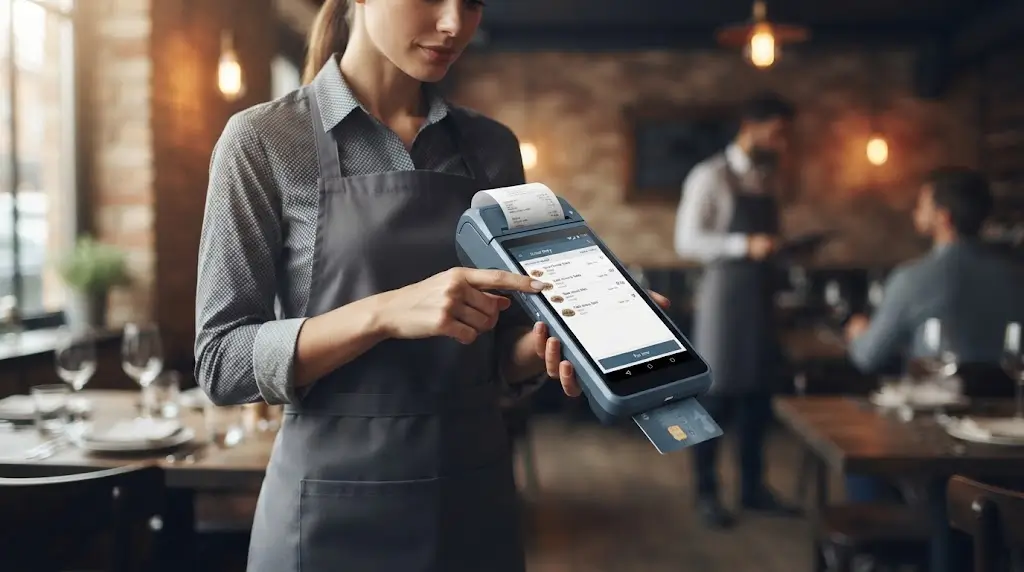
In these situations, a handheld POS terminal with an integrated thermal printer can simplify the equipment carried by staff.
The SNR-Z90 and SNR-Z92 are better suited to this type of requirement because the POS device and receipt printer are combined into one mobile unit.
But integrated printing should not automatically be treated as an upgrade.
For a busy restaurant with a fixed cashier area and high receipt volume, a dedicated receipt printer may still be easier to manage.
The question is not:
Does this POS terminal have a printer?
The better question is:
Where does the receipt actually need to be printed?
That distinction avoids a lot of unnecessary hardware configuration.
When Does a Handheld Android POS Make More Sense?
A handheld POS terminal makes sense when the transaction or service point moves.
That sounds obvious, but many projects still begin by choosing a traditional countertop terminal because it looks like standard POS hardware.
Then the deployment starts.
Staff still need to walk back to the main terminal.
Orders are written down first.
Information is entered later.
A mobile workflow is forced into a fixed hardware setup.
That is usually when handheld POS hardware starts to make more sense.
Restaurant Service
Restaurant staff can take orders directly at the table instead of returning to a central terminal.
This is particularly useful for:
- Full-service restaurants
- Bars
- Cafés
- Outdoor dining
- Large dining areas
The larger the service area becomes, the more relevant mobility can be.
A handheld device is not necessarily intended to replace every fixed POS terminal.
In many deployments, the two work together.
The fixed terminal handles central operations.
Handheld devices extend the POS workflow into the dining area.
Queue Busting in Retail
A handheld POS can also provide an additional transaction point during busy periods.
Instead of installing another complete cashier workstation, staff can move the device to where customers are waiting.
This can be useful for:
- Retail stores
- Pop-up stores
- Seasonal promotions
- Events
- Temporary checkout areas
The benefit is flexibility.
The hardware can support additional transactions when needed without permanently occupying another counter.
Delivery and Mobile Sales
For delivery or field sales, the transaction may happen far away from a traditional POS counter.
The device may therefore need:
- Battery operation
- Wireless connectivity
- Compact size
- Reliable Android application support
- Optional receipt printing
A mobile POS terminal with a built-in printer can be practical in this type of environment.
The SNR-Z90 and SNR-Z92 are relevant where the operator needs to process the transaction and print a receipt using the same device.
For other projects, a more compact handheld terminal without integrated printing may be sufficient.
Again, the configuration should follow the workflow.
Field Service and Temporary Operations
Some businesses do not operate from a fixed cashier location at all.
Examples include:
- Field service teams
- Exhibition sales
- Temporary events
- Mobile retail
- Transportation services
In these environments, portability may be more important than a large display.
The device may need to operate throughout the day without being permanently connected to a counter, printer or wired network.
That changes how the POS hardware should be evaluated.
A device that is ideal for a retail checkout may be completely impractical for a field operation.
The form factor matters.
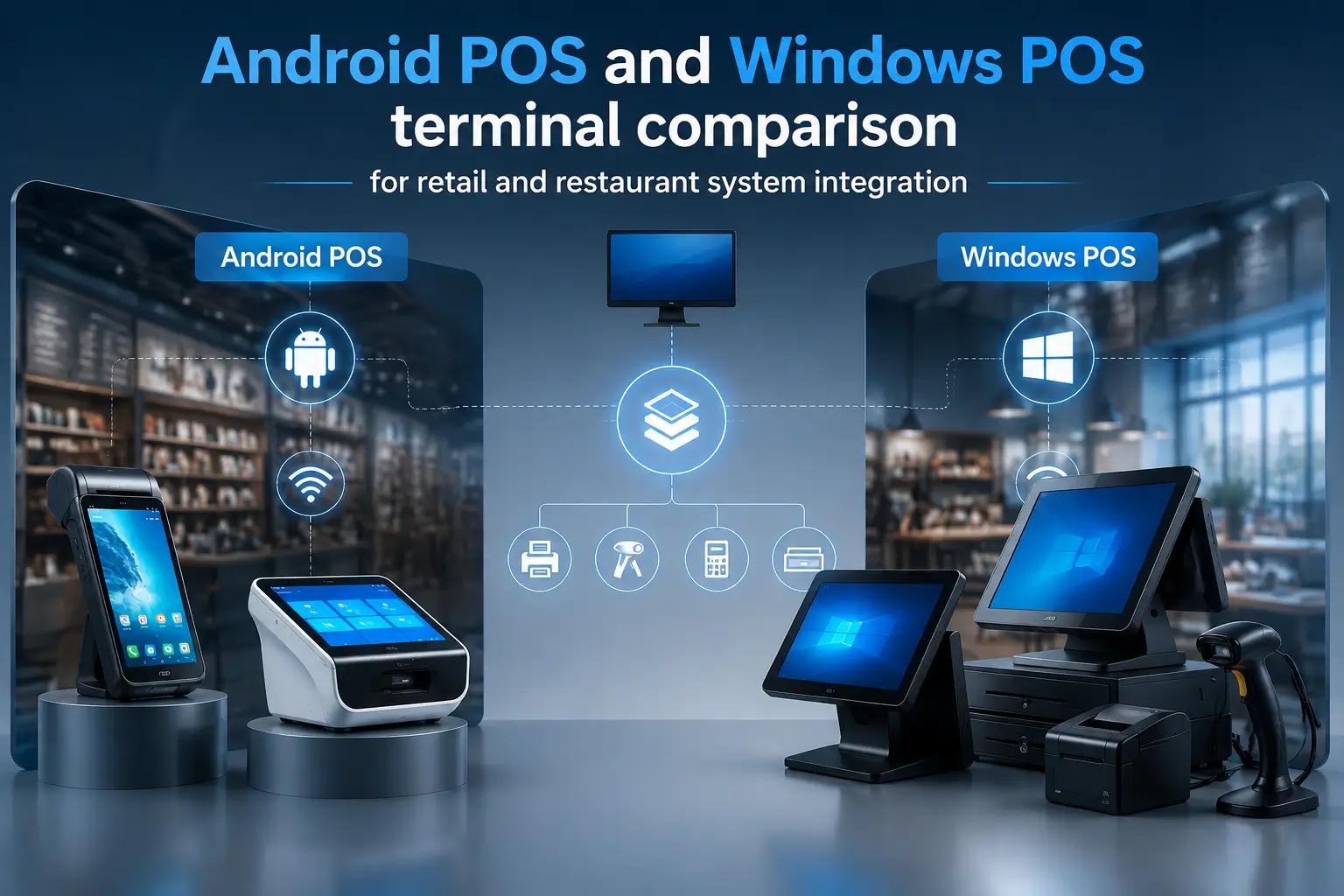
Android POS vs Windows POS: Which Hardware Platform Makes More Sense?
The choice between Android and Windows is often presented as a comparison between two types of hardware.
In real projects, the software usually makes this decision much earlier.
A company may already have a Windows-based POS application.
Another may have an Android application designed specifically for mobile terminals.
In those cases, changing the operating system simply because another hardware platform looks more modern can create unnecessary work.
The first question should always be:
What operating environment does the POS software actually support?
When Android POS Makes Sense
Android POS hardware is often suitable when the project requires:
- Touch-based applications
- Compact hardware
- Mobile operation
- Battery-powered devices
- Wireless connectivity
- Android application deployment
Android is particularly well suited to handheld POS devices because the operating environment is already designed around mobile hardware.
For restaurant service, mobile retail, delivery and portable transaction workflows, Android can provide a compact and flexible hardware platform.
Within the SNRO range, different form factors serve different requirements:
- SNR-Z100 for compact Android counter applications
- SNR-Z108 for general handheld POS use
- SNR-Z90 and SNR-Z92 for mobile POS with integrated receipt printing
The selection should still start with the application.
The product model comes after that.
When Windows POS Makes More Sense
Windows POS hardware can still be the better choice when the project depends on:
- Existing Windows POS software
- Desktop applications
- Specific Windows peripheral drivers
- Legacy business systems
- Complex peripheral integration
The SNR-DPA9, for example, is positioned toward Windows-based retail POS applications.
There is no benefit in forcing an established Windows software environment onto Android hardware simply because Android terminals are more compact or fashionable.
Software compatibility is usually more important than the appearance of the terminal.
If the software, peripherals and management tools are already built around Windows, maintaining that environment may be the lower-risk approach.
Peripheral Integration Should Be Confirmed Before Selecting the POS Terminal
A POS terminal rarely works alone.
The main display may be the most visible part of the system, but the actual deployment can involve several other devices.
This is where hardware selection sometimes becomes more complicated.
The POS application may run correctly.
The terminal may meet the required CPU and memory specifications.
Then the project discovers that an external scanner, printer or payment device requires a different connection method or software environment.
It is much easier to confirm these requirements before selecting the hardware.
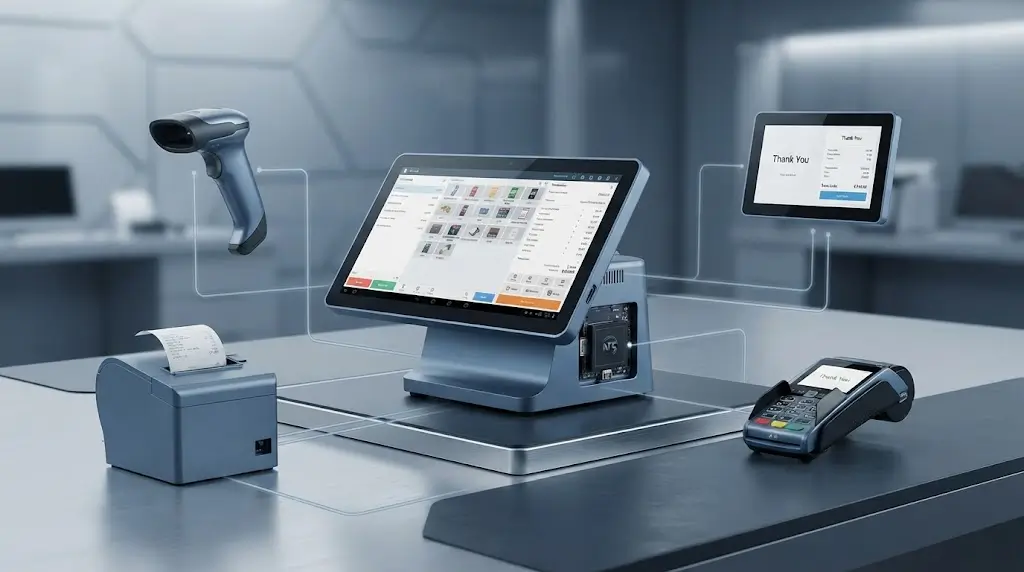
Barcode Scanner Integration
Retail and inventory-oriented applications often require barcode scanning.
The project should confirm:
- Whether the scanner is external or integrated
- USB or wireless communication
- Android compatibility
- Application integration method
A fixed retail counter may use a dedicated barcode scanner.
A mobile retail operation may prefer a more portable scanning arrangement.
These are different deployment environments and should be treated accordingly.
Receipt Printer Integration
Receipt printing can be handled in several ways:
- Built-in thermal printer
- External USB printer
- Bluetooth printer
- Network receipt printer
The choice depends on where the receipt is printed and how frequently the printer is used.
A mobile operation may benefit from integrated printing.
A fixed counter with higher transaction volume may be better served by a dedicated thermal receipt printer.
There is also a maintenance advantage to separating the printer from the POS terminal in fixed installations.
If the printer needs service, the main terminal can continue operating with minimal disruption.
NFC and Payment Peripheral Integration
Some projects may require:
- NFC
- Contactless card support
- External payment terminals
- RFID functions
However, the term “payment integration” can mean very different things depending on the market and payment provider.
The hardware requirement should therefore be confirmed at the project level.
Before selecting the POS terminal, clarify:
- Which payment device will be used
- Whether the payment terminal is external or integrated
- What communication method is required
- Which operating system and SDK environment are supported
This is particularly important for international projects because payment ecosystems vary by country.
Network and Wireless Connectivity
Connectivity requirements may include:
- Wi-Fi
- Bluetooth
- Ethernet
- 4G or other mobile communication
A fixed POS workstation may rely mainly on Ethernet or Wi-Fi.
A handheld device used throughout a restaurant or retail space depends much more heavily on stable wireless communication.
For mobile POS projects, connectivity should not be treated as a simple specification line.
The actual deployment environment matters.
A device may technically support Wi-Fi, but the application can still experience problems if the operational area has poor network coverage.
This should be tested as part of the system deployment rather than discovered after installation.
How to Choose the Right Android POS Hardware Configuration
At this point, the selection process should be relatively clear.
The right Android POS terminal is normally determined by a combination of:
- Operating environment
- Transaction workflow
- Software platform
- Required peripherals
- Printing requirements
A practical selection process can follow the steps below.
Start with the Operating Environment
First determine where the device will actually operate.
For example:
- Fixed retail counter
- Restaurant cashier station
- Dining area
- Delivery route
- Outdoor event
- Field operation
This immediately narrows the hardware format.
A fixed environment generally supports larger POS terminals and more peripherals.
A mobile environment requires portability, battery operation and wireless connectivity.
Define the Transaction Workflow
Ask how the transaction actually happens.
- Does the customer come to the POS terminal?
- Does the POS terminal move to the customer?
- Do staff need to carry the device?
- Is payment completed where the order is taken?
- Is there one transaction point or several?
These questions are often more useful than comparing processors at the beginning.
Once the workflow is clear, the hardware format usually becomes much easier to identify.
Confirm the Printing Requirement
Define whether receipts are:
- Printed at a fixed location
- Printed directly at the point of service
- Sent digitally
- Only printed occasionally
This helps determine whether a built-in printer is necessary.
For fixed POS systems, an external printer may provide greater flexibility.
For mobile operations, integrated printing may simplify the workflow.
Confirm the Required Peripherals
Before finalizing the terminal, confirm requirements for:
- Barcode scanning
- Receipt printing
- NFC
- Payment devices
- Cash drawer
- Customer display
- USB peripherals
- Wireless accessories
This step is particularly important for system integrators building a complete POS solution rather than purchasing a standalone terminal.
The terminal should be evaluated as part of the complete hardware ecosystem.
Confirm the Software Environment
Finally, confirm the software requirements.
This includes:
- Android version
- Windows requirements, if applicable
- Application compatibility
- Peripheral SDK requirements
- Communication interfaces
- Device management and update requirements
The hardware and software should be evaluated together.
A POS terminal can have excellent specifications and still be the wrong choice if it does not support the application environment properly.
That is why testing with the actual software is always more useful than relying only on a specification sheet.
Recommended POS Hardware Configurations for Different Projects
By now, the selection process should be moving from general requirements toward actual hardware.
This is where product recommendations become useful.
The important point is not to start with a model number and then try to find a reason to use it.
It is better to define the application first and then match the hardware format to that requirement.
The following configurations provide a practical starting point.
Compact Android POS for Small Retail and Counter Service
For smaller retail counters, cafés and simple fixed checkout environments, a compact Android POS terminal can be a practical option.
Typical requirements may include:
- Android POS application
- Touchscreen operation
- Limited counter space
- Basic peripheral connection
- Simple checkout workflow
The SNR-Z100 is suitable for this type of compact Android POS or cash register application.
It makes more sense when the business needs a dedicated POS device without requiring a large desktop workstation.
Before selecting the configuration, confirm whether the project also requires:
- Barcode scanner
- External receipt printer
- Cash drawer
- Customer display
- Payment terminal integration
The terminal is only one part of the complete POS setup.
General Handheld Android POS
For projects where staff need to carry the POS device, a handheld Android terminal is usually a better starting point.
Typical applications include:
- Restaurant order taking
- Mobile retail
- Queue busting
- Delivery
- Field service
The SNR-Z108 can be considered for projects requiring a general-purpose handheld Android POS device.
This type of terminal is most suitable when mobility is important but integrated receipt printing is not necessarily required.
The main questions to confirm are:
- Required battery operating time
- Wireless environment
- POS software screen layout
- Required peripherals
- Whether receipts need to be printed on the spot
Those details can change the recommended hardware.
Mobile POS with Integrated Receipt Printing
Some mobile workflows require staff to complete the transaction and print a receipt immediately.
This is common in:
- Table-side payment
- Delivery
- Mobile sales
- Events
- Temporary business locations
For these applications, a handheld POS terminal with an integrated thermal printer can reduce the amount of equipment the operator needs to carry.
The SNR-Z90 and SNR-Z92 are suitable for this type of mobile POS requirement.
The choice between models should depend on the detailed project requirements, including:
- Screen size
- Printer specification
- Android version
- Connectivity
- Battery capacity
- Required software environment
The integrated printer is useful when printing happens at the point of service.
If printing is always handled at a fixed location, a general handheld POS plus a separate printer may still be the simpler setup.
Dual-Screen Fixed POS Environment
A dual-screen POS configuration can be useful when the customer needs to view transaction information separately from the operator.
Typical applications include:
- Retail stores
- Specialty shops
- Membership systems
- Customer loyalty programs
- Promotional displays
The SNR-DPA8 provides a dual-screen POS hardware format for this type of fixed application.
The second display can be used for customer-facing information, but its value depends heavily on the software.
Before selecting a dual-screen configuration, confirm:
- Whether the POS application supports a second display
- What information will be shown
- Whether the customer actually benefits from it
- How the second screen will be used operationally
A second display without a defined software function does not necessarily improve the POS system.
Windows-Based Retail POS
Not every POS project should move to Android.
Some businesses already operate software and peripheral systems built around Windows.
For these projects, maintaining the existing software environment may be the more practical choice.
The SNR-DPA9 is suitable for Windows-based retail POS applications where a traditional all-in-one POS configuration is required.
This may be relevant when the project depends on:
- Existing Windows POS software
- Desktop applications
- Windows drivers
- Legacy peripheral integration
- Established business management systems
The goal should be system compatibility.
Choosing the operating system first and then forcing the software to adapt usually creates more work.
Common Mistakes When Selecting Android POS Hardware
Most POS hardware problems are not caused by one major mistake.
They usually begin with a small assumption made too early in the project.
The hardware looks suitable.
The specifications appear to match.
The application is not tested until later.
Then the deployment exposes something that was not considered during selection.
These are some of the most common examples.
Choosing the Screen Before Understanding the Workflow
A large display may look more professional.
A compact device may look more modern.
Neither tells you whether the hardware fits the application.
The workflow should determine:
- Whether the device remains fixed
- Whether staff carry it
- How much information is displayed
- How frequently the device is used
- Whether multiple peripherals are required
Once these points are clear, screen size becomes much easier to decide.
Treating a Built-In Printer as a Default Requirement
Integrated printing is useful in mobile environments.
It is not automatically useful in every POS system.
For fixed counters, a separate receipt printer may offer:
- Larger paper capacity
- Easier replacement
- More flexible installation
- Independent maintenance
The right printing configuration depends on where the receipt is issued.
Ignoring Peripheral Compatibility
A POS terminal can meet the CPU, memory and display requirements and still create problems later.
The missing detail may be a scanner.
A printer.
A payment terminal.
Or a communication interface.
Before confirming the hardware, list every peripheral that must connect to the system.
Then confirm:
- Connection method
- Driver or SDK requirements
- Android or Windows compatibility
- Application support
This is especially important for system integrators.
The project is not simply purchasing a POS terminal.
It is building a complete POS hardware environment.
Focusing Only on CPU and RAM
Hardware specifications are easy to compare.
They are also easy to overvalue.
A higher processor specification does not solve a poor workflow.
More RAM does not make a handheld terminal easier to carry.
Additional storage does not solve peripheral integration problems.
Performance still matters.
But for many POS projects, the first decisions should be:
- Where is the device used?
- How does the transaction happen?
- What software will run?
- What peripherals are required?
- Where are receipts printed?
Only after that should detailed performance requirements be finalized.
Selecting the Operating System Without Checking the Existing Software
This mistake can create unnecessary redevelopment work.
A project may select Android hardware because it is compact and attractive.
Then discover that the existing POS application only supports Windows.
The opposite can also happen.
A mobile workflow may be forced onto a traditional Windows workstation even though the software environment would work better on Android.
The operating system should follow the software environment.
Not the other way around.
Final Android POS Terminal Selection Checklist
Before confirming an Android POS terminal, check the following.
Application
- What POS software will run on the device?
- Which Android version is required?
- Does the software support the target hardware?
Form Factor
- Fixed countertop or mobile operation?
- Does staff need to carry the device?
- Is battery operation required?
Display
- How much information does the operator need to view?
- Is a compact handheld screen sufficient?
- Does the customer need a second display?
Printing
- Is a receipt required?
- Where is it printed?
- Built-in or external printer?
Peripherals
- Barcode scanner
- Cash drawer
- Payment terminal
- NFC device
- Customer display
- Other USB or wireless peripherals
Connectivity
- Wi-Fi
- Bluetooth
- Ethernet
- Mobile network
Deployment
- Indoor or mobile use?
- Fixed installation or portable operation?
- Expected transaction volume?
- Maintenance requirements?
If these questions are answered before selecting the hardware, the final configuration is usually much easier to define.
Frequently Asked Questions
What Is an Android POS Terminal?
An Android POS terminal is a point-of-sale device that runs an Android-based POS application.
Depending on the hardware design, it may be a fixed touchscreen terminal, compact cash register, dual-screen POS system or handheld mobile device.
It can also support additional functions such as barcode scanning, receipt printing and wireless communication.
What Is the Difference Between Android POS and Windows POS?
The main difference is the operating environment.
Android POS hardware is often well suited to touch-based and mobile applications.
Windows POS hardware may be more suitable for existing desktop software, Windows drivers and legacy business systems.
The correct choice should be based primarily on software and peripheral compatibility.
Can an Android POS Terminal Have a Built-In Printer?
Yes. Some Android POS terminals include an integrated thermal printer.
This is particularly useful for mobile transactions where receipts need to be printed directly at the point of service.
For fixed counters, a separate receipt printer may sometimes be more practical.
Is Android POS Suitable for Restaurant Applications?
Yes. Android POS hardware can be used for fixed restaurant cashier stations and handheld table-side ordering.
The best hardware format depends on the workflow.
A quick-service restaurant may use a fixed touchscreen POS terminal.
A full-service restaurant may combine fixed terminals with handheld Android POS devices.
What Is the Difference Between a Handheld POS and a Countertop POS?
A countertop POS terminal normally remains at one transaction location and can support a larger display and more external peripherals.
A handheld POS terminal is designed to move with the operator and typically prioritizes portability, battery operation and wireless connectivity.
Can Android POS Hardware Connect to Barcode Scanners and Receipt Printers?
Yes, depending on the hardware interfaces and software environment.
Common connection methods include USB, Bluetooth and wireless network communication.
Before deployment, confirm that the selected scanner or printer is compatible with both the POS terminal and the POS application.
Planning an Android POS Hardware Project?
Selecting POS hardware is usually easier when the complete workflow is clear from the beginning.
Instead of simply comparing product specifications, it is more useful to define:
- Where the device will be used
- Whether the transaction point is fixed or mobile
- Which POS software will run
- Which peripherals need to be connected
- Where receipts need to be printed
Based on those requirements, the hardware configuration can be evaluated more accurately.
SNROTEK provides Android POS terminals, handheld POS devices, mobile POS terminals with integrated printers and Windows-based POS hardware for different retail, restaurant and mobile applications.
If you are planning a new POS system or upgrading an existing deployment, you can send us your software, workflow and hardware requirements.
We can help evaluate the configuration and recommend a suitable POS hardware setup for your project.