


Blog
Card Printers, Dispensers & Readers: Building a Self-Service Card Issuing Kiosk

Most kiosk projects that fail on card issuing did not fail on print quality. They failed on integration: someone spec’d a desktop card printer from a catalog, bolted it into a custom enclosure, and spent the next two months chasing double-feeds, skewed cards, encoding errors, and a back-end software stack that never caught the “out of cards” hardware interrupt.
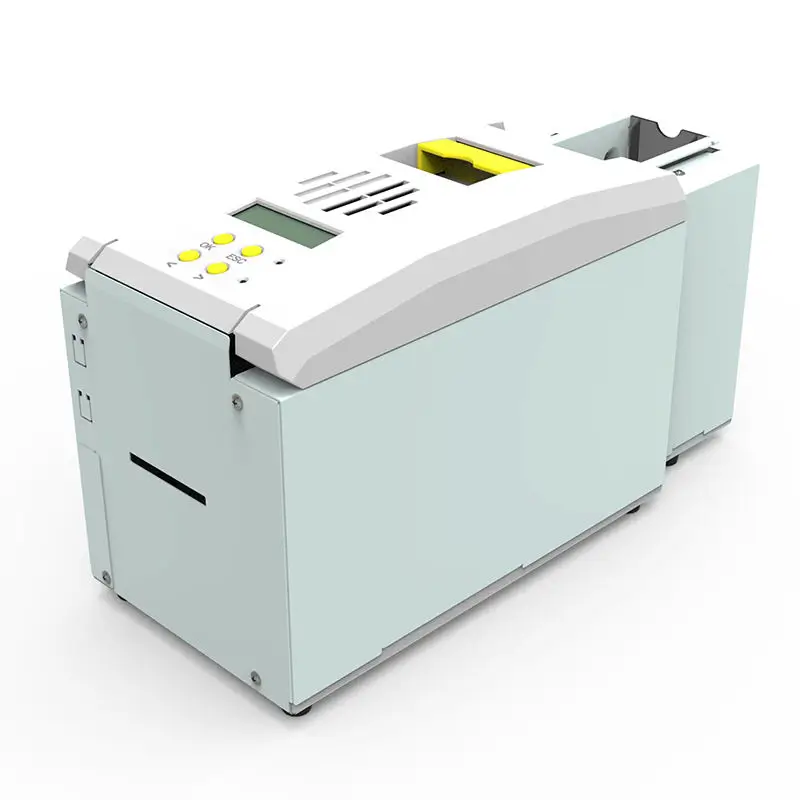
An industrial embedded card printer is not a desktop printer with a shorter cable. It is a precision module operating inside an unattended transport path, sharing space and timing signals with a card dispenser and a read/write module. Here is how these three subsystems actually divide the work, and where integrators usually run into hidden engineering challenges.
1. The Three Modules and Their Handoffs
Think of an issuing kiosk as a tightly synchronized mini-conveyor line:
-
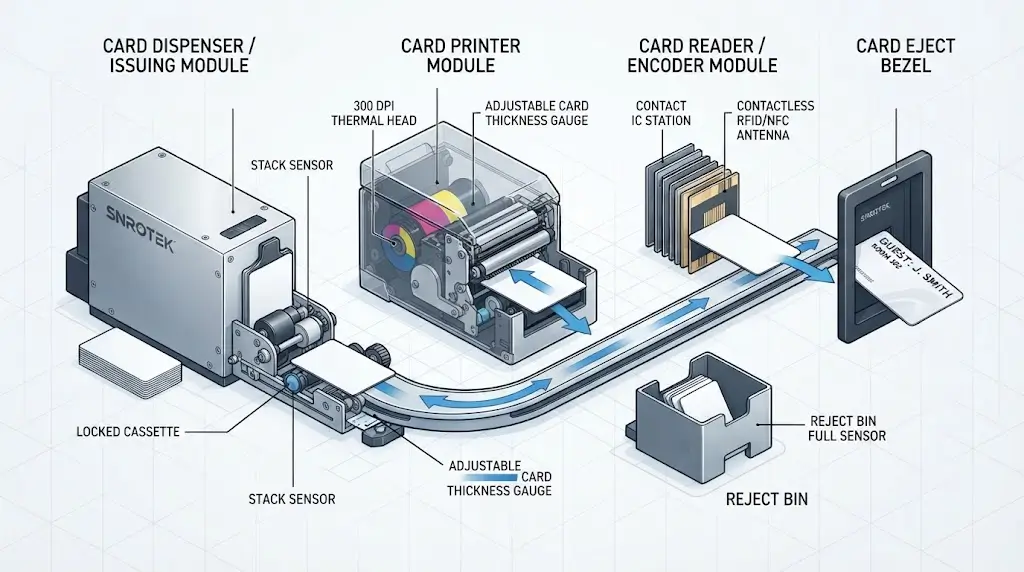
Card Dispenser (Issuing Module): Houses bulk blank cards in a locked cassette and singulates them one by one into the transport path. Its sole mechanical responsibility is supply and reliable feed separation. In recycling models, it also accepts returned cards and routes them back into circulation.
-
Card Printer: Receives the fed card, registers it, prints variable data (such as names, room numbers, photos, QR codes, or expiry dates) via dye-sublimation direct-to-card technology (typically 300 dpi on CR80 PVC), and hands it off.
-
Card Reader / Encoder: Integrates contact IC, contactless RFID, or magnetic stripe writing. This can be a separate station along the track or embedded directly into the printer/dispenser module.
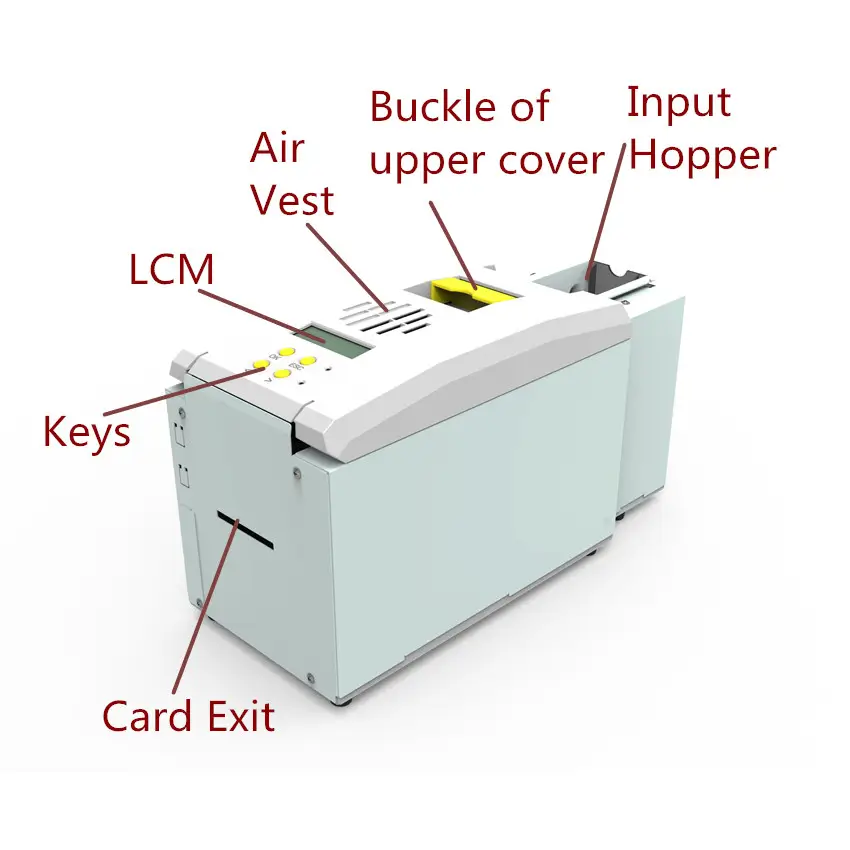
The physical handoff between these modules is critical. The printer’s exit throat must align mechanically with the kiosk’s internal chute. Furthermore, eject lengths are software-adjustable because enclosure bezels vary. If a card pauses halfway out for user pickup, a precise hold-timeout is required to prevent subsequent jobs from colliding with uncollected stock.
2. A Typical Issuing Sequence, Step by Step
-
Authentication: The user interacts with the kiosk (booking lookup, member login, or QR scan).
-
Singulation and Feed: The dispenser fires a single blank card. Optical and mechanical stack sensors confirm departure; if a double-feed occurs, the module aborts the sequence and diverts the overlapping cards to a dedicated reject tray rather than jamming the print head.
-
Registration and Printing: The card reaches the print head. The mechanical guide—factory-calibrated for standard 0.76 mm / 30 mil cards but adjustable for 0.3–1.05 mm media—handles the YMCKO thermal transfer pass.
-
Encoding: If equipped, contact IC, UHF, or High-Co magnetic encoding is executed and verified (read-back) within the same pass.
-
Ejection or Rejection: Valid cards clear the bezel for the user. Faulty tokens (failed sensor checks, bad write cycles) drop safely into a lockable 30-card reject bin.
Integration Pitfall: Every one of these physical states must emit an asynchronous event over the host interface. Low-card, out-of-card, reject-bin-full, and door-open alarms should push directly to your remote device management system (RMS), rather than just blinking an LED on a local control board.
3. Where Integrators Actually Get Burned
-
Card Material Inconsistencies: Switching card stock suppliers mid-project—say, moving from pure PVC to composite PVC—alters card rigidity and friction coefficients, leading to unexpected skews. Always lock down your card specifications during the prototype phase.
-
Encoding Alignment: Contact IC chips must align within sub-millimeter tolerances against the hardware pins. Custom pre-printed card layouts or off-center chips will cause 100% encoding failures even if thermal printing looks pristine.
-
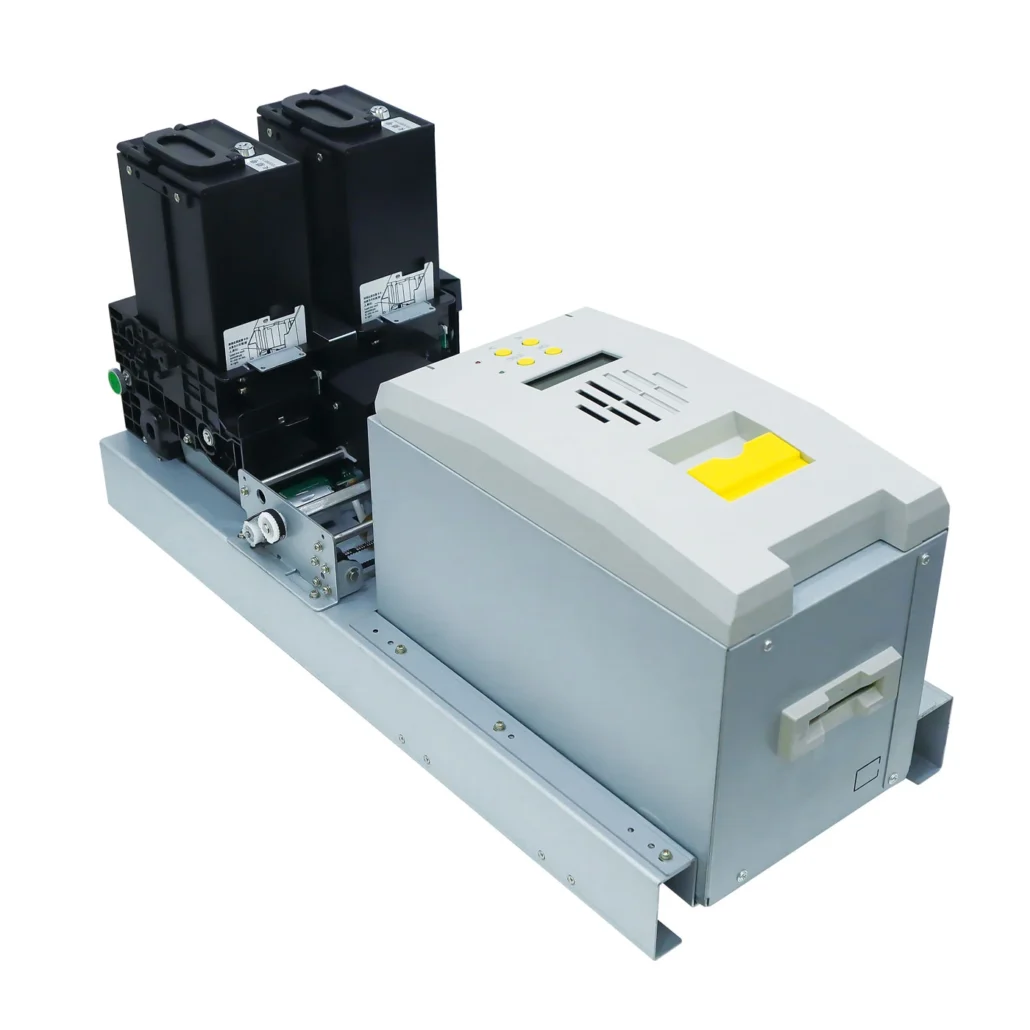
Hopper Capacity vs. Service Intervals: A 100-card hopper is sufficient for low-traffic desks, but a busy hotel self check-in terminal processing 150+ arrivals daily will exhaust its supply twice a day. High-traffic deployments require 400-card capacities and lockable, removable cassettes to prevent shrinkage.
-
Communication Protocols: While USB is acceptable for local debugging, production kiosk farms require Ethernet (static IP) or robust RS232 command sets. This allows engineers to poll device health, monitor ribbon life, and push firmware updates without rolling a truck.
-
Ribbon Economics: Standard YMCKO ribbons consume a full panel set per card regardless of pixel coverage. For workflows heavy on black text and minimal graphics, utilizing a half-panel ribbon nearly cuts consumables cost in half, while monochrome black printing drops cycle times from 20 seconds down to under 5 seconds.
-
Multi-Tier Issuing: If a single terminal needs to issue both guest keys and administrative credentials, a dual-cassette printer featuring independent lockable hoppers eliminates manual media-swapping between shifts by routing jobs programmatically.
4. Spec Checklist Before You RFQ
Before locking down your Bill of Materials (BOM), confirm these parameters with your hardware vendor:
-
[ ] Media Spec: CR80 standard, exact thickness range (mm), and material type (PVC, PET, Composite).
-
[ ] Print Architecture: Single-sided vs. dual-sided; standard 300 dpi vs. high-resolution modules.
-
[ ] Hopper Configuration: Capacity requirements, locking mechanisms, single vs. dual cassette.
-
[ ] Encoding Modules: Contact (ISO 7816), Contactless (Mifare/DESFire/UHF), or Magstripe (Tracks 1/2/3).
-
[ ] Host Interfaces: USB, TCP/IP (Ethernet), or RS232, alongside OS driver support (Windows, Linux, Android).
-
[ ] Event Telemetry: Supported error codes and status telemetry strings for your middleware.
FAQ
Can I just mount a desktop card printer inside a kiosk cabinet?
You can, but typically only for low-volume proofs-of-concept. Desktop units lack automated bulk card feeders, heavy-duty reject bins, remote status polling, and robust environmental tolerance. In unattended production, they tend to jam within weeks.
What happens if the dispenser pulls two cards simultaneously?
Advanced friction-roller and mechanical hook mechanisms detect multiple card feeds via optical thickness sensors. The firmware will automatically abort the job, halt the print cycle, and push the overlapping cards straight into the reject box to protect the thermal print head.
Can the module write to smart cards while printing?
Yes. When equipped with an integrated encoder module, printing, magnetic encoding, and chip personalization occur in a single continuous workflow, outputting a fully encoded and verified card in under a minute.
Related Products
- SNR-CP22K Self-Service Kiosk Card Printer
- SNR-CP22K-D Dual-Hopper Kiosk Card Printer
- SNR-CD2604J-P Multi-Hopper Card Issuing, Printing and Encoding System(OEM/ODM)
Building a card-issuing kiosk?
Send us your card specifications (material, thickness, encoding type), projected daily volume, and target enclosure dimensions. We supply embedded printers, dispensers, and reader modules as an integrated hardware package—complete with comprehensive SDKs and engineering support for your kiosk software.


