Blog
Ethernet Kiosk Printer: The Backbone of Modern Self-Service

Table of Contents
- Why Ethernet Kiosk Printers Are Replacing USB-Only Models
- Quick Answers
- Key Technical Advantages of Ethernet Kiosk Printers
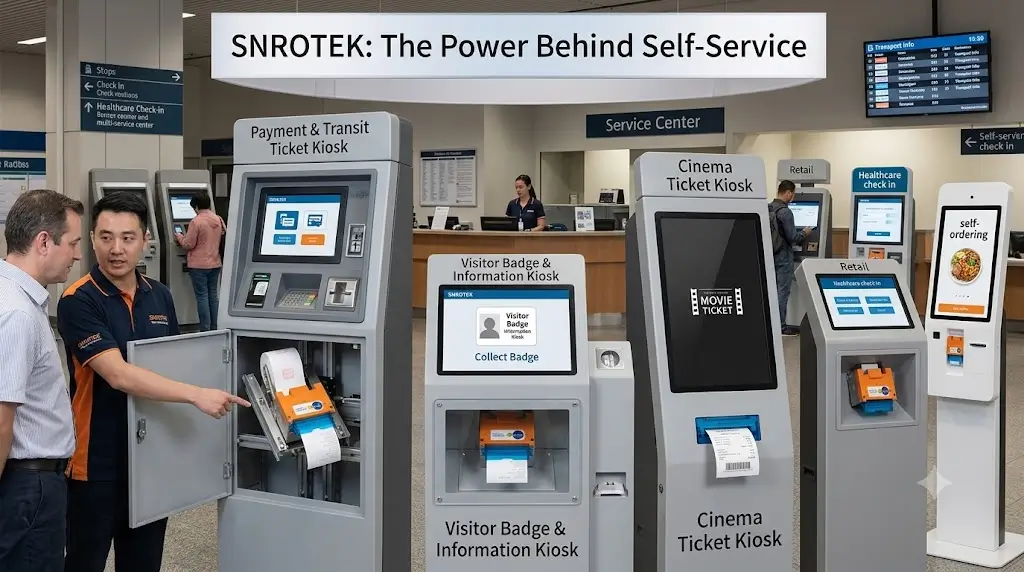
- Ideal Applications for Ethernet Kiosk Printers
- How Ethernet Kiosk Printers Simplify Multi-Kiosk Deployments
- Ethernet vs USB: What We See in Real Deployments
- Product Recommendation: SNR-KP800-VX Ethernet Kiosk Printer
- Getting Started: Ethernet Kiosk Printer Deployment Checklist
- Frequently Asked Questions
- Conclusion
Why Ethernet Kiosk Printers Are Replacing USB-Only Models
We worked with a retail chain last year that had deployed 85 self-checkout kiosks across 40 stores. Every kiosk used a USB-connected printer. At any given time, 5-8 printers were offline because the USB connection had dropped, the PC had restarted and lost the printer mapping, or a cable had been bumped loose during cleaning. Each outage required a store visit or a remote troubleshooting session that took 15-20 minutes.
In a self-service environment, downtime is not just an inconvenience — it is lost revenue and frustrated customers.
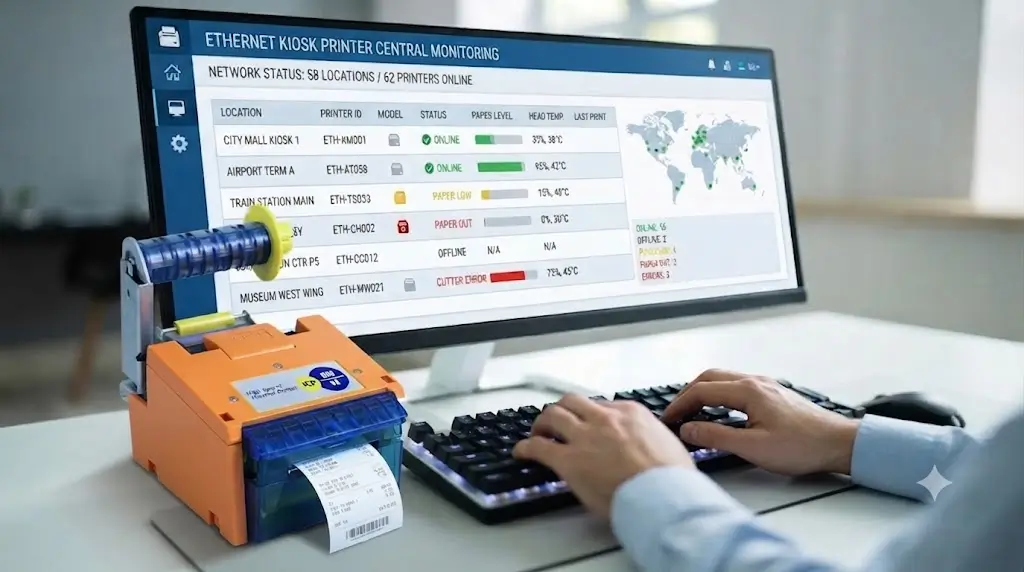
Ethernet kiosk printers connect directly to your local area network (LAN) via TCP/IP. They operate independently of a dedicated PC’s USB port, eliminating a common point of failure. More importantly, they enable centralized control. IT managers can monitor printer status — paper low, paper out, print head temperature, cutter errors — remotely from a central server.
In that retail chain deployment, switching to Ethernet printers reduced printer-related downtime by 70% within the first month. The ability to proactively refill paper before it ran out — rather than responding to customer complaints — made the difference.
This is why Ethernet kiosk printers are becoming the standard for serious self-service deployments.
Quick Answers
Q: What is an Ethernet kiosk printer?
An Ethernet kiosk printer is a thermal receipt printer that connects directly to a TCP/IP network via an Ethernet port, enabling remote monitoring, centralized management, and independent operation without a USB host connection.
Q: Why choose an Ethernet kiosk printer over USB?
Ethernet printers operate independently of a host PC’s USB port, eliminating connection dropouts. They support remote monitoring and management across multiple locations, making them the preferred choice for multi-kiosk deployments.
Q: What applications are Ethernet kiosk printers best for?
Retail self-checkout, transportation ticketing, healthcare check-in, banking terminals, parking payment kiosks, and any unattended self-service application requiring reliable, centralized printer management.
Q: How to monitor an Ethernet kiosk printer remotely?
SNRO printers support standard network protocols. Status information — paper low, paper out, cutter errors, head temperature — can be monitored via SNMP or custom integration. Centralized dashboard integration is available.
Key Technical Advantages of Ethernet Kiosk Printers
1. True Network Independence
Unlike USB printers that depend on a host PC’s USB controller, Ethernet printers operate as independent network devices. They have their own IP address, can be discovered on the network, and maintain their connection regardless of the host PC’s state.
What this means in real deployments: When a kiosk PC restarts (for updates, crashes, or scheduled maintenance), a USB printer often loses its port mapping. This requires manual remapping or a full driver reinstall. An Ethernet printer stays online through PC restarts — the PC simply reconnects to the printer’s IP address when it boots back up.
In a 50-unit parking kiosk deployment, this single difference eliminated 3-5 service calls per week that had been USB-related.
2. Remote Monitoring and Proactive Maintenance
Status monitoring is built into the Ethernet architecture.
| Status | What It Tells You | Why It Matters |
|---|---|---|
| Paper low | Paper roll is nearing end | Refill before it runs out — avoid customer-facing outages |
| Paper out | Paper roll is empty | Dispatch refill immediately |
| Cutter error | Cutter mechanism jammed | Remote reset possible on some models |
| Print head temperature | Overheating risk | Prevent damage during high-volume periods |
| Cover open | Paper cover open | Remote alert — may indicate tampering |
In real deployments: A 100-kiosk retail deployment with remote monitoring reduced paper-out incidents by 60% because staff were alerted before the paper ran out, rather than after customers complained.
3. Simplified Integration
Integrating an Ethernet kiosk printer into your existing network infrastructure is straightforward. The printer receives an IP address via DHCP or static assignment. Driver installation is typically a one-step process. For custom kiosk software, the printer can be addressed directly via TCP/IP, eliminating the need for OS-level driver dependencies.
In real deployments: A system integrator deploying 200 hotel check-in kiosks across 200 properties was able to configure printer network settings remotely — no on-site technician needed for printer setup. This saved approximately 2 hours per kiosk in deployment time.
4. Enhanced Security
Ethernet kiosk printers support network security features that USB printers lack — VLAN segmentation, IP filtering, and secure communication protocols. For financial and healthcare applications, this network-level security is increasingly a compliance requirement.
Ideal Applications for Ethernet Kiosk Printers
Retail Self-Checkout Systems
Deployment Reality: A regional grocery chain with 35 stores deployed Ethernet printers across 150 self-checkout lanes. Remote monitoring allows IT to track paper levels and printer health from a central dashboard. Printer-related service calls decreased by 65% in the first year.
Why Ethernet: Multiple self-checkout lanes per store, centralized monitoring, integration with POS network infrastructure.
Related Solution: Self-Checkout Hardware Solutions
Transportation Ticketing and Parking
Deployment Reality: A city parking system with 200 pay stations installed Ethernet kiosk printers for ticket issuance. Network status monitoring enables preventive maintenance before peak usage periods — holidays, special events, and weekends.
Why Ethernet: Unattended operation, 24/7 uptime requirements, remote management across distributed locations.
Related Solution: Parking & Ticketing Hardware Solutions
Healthcare Check-In and Registration
Deployment Reality: A 300-bed hospital network deployed 45 check-in kiosks across multiple facilities. Ethernet printers ensure patient receipts are always printed — even when individual kiosk PCs require maintenance or updates.
Why Ethernet: Patient-facing reliability, integration with hospital HIS/EMR networks, centralized IT management.
Related Solution: Healthcare Self-Service Kiosk Hardware Solutions
Banking and Financial Terminals
Deployment Reality: A regional bank network deployed Ethernet printers for statement printing and receipt issuance at self-service banking terminals. Network-level security compliance was a key requirement.
Why Ethernet: Security compliance, independent operation, remote monitoring for SLA reporting.
Related Solution: Banking Self-Service Terminal Hardware Solutions
How Ethernet Kiosk Printers Simplify Multi-Kiosk Deployments
The operational advantage of Ethernet printers becomes most apparent at scale.
Centralized Management Dashboard
IT managers can see the status of every printer in the network — across stores, facilities, or entire regions — from a single dashboard. This enables:
-
Proactive refills: Paper stock ordered before locations run out
-
Remote troubleshooting: Cutter resets, status checks without site visits
-
Capacity planning: Usage data informs printer selection for future deployments
-
Firmware updates: Rolled out to all printers simultaneously
Reduced Service Costs
| Cost Factor | USB Printer | Ethernet Printer |
|---|---|---|
| Service calls per month (100 kiosks) | 20-30 | 5-10 |
| Remote troubleshooting | Limited (USB mapping issues require on-site) | Full (status checks, resets) |
| Planned maintenance | Reactive (issue-based) | Proactive (alert-based) |
In real deployments: The same retail chain saved approximately $3,000 per month in reduced service calls after switching to Ethernet printers — eliminating the need for 15-20 unnecessary site visits.
Scalability
Adding a new kiosk with an Ethernet printer requires only: network drop assignment → IP address allocation → driver installation (remote) → status check. No on-site printer setup. This makes Ethernet printers the clear choice for chain deployments where kiosks are rolled out in phases.
Ethernet vs USB: What We See in Real Deployments
After working with multiple large-scale kiosk deployments, we have observed consistent patterns:
| Factor | Ethernet Kiosk Printer | USB Kiosk Printer |
|---|---|---|
| Connection reliability | ✅ Independent network device | ⚠️ Dependent on PC USB port |
| Remote monitoring | ✅ Full status via network | ❌ Not available |
| PC restart impact | ✅ No reconnection needed | ❌ Often loses port mapping |
| Cable sensitivity | ✅ Secure Ethernet connection | ⚠️ USB cables can be bumped loose |
| Centralized management | ✅ All printers visible on network | ❌ Each printer is isolated |
| Per-kiosk driver complexity | ✅ One-time setup | ⚠️ May require reinstall after PC changes |
| Security compliance | ✅ VLAN, IP filtering | ❌ Limited |
| Deployment at scale | ✅ Plug-and-play across locations | ⚠️ Individual setup required per kiosk |
| Cost | Slightly higher initial cost | Lower initial cost |
The Hidden Cost of USB
A common mistake in kiosk hardware selection is choosing USB printers to save initial cost, only to discover the hidden operational costs:
-
USB cables can be damaged during kiosk maintenance
-
USB ports on industrial PCs can fail
-
Windows updates sometimes break USB printer mappings
-
Remote troubleshooting is limited — you cannot see the port mapping from afar
In one deployment, the lifetime cost difference (3-year total cost of ownership) between Ethernet and USB printers was only 15% higher for Ethernet, while the downtime reduction saved over 30% in support costs. The Ethernet printer was actually cheaper overall.
Our recommendation: Choose Ethernet for any deployment with 5+ kiosks or unattended operation.
Need help comparing printer models for your kiosk deployment? → Compare Model Specifications
Product Recommendation: SNR-KP800-VX Ethernet Kiosk Printer
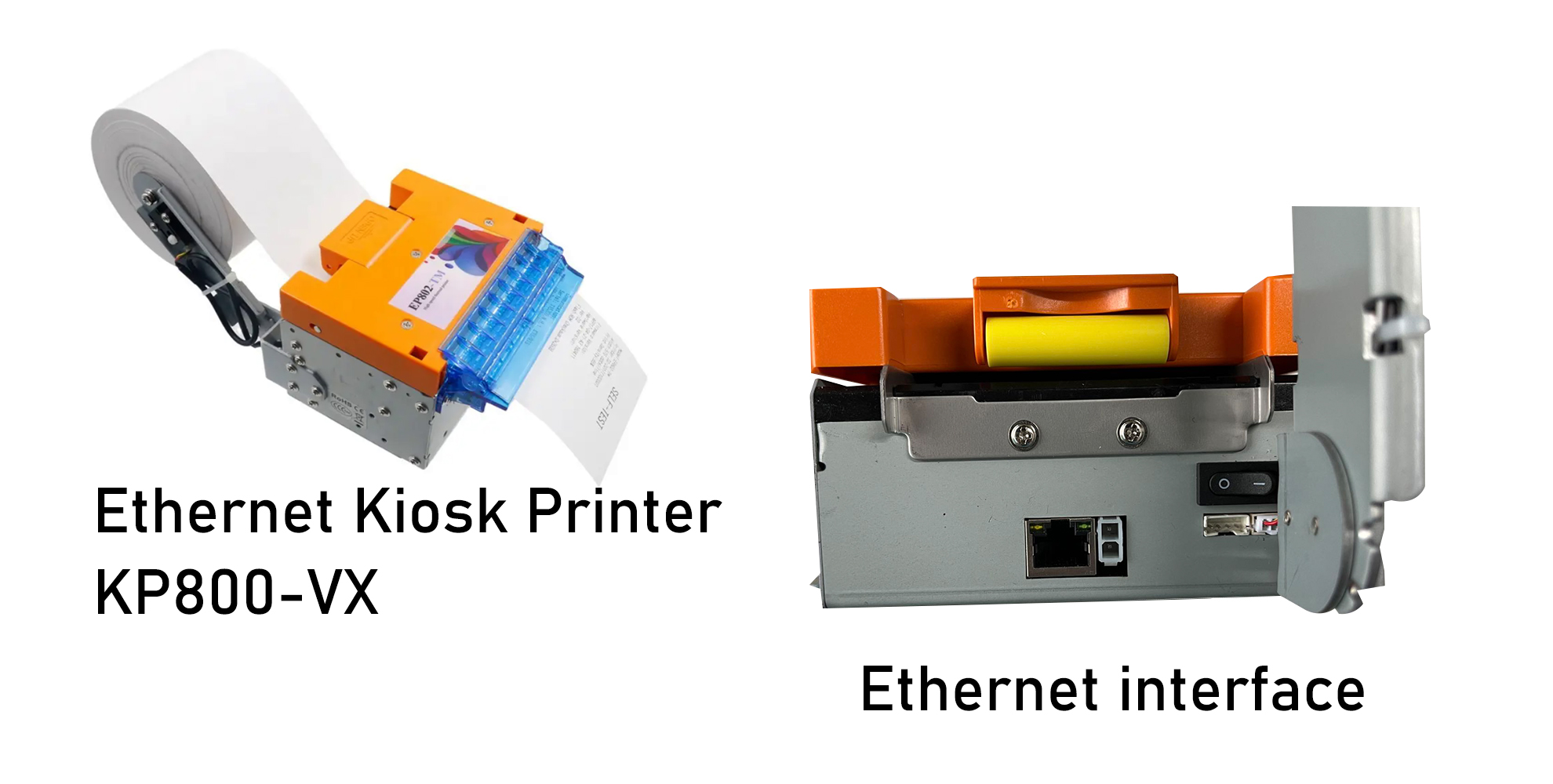
The SNR-KP800-VX is an Ethernet-enabled kiosk printer designed for high-volume, unattended self-service applications.
| Feature | Specification | Why It Matters |
|---|---|---|
| Network interface | Ethernet (TCP/IP) | Remote monitoring, centralized control |
| Print speed | Up to 250mm/s | Reduces customer wait time |
| Paper width | 60/80/82mm | Flexible for receipts, tickets, labels |
| Paper roll diameter | Up to 200mm | Fewer refills, longer unattended operation |
| Cutter | Full/partial cut (adjustable) | Clean receipt presentation |
| Status detection | Paper jam, paper out, paper dragging | Remote alert capability |
| Paper outlet | Lighting baffle | Easy paper retrieval |
| Anti-jam design | Paper outlet protection | Reduced service calls |
Where It’s Deployed
The SNR-KP800-VX is currently deployed in over 1,500 self-service kiosks across retail, transportation, parking, and healthcare applications. Field data from a 200-unit parking deployment showed:
-
99.4% uptime over 12 months
-
Zero on-site service calls for Ethernet-related issues
-
45% reduction in paper-out incidents with remote monitoring
Key Use Cases
-
Retail self-checkout receipt printing
-
Transportation and parking ticket issuance
-
Healthcare patient registration receipts
-
Banking and financial terminal printing
-
Hotel self check-in confirmation receipts
-
Sports betting and lottery ticket printing
Already have a kiosk layout and integration timeline? → Request Hardware Review
Getting Started: Ethernet Kiosk Printer Deployment Checklist
Pre-Deployment
-
Confirm network infrastructure: Ethernet drop available at kiosk location
-
IP address allocation: Static IP or DHCP reservation planned
-
Network security: VLAN assignment, IP filtering requirements
-
Paper specification: Paper width (80mm or 82mm), roll diameter, core size
-
Power requirement: Confirm power supply compatibility (24Vdc typical)
Integration
-
Driver installation: Test on target OS (Windows/Linux)
-
TCP/IP communication: Verify printer reachable on network
-
Status monitoring: Confirm paper low, paper out, error alerts reaching central dashboard
-
Print test: Validate receipt/ticket format and print quality
-
Cutter test: Full and partial cut confirmation
Deployment
-
Physical installation: Kiosk enclosure mounting, cable routing
-
Network connection: DHCP IP assignment or static IP configuration
-
Remote access: Central dashboard shows printer status
-
Paper loading: Staff trained on replacement procedure
-
Documentation: IP addresses, firmware versions, support contacts
Frequently Asked Questions
| Question | Answer |
|---|---|
| What is an Ethernet kiosk printer? | A thermal receipt printer that connects directly to a TCP/IP network via Ethernet, enabling remote monitoring and centralized printer management across multiple kiosks. |
| How does an Ethernet kiosk printer differ from USB? | Ethernet printers operate independently of a host PC. USB printers depend on the PC’s USB port and can lose connection when the PC restarts or USB cables are disturbed. |
| Can an Ethernet kiosk printer be monitored remotely? | Yes. SNRO Ethernet printers support status reporting via network protocols. Paper low, paper out, cutter errors, and head temperature can be monitored from a central dashboard. |
| How to set up an Ethernet kiosk printer? | Assign an IP address (DHCP or static), install the driver on the host system, and verify network communication. Most systems integrate the printer via TCP/IP without OS-level driver dependencies. |
| What is the print speed of the SNR-KP800-VX? | The SNR-KP800-VX prints at speeds up to 250mm/s, suitable for high-volume retail and transportation applications where throughput matters. |
| What paper sizes does the SNR-KP800-VX support? | Supports 60mm, 80mm, and 82mm paper widths. Paper roll diameter up to 200mm for extended unattended operation. |
| Is the SNR-KP800-VX suitable for unattended parking kiosks? | Yes. The SNR-KP800-VX is deployed in over 1,500 kiosks including parking applications. Features include anti-jam design, remote status monitoring, and high-speed printing. |
| What is the cutter life of the SNR-KP800-VX? | The SNR-KP800-VX features a long-life cutter mechanism rated for high-volume applications. Full and partial cut modes are supported. |
| How to troubleshoot a network connection issue with an Ethernet kiosk printer? | Check IP address configuration, ping the printer from the host system, verify network cable connection, and confirm the printer is powered on. Status LEDs on the Ethernet port provide visual diagnostics. |
| What industries commonly use Ethernet kiosk printers? | Retail self-checkout, transportation ticketing, healthcare check-in, banking terminals, parking payment kiosks, hotel self check-in, and sports betting/lottery terminals. |
Conclusion
Ethernet kiosk printers have become the backbone of modern self-service infrastructure. Unlike USB-connected models, they deliver network independence, remote monitoring, centralized management, and scalable deployment — features that make the difference between a kiosk network that stays operational and one that requires constant service calls.
We have seen this play out across retail chains, transportation systems, healthcare networks, and parking deployments. In every case, the operators who chose Ethernet over USB achieved better uptime, lower service costs, and more predictable operations.
The SNR-KP800-VX Ethernet kiosk printer offers the features you need for reliable unattended operation — network connectivity, remote monitoring, high-speed output, anti-jam design, and flexible paper handling. Field data shows 99.4% uptime across 1,500+ deployed units.
The best time to choose an Ethernet kiosk printer is during the initial kiosk hardware selection phase — before network infrastructure decisions are finalized and before deployment timelines are locked.
Need help selecting the right Ethernet kiosk printer for your self-service deployment? → Contact Our Engineering Team