


Blog
Presenter Printer vs Auto Cutter Printer: The Difference Many Teams Only Understand After Deployment

The Conversation Usually Changes After Go-Live
A few years ago, a kiosk integrator asked us a straightforward question.
“Should we use a presenter printer or an auto cutter printer?”
The discussion sounded familiar.
Purchase cost.
Cabinet space.
Integration complexity.
Printing performance.
Everything revolved around hardware.
About a year later, the same team reached out again.
This time, nobody was talking about printer specifications.
The conversation had shifted to abandoned receipts, maintenance visits, cleaning routines and user behavior.
The printer hadn’t changed.
The deployment had.
And that’s often where the real difference between presenter printers and auto cutter printers becomes visible.
Most teams think they are choosing a printer.
In reality, they are choosing how the kiosk will behave when users don’t follow the plan.
Quick Answer
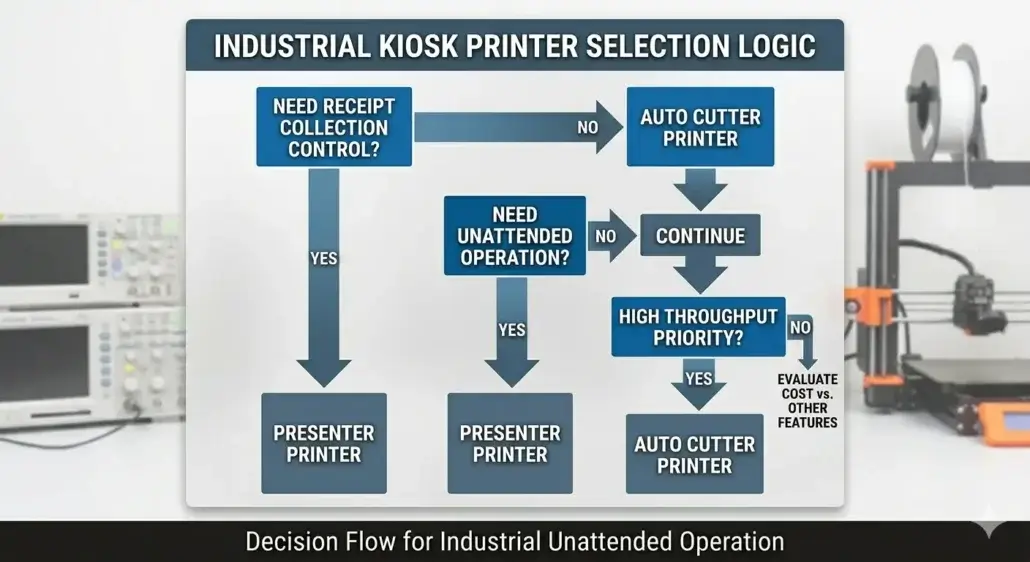
A presenter printer is usually the better choice when a self-service kiosk must control receipt delivery, reduce abandoned paper, protect sensitive printed information, or support unattended operation in hotels, healthcare, banking, visitor management, and access control environments.
An auto cutter printer is usually a practical choice when the kiosk needs simple receipt output, lower hardware cost, easier integration, and the risk of uncollected receipts is low. The right choice depends less on print speed and more on user behavior, receipt handling, maintenance workload, security requirements, and deployment scale.
On a Datasheet, the Difference Looks Small
Both printer types perform the same basic task.
They print receipts.
They cut paper.
They provide transaction records.
They integrate into self-service terminals.
During factory testing, both usually perform very well.
That is why many procurement teams initially focus on:
- Print speed
- Interface compatibility
- Paper width
- Hardware dimensions
- Purchase price
Those factors matter.
But after enough deployments, many operators discover that the most expensive printing problems are rarely caused by print speed.
They are caused by what happens after the receipt is printed.
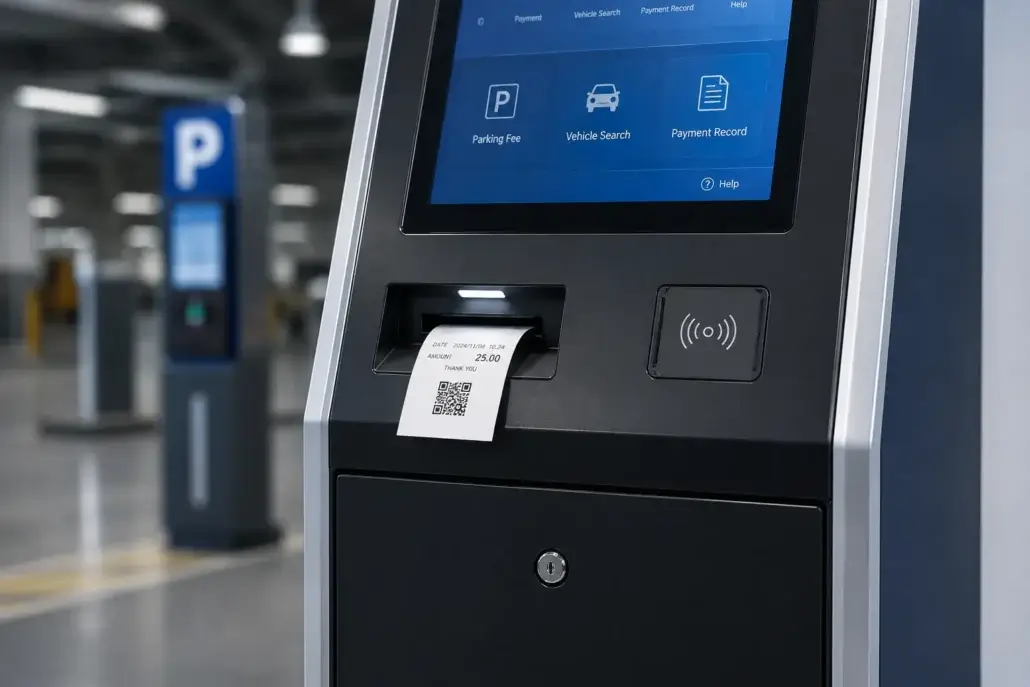
Understanding Auto Cutter Printers
An auto cutter printer automatically cuts the receipt after printing and immediately makes it available to the user.
The mechanism is straightforward.
Print.
Cut.
Present.
Transaction complete.
This design has become extremely common in:
- Parking kiosks
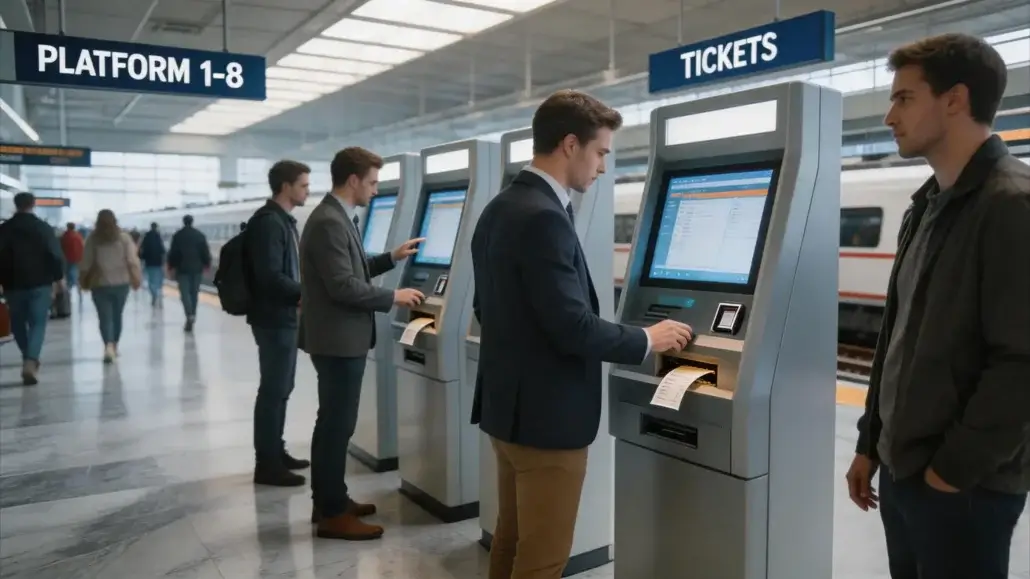
- Ticketing systems
- Payment terminals
- Queue management machines
- Information kiosks
There is a reason for that.
The design is simple.
Reliable.
Cost-effective.
And for many deployments, it is exactly the right solution.
Understanding Presenter Printers
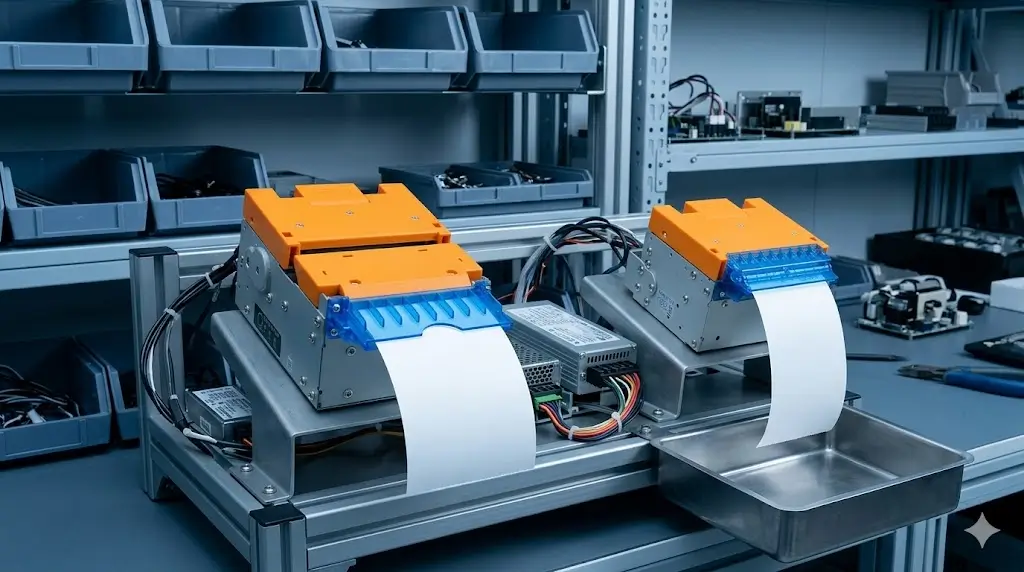
Presenter printers add another layer of control.
Instead of exposing the receipt immediately, the printer temporarily holds the document inside the mechanism.
The receipt is then presented to the user.
If the user does not collect it within a predefined period, the printer can retract it automatically.
This capability is often used in:
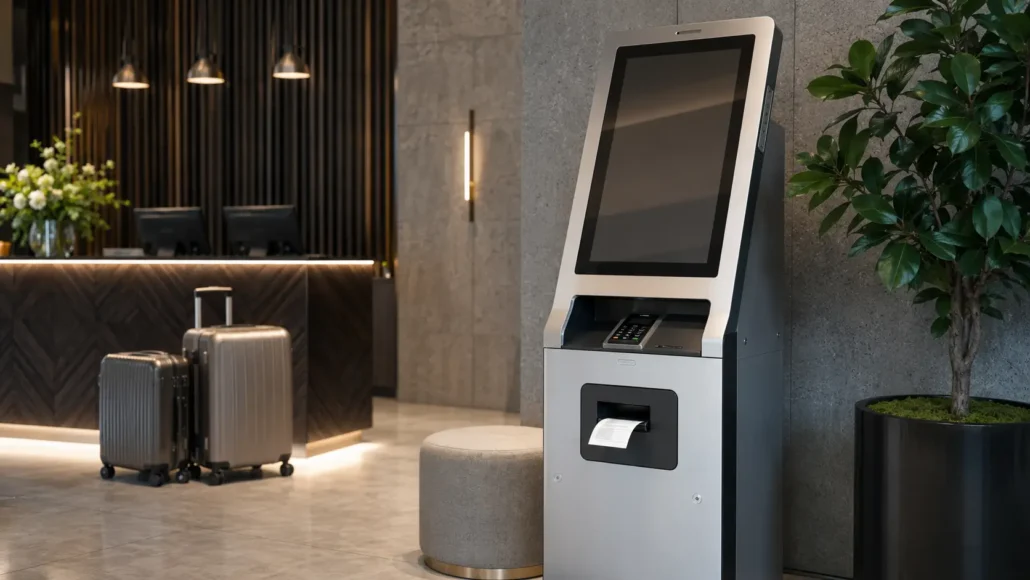
- Hotel self check-in kiosks
- Visitor management systems
- Healthcare terminals
- Banking kiosks
- Access control applications
The objective is not simply printing.
It is controlled document delivery.
Presenter Printer vs Auto Cutter Printer Selection Comparison
| Selection Factor | Presenter Printer | Auto Cutter Printer |
| Receipt delivery | Holds and presents receipt under controlled timing | Cuts and exposes receipt immediately |
| Uncollected receipts | Can retract or manage abandoned receipts | Receipts may remain at the output slot |
| Best suited applications | Hotels, healthcare, banking, visitor management, secure kiosks | Parking, ticketing, payment, queue management, general receipts |
| Integration complexity | Usually higher because presenter and retract control may require software coordination | Usually lower because print-and-cut workflow is simpler |
| Hardware cost | Usually higher | Usually lower |
| Maintenance impact | Can reduce abandoned receipt cleanup in some deployments | Simpler structure but may create more exposed paper handling |
| Security control | Better for sensitive receipts or printed documents | Less suitable when documents should not remain exposed |
| User behavior tolerance | Better when users may walk away or forget receipts | Better when users usually collect receipts immediately |
| Deployment decision | Choose when operational control matters | Choose when simplicity and cost efficiency matter |
Why Testing Rarely Reveals the Real Difference?
This is where many teams get surprised.
During testing:
- users behave correctly
- receipts are collected immediately
- technicians are nearby
- systems are monitored closely
Under those conditions, both printer types often appear equally effective.
Then the kiosk goes live.
And real users arrive.
Real deployments tend to introduce situations that never appeared in the test environment.
People walk away.
People forget receipts.
People get distracted.
People abandon transactions halfway through.
And suddenly a feature that looked unnecessary during testing becomes operationally relevant.
Nobody Plans for Abandoned Receipts
Yet They Appear Everywhere
One of the most common realities in self-service deployments is surprisingly simple.
Users do not always take the receipt.
This happens more often than many teams expect.
Particularly in:
- Visitor registration kiosks
- Hotel check-in terminals
- Healthcare kiosks
- Ticketing systems
Users finish the transaction.
Look at their phone.
Talk to someone nearby.
Receive a digital confirmation.
Then leave.
The receipt remains behind.
At first, this seems insignificant.
Then it happens hundreds of times.
Then thousands.
And eventually operations teams begin noticing something procurement teams never discussed.
The receipt became part of the maintenance workload.
A Small Operational Problem Can Scale Quickly
One deployment manager once shared an observation that stuck with us:
“Nobody complained about receipts during testing.
Everybody complained about them after deployment.”
Not because the printer was failing.
Because unattended receipts were accumulating.
The kiosk looked untidy.
Users became confused.
Staff had to intervene.
None of these issues were serious individually.
Collectively, they consumed time.
And operational costs tend to grow exactly this way.
Not through major failures.
Through small problems repeated thousands of times.
Presenter Printers Are Often Chosen for Operational Reasons
Not Printing Reasons
This is an important distinction.
Many teams assume presenter printers are primarily about hardware capability.
In reality, experienced operators often view them differently.
They see them as a way to manage operational friction.
A presenter printer cannot prevent users from forgetting receipts.
But it can reduce the consequences when they do.
The kiosk remains cleaner.
The transaction flow remains more consistent.
Sensitive documents are less likely to be left exposed.
These benefits become more visible as deployment size increases.
Simplicity Still Matters
Which is why auto cutter printers continue to dominate many applications.
A simpler mechanism generally offers:
- Lower initial cost
- Easier integration
- Fewer moving components
- Reduced system complexity
For many projects, those advantages outweigh the benefits of receipt retraction.
Not every kiosk operates in a high-volume environment.
Not every deployment handles sensitive information.
Not every operator experiences abandoned receipt issues.
This is why experienced integrators rarely ask:
“Which printer is better?”
They ask:
“Which problem are we trying to solve?”
The Cheapest Option Is Not Always the Lowest-Cost Option
One of the most common mistakes in kiosk projects is evaluating printers only through acquisition cost.
The purchase order is visible.
Operational costs are not.
At least not initially.
Then the system operates for several years.
And new questions appear:
- How often are technicians visiting the site?
- How often are users leaving receipts behind?
- How much time is spent on routine intervention?
- How frequently does staff need to assist users?
The answers often reveal costs that never appeared during procurement.
The cheapest printer is not always the least expensive printer.
Maintenance Teams Usually Have a Different Perspective
Procurement teams compare specifications.
Technicians compare experiences.
After enough deployments, maintenance teams often develop strong opinions about kiosk hardware.
Not because they read the datasheet.
Because they deal with the consequences.
One field technician once put it this way:
“We don’t maintain specifications.
We maintain whatever was installed.”
That simple statement captures years of operational reality.
Because deployment success is rarely determined by how equipment performs on day one.
It is determined by how manageable it remains years later.
Security Changes the Discussion Completely
In some industries, abandoned receipts are more than an inconvenience.
They become a compliance concern.
Visitor information.
Patient information.
Access credentials.
Transaction records.
Certain environments simply cannot leave printed documents exposed indefinitely.
This is one reason presenter printers are frequently selected in:
- Healthcare
- Banking
- Visitor management
- Secure access systems
The discussion stops being about convenience.
It becomes about information control.
One Real-World Lesson Many Teams Learn Later
In one visitor management deployment, an operator initially selected auto cutter printers throughout the project.
The decision made perfect sense.
Lower cost.
Simple integration.
Reliable operation.
For several months, everything worked well.
Then site staff started reporting a recurring issue.
Visitors frequently left printed badges and receipts behind.
The printer wasn’t malfunctioning.
The system wasn’t unreliable.
The issue was behavioral.
Over time, staff intervention became routine.
Future installations eventually moved toward presenter-based configurations.
Not because the original printer failed.
Because the deployment environment revealed requirements that testing never exposed.
What Experienced Integrators Usually Ask?
After enough projects, the questions change.
Instead of asking:
“Which printer has more features?”
Experienced teams ask:
- What happens if users walk away?
- What happens after 500,000 transactions?
- What happens when maintenance is delayed?
- What happens when sites become busy?
- What will technicians say about this design two years from now?
Those questions tend to come from experience.
Because reliability is not just a hardware characteristic.
It is an operational outcome.
The Difference Usually Appears Later
That is perhaps the most important takeaway.
The difference between a presenter printer and an auto cutter printer rarely appears during installation.
It rarely appears during factory testing.
It often appears months later.
When transaction volumes increase.
When user behavior becomes unpredictable.
When operational teams start managing the realities of daily deployment.
That is when design decisions begin revealing their long-term impact.
Short Industry Takeaway
Presenter printers and auto cutter printers both perform the same fundamental task.
The real difference is not how they print.
It is how they behave when real users interact with the kiosk.
User habits.
Operational workflows.
Maintenance effort.
Security requirements.
Deployment scale.
Those factors ultimately determine which solution is the better fit.
Because in self-service environments, success is rarely defined by what happens during testing.
It is defined by what happens after thousands of transactions.
The difference between a presenter printer and an auto cutter printer rarely appears on installation day.
It appears after thousands of transactions.
Frequently Asked Questions
What is the main difference between a presenter printer and an auto cutter printer?
A presenter printer can hold and retract uncollected receipts, while an auto cutter printer cuts and immediately exposes the receipt to the user.
Are presenter printers better for unattended kiosks?
They are often preferred in unattended environments where abandoned receipts, security concerns or user behavior can create operational challenges.
Why are auto cutter printers still widely used?
They offer lower cost, simpler integration and reliable operation, making them suitable for many kiosk applications.
Which industries commonly use presenter printers?
Hotel self check-in, healthcare, visitor management, banking and access control applications frequently benefit from presenter printer functionality.
Does a presenter printer reduce maintenance?
It can reduce certain operational issues related to abandoned receipts, although overall maintenance requirements depend on deployment conditions and usage patterns.
When should a kiosk use a presenter printer?
A kiosk should use a presenter printer when uncollected receipts, sensitive printed information, user behavior, or unattended operation may create operational or security problems. Presenter printers are often useful in hotel, healthcare, banking, visitor management, and secure access applications.
When is an auto cutter printer enough?
An auto cutter printer is usually enough when users are expected to collect receipts immediately, the receipt does not contain sensitive information, the kiosk is supervised or low-risk, and the project prioritizes simple integration and lower hardware cost.
What should system integrators test before choosing between the two?
Integrators should test user pickup behavior, receipt abandonment, paper output position, presenter or cutter control, paper jam recovery, maintenance access, software status feedback, and the final kiosk slot design.
Recommended SNRO Hardware Solutions
Kiosk Presenter Printer Series
Ideal for:
- Hotel self check-in kiosks
- Visitor management terminals
- Healthcare self-service systems
- Banking kiosks
Kiosk Auto Cutter Printer Series
Ideal for:
- Parking kiosks
- Ticketing machines
- Payment terminals
- Queue management systems
Industrial Mini PC Solutions
Suitable for:
- Self-service terminals
- Smart locker systems
- Integrated kiosk platforms
Related Guides
- Why Kiosk Printers Jam in Real Self-Service Deployments?
- How to Choose a Kiosk Printer in 2026?
- Presenter kiosk printer for parking systems
- Kiosk Printer Selection Guide (Full System Overview)
- 58mm vs 80mm Kiosk Printer: Which One Fits Your Deployment?
- Why Maintenance Accessibility Matters in Self-Service Kiosk Design
Related Solutions
- Parking & Ticketing Hardware Solutions
- Ticket Vending Machine Hardware Solutions
- Queue Management Hardware Solutions
- Self-Checkout Hardware Solutions
- Banking Self-Service Terminal Hardware Solutions
- Queue Management Hardware Solutions
Planning a Kiosk Printer Project?
Most printer comparisons begin with specifications.The more experienced conversations usually begin with operations.Because printers do not operate in test labs forever.They operate in hotels, hospitals, parking facilities, visitor centers and self-service environments where real users rarely follow perfect workflows.Understanding those realities often matters just as much as understanding the hardware itself.And that is usually where the best deployment decisions are made.
If you are comparing presenter printers and auto cutter printers for a parking terminal, hotel kiosk, healthcare self-service terminal, visitor management system, banking kiosk, or payment machine, SNRO can help review your receipt workflow, kiosk layout, paper width, interface requirement, operating system, and maintenance plan before sample testing.


