


Blog
Why Kiosk Printers Jam in Real Self-Service Deployments: Lessons Many Teams Learn After Go-Live

Kiosk printers often perform flawlessly during testing but experience paper jams after deployment. Learn the real-world factors behind kiosk printer jams, including dust, paper quality, user behavior, maintenance practices and transaction volume.
Quick Answer
Kiosk printers usually jam after deployment because real operating conditions are different from laboratory testing. Common causes include dust, thermal paper quality changes, user pulling behavior, high transaction volume, delayed maintenance, humidity, temperature changes, poor kiosk ventilation and difficult service access.
In unattended self-service systems, printer jam prevention depends on more than printer hardware. It also requires suitable paper, controlled paper path design, correct presenter or cutter selection, regular maintenance, clear status feedback and realistic field testing inside the final kiosk enclosure.
The Printer Worked Perfectly During Testing
A customer once told us:
“We tested the printer for weeks.”
“No jams.”
“No issues.”
“Everything looked perfect.”
Three months after deployment, service tickets started appearing.
Paper jams.
Receipt feeding issues.
Occasional paper path blockages.
Nothing catastrophic.
But enough to attract attention.
The interesting part was that the printer had not changed.
The environment had.
And that is often where the real story begins.
Because many kiosk printers perform exceptionally well during testing.
The challenges frequently appear later, when the printer enters the real world.
Testing proves whether a printer can work.
Deployment reveals how long it can keep working.
Why Testing and Real Deployments Are Different
Testing environments are designed to reduce uncertainty.
Real deployments introduce it.
During testing:
- The printer is clean.
- The paper is new.
- Technicians are nearby.
- Users follow instructions.
- Transaction volume is controlled.
In the field, conditions change.
Sometimes dramatically.
This is why many deployment teams are surprised when a printer that seemed flawless during evaluation begins experiencing occasional jams after months of operation.
The printer may not have become worse.
The environment simply became more realistic.
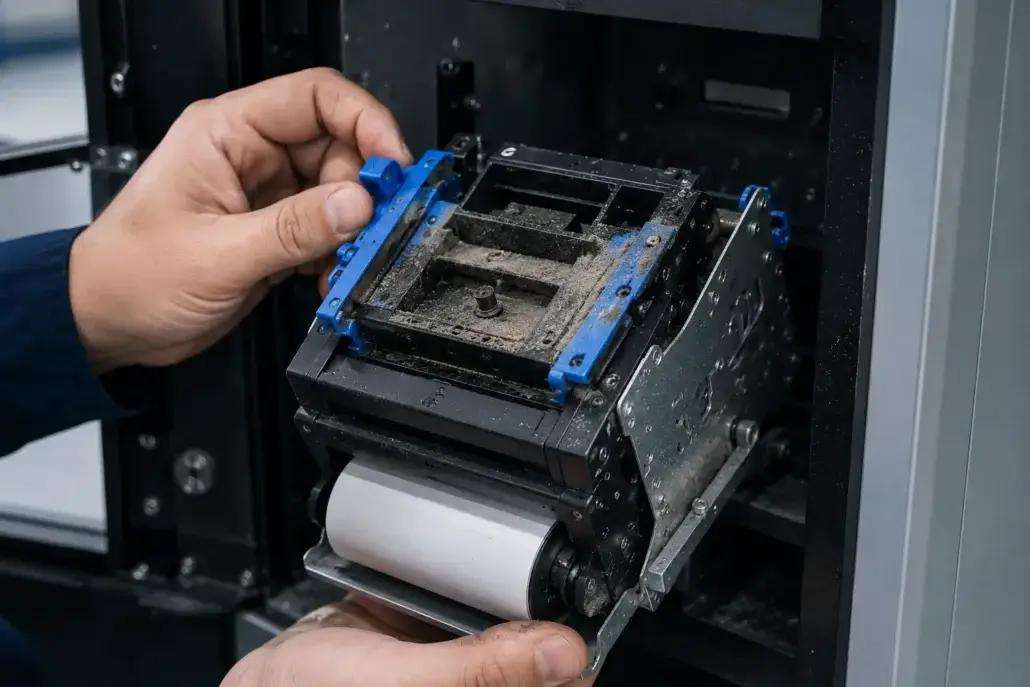
Dust Is One of the Most Common Causes
And One of the Most Underestimated
Many self-service kiosks operate in locations that are far from laboratory conditions.
Examples include:
- Parking facilities
- Transportation hubs
- Factory environments
- Shopping centers
- Public buildings
Dust gradually accumulates.
Not overnight.
Not in a dramatic way.
Slowly.
Almost invisibly.
Over time, dust can affect:
- Sensors
- Rollers
- Paper paths
- Mechanical components
The printer may continue functioning normally for months.
Then minor feeding inconsistencies begin appearing.
Eventually, occasional jams follow.
One technician once described it this way:
“Most dust-related problems don’t arrive suddenly.
They slowly introduce friction into a system that used to run smoothly.”
Paper Quality Changes More Often Than Teams Expect
During testing, many projects use high-quality thermal paper.
Consistent.
Clean.
Reliable.
After deployment, purchasing decisions sometimes change.
New suppliers appear.
Alternative paper sources are approved.
Cost reduction initiatives begin.
At first, the differences seem insignificant.
The receipt still prints.
The roll still fits.
Everything appears compatible.
Yet paper characteristics can influence:
- Paper dust generation
- Feeding consistency
- Curling behavior
- Cutter performance
The printer remains the same.
The media changes.
And small changes can create surprisingly large differences over time.
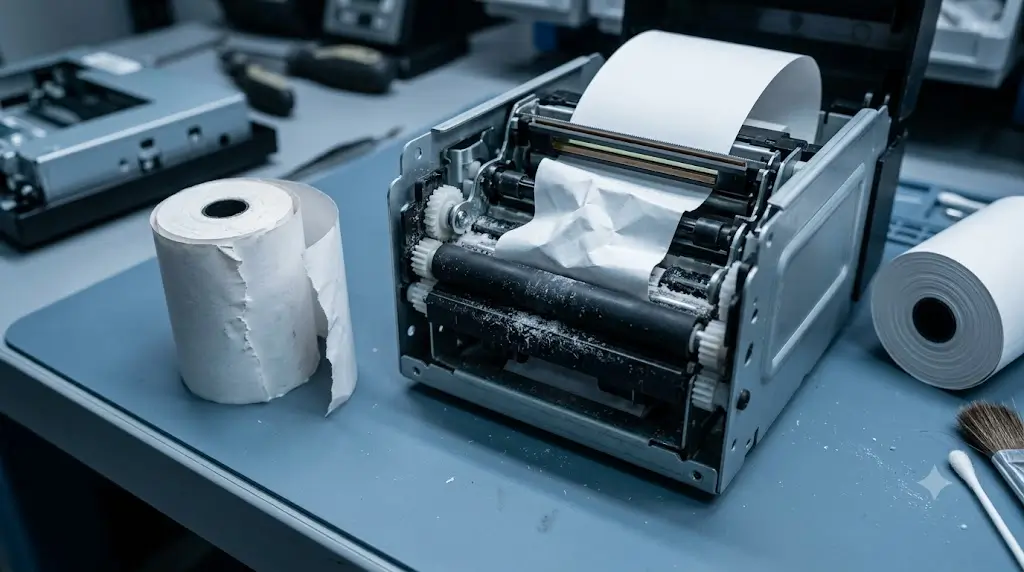
Users Rarely Behave Like Test Engineers
This is another lesson many teams learn after deployment.
Testing environments assume predictable behavior.
Real users introduce unpredictability.
Users may:
- Pull receipts aggressively
- Remove paper before printing completes
- Leave receipts partially collected
- Ignore on-screen instructions
- Attempt to retrieve jammed paper manually
None of these actions are unusual.
They are normal human behavior.
The challenge is that printers must operate reliably despite them.
One deployment manager once observed:
“The printer wasn’t designed for difficult users.
Unfortunately, difficult users arrived anyway.”
Volume Changes Everything
A printer that processes one hundred transactions during testing may eventually process hundreds of thousands after deployment.
Scale exposes weaknesses.
Minor issues that occur once every ten thousand transactions may never appear during evaluation.
After deployment, those same issues become visible.
This is particularly true for:
- High-traffic parking systems
- Ticketing kiosks
- Hospital self-service terminals
- Hotel check-in kiosks
The more transactions a system processes, the more opportunities exist for small operational problems to emerge.
A printer that survives a week of testing has proven very little.
A printer that survives a year of operation tells the real story.
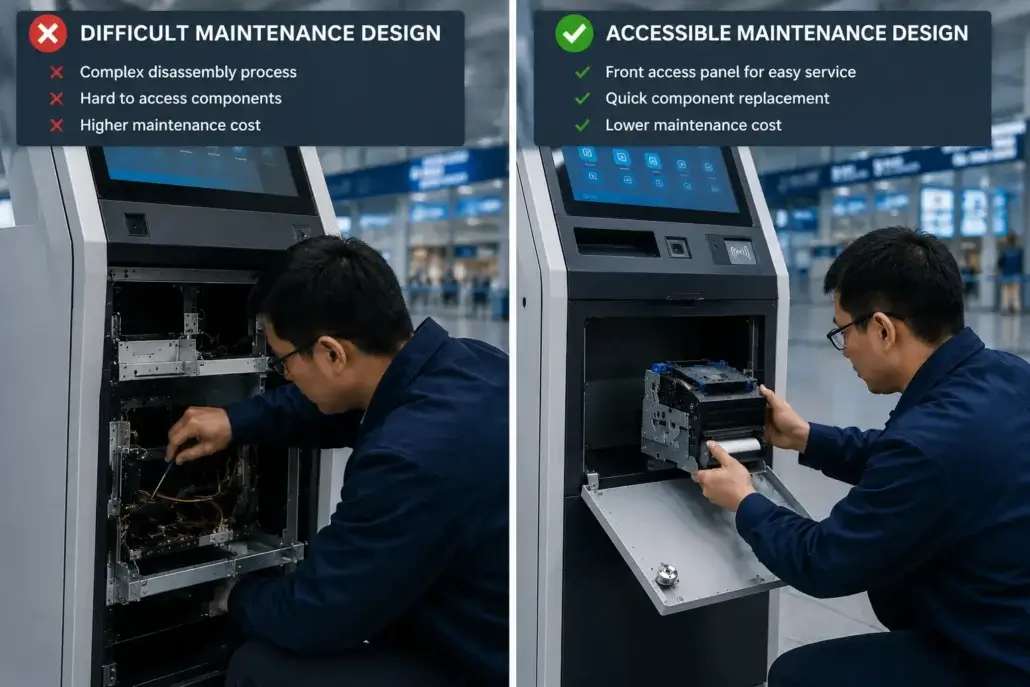
Maintenance Delays Create Problems Testing Never Reveals
During evaluation, equipment receives attention.
Technicians monitor performance.
Issues are investigated immediately.
After deployment, maintenance schedules become reality.
A kiosk may operate:
- For weeks
- For months
- Across multiple locations
before receiving detailed inspection.
Small issues that would have been corrected immediately during testing can remain unnoticed for extended periods.
Dust accumulates.
Paper debris builds up.
Rollers wear.
Alignment gradually changes.
None of these issues are dramatic individually.
Together, they increase the likelihood of feeding problems and jams.
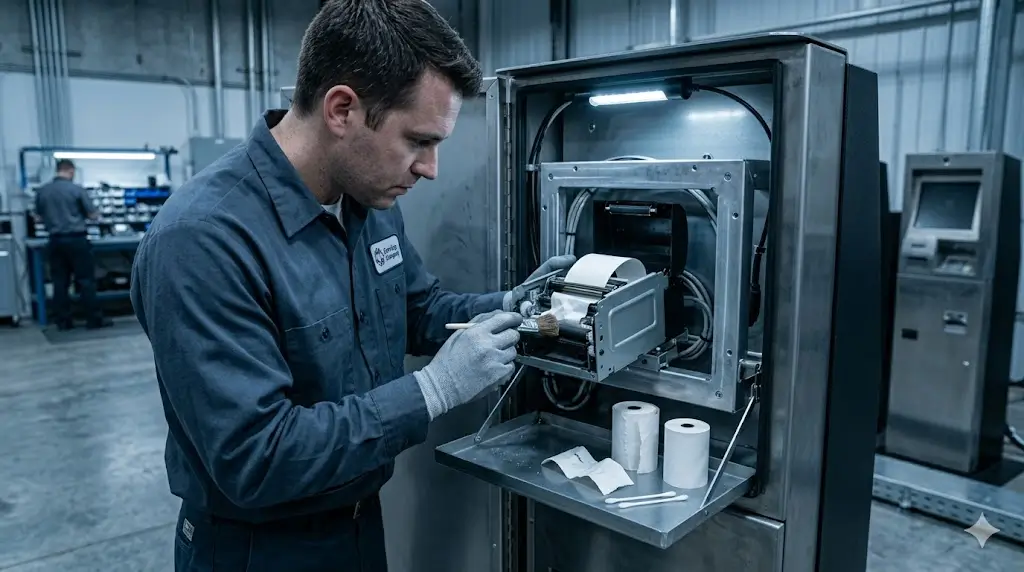
Environmental Conditions Matter More Than Many Teams Expect
Temperature fluctuations.
Humidity changes.
Airborne contamination.
All influence printer performance.
In one deployment, printers installed in climate-controlled indoor environments performed differently from identical units installed near frequently opened entrances.
The hardware was identical.
The operating conditions were not.
Environmental factors influence:
- Paper behavior
- Mechanical movement
- Sensor performance
- Component longevity
This is one reason why deployment experience often becomes more valuable than laboratory testing alone.
Many “Printer Problems” Are Actually System Problems
After enough projects, technicians begin noticing a pattern.
Not every paper jam originates inside the printer.
Sometimes the cause is:
- Poor kiosk ventilation
- Difficult maintenance access
- Inconsistent paper supply
- Inadequate service schedules
- Environmental contamination
The printer becomes the visible symptom.
The root cause may exist elsewhere.
This distinction matters because replacing the printer does not always solve the problem.
Understanding the operating environment often does.
What Experienced Operators Usually Investigate First
When paper jams begin appearing, experienced teams rarely assume hardware failure immediately.
Instead, they ask:
- Has the paper supplier changed?
- Has transaction volume increased?
- When was the last maintenance visit?
- Has the environment changed?
- Are users interacting differently?
These questions frequently reveal the underlying issue more quickly than replacing components.
Because many deployment problems originate from operational conditions rather than defective hardware.
Kiosk Printer Jam Troubleshooting Checklist
| Check Point | What to Inspect | Why It Matters |
| Paper quality | Thickness, coating, dust generation, curl behavior | Poor paper can cause feeding and cutter issues |
| Paper roll condition | Roll diameter, edge damage, storage condition | Damaged or poorly stored rolls increase jam risk |
| User behavior | Pulling before print completion, abandoned receipts | Real users often behave differently from test engineers |
| Dust and debris | Paper path, sensors, rollers, cutter area | Dust gradually affects feeding reliability |
| Maintenance interval | Cleaning schedule and inspection frequency | Delayed maintenance allows small issues to accumulate |
| Presenter or cutter design | Controlled output, retract function, paper path | Output design affects unattended operation |
| Kiosk enclosure | Ventilation, access clearance, slot alignment | Poor enclosure design can create printer problems |
| Status feedback | Paper near-end, paper out, cutter error, jam status | Remote support needs actionable printer data |
Reliability Is Usually Built Through Consistency
Many teams search for a printer that never jams.
Experienced operators tend to think differently.
They focus on creating conditions that support reliable operation.
That includes:
- Consistent media quality
- Regular maintenance
- Appropriate environmental protection
- Good kiosk design
- Realistic service schedules
Reliable deployments are rarely the result of a single decision.
They are usually the result of many small decisions working together.
The Best Reliability Lessons Come After Deployment
Most printers do not fail because of a dramatic design flaw.
More often, performance changes gradually as real-world conditions begin interacting with the system.
Dust appears.
Paper quality varies.
Users behave unpredictably.
Maintenance schedules become constrained.
Transaction volume grows.
None of these factors seem significant individually.
Together, they determine long-term reliability.
That is why experienced operators pay close attention to deployment conditions rather than specifications alone.
Short Industry Takeaway
Kiosk printers rarely jam because of a single cause.
Most real-world paper jams emerge from the interaction between:
- Environment
- Media quality
- User behavior
- Maintenance practices
- Transaction volume
Testing environments rarely reproduce all of those conditions simultaneously.
Deployment does.
And that is why printers that appear flawless during evaluation sometimes encounter challenges after go-live.
Most printers do not fail when they leave the factory.
Problems appear when real-world conditions begin interacting with them.
Frequently Asked Questions
Why do kiosk printers jam after deployment but not during testing?
Testing environments are controlled, while real deployments introduce dust, varying paper quality, unpredictable user behavior and higher transaction volumes.
What is the most common cause of kiosk printer jams?
There is rarely a single cause. Dust accumulation, paper quality issues, maintenance delays and user interactions are among the most common contributing factors.
Can paper quality affect kiosk printer reliability?
Yes. Differences in paper dust, thickness, coating quality and feeding consistency can significantly influence long-term printer performance.
How can operators reduce paper jam incidents?
Regular maintenance, consistent paper quality, proper environmental protection and good kiosk design all contribute to reducing jam frequency.
Are printer jams always caused by the printer itself?
No. Environmental conditions, kiosk design, maintenance practices and operating procedures can all contribute to paper feeding issues.
Why do kiosk printers work during testing but jam after deployment?
Testing usually happens in clean, controlled conditions with new paper and technicians nearby. Real deployments introduce dust, user behavior, paper supplier changes, high transaction volume and delayed maintenance.
How can system integrators reduce printer jam risk?
They should test the printer inside the final kiosk enclosure, use approved thermal paper, confirm status feedback, plan maintenance access, evaluate presenter or cutter design and simulate real user behavior before deployment.
Recommended SNRO Hardware Solutions
Anti-Jam Kiosk Printer Series
Designed for self-service environments requiring reliable paper handling and long-term operational stability.
Presenter Printer Solutions
Suitable for unattended deployments where controlled receipt delivery is important.
Industrial Mini PC Solutions
Engineered for continuous operation in self-service kiosk applications.
Related Guides
- How to Choose a Kiosk Printer in 2026?
- Kiosk Printer Selection Guide (Full System Overview)
- Why Maintenance Accessibility Matters in Self-Service Kiosk Design?
- Presenter Printer vs Auto Cutter Printer: The Difference Many Teams Only Understand After Deployment
- 58mm vs 80mm Kiosk Printer: Which One Fits Your Deployment?
Related Solutions
- Parking & Ticketing Hardware Solutions
- Ticket Vending Machine Hardware Solutions
- Queue Management Hardware Solutions
- Self-Checkout Hardware Solutions
- Banking Self-Service Terminal Hardware Solutions
- Queue Management Hardware Solutions
Planning a Self-Service Kiosk Deployment?
Many paper jam investigations begin by examining the printer.
Experienced operators often begin somewhere else.
They examine the environment.
The maintenance process.
The paper supply.
The user workflow.
Because in real deployments, reliability is rarely determined by hardware alone.
It is determined by how well the entire system performs after months and years of everyday operation.
And that is usually where the most valuable lessons are learned.
If your project involves parking terminals, ticket vending machines, hotel kiosks, queue systems, payment kiosks or other unattended self-service terminals, SNRO can help review printer structure, paper width, interface, presenter requirement, status feedback and maintenance access before sample testing.


