


Blog
Campus Smart Service Kiosk Hardware Solutions for System Integrators | SNROTEK
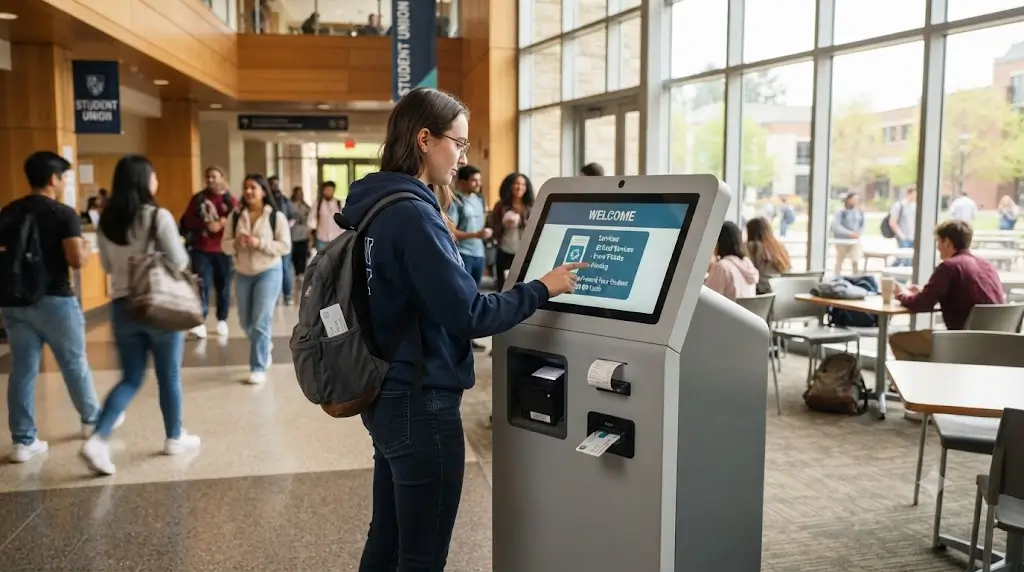
Why Are Campuses Moving to Self-Service Kiosks?
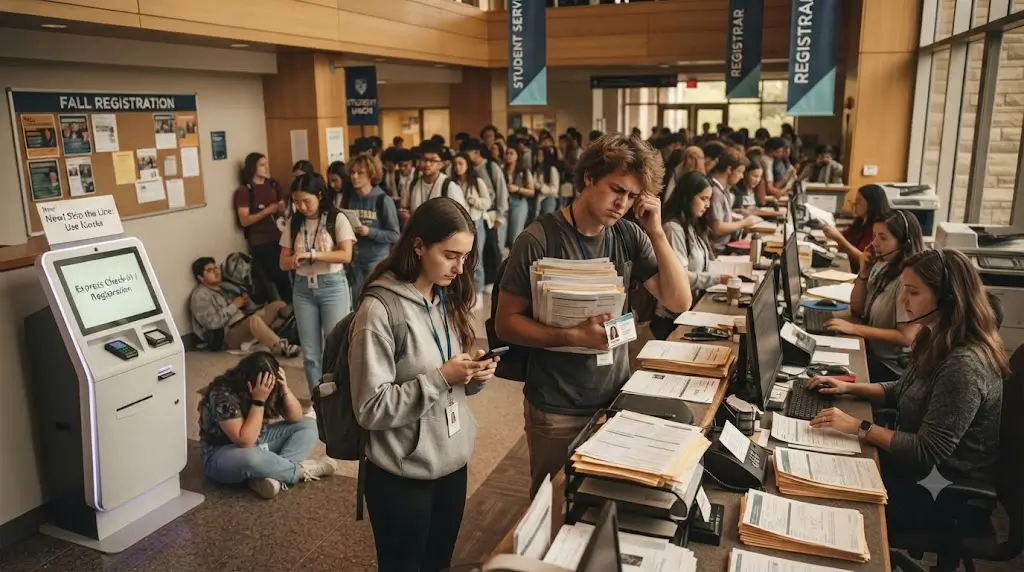
If you have ever walked through a university campus during the first week of fall semester, you know the scene. Long queues outside the student services office. New students waiting in line to get their ID cards printed. Returning students queuing up to top up their meal plans. Staff members juggling walk-up inquiries while trying to process card replacements.
The numbers tell the story. The global school self-service kiosk market was valued at approximately US$1.44 billion in 2025 and is expected to reach US$1.87 billion by 2032, growing at a compound annual rate of 4.1%. In 2025, global production reached approximately 1.1 million units, with average pricing around US$1,300 per unit. Campuses are investing in self-service infrastructure at scale.
But here is what experienced campus IT directors will tell you: the software workflow matters. What matters more is hardware that works consistently through thousands of student interactions per day. Students do not remember the transaction that went smoothly. They remember the printer that jammed during final exam week, the card dispenser that failed to issue a new ID, or the kiosk that went offline during meal rush hour.
We have seen these scenarios play out in real deployments. And most of them could have been avoided with the right hardware choices made early in the project.
Quick Answers
What hardware does a campus self-service kiosk require?
A campus kiosk typically includes: touchscreen, campus card reader (IC/CPU card compatible), thermal receipt printer, optional RFID card dispenser for student ID issuance, industrial mini PC, and integration with campus management systems.
How to integrate a card dispenser with a campus management system?
SNRO provides SDK, API documentation, and sample code. Integration uses serial (RS-232), USB, or Ethernet interfaces. Most campus systems communicate with kiosk hardware via standard protocols — card initialization, personalization printing, and balance migration are typically handled through documented APIs.
What is the main challenge for system integrators in campus deployments?
Not selecting individual devices — but ensuring the complete workflow works reliably: student identification, card issuance or validation, payment processing, receipt printing, and backend data synchronization — all within a compact, high-traffic, unattended environment.
Why do campus kiosks use dedicated kiosk printers instead of POS printers?
Unlike attended POS printers, campus kiosk printers must operate unattended for extended periods. Features such as presenter/retract functionality, larger paper capacities, jam detection, and vandal-resistant enclosures ensure reliability in student-facing environments.
What Hardware Does a Campus Smart Service Kiosk Require?
A practical campus kiosk connects student-facing devices, card issuance hardware, printing modules, payment devices, and backend campus systems through an industrial controller.
| Hardware Module | Typical Function | Integration Concern |
|---|---|---|
| Touchscreen | Student interaction, transaction selection | Durability, vandal resistance, daylight readability |
| Campus card reader | Student identification, card authentication | IC/CPU card protocol support, read speed, encryption compliance |
| Thermal receipt printer | Transaction receipts, document printing | Paper capacity, jam prevention, presenter/retract |
| RFID card dispenser | Student ID card issuance (new/ replacement) | Card hopper capacity, encoding, personalization printing |
| Payment module | Fee payment, meal plan top-up | PCI compliance, campus card balance integration |
| Barcode scanner | Code scanning for document retrieval, check-in | Scan speed, USB interface, 24/7 reliability |
| Industrial mini PC | Main control and device communication | COM ports, USB, Linux/Windows support, fanless design |
| Campus system connection | Data sync, authentication, transaction records | API reliability, data security, network handling |
Key Hardware Components for Campus Kiosks
Thermal Kiosk Printer for Campus Receipts
We worked with a large state university a couple of years ago. They installed 12 self-service kiosks across campus before the fall semester — all without presenter mechanisms on the printers. By the end of the first week, facilities staff were getting complaints from the cleaning crew about receipts scattered all over the floor around every kiosk. Students were grabbing their transaction confirmation, walking away, and the receipt would either fall out or get left behind.
That is not a printer failure in the traditional sense. But from the university’s perspective, it was a problem. They had to assign someone to check each kiosk multiple times a day just to clean up uncollected receipts. The kiosks were supposed to save staff time, not create new tasks.
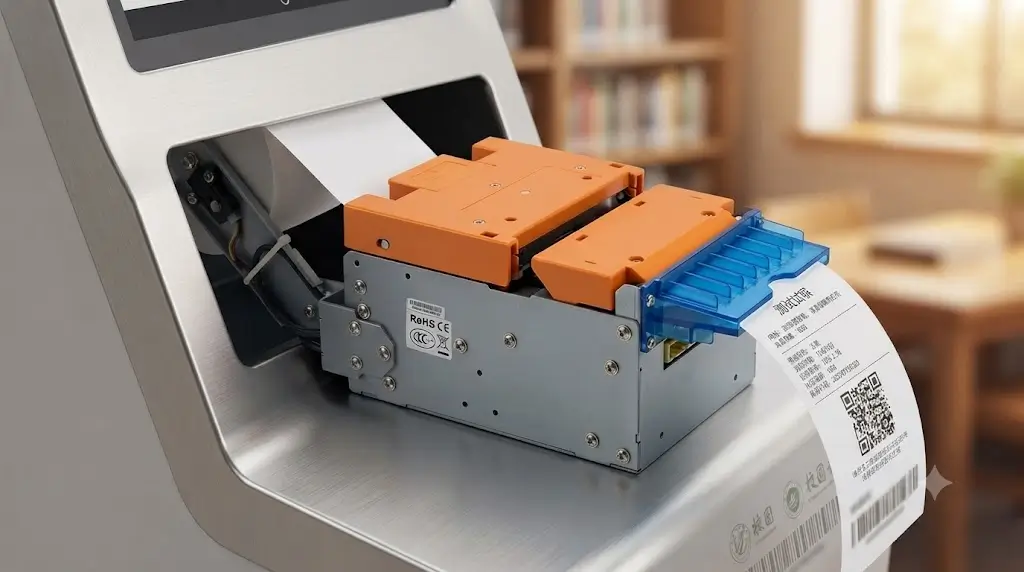
The fix was straightforward: they replaced the printers with models that had presenter mechanisms — the printer holds the receipt at the outlet until the student actually pulls it. If the student walks away without taking it, the printer retracts it back inside. No more receipts on the floor.
We also learned something else from that project. During peak hours, students would sometimes pull the receipt before the printer had finished cutting it. That jammed the mechanism. In the new printers, we specified anti-jam paper paths, which guide the paper directly from the roll to the outlet with no sharp turns. It is not a feature that looks impressive on a spec sheet, but it significantly reduces service calls during high-volume periods like registration week and dining hours.
What we now recommend for campus deployments:
| Feature | Why It Matters (Based on Real Deployments) |
|---|---|
| Presenter function | Holds receipt until student takes it. If not taken, retracts it. Prevents litter and eliminates a cleaning task. |
| Anti-jam paper path | Straight paper path means students cannot pull receipts out before cutting is complete. Fewer service calls. |
| Auto cutter | Clean cut every time. Prevents the jagged tear that some students pull on and jam. |
| Paper low sensor | The only way to know paper is running low without checking every kiosk manually. Alerts staff before lunch rush. |
Applications: Transaction receipts, dining hall payment confirmations, library document printing, student service receipts.
RFID Student ID Card Dispenser
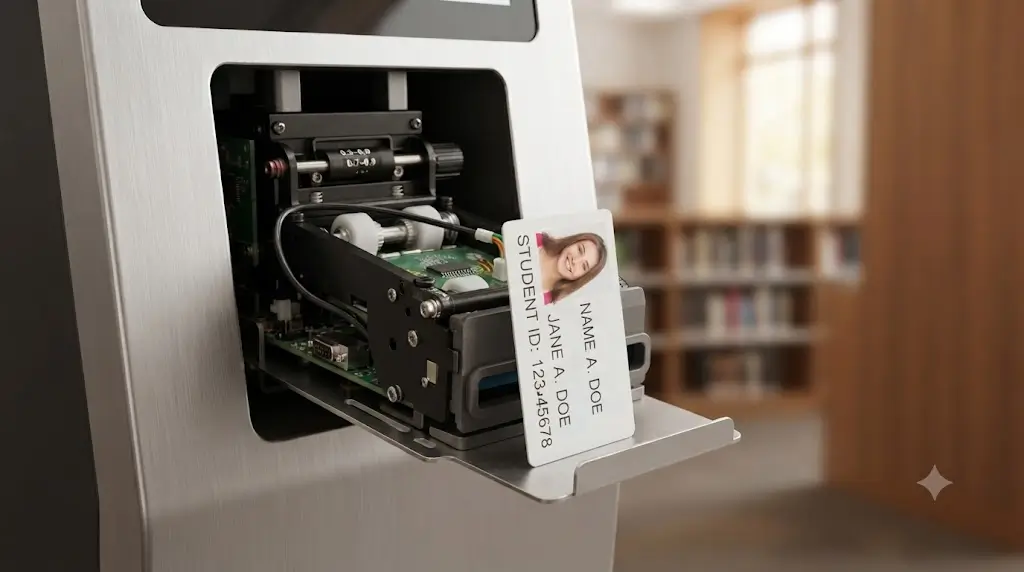
Student ID cards are the backbone of campus life — access control, meal plans, library, attendance, building access. Manual issuance during registration week is a bottleneck that self-service kiosks should solve.
In one private university project, the card dispenser worked perfectly during testing. Then registration week started. On day one, the dispenser jammed three times. The problem turned out to be the cards themselves. The university had ordered cards from a supplier with slightly thicker PVC than the dispenser was calibrated for. The dispenser would pick one card, but the friction from the thicker material would sometimes pull a second card along with it, causing a double-feed jam.
That is when we learned that card thickness tolerance matters more than most teams realize. Campus cards are not all the same. Some are standard CR80 (0.76mm). Others are thicker for durability. Some have embedded RFID inlays that add thickness. If you do not calibrate the dispenser to the actual card stock being used, you will have problems at scale.
The other lesson came from personalization. Many campuses want the kiosk to do more than just dispense a blank card. They want it to print the student’s name, ID number, and photo directly onto the card at the kiosk. A public university in the Midwest wanted this, but they assumed any printer with dye-sublimation could handle the volume. Their first deployment used a printer rated for 500 cards per day. Registration week averaged 1,200 new and replacement cards per day. By Thursday, they were calling us to ask if we had loaner units.
What we now specify for campus card dispensers:
| Specification | Why It Matters (Based on Real Deployments) |
|---|---|
| Hopper capacity: 100-200 cards | Must last through peak demand without refilling. 100 cards may not be enough for a busy registration day. |
| Adjustable card thickness | Cards vary by supplier. Some 0.76mm, others 0.84mm, RFID inlays add thickness. Calibrate to the actual stock. |
| Card personalization printing | Name, ID number, photo, validity period. Must support dye-sublimation or thermal transfer. |
| Retract function | If a student walks away without taking the card, the dispenser pulls it back in. Prevents lost cards and security issues. |
| IC/CPU dual protocol support | M1 cards and CPU cards are both common on campuses. Make sure the dispenser handles both. |
Card protocols we see on campuses:
– Mifare Classic (M1): Common, lower cost, widely used for access and meal plans. Encryption is older but still widely deployed.
– Mifare Desfire (CPU): Higher security, common for newer campuses, supports SM4 encryption. More expensive, but more secure.
– Hybrid campuses: Some use M1 for dining, CPU for access control. The dispenser must support both.
Fanless Industrial Mini PC
The industrial PC is the least visible component and often the most critical. Teams initially focus on CPU specifications. Interface compatibility and long-term operation become higher priorities during integration.
We saw a deployment at a community college where the kiosk contractor had used consumer-grade mini PCs to save cost. Six months in, three of the twelve kiosks were down because the fans had failed. The cooling fans in consumer PCs are not designed for continuous 24/7 operation in dusty environments. After a few months of sucking in dust from foot traffic in a busy student union, the fans died, the PCs overheated, and the kiosks stopped working.
The school replaced them with fanless industrial PCs. No moving parts. No fans to fail. They have been running for three years without a fan-related issue.
Interface count is another thing that catches teams off guard. A typical campus kiosk needs to connect: a printer, a card dispenser, a card reader, a barcode scanner, a payment module, and a touchscreen. That is at least six COM ports. Many compact PCs have only two or four. We now specify at least six COM ports and eight USB ports for campus deployments, because the kiosk might need to add a new device later.
What we now specify for campus industrial PCs:
| Specification | Why It Matters (Based on Real Deployments) |
|---|---|
| Fanless operation | No fans to fail. Dust from foot traffic kills consumer fans in months, not years. |
| ≥6 COM ports | Printer, dispenser, scanner, reader, payment, touchscreen — you run out quickly without enough ports. |
| ≥8 USB ports | Add-ons happen. Extra USB ports mean you do not have to redesign the kiosk when a new peripheral is needed. |
| 24/7 continuous operation rating | Campus kiosks run from 7am to 10pm daily, longer during exam weeks. Consumer PCs are not designed for this duty cycle. |
| Linux/Windows compatibility | Some campus systems run Linux-based management platforms. Make sure the PC supports both. |
How Does a Campus Kiosk Workflow Actually Run?
Here is what we typically see in a real deployment:
Student approaches kiosk
↓
Swipes/taps campus card or enters student ID
↓
Authenticates via campus system
↓
Selects transaction type (card issuance/payment/printing/registration)
↓
Kiosk processes request
↓
Prints receipt or issues card
↓
Transaction logged to campus management system
↓
Student receives card/receipt and completes transaction
Total time: Under 2 minutes for most routine transactions.
The step that causes the most integration issues is authentication. If the campus system is slow to respond, the student waits, assumes the kiosk is broken, and walks away. In one deployment, we advised the university to set up a local cache of student records so authentication could happen quickly even during high network load. It reduced transaction time by 40 seconds on average during peak hours.
Which Hardware Do We Recommend for Campus Deployments?
| Model | Type | Application |
|---|---|---|
| SNR-KP802-VX | Presenter Kiosk Printer | High-traffic campus kiosks, proven in multiple university deployments |
| SNR-KP800-VX | 80mm Kiosk Printer | Standard receipt printing — reliable, no frills |
| SNR-K750C | RFID Card Dispenser | Student ID card issuance with personalization printing |
| SNR-K750L | RFID Card Dispenser | Larger hopper capacity for high-volume campuses |
| SNR-IBC-N8 | Fanless Industrial Mini PC | 6 COM ports, fanless, 24/7 rated |
Already have a kiosk layout and integration timeline? → Request Hardware Review
What Integration Issues Should You Expect on Campus?
Campus Management System Integration
Campus kiosks must integrate with existing campus management systems — the platform that handles student records, card balances, library services, and access control.
Integration considerations we have seen in real deployments:
– API reliability: Some campus systems have slow APIs, especially during peak registration times. A local cache can significantly improve performance.
– Network interruptions: Not every campus has reliable Wi-Fi in every building. Print jobs should queue locally and sync when the network returns.
– Student data privacy: Encryption is non-negotiable. Student IDs, balances, and transaction records must be protected.
Card Protocols:
| Card Type | Common Use on Campus | Security Level | Dispenser Compatibility |
|---|---|---|---|
| Mifare Classic (M1) | Access control, dining | Legacy (weaker) | Most dispensers support |
| Mifare Desfire (CPU) | Payment, ID | High (SM4 encryption) | Check CPU support |
| Hybrid (M1 + CPU) | Mixed-use campuses | Varies | Must support both |
Regulatory Compliance
| Standard | Relevance |
|---|---|
| Vandal resistance | Protection against accidental impacts in student traffic |
| Data privacy | Protection of student records, IDs, transaction data |
| EMV Level 1 | Payment terminal certification (where applicable) |
| CE/FCC/RoHS | Hardware safety and environmental compliance |
Which Hardware Configuration Fits Which Campus Scenario?
| Deployment Type | Typical Hardware Configuration | Key Evaluation Point |
|---|---|---|
| Student ID issuance kiosk | Touchscreen + card dispenser (with printer) + industrial PC | Hopper capacity, personalization speed, encoding reliability |
| Campus administrative kiosk | Touchscreen + receipt printer + industrial PC | Multi-transaction workflow, system integration |
| Dining hall payment station | Touchscreen + receipt printer + payment module + industrial PC | Transaction speed, balance sync, peak-hour volume |
| Library self-service kiosk | Touchscreen + receipt printer + barcode scanner + industrial PC | Document printing, QR/barcode scanning, library system integration |
| After-hours/visitor registration | Touchscreen + receipt printer + optional card dispenser + industrial PC | Unattended operation, guest badge printing, data privacy |
What Hardware Problems Actually Show Up in Campus Deployments?
Some challenges we have seen across multiple campus deployments.
Receipts on the Floor
This was described earlier. Kiosks without presenter mechanisms create a litter problem and a staff chore. We now recommend presenter printers for all unattended campus kiosks.
Card Jams During Peak Registration
Double-card feeding is the most common failure mode during registration week. It happens when the dispenser picks two cards instead of one. Causes include:
– Card thickness variations between batches
– High humidity in the card storage area
– Wrong hopper pressure settings
– Inconsistent card supplier quality
The fix: test the dispenser with the actual card stock before deployment. Store cards in a climate-controlled area. Calibrate the hopper before the start of each semester, especially if the card supplier changed.
Vandalism and Accidental Damage
Campus kiosks are in high-traffic student areas. We have seen:
– Touchscreens cracked by students leaning on them
– Panels damaged by skateboards
– Printer doors forced open by curious students
Metal enclosures with spray-painted or powder-coated finish resist impact better than plastic. Secure mounting hardware prevents the kiosk from being moved or tilted.
Software Integration Bottlenecks
In one deployment, the university’s campus management system was slow to sync student records. Students would get a new ID card at the kiosk, but the meal plan balance would not load until the next day. We advised a local cache with periodic synchronization, so balances were available immediately at transaction time.
Maintenance Neglect
Maintenance happens less frequently than it should because campus IT teams are busy. We have seen paper rolls run out during lunch rush and card hoppers empty during registration week. Scheduling preventive maintenance before peak periods — registration week, exam week, the start of each semester — prevents most of these issues.
Why Does Hardware Selection Make or Break Campus Kiosk Projects?
Two campus kiosks may deliver identical student-facing functionality while producing very different long-term operating experiences. For campus IT directors and system integrators, the question is not whether the kiosk serves students today — but whether it will continue to do so after a semester of continuous high-volume operation.
SNRO vs. Competitors: What We Actually See in Deployments
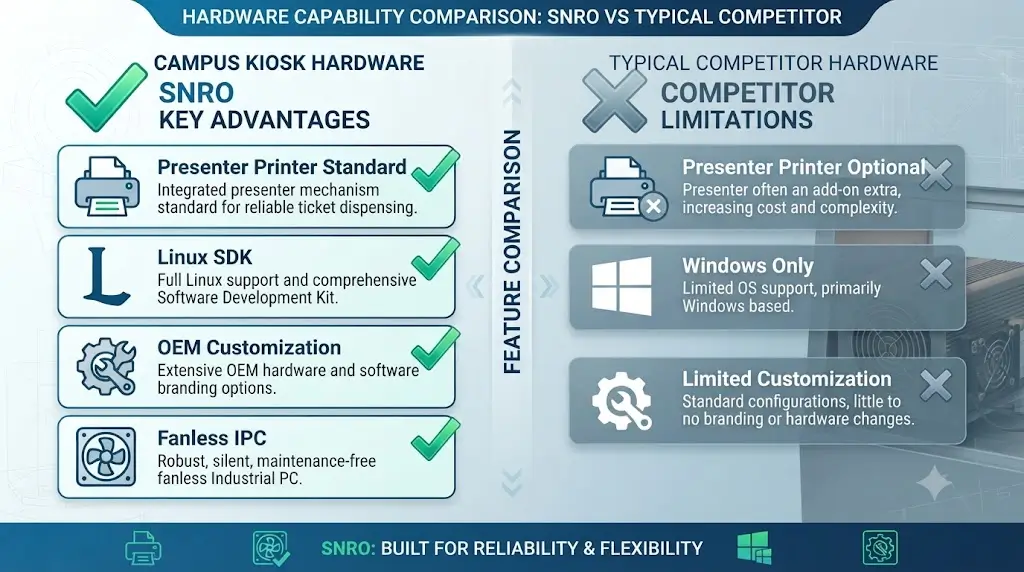
| Evaluation Criteria | SNRO Campus Kiosk Hardware | Typical Competitor Offerings |
|---|---|---|
| Printer presenter/retract | Standard on SNR-KP802-VX | Often optional or not available |
| SDK & Linux drivers | Full SDK, Linux drivers, ESC/POS command set | Limited Linux support, often Windows-only |
| OEM/ODM customization | Color, logo, cutout dimensions, firmware | Often restricted to high-volume orders |
| Fanless industrial PC | Standard, 6+ COM ports, multiple USB | Often consumer-grade with limited I/O |
| Card dispenser encoding + printing | Full encoding + personalization support | Often basic issuance only |
| Vandal-resistant enclosures | Available for campus-specific deployments | Limited selection |
| Integration support | Direct engineering support, sample code | Standard documentation only |
What Should You Ask Before Selecting Hardware?
Before choosing hardware, ask:
✓ Will your kiosk operate in high-traffic campus areas (student unions, dining halls)?
✓ Does your deployment require student ID card issuance with personalization?
✓ How many peripherals need to communicate simultaneously?
✓ What campus management system are you integrating with?
✓ Will your system operate 24/7 during registration periods?
Identifying these requirements early helps avoid deployment issues.
What Kind of Campus Projects Do We Support?
– University Student ID Issuance Kiosks
– College Campus Administrative Kiosks
– Campus Dining Hall Payment Stations
– Library Self-Service Terminals
– Student Services Registration Kiosks
– Campus Visitor Management Systems
– Multi-Campus University Deployments
– K-12 School Kiosk Installations
– Campus Event Registration Stations
Frequently Asked Questions
| Question | Answer |
|---|---|
| What hardware does a campus self-service kiosk require? | Touchscreen, campus card reader, thermal printer, optional card dispenser, industrial PC, and campus system integration. |
| How to integrate a card dispenser with campus management systems? | SNRO provides SDK, API documentation, and sample code. Most campus systems communicate via serial or Ethernet interfaces. |
| Can your hardware handle peak-volume university deployments? | Yes. Industrial-grade components, long-life cutter mechanisms (≥1,000,000 cuts), and large card hopper capacities (100-200 cards) support high-volume workflows. |
| Do campus kiosks require Linux-compatible hardware? | Many campus management platforms run on Linux. SNRO provides Linux driver support and SDKs. |
| What about student data privacy? | SNRO hardware facilitates secure, compliant workflows through encrypted data transmission and secure SDK integration. |
| Why use dedicated kiosk printers instead of POS printers in campus kiosks? | Dedicated kiosk printers are purpose-built for unattended campus environments with presenter/retract, larger paper capacities, and jam detection — critical in high-traffic student environments. |
| How reliable are RFID card dispensers in campus kiosks? | Modern RFID card dispensers provide highly reliable operation when matched with compatible card specifications and supported by proper maintenance practices. |
| What are the most common hardware issues in campus kiosk deployments? | Receipt printing reliability, card issuance reliability, vandal resistance, maintenance accessibility, and multi-device communication. |
| How often should campus kiosk hardware be maintained? | Maintenance schedules vary by transaction volume. High-traffic campuses benefit from inspections before peak periods — registration weeks, exam weeks, start of each semester. |
| How to choose between a presenter printer and an auto-cutter printer for a campus kiosk? | Presenter printers for unattended campus kiosks where receipts may be left behind. Auto-cutter for supervised administrative counters. |
Related Resources
Related Hardware
– 80mm Kiosk Printer
– Panel Mount Printer
– Card Dispenser
– Fanless Industrial Mini PC
Recommended Buying Guides
– Presenter Printer vs Auto-Cutter Printer for Unattended Kiosks
– Kiosk Printer Buying Guide for Self-Service Systems
– Card Dispenser Integration Guide for Education
Technical Resources
– Kiosk Printer SDK and Integration Guide
– Card Dispenser Preventive Maintenance Guide
– Linux Kiosk Printer Integration Guide
Related Solutions
– Queue Management Hardware Solutions
– Access Control Kiosk Hardware
– Visitor Management Hardware
Need Help Evaluating Hardware for Your Campus Kiosk?
If you are planning a student ID issuance kiosk, campus administrative terminal, dining hall payment station, or library self-service system, SNRO can help review your hardware configuration before sample testing. Share your deployment environment, student population, campus management system integration requirement, receipt and card issuance needs, and operating system platform. Our engineering team will recommend suitable printer, card dispenser, scanner, and industrial controller hardware for your campus kiosk deployment.


