Blog
How To Integrate A Kiosk Printer With Your System

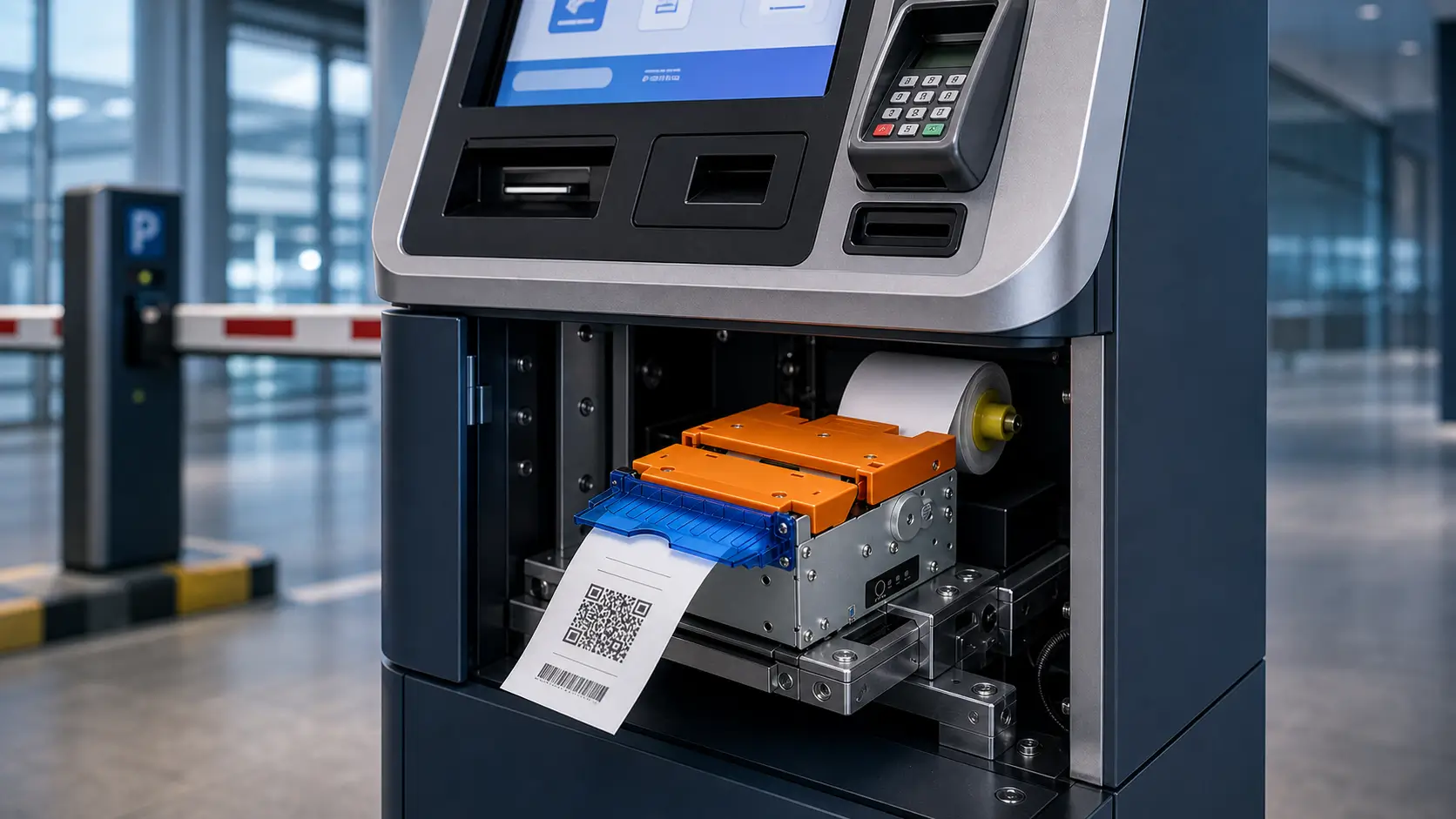
In many self-service kiosk projects, the printer looks like a small hardware component during the purchasing stage.
It usually becomes important later.
After the first prototype is assembled, the project team starts discovering practical questions:
- Does the printer communicate correctly with the kiosk software?
- Can the system detect paper-out conditions?
- Does the output position match the kiosk structure?
- Can operators replace paper quickly?
- Will the printer remain stable after thousands of transactions?
These questions reveal an important fact:
A kiosk printer is not only a printing device.
It is part of the complete self-service system architecture.
In real deployments, successful kiosk printer integration requires coordination between:
- kiosk application software
- POS or transaction platform
- operating system
- industrial controller
- communication interface
- printer SDK or command protocol
- mechanical kiosk design
A printer that works perfectly on a development desk may still require additional engineering evaluation after being installed inside a real kiosk.
This is why professional system integrators and OEM kiosk manufacturers evaluate printers as part of the entire terminal workflow, not as an isolated hardware purchase.
Quick Answer
What Is Kiosk Printer Integration?
Kiosk printer integration is the process of connecting an embedded thermal printer with kiosk software, controller hardware, operating system and transaction workflow to create a reliable self-service printing function.
A complete kiosk printer integration normally includes:
- Kiosk application
- POS or backend system
- SDK or driver layer
- Communication interface
- Embedded thermal printer
- Printer status feedback
- Prototype testing
- Deployment validation
The objective is not simply making the printer print.
A professional integration should ensure that the kiosk system can:
- send print commands correctly
- receive printer status information
- detect errors
- recover from failures
- support long-term unattended operation
What Is Kiosk Printer Integration?
A kiosk printer is different from a traditional desktop receipt printer.
A desktop printer is normally used in a controlled environment where staff members can handle paper replacement or solve printing problems.
A kiosk printer operates inside an unattended or semi-attended terminal.
It must work together with:
- cabinet structure
- host controller
- kiosk software
- user interaction flow
- maintenance process
In a real self-service system, printing is only one step in the transaction process.
A typical workflow:
Customer Interaction -> Order / Transaction Processing -> Payment Confirmation -> Print Command -> Printer Execution -> Receipt / Ticket Output

-> Transaction Completed
If printing fails, customers usually do not see it as a printer issue.
They see:
- failed transaction
- delayed service
- missing receipt
- kiosk unavailable
Therefore, kiosk printer integration should be considered a system engineering task.
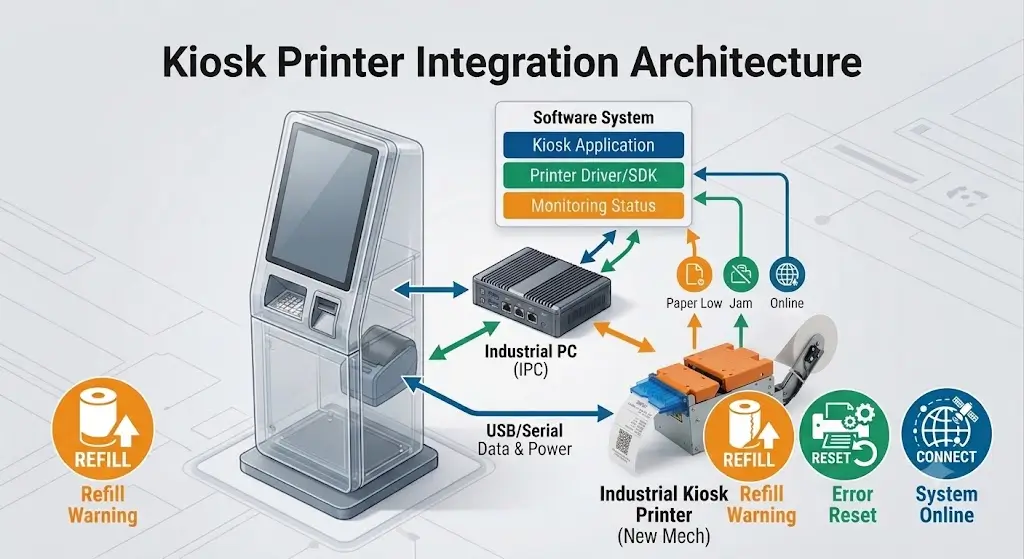
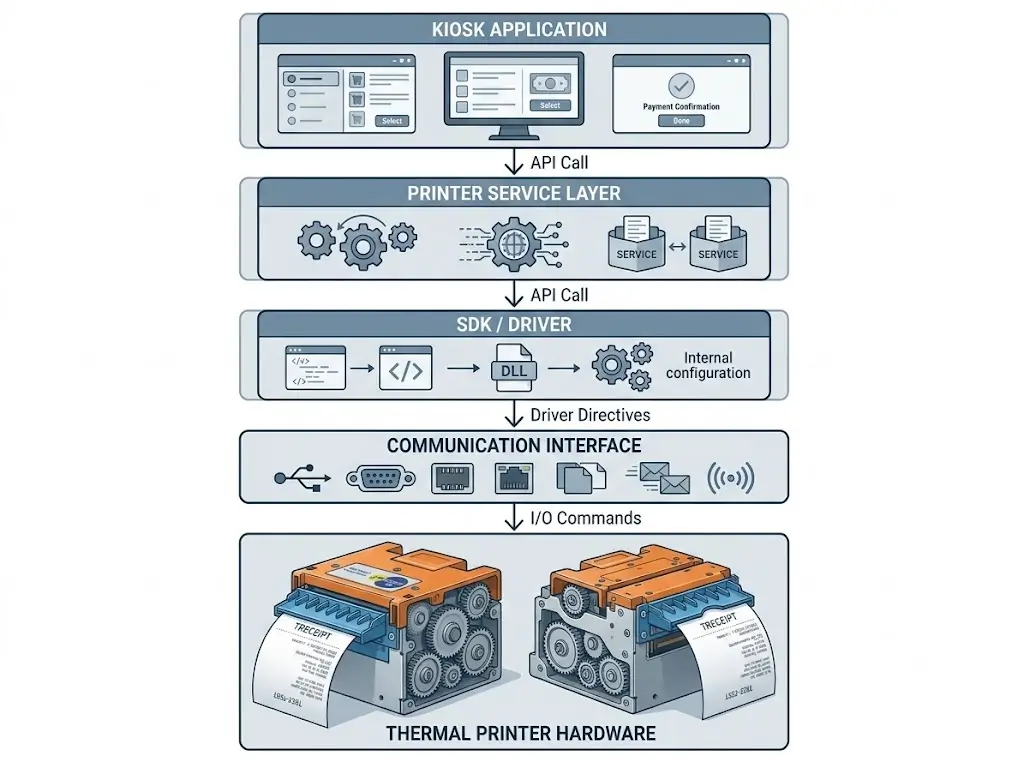
Kiosk Printer Integration Architecture
Understanding The Complete System Structure
A reliable self-service terminal normally contains multiple hardware and software layers.
The printer operates inside this architecture:
Customer Application -> POS / Kiosk Software -> SDK / Driver Layer -> Communication Interface -> Printer Controller -> Thermal Printing Module

-> Receipt Output
Each layer has a specific responsibility.
Application Layer
The application layer controls:
- customer interaction
- order information
- payment result
- receipt content
- printing timing
Typical applications include:
- restaurant self-ordering systems
- parking payment terminals
- ticket vending machines
- hotel self-service kiosks
- visitor management systems
Software Communication Layer
The software communication layer connects the kiosk application with the printer hardware.
It normally includes:
- driver
- SDK
- command protocol
- printer status monitoring
A reliable integration requires clear communication between software and printer hardware.
Hardware Control Layer
The hardware control layer manages:
- industrial PC
- embedded controller
- power system
- communication connection
The controller must provide stable operation during continuous kiosk usage.
Printer Execution Layer
The printer module performs:
- paper feeding
- thermal printing
- cutting
- presenting
- error detection
The final user experience depends on whether this layer continues working consistently after thousands of transactions.
Hardware Integration
Designing The Printer Into The Complete Kiosk System
A common mistake in kiosk development is treating the printer as a standalone component.
In reality, a kiosk printer affects:
- cabinet structure
- internal layout
- user interaction
- maintenance workflow
- system reliability
A printer that works correctly before installation may create problems after being integrated into the final terminal.
Experienced system integrators usually evaluate printer integration from three perspectives:
- Mechanical integration
- Electrical integration
- Software integration
Mechanical Integration
The Printer Must Match The Kiosk Structure
A kiosk printer is installed inside a physical enclosure.
Therefore, the mechanical design must consider more than printer dimensions.
Important factors include:
- mounting position
- printer depth
- paper outlet location
- paper roll space
- maintenance accessibility
- cable routing
A poor mechanical design may lead to:
- difficult paper replacement
- blocked paper path
- inconvenient receipt collection
- longer maintenance time
Mounting Method Selection
Different kiosk designs require different installation approaches.
Common installation methods include:
Embedded Installation
The printer is installed inside the kiosk cabinet.
Typical applications:
- self-service payment terminals
- ticket machines
- hotel kiosks
- retail kiosks
Advantages:
- clean appearance
- protected hardware
- suitable for integrated terminals
Panel Mount Installation
The printer front panel is directly integrated into the kiosk surface.
Typical applications:
- compact ordering kiosks
- visitor management terminals
- access control terminals
Advantages:
- easier user access
- simplified paper replacement
- better front-panel integration
SNRO panel mount printer solutions include:
Presenter Installation
Presenter printers control receipt delivery by holding and presenting the paper after printing.
Typical applications:
- parking payment kiosks
- ticket vending machines
- banking terminals
- unattended payment systems
Advantages:
- reduces early pulling problems
- improves receipt handling control
- supports unattended environments
Paper Outlet Design
The printer outlet position directly affects user experience.
During kiosk design, confirm:
- receipt exit angle
- front panel opening
- user hand position
- paper collection space
A small mismatch may cause:
- users pulling paper incorrectly
- receipt damage
- paper jams
- poor user experience
For unattended kiosks, paper output design should be considered part of the complete workflow.
Paper Roll Space And Maintenance Access
Many kiosk projects discover maintenance problems only after deployment.
The printer fits inside the cabinet.
But replacing paper becomes difficult.
Before finalizing the design, evaluate:
Paper Replacement Process
Can operators replace paper quickly?
Consider:
- opening method
- access direction
- required tools
- replacement frequency
Service Accessibility
Maintenance teams should be able to access:
- printer mechanism
- cable connection
- paper path
- error areas
A few minutes saved during maintenance can become significant operational savings after thousands of service visits.
Electrical Integration
Matching Power And Communication Requirements
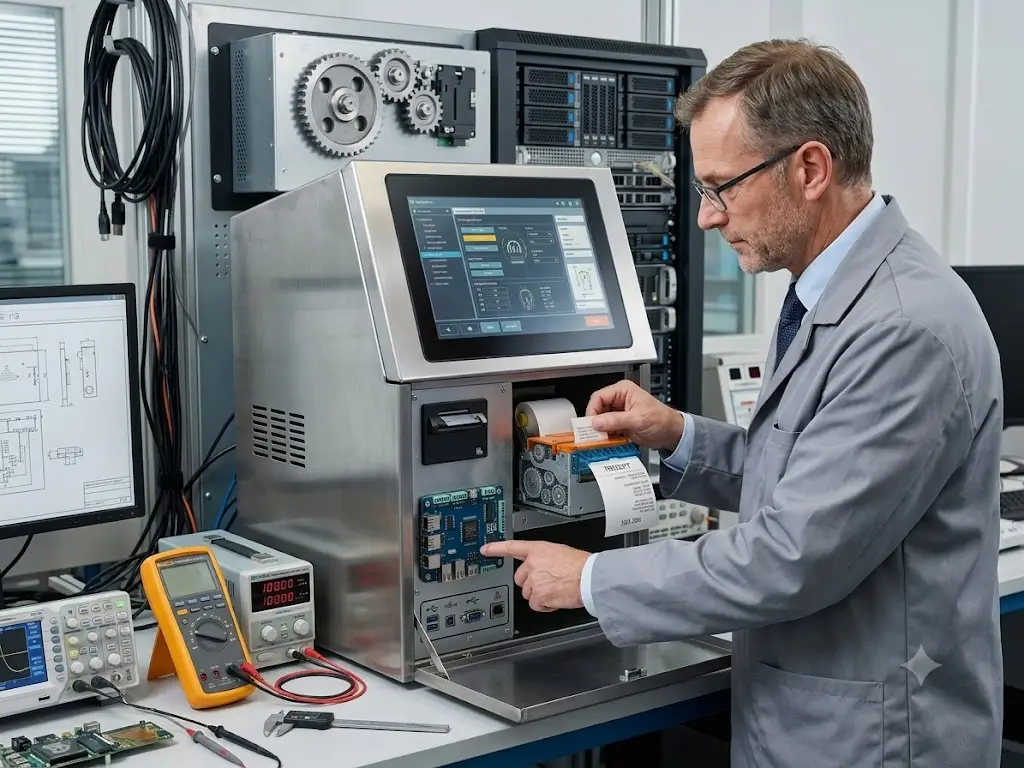
Electrical integration ensures that the printer communicates reliably with the kiosk controller.
Before prototype development, confirm:
- power supply specification
- voltage requirements
- communication interface
- cable connection method
Common kiosk printer interfaces include:
- USB
- RS232
- Ethernet
- TTL
The best interface depends on the complete kiosk architecture.
USB Kiosk Printer Integration
USB is widely used in commercial self-service systems.
Typical applications:
- Windows kiosks
- retail self-checkout
- ordering terminals
- payment kiosks
Advantages:
- simple connection
- common development environment
- easy testing
Considerations:
- cable quality
- connection stability
- long-term operation
RS232 Kiosk Printer Integration
RS232 remains common in industrial and embedded environments.
Typical applications:
- industrial terminals
- automation equipment
- customized kiosk systems
Advantages:
- stable communication
- simple protocol structure
- strong industrial compatibility
Ethernet Kiosk Printer Integration
Ethernet-based printers are suitable for distributed kiosk systems.
Typical applications:
- large-scale deployments
- network-connected terminals
- remote management environments
Advantages:
- network communication
- centralized management possibilities
TTL Interface Integration
TTL interfaces are mainly used in embedded OEM projects.
Typical applications:
- custom controllers
- embedded platforms
- specialized equipment
TTL integration usually requires closer cooperation between hardware and software teams.
Software Integration
Connecting The Printer With Kiosk Applications
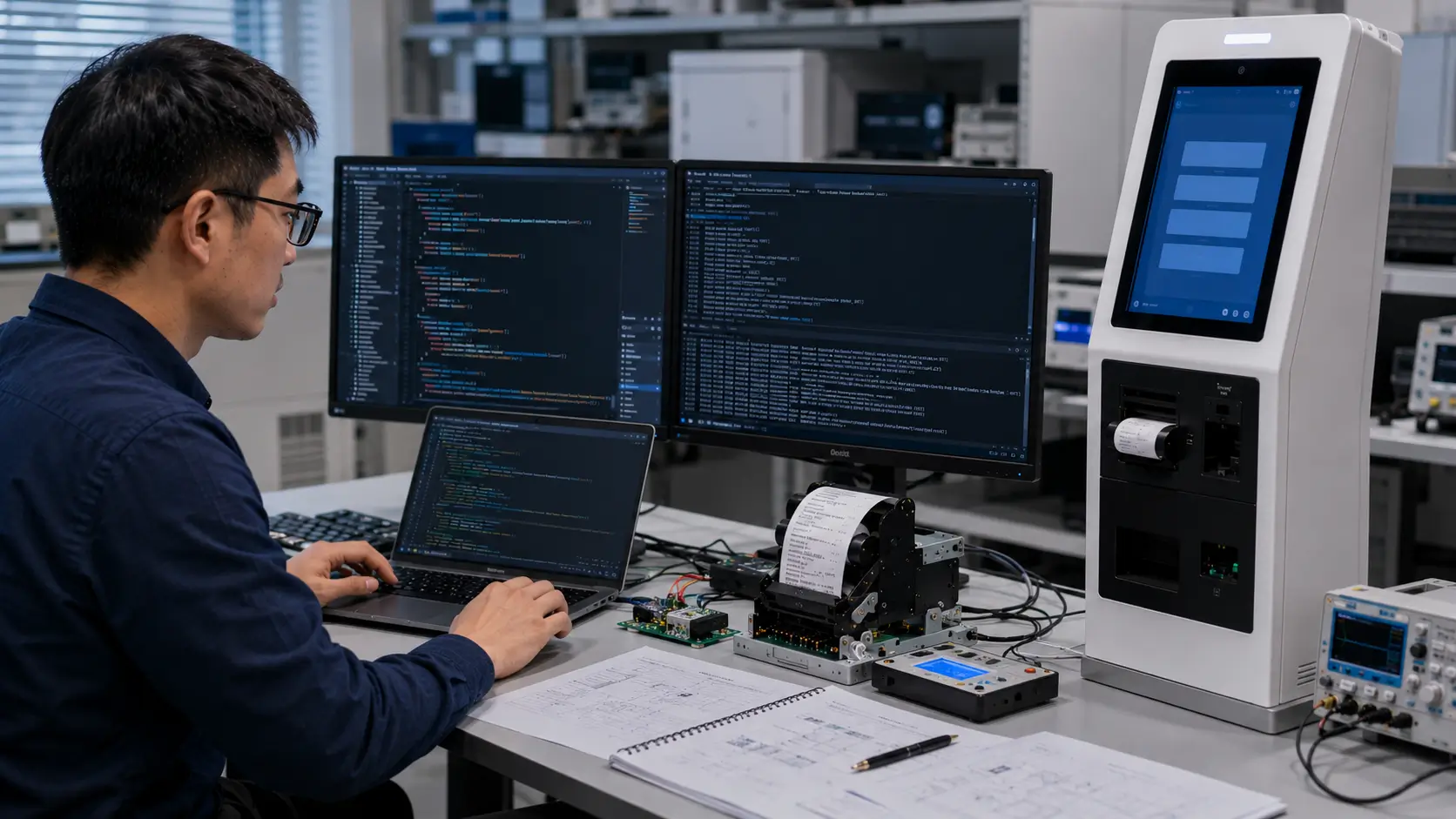
Software integration determines how the kiosk system communicates with the printer.
A professional kiosk printer integration normally includes:
- printer driver
- SDK
- command protocol
- print control
- status feedback
- error handling
The printer should become a controlled system component rather than a simple output device.
Define Your Kiosk Requirements Before Integration
Before selecting the printer, system integrators should define the project requirements.
The printer selection should consider:
Receipt Or Ticket Content
The actual print content determines many hardware decisions.
Evaluate:
- receipt width
- text amount
- QR codes
- barcodes
- logos
- multilingual content
Examples:
A queue ticket may only require a compact receipt.
A parking receipt or restaurant order receipt may require a larger format.
Operating Environment
The deployment environment affects printer selection.
Consider:
- indoor or outdoor installation
- transaction frequency
- user volume
- maintenance availability
- unattended operation
A hotel lobby kiosk and a parking payment kiosk may have completely different printer requirements.
Transaction Volume
Transaction volume affects:
- printer durability
- paper capacity
- maintenance frequency
- output mechanism selection
High-volume systems should focus on long-term operational stability instead of only initial hardware cost.
SDK, Driver And Command Integration
Why SDK Support Matters
In self-service systems, printing is only one part of the workflow.
The software also needs to understand:
- whether printing completed
- whether paper is available
- whether an error occurred
- whether recovery is required
This is why SDK and command support are important.
System Integrators Should Confirm:
SDK Documentation
Confirm availability of:
- SDK documents
- programming examples
- command references
- integration guides
Command Protocol
The development team should understand:
- print commands
- paper feed commands
- cut commands
- status commands
Printer Status Support
The system should be able to detect:
- paper out
- cover open
- cutter error
- communication failure
Without status feedback, unattended kiosks may continue operating with hidden problems.
Why Integration Testing Should Start Early
Many kiosk problems appear because printer testing starts too late.
A better approach is:
- Confirm receipt requirements
- Select printer structure
- Test SDK communication
- Integrate with kiosk software
- Validate mechanical installation
- Run pilot testing
This reduces redesign risk before mass production.
Operating System Compatibility
Selecting A Kiosk Printer Based On The Software Platform
The operating system is one of the most important factors in kiosk printer integration.
A printer that works correctly in a Windows development environment may require additional evaluation when deployed on Linux or Android-based kiosk platforms.
Before selecting a printer, system integrators should confirm:
- operating system compatibility
- driver availability
- SDK support
- communication method
- command protocol
The most common kiosk platforms include:
- Windows
- Linux
- Android
The goal is not simply connecting the printer.
The goal is creating a stable communication path between:
Kiosk Application → Operating System → Controller → Printer
Windows Kiosk Printer Integration
The Most Common Commercial Kiosk Platform
Windows remains widely used in commercial self-service systems because of its mature software ecosystem.
Typical applications include:
- self-ordering kiosks
- retail self-checkout
- hotel self-service terminals
- payment kiosks
- ticket vending machines
Windows-based kiosk projects usually benefit from:
- mature driver support
- common development tools
- easier software debugging
However, system integrators should still confirm:
- printer driver availability
- SDK compatibility
- USB communication stability
- application communication method
A printer that prints correctly through a test tool does not always guarantee stable operation inside the final kiosk application.
The printer should be tested together with the actual software workflow.
Linux Kiosk Printer Integration
Increasingly Used In Industrial And Embedded Systems
Linux is widely used in customized kiosk projects where system control and hardware optimization are important.
Typical applications include:
- embedded kiosks
- industrial terminals
- custom OEM systems
- Raspberry Pi-based solutions
Linux integration usually requires more technical evaluation.
Important considerations include:
- communication protocol
- SDK availability
- device permissions
- system service configuration
Before development, confirm:
- Linux support method
- command protocol documentation
- sample integration resources
- testing environment
For OEM manufacturers developing large quantities of terminals, early Linux integration testing can significantly reduce deployment risk.
Android Kiosk Printer Integration
Common In Smart Retail And Self-Service Devices
Android-based kiosk systems continue growing in:
- restaurant ordering terminals
- compact self-service devices
- smart retail equipment
- mobile POS systems
Android integration usually focuses on:
- USB communication
- SDK availability
- application permissions
- printer control commands
Before choosing a printer, the development team should confirm:
- Android SDK support
- communication method
- sample applications
- API resources
A hardware supplier that understands Android integration can help reduce unnecessary software development time.
Printer Status Feedback And Error Handling
A Professional Integration Requires More Than Print Commands
One of the biggest differences between a basic printer connection and a professional kiosk integration is status monitoring.
In unattended systems, software needs to know:
- Is the printer ready?
- Is paper available?
- Did printing complete?
- Did an error occur?
Without status feedback, the kiosk may continue accepting transactions while the printer is unable to complete the output.
Why Printer Status Feedback Matters
Consider a self-service payment kiosk.
A customer completes payment.
The system sends a print command.
However:
- paper is empty
- cutter has an error
- communication is interrupted
Without printer status feedback:
The transaction appears completed.
But the customer does not receive the receipt.
This creates:
- customer complaints
- staff intervention
- service downtime
Common Printer Status Monitoring Items
| Status | System Response |
|---|---|
| Paper out | Notify maintenance staff |
| Cover open | Stop printing and request inspection |
| Cutter error | Trigger recovery process |
| Paper jam | Display maintenance warning |
| Communication failure | Restart connection or alert system |
| Printer busy | Manage print queue |
Designing A Reliable Print Workflow
Printing Is Part Of The Transaction Process
A kiosk printer should never be evaluated separately from the complete user workflow.
A typical self-service transaction:
Customer Action -> Order / Service Request -> Payment Confirmation -> Transaction Approval -> Print Command -> Printer Execution -> Receipt Collection ->Transaction Completed
Each step affects the final customer experience.
Example: Self-Ordering Kiosk Workflow
A restaurant self-ordering kiosk normally works like this:
- Customer selects products
- Order information is generated
- Payment is completed
- Receipt or kitchen ticket is created
- Printer receives command
- Receipt is printed
- Customer collects receipt
If the printing process is delayed:
- customers may repeat payment attempts
- staff may need to intervene
- confidence in the kiosk decreases
The printer is therefore part of the complete ordering experience.
Example: Parking Payment Kiosk Workflow
Parking systems have stricter requirements because they are usually unattended.
Important factors include:
- fast transaction completion
- barcode or QR code printing
- reliable receipt delivery
- outdoor or semi-outdoor conditions
For these applications, system integrators often evaluate:
- 80mm printer format
- presenter mechanism
- larger paper capacity
- stronger status feedback
Prototype Testing Checklist
Why Prototype Testing Is Critical
A printer that passes a desktop test may still fail after being integrated into a real kiosk.
Professional teams test:
- actual software
- actual receipt format
- actual cabinet design
- actual user behavior
Basic Integration Testing
| Test Item | Purpose |
|---|---|
| Print command test | Verify communication |
| Receipt layout test | Confirm content display |
| Cut function test | Verify output separation |
| Status feedback test | Confirm error detection |
| Restart test | Check recovery ability |
| Continuous printing test | Evaluate stability |
Real Receipt Testing
Do not test only with simple text.
Use actual production content:
- QR codes
- barcodes
- logos
- transaction details
- multilingual information
This helps identify:
- insufficient print width
- poor layout design
- scanning problems
Real User Behavior Testing
Many issues only appear when real users interact with the kiosk.
Test:
- pulling receipt too early
- repeated transactions
- delayed collection
- peak-hour operation
For unattended kiosks, user behavior is part of the engineering environment.
Maintenance Testing
Maintenance workflow should also be tested.
Evaluate:
- paper replacement time
- access difficulty
- cable replacement
- error recovery
A kiosk that requires excessive maintenance creates hidden operational costs.
Common Kiosk Printer Integration Problems
Problem 1: Printer Works During Development But Fails After Deployment
This is one of the most common situations.
The reason:
Development testing usually happens in controlled conditions.
Real deployment includes:
- continuous operation
- changing environment
- real users
- higher transaction volume
Solution:
Test with realistic operating conditions before mass production.
Problem 2: Software Cannot Detect Printer Problems
The printer may physically work, but the software has no visibility.
Typical issues:
- no paper detection
- no error feedback
- no recovery process
Solution:
Confirm:
- SDK availability
- command protocol
- status feedback functions
before software development begins.
Problem 3: Printer Fits The Cabinet But Is Difficult To Maintain
A common design mistake is focusing only on installation size.
After deployment:
- paper replacement takes too long
- service access is blocked
- operators need extra tools
Solution:
Evaluate maintenance accessibility during mechanical design.
Problem 4: Communication Becomes Unstable
Communication problems may appear because of:
- poor cable routing
- unstable power
- unsuitable interface selection
Solution:
Test the printer with the final controller and actual kiosk environment.
Problem 5: Receipt Output Does Not Match User Workflow
Examples:
- receipt outlet position is inconvenient
- users pull paper before completion
- printed ticket falls inside the machine
Solution:
Evaluate:
- printer output mechanism
- kiosk structure
- user collection behavior
Recommended SNRO Kiosk Printer Solutions
Selecting The Right Printer Based On Your Integration Requirements
Different self-service systems have different hardware requirements.
There is no universal kiosk printer model that fits every project.
The correct selection depends on:
- receipt or ticket format
- kiosk structure
- installation method
- communication interface
- operating system
- transaction volume
- maintenance strategy
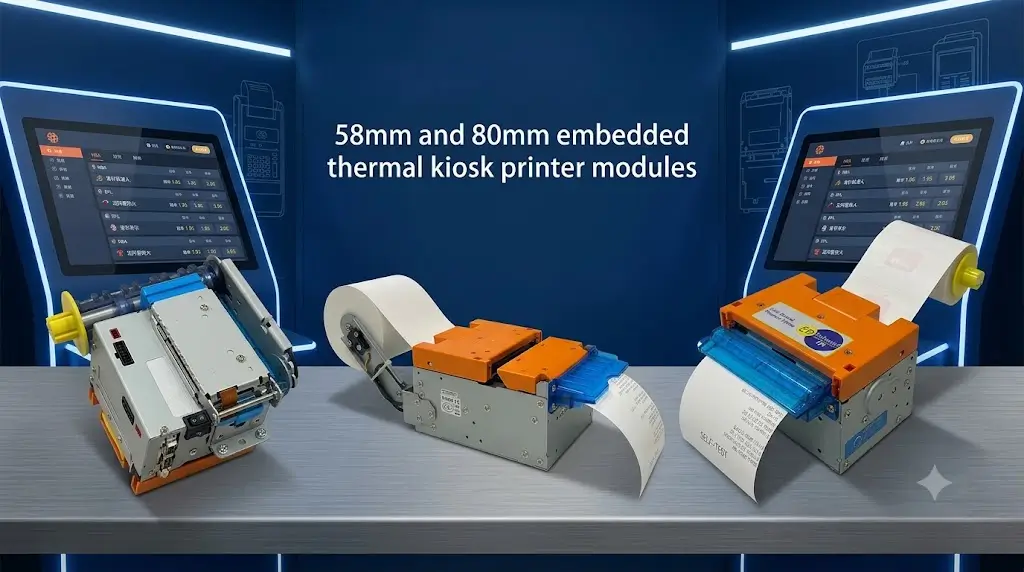
SNRO provides different kiosk printer solutions designed for system integrators, OEM manufacturers and self-service terminal developers.
The following models can be used as practical starting points during prototype evaluation.
SNR-KP803 Series
80mm Embedded Thermal Kiosk Printer For High-Volume Self-Service Systems
The SNR-KP803 Series is designed for commercial self-service systems requiring reliable 80mm receipt printing and long-term embedded operation.
Typical applications:
- self-ordering kiosks
- self-checkout terminals
- payment kiosks
- healthcare kiosks
- ticket vending machines
Recommended when the project requires:
- larger receipt format
- QR code printing
- barcode printing
- transaction details
- stable embedded installation
Key integration considerations:
- cabinet depth
- paper roll capacity
- communication interface
- SDK compatibility
- maintenance access
SNR-EP8303 / EP8304 / EP8305 Series
Panel Mount Kiosk Printers For Compact Terminal Integration
Panel mount printers are designed for kiosk projects where the printer front panel and paper outlet need to be integrated directly into the terminal structure.
Typical applications:
- food ordering kiosks
- visitor management kiosks
- access control terminals
- compact self-service systems
Recommended when the project requires:
- front panel installation
- limited cabinet space
- easier paper replacement
- customized kiosk appearance
Integration evaluation points:
- panel opening size
- mounting method
- paper loading direction
- output position
SNR-KP802-VX
Presenter Kiosk Printer For Controlled Receipt Delivery
Presenter printers are designed for applications where receipt handling reliability is more important than a simple print-and-cut workflow.
Typical applications:
- parking payment kiosks
- banking self-service terminals
- ticket vending machines
- unattended payment systems
Presenter structure helps control:
- early paper pulling
- incomplete receipt collection
- user interaction problems
Recommended when:
- the kiosk operates without staff supervision
- transaction reliability is critical
- receipt handling requires better control
SNR-KP602 Series
Compact Kiosk Printer For Space-Limited Applications
The SNR-KP602 Series is suitable for smaller terminals where installation space is limited and the printed content is relatively compact.
Typical applications:
- queue management kiosks
- visitor terminals
- access control kiosks
- compact service terminals
Recommended when:
- receipt content is simple
- cabinet space is restricted
- cost-effective integration is required
Application-Based Printer Selection Guide
| Kiosk Application | Recommended Printer Direction |
|---|---|
| Self-ordering kiosk | 80mm embedded kiosk printer |
| Self-checkout kiosk | 80mm receipt printer |
| Parking payment kiosk | 80mm printer / presenter printer |
| Ticket vending machine | 80mm ticket printer / presenter printer |
| Hotel self check-in kiosk | 80mm embedded printer |
| Visitor management kiosk | Compact printer / panel mount printer |
| Queue management system | 58mm / 60mm kiosk printer |
| Healthcare kiosk | 80mm receipt printer |
| Banking terminal | Presenter printer |
| Access control kiosk | Compact or panel mount printer |
What Successful Kiosk Printer Integrations Usually Have In Common
After supporting different self-service projects, one pattern becomes clear:
Successful kiosk deployments are rarely achieved by selecting the cheapest printer.
They are achieved by selecting the printer that matches the complete system.
1. They Start From The Real Application Requirement
Professional teams evaluate:
- what the kiosk prints
- who uses the kiosk
- how often it operates
- where it will be installed
The printer selection starts from the workflow, not from the product catalog.
2. Mechanical And Software Teams Evaluate Together
A kiosk printer affects both hardware and software.
Successful projects usually involve:
Mechanical engineers checking:
- installation space
- outlet position
- maintenance access
Software engineers checking:
- SDK support
- status feedback
- communication protocol
This prevents redesign after prototype completion.
3. They Test Before Mass Production
A professional pilot test should include:
- actual receipt format
- real transaction workflow
- final kiosk structure
- expected operating conditions
Early testing reduces field problems after deployment.
Frequently Asked Questions
What is kiosk printer integration?
Kiosk printer integration is the process of connecting an embedded thermal printer with kiosk software, controller hardware, operating system and transaction workflow.
A successful integration ensures that the printer can receive commands, report status, handle errors and operate reliably inside a self-service terminal.
How do I integrate a kiosk printer into my system?
A typical integration process includes:
- Define receipt or ticket requirements
- Select printer type
- Confirm interface compatibility
- Evaluate SDK or command protocol
- Connect with kiosk software
- Test printer status feedback
- Validate with a prototype kiosk
What information should I provide before selecting a kiosk printer?
For engineering evaluation, provide:
- receipt sample
- ticket format
- kiosk drawing
- operating system
- communication interface
- expected quantity
- deployment environment
This information helps determine the most suitable printer structure.
Can kiosk printers work with Windows systems?
Yes.
Windows is widely used in commercial self-service terminals.
Before deployment, confirm:
- driver support
- SDK compatibility
- communication stability
- application integration method
Can kiosk printers work with Linux systems?
Yes.
Linux-based kiosk systems are common in industrial and embedded applications.
The development team should confirm:
- communication protocol
- SDK resources
- testing environment
- controller compatibility
Can kiosk printers work with Android kiosks?
Yes.
Android kiosk integration usually requires confirmation of:
- Android SDK availability
- USB communication support
- application permissions
- printer control commands
Should I choose an auto cutter printer or presenter printer?
The choice depends on user behavior and deployment conditions.
Auto cutter printers are suitable for:
- supervised terminals
- simple receipt output
- controlled environments
Presenter printers are often better for:
- unattended kiosks
- parking systems
- ticket machines
- high-volume terminals
Is a kiosk printer different from a POS printer?
Yes.
A POS printer is designed for desktop counter environments.
A kiosk printer is designed for embedded integration.
Key differences include:
- mounting structure
- paper path design
- status feedback
- maintenance access
- unattended operation capability
Why is SDK support important for kiosk printer projects?
SDK support allows the kiosk software to control and monitor the printer.
It helps developers manage:
- printing commands
- paper status
- error conditions
- recovery processes
Without proper integration resources, software development becomes more difficult.
Need Help Integrating A Kiosk Printer Into Your System?
Get Engineering Support Before Prototype Development
Choosing a kiosk printer is not only a hardware purchasing decision.
It directly affects:
- transaction completion
- user experience
- maintenance efficiency
- long-term terminal reliability
SNRO supports system integrators and OEM manufacturers with:
Hardware Evaluation
We help evaluate:
- printer type
- paper width
- installation method
- deployment environment
Integration Guidance
Support includes:
- interface selection
- SDK evaluation
- communication method
- prototype testing
OEM Project Support
For custom kiosk projects, SNRO can support:
- hardware customization
- mechanical integration discussion
- project-based configuration
Contact SNRO Engineering Team
If you are developing:
- self-ordering kiosks
- parking payment terminals
- ticket vending machines
- retail self-service systems
- hotel kiosks
- healthcare kiosks
Send us:
- receipt sample
- kiosk drawing
- operating system
- interface requirement
- estimated quantity
SNRO can help evaluate a practical kiosk printer solution before prototype production and large-scale deployment.